

1. Import into your account
View one of these marketing survey templates and click on “Use template” after making sure it is what you are looking for.

Save up to 60% on yearly plans and enjoy our biggest offer of the year. Limited time only. 🍂
See pricingA marketing survey can be used by small and large businesses to take their operations to the next level. It is a reliable method and strengthens your marketing when you professionally analyze the collected information. In this way, you can find the needs of your target market.
Just tell us and get a custom template for free.
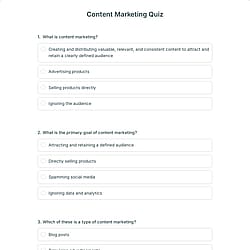
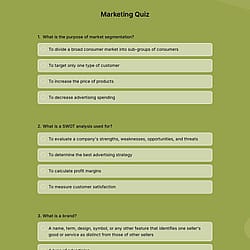
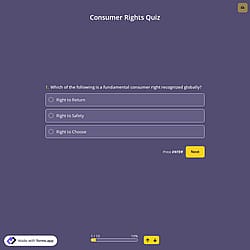
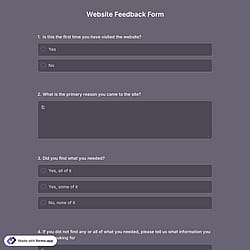
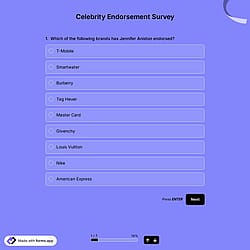
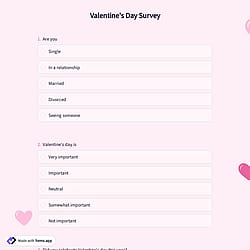
Follow the three easy steps below to import the template into your account, customize the questions, and quickly share the quiz on your website or social media.

View one of these marketing survey templates and click on “Use template” after making sure it is what you are looking for.

Add or remove questions through forms.app's drag-and-drop interface and match your brand style.

Embed it on your website in 6 different ways or share your form across all social media channels.
Just tell us how you would like a custom marketing survey form tailored to your specific needs. forms.app’s free AI form builder will create a custom form template for you in seconds.
Marketing surveys are structured questionnaires used by businesses to collect actionable insights directly from their target audience. They help understand customer needs, preferences, behaviors, and satisfaction levels. Thanks to these forms, companies can make grounded decisions about products, pricing, branding, and strategies.
Every template you choose on this page already comes with specific, similar fields. These common fields include the following:
Marketing surveys can be used by various professional groups for a range of purposes. Here are 10 groups that use online marketing surveys to collect vital feedback and improve their overall service quality.
Startups use marketing surveys to validate ideas, understand early focus groups, and shape products before investing in large-scale growth.
Small businesses collect customer feedback to improve services, refine offerings, and make marketing campaigns with limited budgets.
Large enterprises run large-scale surveys to track brand perception, customer satisfaction, and market trends across different regions.
E-commerce brands use surveys to understand shopping behavior, product satisfaction, and reasons behind cart abandonment or repeat purchases.
Marketing agencies conduct market research survey templates on behalf of clients to gather audience insights, test campaign concepts, and measure the performance of marketing strategies.
Product teams rely on marketing surveys to test features, evaluate usability, and align product and service development with existing customer expectations.
SaaS companies use surveys to understand user engagement, churn reasons, and feature demand throughout the customer lifecycle.
Nonprofit organizations use surveys to understand supporter motivations, campaign impact, and donation behavior to better plan outreach.
Event organizers collect feedback to evaluate event satisfaction, competitive analysis, and pain points for future improvement.
Yes, you can change every element of the survey through forms.app’s drag and drop interface and multiple question types after clicking the “Use template’’ button.
In this page, you’ll find a vast collection of marketing survey types suited to your needs. While there are very niche templates, there are also commonly used ones such as customer insight, brand & awareness, market & audience research, product & pricing, lead & growth surveys, and more.
No, you don’t need any prior experience in research or analytics. forms.app marketing survey templates are designed to be beginner-friendly, with ready-made questions and a drag-and-drop builder. You can easily customize questions, collect responses, and review results without any technical or analytical background.
Yes, you can use these surveys across different channels. With forms.app, you can share your surveys via direct links, email, social media, QR codes, or embed them on your website. This flexibility allows you to collect responses wherever your audience is most active.
Once you have completed your survey, you’ll have a dedicated results page to review responses. There, you will have access to AI insights, Statistics, and Responses. Here is what you can do with them:
AI Insights is an innovative feature that enables you to analyze online survey responses with AI. You can get general trends, related charts, key points, and suggestions, and ask more questions about the analysis.
Statistics offers a number of valuable data for you, as a form owner. Once you are in Statistics, you will be able to see data about your form, respondents, and answers. Additionally, you will have access to data on device types, platforms, locations, scores, and more.
In the Responses section, you have two viewing options: List and Grid view. After selecting and viewing a submission, you can print it, add a note, or send it to the trash. You can view the percentages and get a general idea of the submissions on the statistics page. Also, you can download your data as .xls or .csv files.
Yes, you can reuse the templates for multiple campaigns after customizing a form template in forms.app, you can reuse it for different campaigns, groups, or locations without recreating it from scratch.
是的! If your audience speaks different languages, you can add multiple languages and let people choose their preferred language when they open up your form. Please note that this feature is available only on Pro and Premium plans.
Yes! You can be notified immediately via email when the form is completed. To do this, click the “Settings” button on the edit page. Once the settings menu is opened, you will see the Notifications option on the left side. Finally, toggle on the email notification switch after clicking on the “Notify Me’’.
Yes, you can embed your forms on your website flexibly without codingwith forms.app. After you choose one of the handy embed options, you can make the necessary adjustments, such as height, width, button colors, etc., and place the code into your website!