Free Online Referral Form Templates

Referral forms are online forms used to recommend, direct, or introduce someone to a service, product, or organization. They collect essential details about the referrer, the referred person, and the referral reason.

  • Recent
    Trending
    Popular

37 templates are listed in the referral forms category

Preview
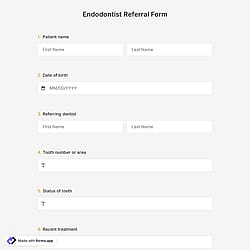
Endodontist Referral Form

Endodontist Referral Form

Looking for a way to create an online referral form to accept patients from other doctors or hospitals? This endodontist referral form template comes with standard fields and will help you build your form much faster. After creating your form, you can use it with its URL or simply embed it on your website.
Use template
Preview
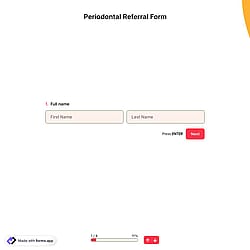
Periodontal Referral Form

Periodontal Referral Form

If you want to create a referral form for periodontology, you can do so by using forms.app and its advanced features. Your form can be shared via its form URL or can be embedded on any web page. Open this periodontal referral form template to build your form today.
Use template
Preview
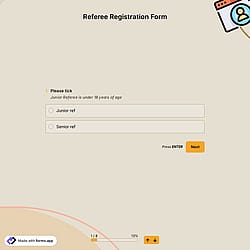
Referee Registration Form

Referee Registration Form

Use an online form to collect information from individuals interested in becoming referees for a specific sports league, tournament, or organization. Create your form using forms.app's free referee registration form template and start using it within minutes. Plus, all standard questions are included in this free template!
Use template
Preview
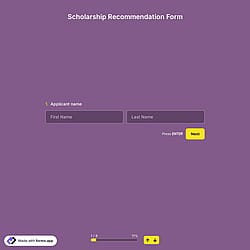
Scholarship Recommendation Form

Scholarship Recommendation Form

Recommendation letters sent through traditional mail can often get lost or be late. But by creating a scholarship recommendation form, you can collect recommendations quickly and safely. Use forms.app's free scholarship recommendation form template to create your online form!
Use template
Preview
Volunteer Reference Form

Volunteer Reference Form

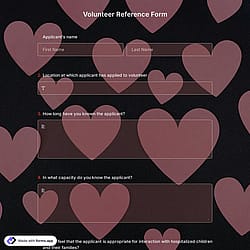
A volunteer reference form offers you a great way to collect crucial information about the applicants and their qualifications, abilities, characteristics, and successes. Moreover, it assists the receiver in understanding the candidate's personality. Click the “Use Template” button to create your form today.
Use template
Preview
Student Recommendation Form

Student Recommendation Form

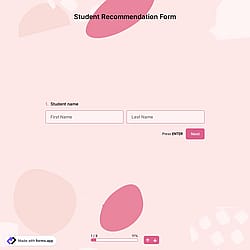
The schools might need student transfers throughout their education life. With student recommendations, the education life of the students will be much better. You can use the free online tool forms.app if you need a student recommendation form.
Use template
Preview
Service Provider Application Form

Service Provider Application Form

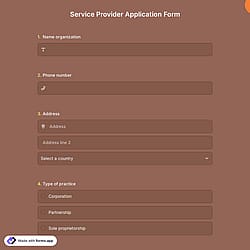
Having a proper service provider application form is much easier now with forms.app. If you want to create your service provider application form immediately, you just need to click the “Use Template” button below!
Use template

How to use referral form templates

Follow the three easy steps below to easily import the template to your account, customize questions, and quickly share the quiz on your website or social media.

1. Import into your account

1. Import into your account

View one of these referral form templates and click on “Use template” after making sure it is what you are looking for.

2. Customize as you like

2. Customize as you like

Add or remove questions through forms.app's drag-and-drop interface and match your brand style.

3. Share it on all channels

3. Share it on all channels

Embed it on your website in 6 different ways or share your form across all social media channels.

Need a custom referral form?

Just tell us how you would like a custom type of referral form (for example, employee referral, form to refer a patient, care services, human resources, real estate, social service, etc.) tailored to your specific needs. forms.app’s free AI form builder will create a custom form template for you in seconds.

About referral forms

Referral forms are digital forms used to collect information from users who want to recommend a product, service or platform to someone else. They typically gather details about the referrer and the referred person. 

Every referral template you choose on this page already comes with certain similar fields. These common fields include the following:

  • Contact fields: To collect referrer details.
  • Multiple-choice fields: To select referral options.
  • Open-ended fields: To explain referral context.
  • File upload fields: To attach supporting files.
  • Rating scales: To measure recommendation strength.
  • Legal fields: To confirm consent and agreement.
  • Media & structure fields: To organize form sections.
     

How can I integrate the referral data into other apps?

Yes, you can integrate these referral forms with 500+ apps. To do this, simply select the app you want to integrate your form with, and then click on “Connect to forms.app’’ or alternatively “Connect to Zapier”. Finally, you’ll see some easy-to-follow instructions to create an account and set up the integration.
 

Is form results automatically sent an email upon submission?

Yes, you can automatically receive form results via email when someone submits a form. To do this, you should enable email notifications in the form’s settings. Once turned on, the platform will send notification emails to your chosen email address(es) every time a new submission is received. You can also customize these emails and include the response details or attach them as PDFs.

For more details, check out our article on enabling and customizing email notifications.
 

FAQs
 

Can I collect responses in multiple languages? 

是的! If your audience speaks different languages, you can add multiple languages and let people choose their preferred language when they open up your form. Please note that this feature is available only on Pro and Premium plans.
 

Are these templates free?

Yes! These referral form templates are totally free to use and customize along with other templates on forms.app, both for individuals and businesses.
 

Can I embed the referral form directly into my website?

Yes, embedding your forms into your website flexibly without coding is possible with forms.app. After you choose one of the handy embed options, you can make the necessary adjustments, such as height, width, button colors, etc., and place the code into your website!