1. Import into your account
View these order forms and click on “Use template” after making sure this is what you are looking for.


forms.app’s order form templates are completely free and customizable. Whether you need a simple order form for product requests or a comprehensive template with payment processing, you are in the right place. forms.app’s free order form templates come with essential order form fields, such as contact information, shipping address, custom notes, product listing field, as well as an easy payment field with PayPal and Stripe payment integration. Order forms are the ideal solution to gather custom orders, collect information for pre-orders, and sell online without needing a separate website.
Just tell us and get a custom template for free.
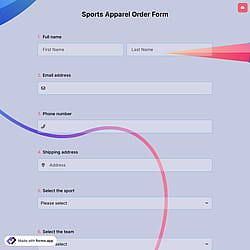

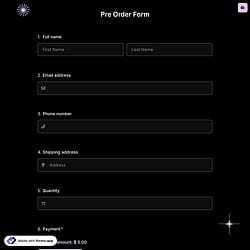

Follow the three easy steps below to easily import the template to your account, customize questions, and quickly share the form on your website or social media.

View these order forms and click on “Use template” after making sure this is what you are looking for.

Add or remove questions through forms.app's drag-and-drop interface and match your brand style.

Embed it on your website in 6 different ways or share your form across all social media channels.
Just tell us how you would like a free order form sample tailored to your specific needs. forms.app’s free AI order form builder will create a custom template for you in seconds.
Order forms are online documents that customers use to request and purchase products or services with secure payment gateways. They collect key details like buyer & order information, item selections, quantities, pricing, and payment preferences. Businesses use them to create sales, accept payments, and keep all orders organized in one place.
The payment field of forms.app will help you easily collect and transfer money to your account. For collecting international payments, you can connect Stripe and PayPal accounts to your forms. No matter which method you use, it will be a quite simple process that can be completed with a few steps.
You can add your own products by customizing the payment field in your form. Once the payment field is added, you can define product names, descriptions, prices, and currencies. You may also offer multiple products, set fixed or variable amounts, choose a default payment method, and select the payment options you want to display.
forms.app supports secure payment collection through Stripe or PayPal. After enabling your preferred payment provider, customers can complete their orders directly within the form. For step-by-step guidance, you can visit the help articles on enabling payments with Stripe or PayPal.
forms.app provides multiple embedding options (standard embed, pop-up, side-tab, chat-box style, full-page, slider, etc.), so you can embed a form onto most websites by copying/pasting the embed code. The embed code is simple HTML/JavaScript, which means even if your website doesn’t use a specialized e-commerce platform, you can still integrate the form by inserting the embed snippet where you want.
Just make sure your website builder supports adding custom HTML/script. Embedding forms.app requires inserting the embed code. Test the form after embedding (desktop + mobile), to ensure layout and functionality work fine. forms.app gives options for adjusting height/width and layout settings.
No, you don’t need any coding experience to use the templates. These simple order form templates are designed to be used with drag-and-drop, point-and-click tools so anyone can build a form without programming.
Yes! forms.app complies with major data-protection laws such as GDPR and uses secure servers in the EU for secure data collection. And what’s more, you retain control over your data, which means you can set form-access permissions.
Free! These order form templates are totally free to use and customize along with other templates on forms.app.