

1. Import into your account
View one of these medical history templates and click on “Use template” after making sure it is what you are looking for.

Save up to 60% on yearly plans and enjoy our biggest offer of the year. Limited time only. 🍂
See pricingA medical history form is an online document that collects the necessary information about a patient before diagnosing and treating their illness. Questions such as the patient's age, weight, height, and past illnesses are usually asked in form fields. Therefore, it is a form clearly needed in every health institution to ensure a smooth intake process.
Just tell us and get a custom template for free.
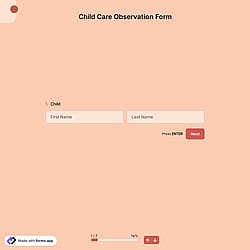
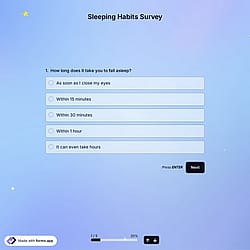
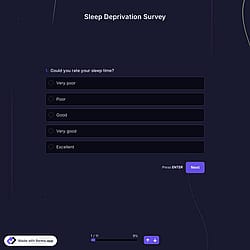
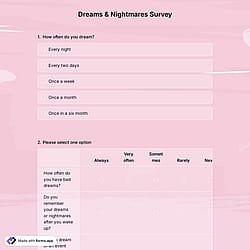
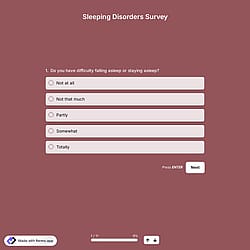
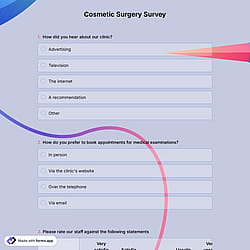
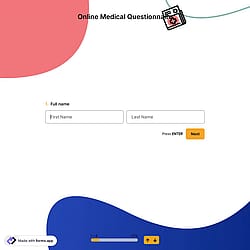
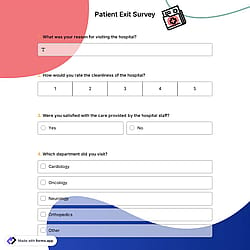
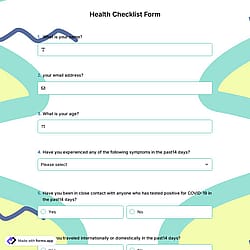
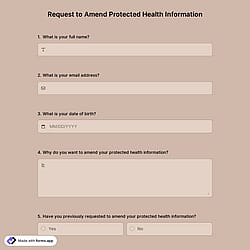
Follow the three easy steps below to import the template into your account, customize the questions, and quickly share the quiz on your website or social media.

View one of these medical history templates and click on “Use template” after making sure it is what you are looking for.

Add or remove questions through forms.app's drag-and-drop interface and match your brand style.

Embed it on your website in 6 different ways or share your form across all social media channels.
Just tell us how you would like a custom medical history form tailored to your specific needs. forms.app’s free AI form builder will create a custom form template for you in seconds.
Medical history forms are digital documents used to collect a patient’s information about past and current health. They typically include details about medical conditions, surgeries, medications, allergies, family health history, and other factors. Healthcare providers use these forms to understand patients better, ensure safe treatment, and reduce risks.
Every template you choose on this page already comes with specific fields. These common fields include the following:
Medical history form examples can be used by various professional groups for a range of purposes. Here are groups that use online medical history forms to collect vital feedback about patients’ health conditions, patients’ experience, chronic conditions, lifestyle factors, and more.
Hospitals and clinics collect comprehensive patient data before appointments to improve diagnosis accuracy and treatment safety.
Private medical practices gather patient intake in a health background to save time, reduce paperwork, and ease consultations.
Dental clinics record dental history, allergies, medications, and surgical history before treatments.
Mental health professionals collect psychological history, medications, and therapy background to prepare effective treatment plans.
Physiotherapy centers understand past injuries, surgeries, and pain levels to design safe and customized rehabilitation programs.
Medical laboratories obtain relevant health details to ensure accurate testing procedures and reliable diagnostic results.
Rehabilitation centers track long-term medical conditions and recovery progress to support continuous patient care.
Occupational health providers assess employees' medical histories to determine workplace fitness and to meet health and safety regulations.
A digital medical history form typically includes personal and contact details, current and past medical conditions, medications, allergies, surgeries, family health history, and lifestyle information. It may also include consent, signatures, and file uploads for medical reports.
Yes, you can fully customize the form for your specific use case. With forms.app, you can add or remove questions, choose suitable form fields, apply your branding, and adjust the layout to match your style and needs.
Yes, all templates on forms.app are optimized for all devices, whether it’s desktop, tablet, or mobile.
Yes, these forms can be used for different medical specialties. With forms.app, you can easily tailor questions, fields, and layouts to fit general practice, dental care, mental health, physiotherapy, and many other specialties.
Medical history forms are legally binding only if they include an electronic signature field and comply with applicable laws (such as the IRB application). Electronic signatures can be legally binding if they meet certain conditions, such as identifying the signer and proving that they have access to the private key used.
Yes! forms.app is designed with industry-leading strong security and privacy protections, which makes it quite safe for collecting user data and also payments. And what’s more, you retain control over your data, which means you can set form-access permissions.
● All forms and responses are encrypted and stored on Google Cloud storage service servers located in the EU.
● forms.app is GDPR compliant, which means it handles personal data according to strict EU privacy rules; holds ISO/IEC 27001, ISO/IEC 27701, PCI DSS security certifications; and meets the OWASP security standards.
● Servers are hardened, access is restricted, and Cloudflare is used to help protect against attacks like DDoS.
● There is real-time disaster recovery: your valuable data is backed up across multiple servers so it can be recovered in emergencies.
● Your account’s security is also strong: you can enable two-factor authentication, control who has access to your forms, and back up your data easily.
Yes! You can collect digital signatures and obtain agreement to your terms and conditions before they submit their forms. Click the "+" button within the form builder, select the "Signature" option, and simply drag and drop the signature field to the desired position on your form.
Yes, you can use these forms across different channels. With forms.app, you can share your surveys via direct links, email, social media, QR codes, or embed them on your website. This flexibility allows you to collect responses wherever your audience is most active.
No, you don’t need any prior experience in research or analytics. All templates on forms.app are designed to be beginner-friendly, with ready-made questions and a drag-and-drop builder. You can easily customize questions, collect responses, and review results without any technical or analytical background.