1. Import into your account
First, open this pre-ready biographical information form template and click “Use template” to access it in your account.

Save up to 60% on yearly plans and enjoy our biggest offer of the year. Limited time only. 🍂
See pricing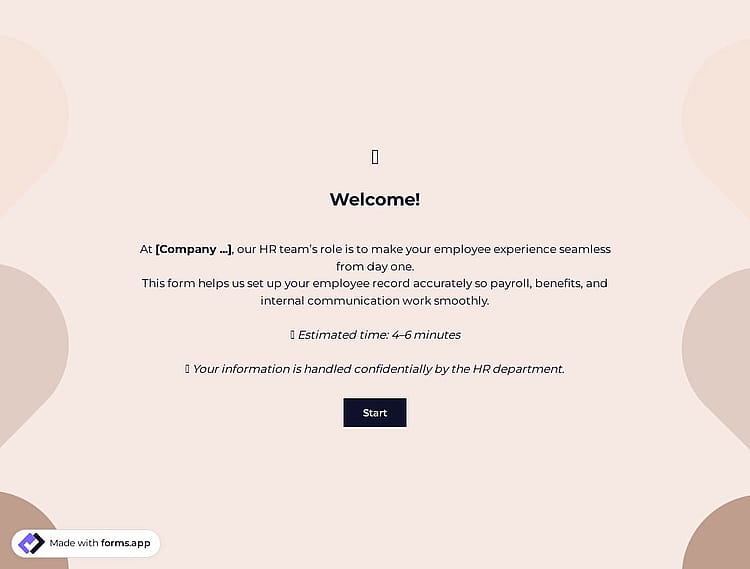
A biographical information form is a document used to collect a person’s personal details and basic employment information for official records and HR purposes.
Form questions will inquire about:
💡 This template comes with pre-set welcome & ending pages and a ready-made layout that’s applied automatically.
This biographical information form template already includes the main fields needed to collect basic employee details, contact information, job-related data, emergency contact details, and required consent confirmations.
A biographical information form is a structured document used by organizations to collect standardized personal and employment details for records or onboarding. Everyone fills out the same required fields.
A resume or CV is created by the individual and focuses on highlighting professional experience, skills, and achievements for job applications. In short, the form collects official data, while a resume showcases qualifications.
Yes, you can control which form fields are required or optional. While you are in the Build section of your form, click the gear icon in the field you want to adjust, then enable the Required toggle in the field settings. Once a field is marked as required, respondents cannot submit the form unless they complete that field.
Please note that the Terms & Conditions field is set as required by default, since accepting the terms cannot be skipped.
You can review and organize collected biographical data directly from the Results section of your form. All submissions are listed in the Responses tab, where you can view each entry individually, filter records, and compare information easily.
For external analysis, you can export the data in .xlsx or .csv formats at any time from the Results page.
If you prefer automatic tracking, you can use the Google Sheets integration to sync responses to a spreadsheet in real time. Alternatively, the Microsoft Excel integration offers similar functionality for organizing and managing records efficiently.

First, open this pre-ready biographical information form template and click “Use template” to access it in your account.

Use the easy drag-and-drop builder to update personal details, add job-related information, and adjust the form design as needed.

After finalizing the form, share it via a private link or embed it into your website to start collecting and organizing employee information.
Explore similar templates designed for HR and onboarding processes. Gather employee personal details in one place, including contact information, role data, and other data, to manage your records more efficiently.
Just tell us what details and employment information you’d like to collect, and forms.app’s AI form generator will create a free form template tailored to your HR or onboarding needs.
This biographical information form template includes all the essential fields and can be easily customized to match your HR workflow and company requirements.
Collect employees’ full names, email addresses, phone numbers, and home addresses to maintain accurate personal details for official records.
Adjust the form’s appearance to match your branding by using Custom CSS. You can modify spacing and other visual elements to create a unique design that aligns with your corporate identity.
Include consent checkboxes, such as data accuracy confirmation and privacy consent, to ensure compliance with internal policies and regulations.
Organize the form into clear sections such as personal details, role information, and more with page breaks. Also, add welcome/ending pages for a structured flow.
Create pre-filled forms to speed up submissions by automatically completing known information, making the process faster and more efficient for your team.
Enable email notifications to inform HR when the form is submitted and, optionally, send confirmation emails to employees for their records.
Categories
This biographical information form is free and customizable
Categories