Save up to 60% on yearly plans and enjoy our biggest offer of the year. Limited time only. 🍂
See pricing

Guide to Microsoft Forms for Nonprofits: Strategy & Setup
Summarize with
In the nonprofit sector, your impact is only as strong as the data that drives it.
Efficiency isn’t just a corporate buzzword; for NPOs, it’s the difference between a stalled project and a successful mission. According to the Nonprofit Tech for Good Report, approximately 63% of nonprofits globally use online forms to collect donations and volunteer data, yet many fail to leverage that data for long-term strategic growth.
Relying on fragmented feedback loops can derail even the most passionate initiatives. This guide provides an expert walkthrough of Microsoft Forms for nonprofits, moving beyond basic setup to advanced strategy for volunteer management and event assessment. We will also explore a high-tier alternative for organizations ready to scale their data collection with sophisticated logic and integration features.
Why online form builders are mission-critical for NPOs
For modern NPOs, digital forms aren't just a convenience; they are a strategic asset. Research shows that digital data collection can reduce administrative errors by up to 30% and cut processing time in half (Nonprofit Tech Report, 2025).
Here are 5 critical importance of using online form builders:
- Data integrity: Automated validation ensures clean, board-ready data for grant reporting and impact tracking.
- Volunteer retention: Digital "pulse checks" are proven to increase engagement by ensuring supporters feel heard in real-time.
- Operational savings: Eliminating paper and manual entry reclaims hundreds of staff hours for mission-critical community work.
- Workflow automation: Using branching ensures donors only see relevant questions, which significantly reduces form fatigue.
- Mobile accessibility: QR-code-enabled forms allow you to capture sign-ups and donations instantly on-site via smartphones.
How to build high-impact Microsoft Forms for your NPO
Microsoft Forms is an excellent entry point for nonprofits due to its integration with the Microsoft 365 ecosystem. However, a well-built form requires more than just adding questions; it requires a focus on data privacy and user experience.
1. Strategic foundation: Templates vs. Custom Builds
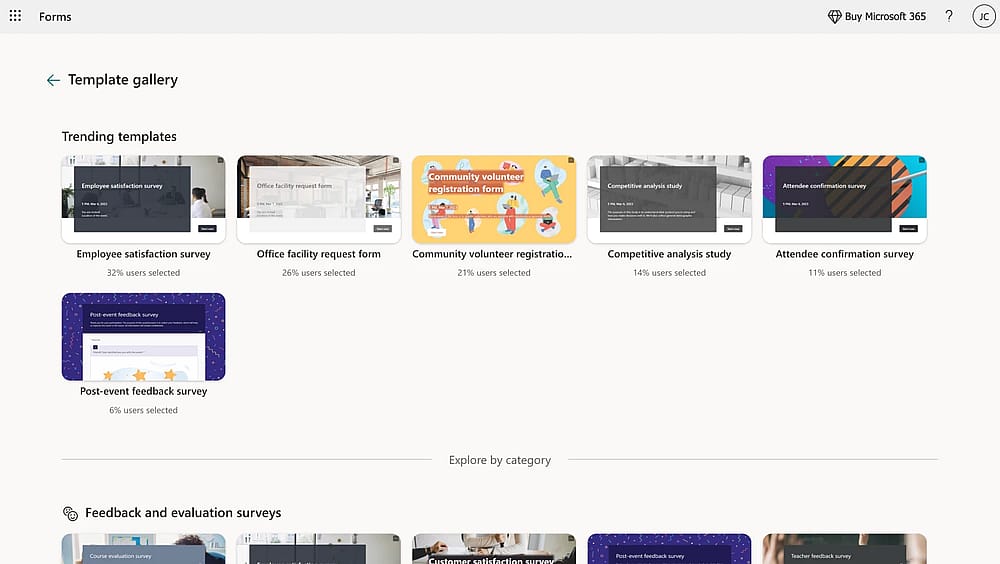
Template gallery of MS Forms
While the MS Forms Template Gallery offers quick wins for event registrations or volunteer feedback, starting from "New Form" (for data collection) or "New Quiz" (for volunteer training) allows for better data mapping.
💡 Expert tip: In my experience, nonprofits often overlook branching. If a donor selects "One-time Gift," they shouldn't see questions about "Monthly Pledges." You can find this under the three dots on any question. It reduces form fatigue and significantly increases completion rates.
2. Architecting for data integrity
By adding custom questions tailored to your mission, you can collect specific donor information without compromising the donor experience or the accuracy of your reports.
- Required Fields: Always toggle "Required" for contact info, but keep "Comments" optional to respect the user's time.
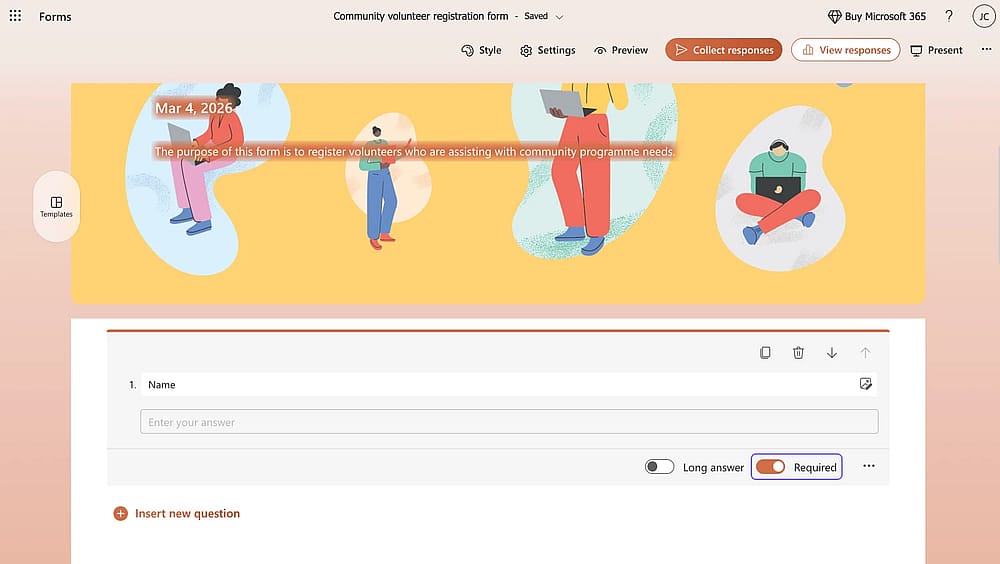
Toggle “Required”
- Restrictions: For age or donation amounts, use the "Restrictions" setting (under the three dots) to ensure users enter only numbers.
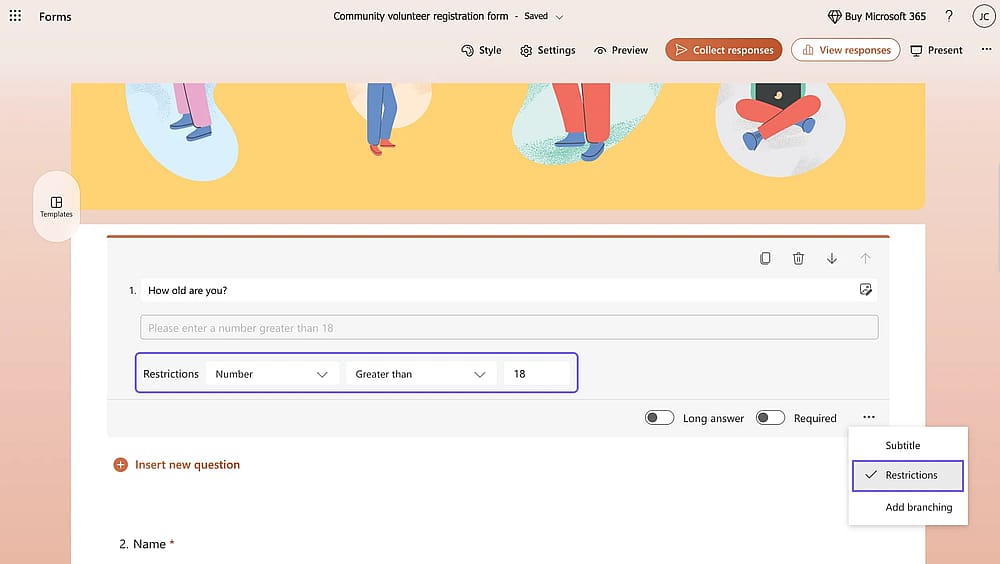
Add restrictions for crucial questions
3. Branding
A customized Microsoft form can prevent phishing attempts against cautious donors.
- Custom themes: Use the Style menu to upload your organization’s high-resolution logo.
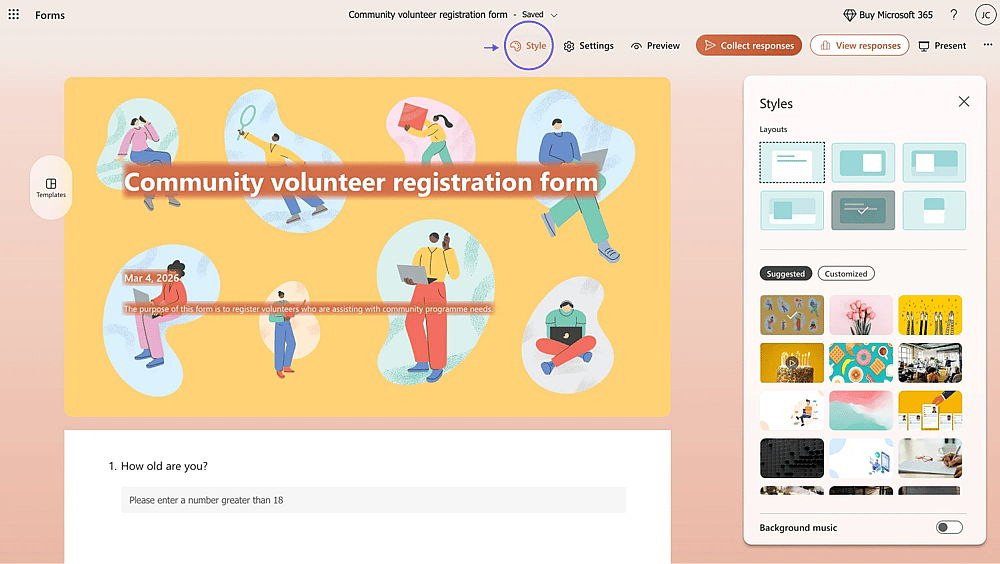
Change the style
- Color palette: Use your specific brand Hex codes to match your website.
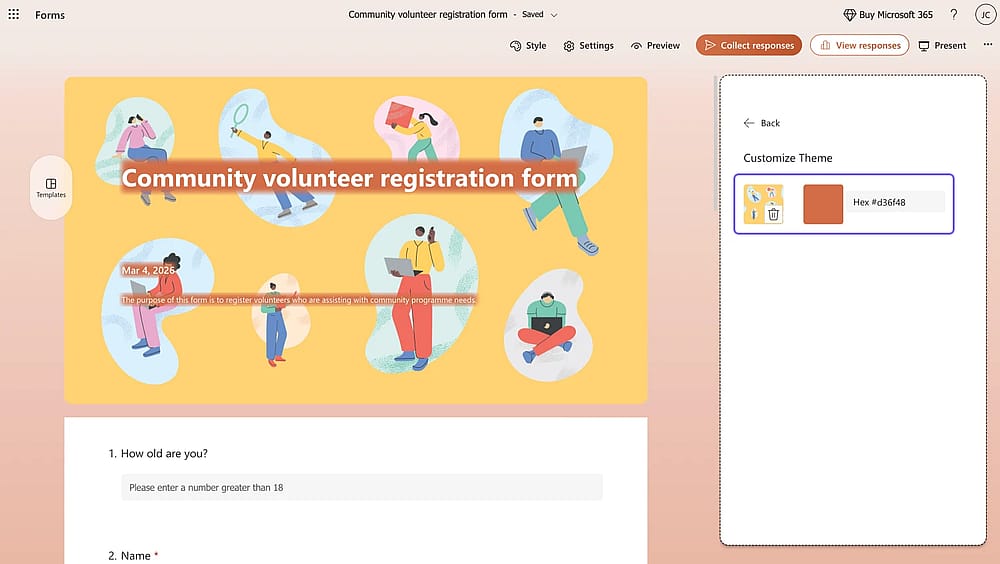
Use your own color or theme
- Multimedia: You can embed a short YouTube video of your mission at the top of the form to remind participants why their data matters.
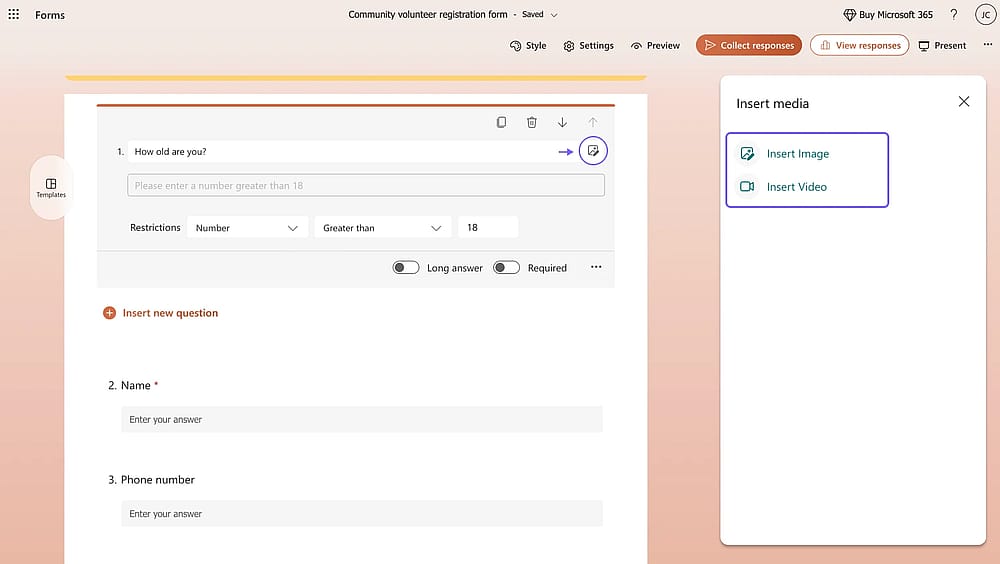
Insert image or video
4. Privacy & Compliance settings
The Settings (gear icon) menu is where you manage your legal and ethical obligations.
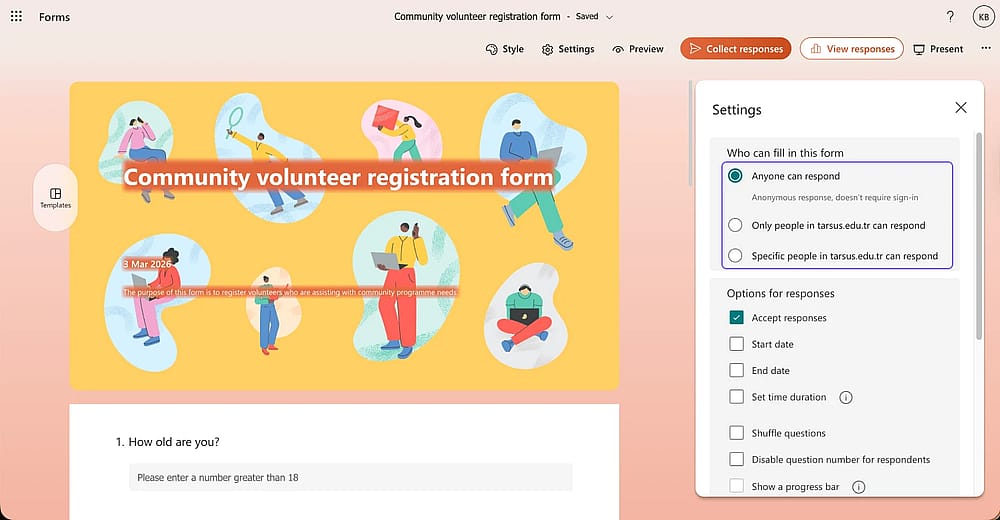
Customize the settings
🛡️ Expert tip: When collecting sensitive data, I always recommend checking "One response per person" to prevent data skewing. More importantly, if you are collecting info from outside your team, ensure you select Anyone can respond so donors don't get a "Permission Denied" error because they aren't logged into your tenant.
5. Deployment and Impact analysis
Sharing is about more than just a link. Use the Collect Responses tab to generate a QR Code for physical events or an Embed Code to place the form directly on your “Join Us” webpage.
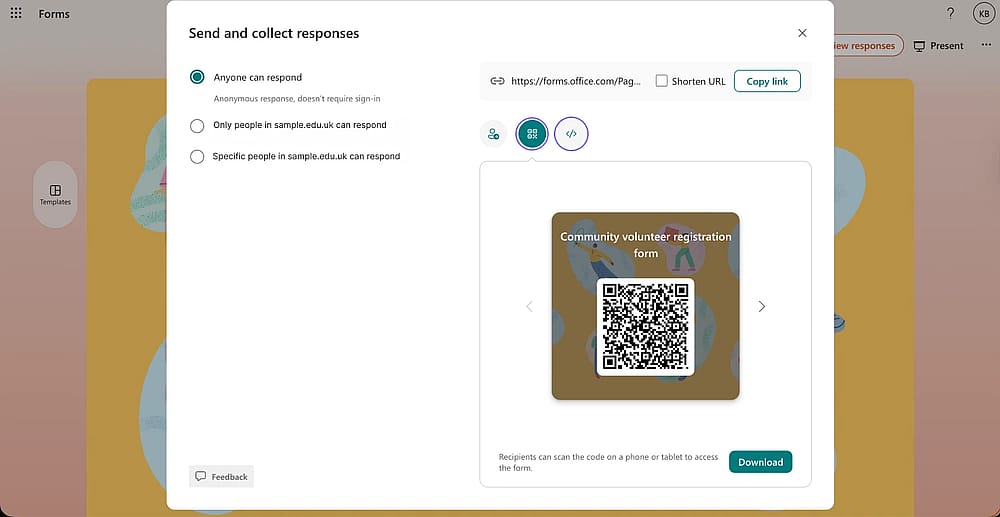
Share the form as a QR code or embed it
Once the data rolls in, don't just look at the "Responses" summary. Click "Open in Excel" to clean the data. This allows you to create a "Single Source of Truth" for your year-end impact reports.
A better solution for NPOs
While Microsoft Forms is a solid entry-level tool for internal staff polls, most NPOs eventually hit a feature ceiling. When your mission grows, you need more than just a questionnaire; you need a tool that handles payments, professional branding, and complex logic without requiring an IT degree.
Here is how forms.app provides a more robust solution for the unique needs of non-profit organizations:
1. Direct donation collection (The MS Forms dealbreaker)
The biggest limitation of Microsoft Forms is its inability to process payments directly. To collect donations, you usually have to link to a third-party site, which increases "donor drop-off."
🎯 The forms.app advantage: You can integrate Stripe, or PayPal, directly into your form. This allows payment processors to contribute without ever leaving your page, significantly increasing conversion rates.
2. Advanced conditional logic
Microsoft Forms offers basic branching, but it can quickly become messy and "glitchy" for complex surveys.
🎯 The forms.app advantage: You can use advanced If-Then logic to show or hide entire sections, skip pages, or even calculate scores (like a "Volunteer Fit" score) in real-time. This ensures a personalized experience for every supporter.
3. Professional, Brand-First Design
Trust is the currency of any NPO. A generic-looking form can sometimes look unprofessional to high-value donors.
🎯 The forms.app advantage: Unlike MS Forms’ limited themes, forms.app offers full CSS control, thousands of highly-customizable templates, and a conversational (one-question-at-a-time) layout. This makes your organization look like a tech-forward, modern entity.
💡 There are various free donation forms for nonprofits. Each one is customizable for different usages.
4. Native e-signatures
Nonprofits often deal with liability waivers for volunteers or donor gift agreements. MS Forms does not have a native signature field, forcing you to use external tools like DocuSign.
🎯 The forms.app advantage: It includes a native Signature field. You can collect legally binding signatures directly on your volunteer sign-up or liability forms, keeping all your documentation in one secure place.
Comparison: At a glance
Feature | Microsoft Forms | forms.app |
Direct Donations | No | Integrated (Stripe/PayPal) |
E-Signatures | No | Native Field Included |
Calculations | No | Real-time Scoring |
Design Control | ⚠️ Basic Themes | Advanced Customization/CSS |
Logic/Branching | ⚠️ Basic | Advanced |
Final thoughts
Choosing the right platform is the first step toward a more efficient, data-driven charitable organization. While Microsoft Forms provides a reliable foundation for internal coordination, scaling your mission requires tools that bridge the gap between simple data collection and professional fundraising campaigns.
To truly maximize your reach, your online donation forms for nonprofits must be frictionless. Supporters expect to contribute using credit cards or digital wallets without being redirected to multiple external sites. By transitioning to a more advanced builder like forms.app, you ensure that your online donation forms are not just functional, but are high-converting assets that build trust and long-term donor loyalty.
You can start with using a donation form template for nonprofit for your own organization and accept donations via advanced features. A user-friendly donation process will change things a lot!
Contributors
Researched & written by
forms.app, your free form builder
- Unlimited responses
- Unlimited questions
- Unlimited team members