Save up to 60% on yearly plans and enjoy our biggest offer of the year. Limited time only. 🍂
See pricing

Microsoft Forms for business: Use cases & limitations
Summarize with
We often treat online forms for business as a final step, when they should actually be the first step in capturing clean, actionable intelligence.
Most professionals use Microsoft Forms for business for basic data, but few use its power to automate high-stakes workflows. A high-impact Microsoft business forms strategy is what bridges the gap between simple feedback and internal audits or client intake.
This guide explores advanced use cases for Microsoft Forms business that go beyond the basics. We’ll also compare this to a more comprehensive tool with enterprise plan needs and share expert tips to help you build forms that actually convert.
What is Microsoft Forms?
Microsoft Forms is a cloud-based application designed to help businesses create surveys, quizzes, or forms.
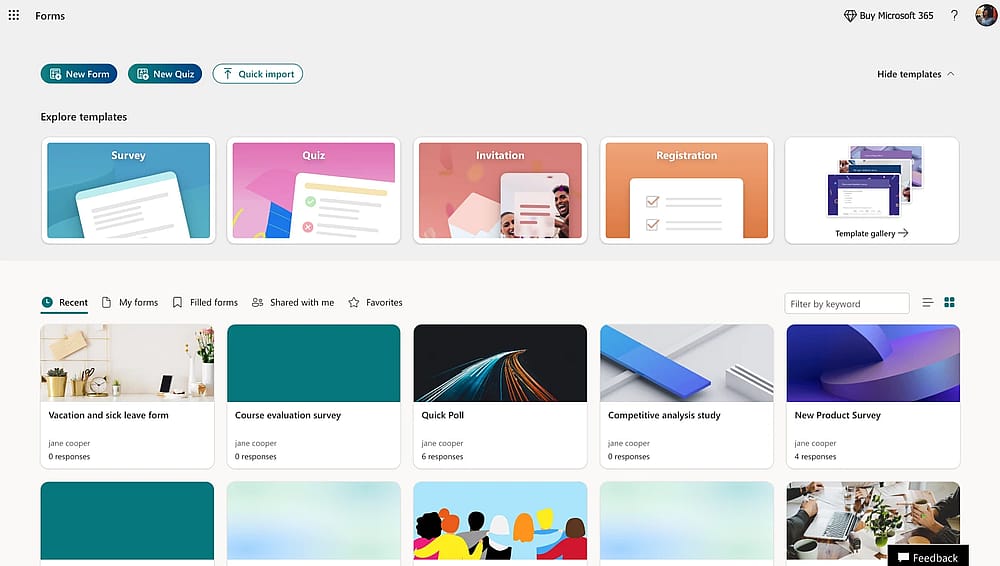
Workspace of MS Forms
It is deeply integrated into the Microsoft 365 ecosystem, enabling you to transform a simple link into a data-collection engine. From internal customer feedback to satisfaction surveys, it provides a professional way to gather the information that drives your decision-making.
Core features at a glance
- Diverse question types: Build anything from simple multiple-choice and text fields to complex Likert scales, Net Promoter Scores (NPS), and file upload requests.
- Branching logic: Create a personalized experience by showing or hiding questions based on a user's previous answers, ensuring your online form for business remains relevant and concise.
- Real-time analytics: Visualize trends the moment responses come in with automatically generated charts and summary reports.
- Excel export: Move beyond the dashboard by exporting your raw data to Excel with one click for advanced formatting and deep-dive analysis.
- Built-in security: Maintain high Microsoft business forms standards with features like “internal-only” access, user identification, and secure data encryption.
12 strategic ways to use Microsoft Forms for business
Most teams use Microsoft Forms for basic business polls, but the real value lies in organizing "chaos-prone" departments. Whether you design forms on a web browser or manage responses on mobile devices, these use cases transform messy data into professional workflows across your entire organization.
1. Employee engagement & Pulse surveys
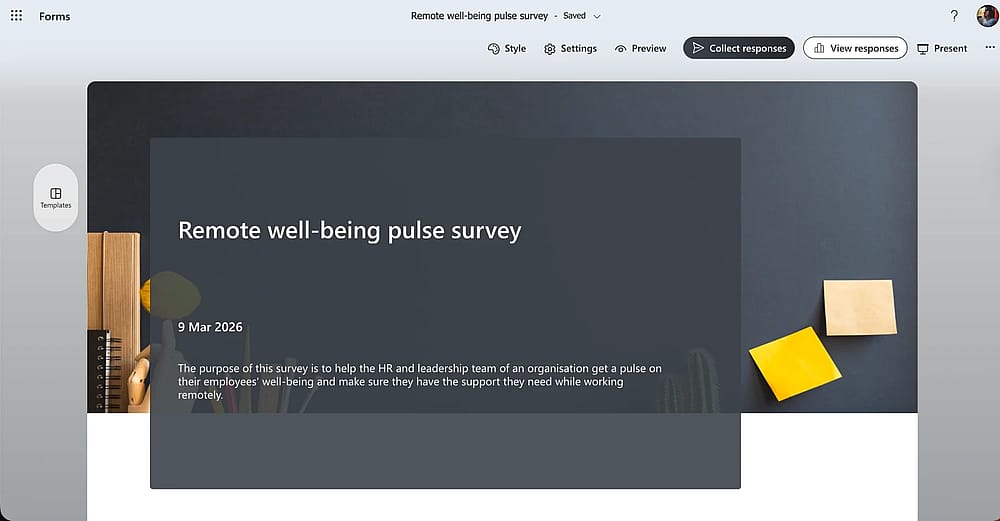
Use a ready template and edit it based on your needs
Stop waiting for annual reviews. Pulse Surveys can be used to catch burnout before it happens. In a remote setup, a quick weekly form can be the only way to "read the room" and maintain culture.
2. Targeted customer satisfaction (CSAT)
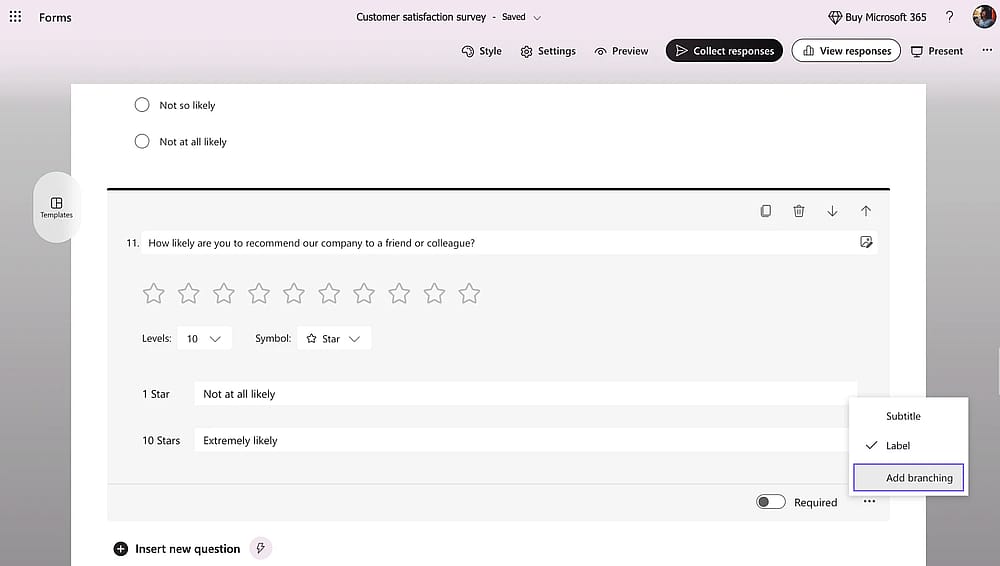
Use branching in your surveys
Beyond just asking "Do you like us?", use Microsoft Forms business to trigger specific questions based on a customer’s recent purchase.
Pro Tip: Use branching logic to ask why if a score is below 3 stars.
3. Post-event deep dives
The best time to send these is within 24 hours while the experience is fresh. Use the "Rating" and "Likert" scales to see exactly which speakers or sessions hit the mark for future planning.
4. Frictionless event registration
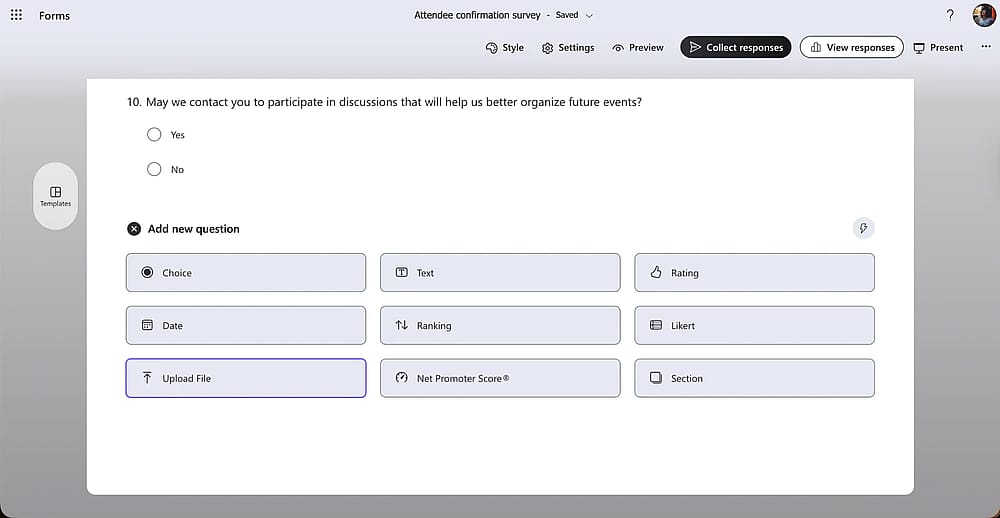
Add a File Upload field to your form
I’ve found that using the "File Upload" feature here is a lifesaver for collecting attendee IDs or speaker headshots directly into your OneDrive, skipping the back-and-forth emails.
5. Office facility & Maintenance requests
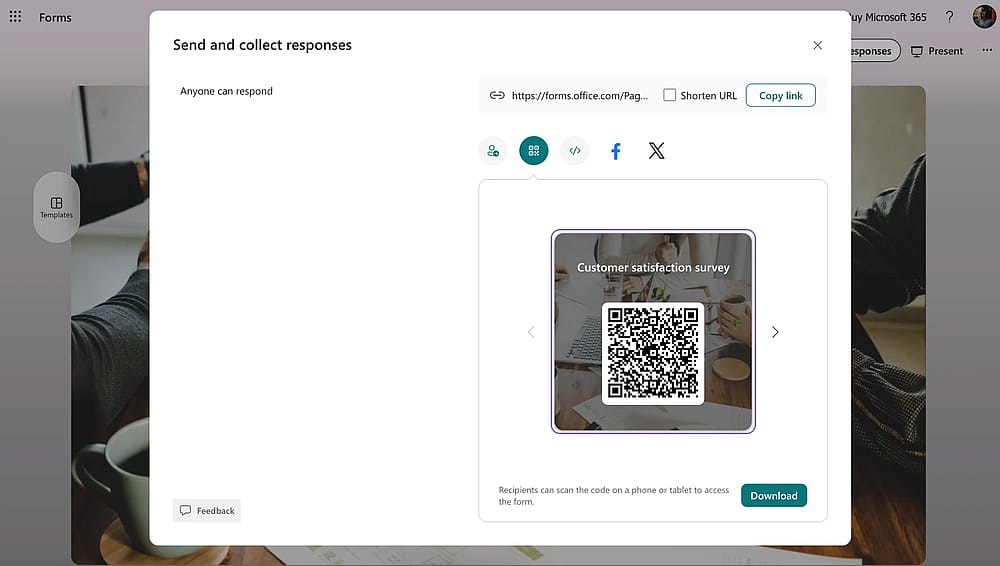
Share your form with a QR code
In a large office, things break. A QR code on the kitchen wall allows staff to report issues instantly, which you can then track in a simple Excel sheet.
6. IT & Hardware procurement
A dedicated IT request form ensures you get the technical specs (OS preference, RAM needs) upfront so the ticket is ready to be solved immediately.
7. Organized expense reimbursement
Employers often dread these, but a clear form makes auditing easy. Require a receipt upload for every entry to ensure your records are tax-compliant and organized from day one.
8. Streamlined job applications
For high-volume hiring, Microsoft Forms is surprisingly robust. Automated workflows can instantly port responses into Excel, allowing you to filter and rank candidates in seconds.
Insight: Use the "Quiz" feature for initial skill assessments to automatically filter candidates before they even reach the interview stage.
9. Client intake & Onboarding
First impressions matter. A professional online form replaces messy email chains and ensures you have all the billing and contact info before the first kickoff call.
10. New product market research
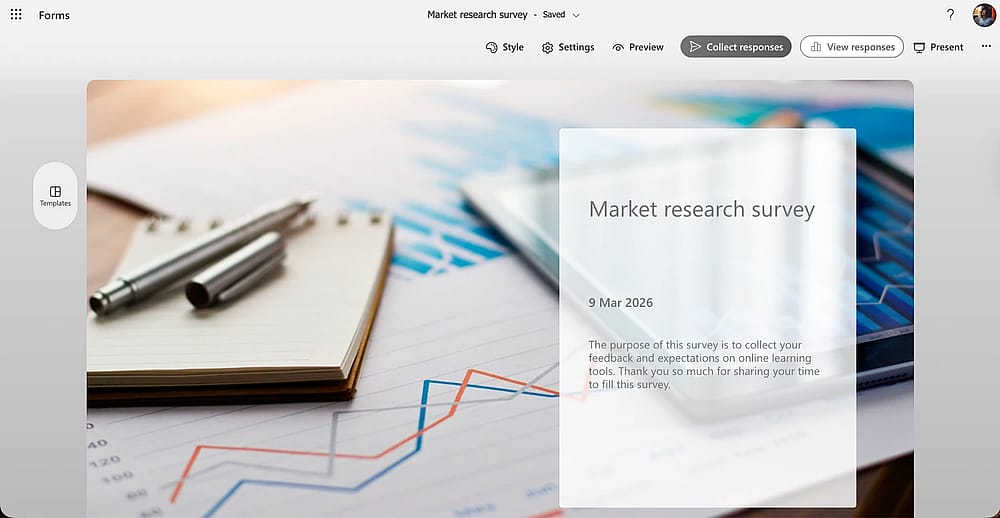
Check Market research survey of MS forms
Before launching, you can send "Concept Testing" forms to a small segment of loyal users. It’s the cheapest way to find out if your new feature is actually a "must-have" or just "nice-to-have."
11. Internal petitions & Proposals
Whether it’s a new office perk or a change in policy, a petition form provides a central, democratic way for employees to voice support for an idea with a clear paper trail.
12. Standardized leave requests
Using a form for time-off requests prevents "he-said-she-said" disputes. It creates a timestamped record for HR and ensures supervisors are notified in a structured, professional format.
The limitations: When "good enough" hits a wall
Microsoft Forms is an excellent entry-level tool, but for scaling operations, it has hard boundaries. Businesses often outgrow the platform when their needs shift from simple data collection to complex, branded workflows. Being aware of these constraints now will save you from a "rebuild" later.
1. The "M365 Silo" and Integration gaps
The tool is built strictly for the Microsoft ecosystem. If you need to send data to a non-Microsoft CRM (like Salesforce or HubSpot), there are no "plug-and-play" integrations. You’ll find yourself stuck in the complexity of Power Automate workarounds. Additionally, external sharing often faces friction depending on your IT admin’s tenant settings.
2. Zero logic for data & Payments
Unlike professional builders, Microsoft Forms lacks dynamic field values. You cannot pre-fill data. Most critically for many businesses, it cannot collect payments. There is no native gateway for fees, subscriptions, or donations.
3. Branding and UX constraints
If you care about your brand’s look, the basic design options will feel restrictive. There are no custom fonts, branded URLs, or advanced layout controls. For longer surveys, the absence of progress bars often leads to higher user drop-off.
4. Administrative risks (The "deactivation trap")
A major risk for long-term projects is account dependency. If the person who created the form leaves your company and their M365 account is deactivated, the form and its data can be lost. It lacks the "workspace-first" ownership found in dedicated form builders.
5. Scale and Reporting limit
With a 50,000-response limit and very basic built-in charts, high-volume businesses will quickly find the reporting insufficient. You’ll spend more time exporting to Excel for manual cleanup than actually analyzing your data.
Microsoft Forms vs. forms.app: Which is right for your business?
To provide an honest answer for your business, we have to look at intent. Microsoft Forms isn’t "bad," but it is specialized. Choosing between these two depends entirely on whether you need a quick internal tool or a professional, customer-facing asset.
When Microsoft Forms is sufficient
If your organization lives and breathes in the Microsoft 365 ecosystem, this is your path of least resistance. It is the right choice when:
- Internal data is the priority: You are running employee engagement surveys or simple office polls where everyone already has a Microsoft login.
- Simple requirements: You only need basic quizzes or feedback forms and don't care about custom branding or "look and feel."
- Zero budget: It’s already included in your subscription, so there's no extra procurement process.
When forms.app is the better choice
Once you step outside the "Microsoft bubble," the friction increases. forms.app is designed for businesses that treat forms as a brand touchpoint or a conversion engine. It is the superior choice when:
- External growth is the goal: You are collecting leads, job applications, or customer data from people who don't have (or want to use) a Microsoft account.
- Various templates: Unlike limited Microsoft business form templates, you can find countless templates for various use cases.
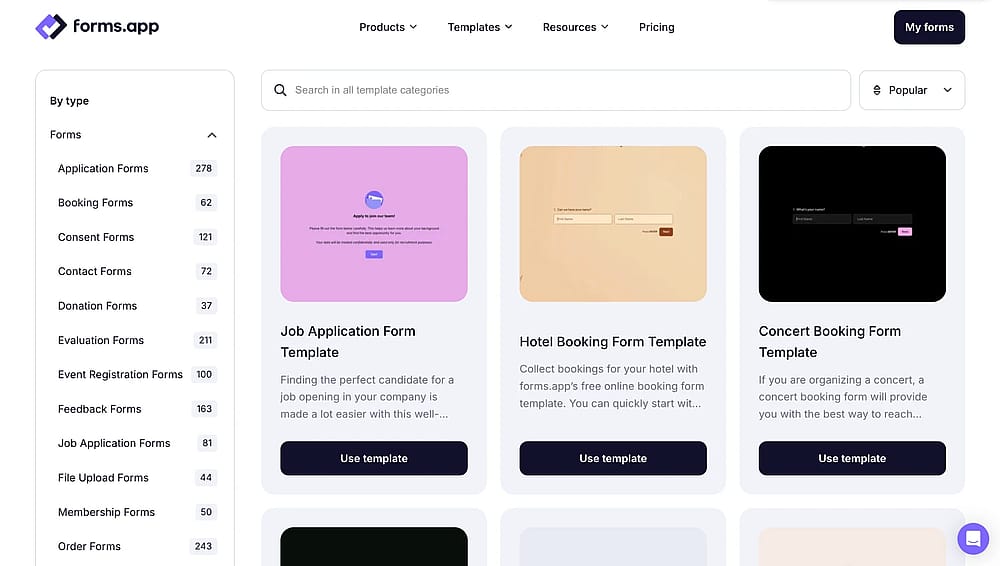
Template library of forms.app
- Professional branding: You need full control over CSS, custom fonts, and branded URLs to ensure the form looks like your website, not a Microsoft template.
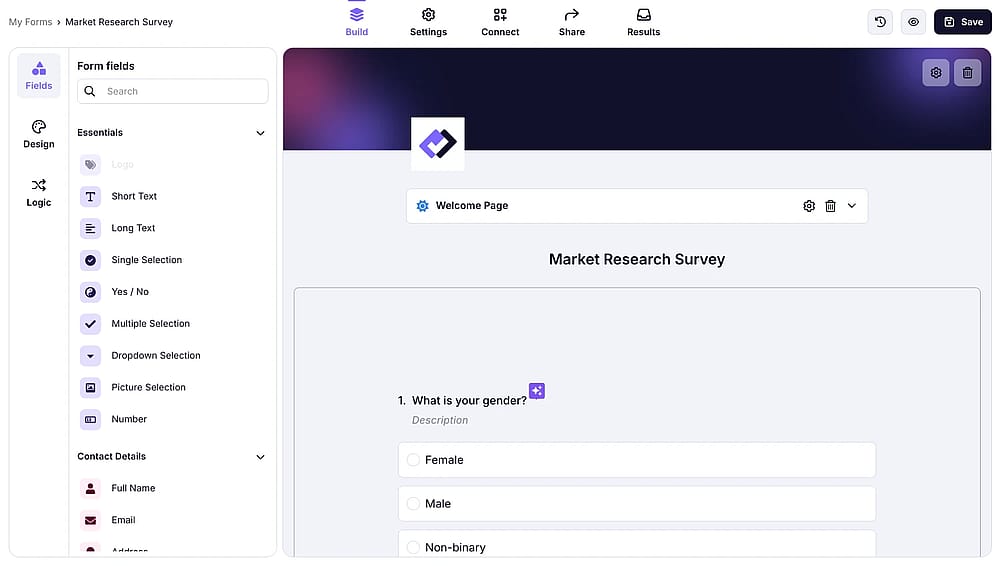
Add your own logo and cover to personalize your form
- Advanced logic & Payments: You need to calculate prices in real-time, collect signatures, or take payments via Stripe or PayPal - features that simply don't exist in MS Forms.
- Native integrations: You want your data to flow directly into HubSpot, Slack, or Google Sheets without wrestling with Power Automate.
Feature | Microsoft Forms | forms.app |
|---|---|---|
Primary Use | Internal M365 polls | Professional business growth |
Customization | Very limited (themes only) | Full design & CSS control |
Question Types | Basic (9 types) | Advanced (30+ including e-signatures) |
Payment Collection | (Stripe, PayPal) | |
Integrations | Only M365 (unless using Power Automate) | Native (Zapier, HubSpot, Slack, etc.) |
Logic | Basic Branching | Conditional logic & Calculators |
External Access | Can be restricted by IT Admin | High (Optimized for all users) |
Pricing | Included in M365 | Free tier + Professional plans |
Final words
Microsoft Forms is an undeniably convenient tool for teams already embedded in the Microsoft 365 ecosystem. It excels at handling everyday internal tasks, like employee pulse surveys or simple office requests, without requiring additional software spend. When paired with Power Automate, it can even handle basic workflow automation quite effectively.
However, it isn’t a universal solution. If your business requires high-end design, external client interactions, or the ability to collect payments and e-signatures, you will eventually hit a feature ceiling. Recognizing these limits is the first step toward building a more professional, data-driven operation.
Contributors
Researched & written by
forms.app, your free form builder
- Unlimited responses
- Unlimited questions
- Unlimited team members