Save up to 60% on yearly plans and enjoy our biggest offer of the year. Limited time only. 🍂
See pricing

Typeform question types: Full list + best uses & alternative

Summarize with
The questions you ask shape the answers you get, but so does the format you ask them in. Typeform types of questions range from simple multiple choice to picture selections and payment fields, and each one changes how respondents experience filling out a form. Pick the wrong type, and you risk leading questions, drop-offs, and data you can't actually use. Pick the right one and the whole survey feels effortless.
Speaking of the importance of field types, research shows users tend to be much more critical when just clicking a star rating or a scale, but they get much more positive and nuanced when you give them a text box to explain themselves. Basically, if you only use numbers, you’re probably missing out on the good things people have to say.
This guide walks through the complete list of Typeform question types, explains how to choose the right format for every situation, and compares Typeform's options with forms.app's field types side by side, so you can build smarter surveys from the start.
What are question types in a form builder?
Choosing the wrong survey question type is one of the most common mistakes. A form question that should be a simple multiple-choice question written as a text question forces respondents to think harder than they need to, and many will abandon the form before finishing. Getting this right from the start sets up your entire customer journey data collection for success.
To choose the right question type, match the type to what you actually need from respondents. Ask yourself: do I need a specific question answered precisely, or am I exploring a topic? The table below maps your goal to the best-fit type:
Your goal | Best question type |
|---|---|
Measure satisfaction or loyalty | NPS or rating |
Compare attitudes across topics | Likert scale question |
Let respondents pick one clear option | Multiple choice questions |
Offer many options without clutter | Dropdown list |
Make a product or service choice | Picture choice |
Collect detailed feedback | Open-ended questions |
Gather contact details | Email address/ phone/ name |
Group-related sub-questions | Question group/ matrix |
💡 Expert tip: A question set that leans entirely on open-ended questions will see lower completion rates. Aim for roughly 80% closed-ended types with 1–2 open-ended questions at the end. This keeps the form fast for respondents while still capturing qualitative insights where they matter most.
Complete list of Typeform question types
Typeform field types are organized into several groups in the builder, each designed for a different stage of your form:
Contact info
Contact info types handle personal data collection: email addresses, phone numbers, full addresses, and website URLs. What makes them useful is the built-in format validation.
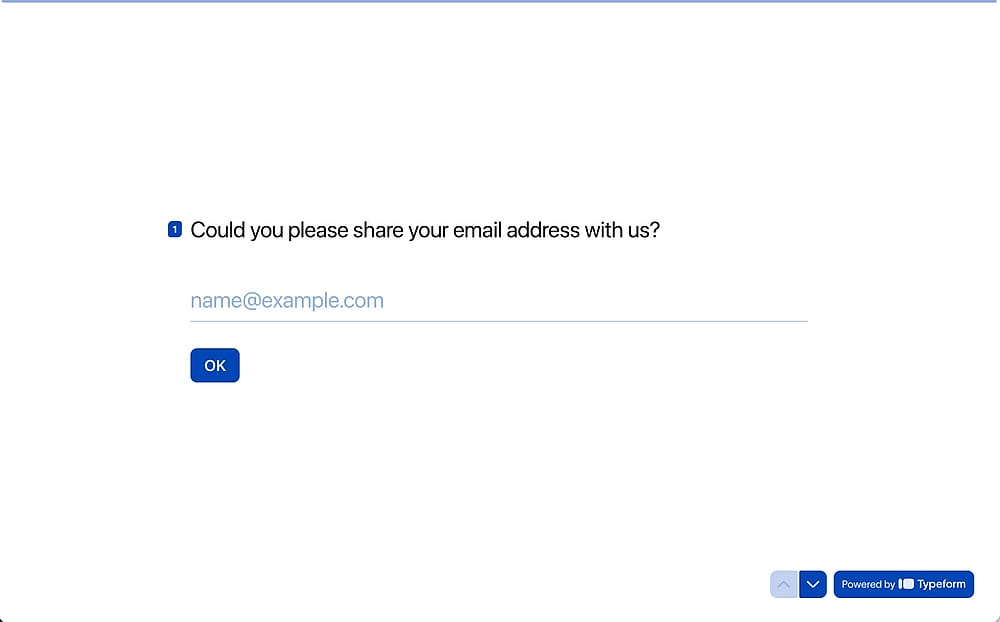
An example of the Typeform “Email” field
Choice
Choice types are the backbone of most surveys. Multiple choice and dropdown questions cover the majority of closed-ended scenarios, while picture choice lets you present visual options. Yes/No, Checkbox, and Legal round out the group for binary responses and consent collection.
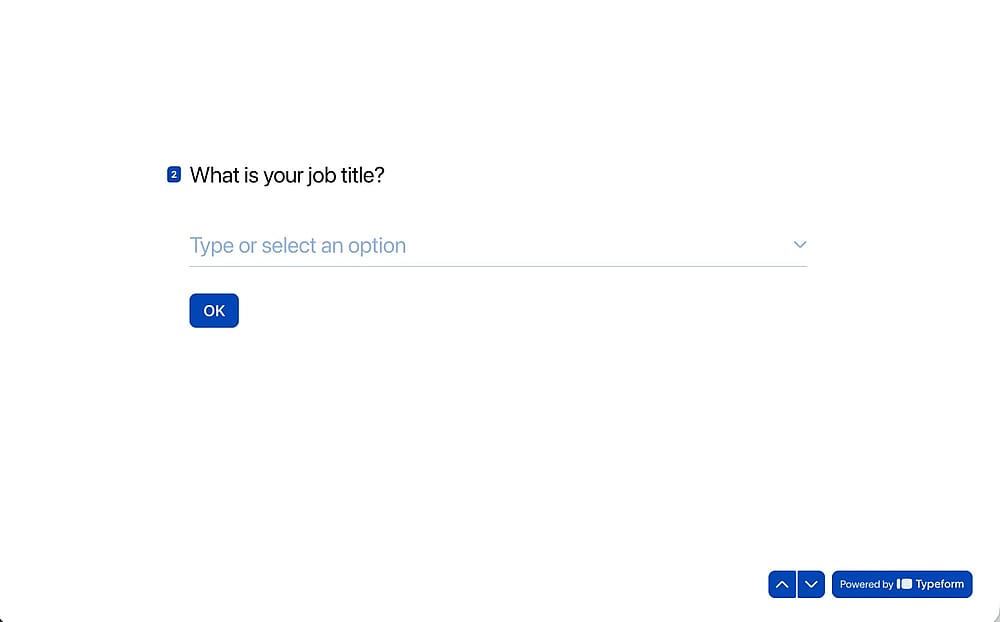
An example of the Typeform “Dropdown” field
💡 When to use: Use multiple choice when you want fast answers - product feedback surveys, customer preference polls, or onboarding questionnaires. Use a dropdown when the list is long, such as country of residence, job title, or industry.
Rating & ranking
Rating and ranking types are where opinion measurement lives. Rating and Opinion Scale questions capture satisfaction on a visual or numbered scale, NPS measures loyalty on the standard 0–10 metric, and the Matrix type lets respondents evaluate several items at once.
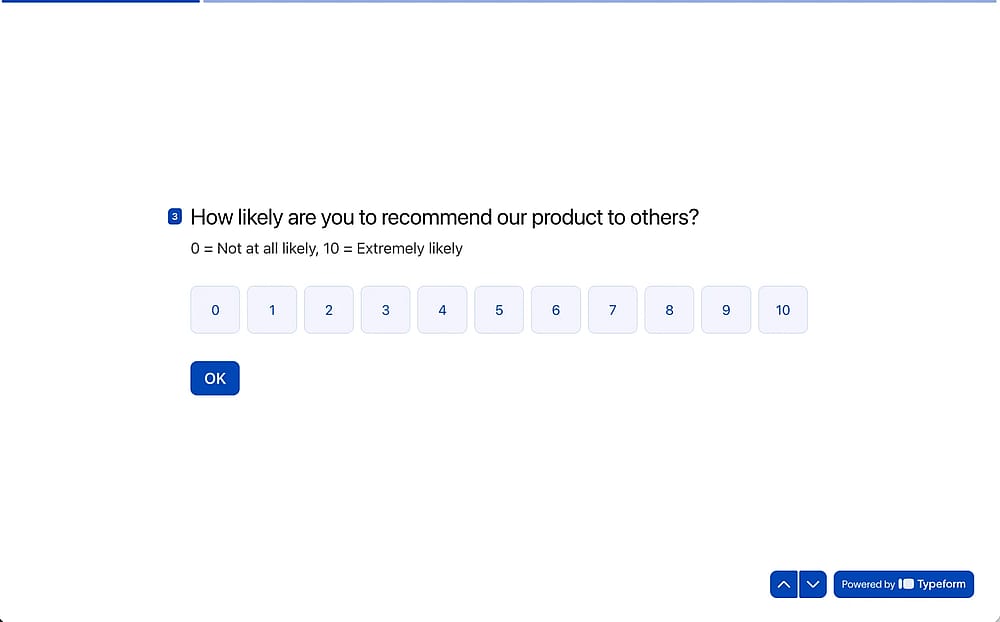
An example of the Typeform “Opinion Scale” field
Text & Video
Text and video types give respondents room to answer in their own words. Short Text and Long Text cover the basics, while the newer AI-powered types add a layer of dynamic follow-up that standard open-ended questions can't match.
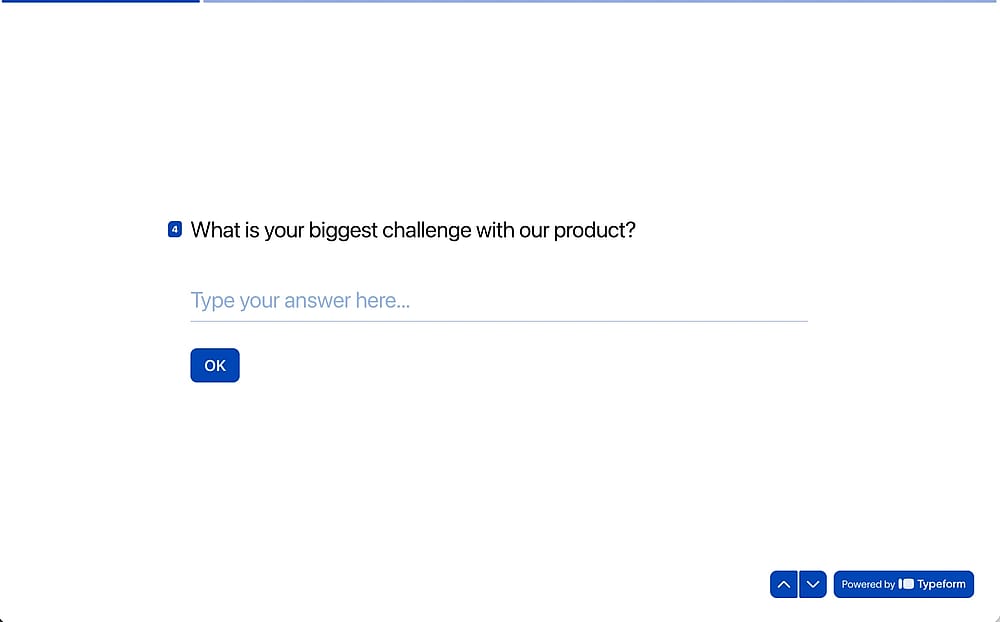
An example of the Typeform “Short Text” field
Other
Specialized types handle transactional needs: Payment fields for collecting money via Stripe or PayPal, File Upload for attachments, Date field, and Signature for collecting electronic sign-offs.
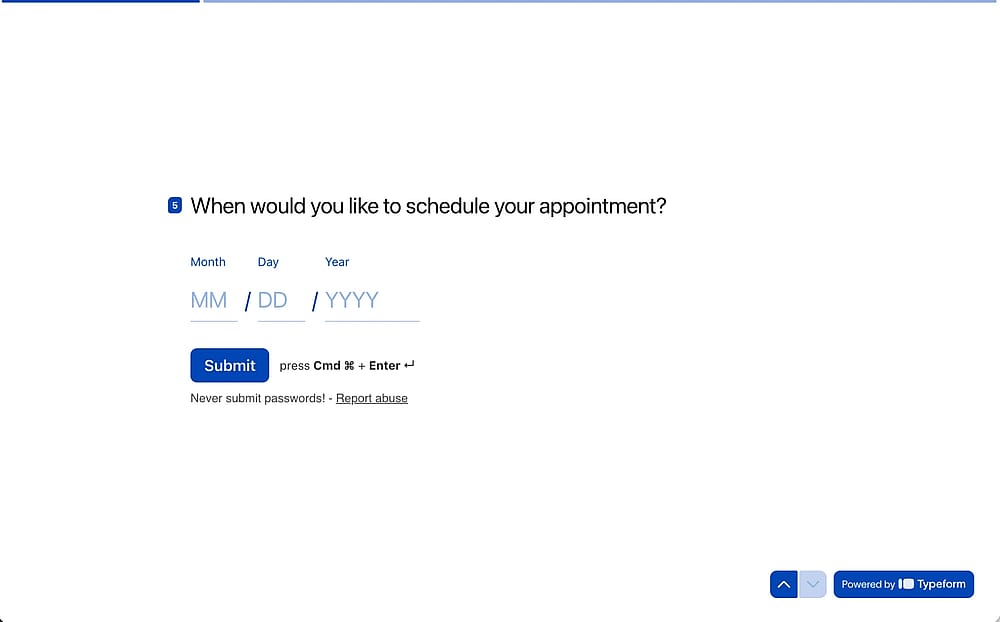
An example of the Typeform “Date” field
💡 When to use: Payment fields turn a form into a lightweight checkout, useful for event ticket sales, workshop bookings, or donation collection.
forms.app field types
forms.app covers all the standard field types you'd expect, and adds a handful that give it an edge for certain use cases. To add any field to your form, simply check the field menu in the builder's left panel and select the type you need. Here's a grouped overview of what's available:
Selection and choice fields
The core options, multiple choice questions, single selection, and dropdown list, handle the bulk of survey question design. Where forms.app adds flexibility in the details: the Multiple Selection field lets you set minimum and maximum answer counts, options can be shuffled to reduce bias, and bulk-pasting a list of choices saves significant time when filling out a form with many options.
Picture Selection brings a visual layer that works especially well for product or services surveys, and the Selection Matrix supports both single and multiple answers per row without needing a separate question group.
Text fields
The Full Name field splits input into separate first and last name values automatically, keeping your data structured. The standout here is Masked Text, a field that enforces a strict input pattern for things like ID numbers or custom codes, which has no direct equivalent in Typeform’s free plan. The Explanation field plays the same role as a statement block, adding context or instructions between individual questions without prompting a response.
Contact and data fields
For collecting personal information, forms.app offers dedicated Email, Phone, Address, Date & Time, and Number fields. These are the fields that sit at the practical core of any customer journey form, from lead capture to appointment booking.
Legal and consent fields
When your form requires agreement before submission, forms.app handles it with two focused fields. The Terms and Conditions field presents your policy text with a checkbox that respondents must tick to proceed. The Signature field goes a step further, letting respondents sign directly within the form.
Payment and commerce fields
forms.app supports basic commerce directly inside a form, removing the need for a separate checkout page. The Payment field integrates with Stripe and PayPal to collect one-time payments securely, covering use cases like event registrations, service bookings, or donations.
The unique Products field takes this further by letting you list individual items with prices, images, and quantities. This turns a standard survey question flow into a lightweight order form, something Typeform doesn't offer as a native field.
Form structure fields
Field Group bundles related questions under a shared header to keep longer forms organized, while Page Break splits the form into separate pages so respondents aren't confronted with everything at once.
💡 Expert tip: forms.app also lets you add a Welcome page and an Ending to your form, both found in the Media & Structure section of the field menu.
Conclusion
Question types are one of those decisions that look small but echo through every response you collect. Choose well, and your data is clean, your completion rates are healthy, and respondents move through your form without friction. Choose poorly, and even the best questions get wasted.
Typeform offers a strong conversational experience, but if you need more control over structure, field logic, and advanced input types, forms.app gives you more flexibility without adding complexity.
Frequently asked questions (FAQs)
No, not as a single native field. Unlike forms.app, which has a dedicated Products field where you can list multiple items with images and quantities in one block, Typeform requires a "build-it-yourself" approach.
It depends on what you need from respondents' answers, but closed-ended types, particularly rating scales, NPS, and multiple choice, tend to perform best in most surveys. That said, "most effective" really means "best fit for the goal": an NPS question is highly effective for measuring loyalty, while a Matrix works better when you need to evaluate several topics at once. No single type wins universally.
Neither is objectively better; they serve different purposes.
Multiple-choice questions make it easy to compare respondents' answers at scale and to keep completion rates high. Open-ended questions capture nuance and unexpected insight that predefined options would miss. The most effective surveys use both: closed-ended individual questions for the bulk of the form, and one or two open-ended fields where depth genuinely matters.
There's no fixed rule, but most well-designed surveys use two to four different field types. The key is mixing closed-ended types like rating or multiple choice with one or two open-ended fields, enough variety to keep respondents engaged without making the form feel inconsistent.
Contributors
Researched & written by
forms.app, your free form builder
- Unlimited responses
- Unlimited questions
- Unlimited team members