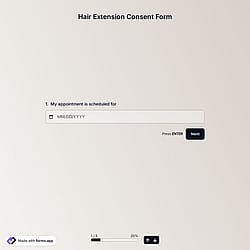
1. Import into your account
To start creating your document, open this free salon consent form template and click “Use template” to begin editing it in your account.

Save up to 60% on yearly plans and enjoy our biggest offer of the year. Limited time only. 🍂
See pricing
A salon consent form is an online form that clients complete before receiving a treatment. It collects basic personal information, explains potential risks, and helps ensure a safe and professional salon experience.
Form questions will inquire about:
💡 This template comes with pre-set conditions, welcome & ending pages, and a ready-made layout that’s applied automatically.
A salon consent form plays a crucial role in protecting your business while ensuring client safety and transparency. This not only supports professional standards but also reduces legal and operational risks:
A signed consent form proves that the client was informed about the treatment and its potential risks before proceeding.
Collecting medical history and allergy information helps avoid adverse reactions and service-related issues.
Under the GDPR (General Data Protection Regulation), the GDPR salon consent form must process personal and health data lawfully and transparently.
Yes, informed consent is different from a simple agreement checkbox. A checkbox only confirms acceptance, while informed consent requires clearly explaining the treatment and potential risks to ensure the client understands before agreeing, often supported by a signature.
You can also include a Terms & Conditions field in your consent form to add an agreement checkbox alongside the informed consent section.
How long completed salon consent forms should be stored depends on your local regulations and internal data retention policy. Generally, they should be kept as long as necessary for legal, insurance, and operational purposes.
In forms.app, your form responses can stay in the system as long as you need in the Results section under the Responses tab. You can also export the collected customer data for review and reporting in .xlsx or .csv formats.
Additionally, you can use our Google Sheets or Microsoft Excel integrations to automatically export and manage your responses.
Yes, you can customize the salon consent form for different treatments.
You can simply duplicate your existing form and then edit the copied version to create a separate form for each treatment type. This way, you can adjust details and sections without affecting your original form.
To duplicate your form, follow these steps:
1. Go to your Dashboard.
2. Click the three-dot icon on the form you want to copy.
3. Select the Duplicate option.

To start creating your document, open this free salon consent form template and click “Use template” to begin editing it in your account.

Easily adjust the form using the drag-and-drop form builder. Add or remove fields for contact details, treatment types, and signature areas to match your salon’s needs.

Once your consent/intake form is ready, you can share it via link or embed it on your hair treatments website, for example, so clients can complete it.
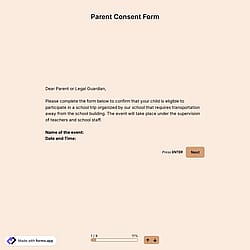
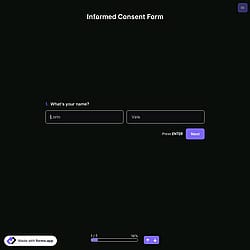
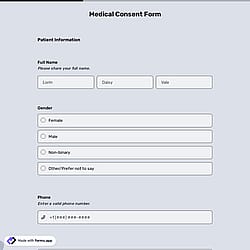
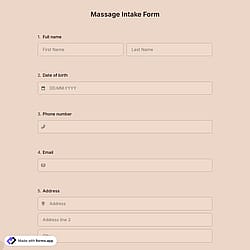
Discover other related templates designed to simplify your client onboarding process. Easily gather personal information, review medical history, and secure permission before treatments like this GDPR salon consent form.
Describe what you need in your salon consent form, and forms.app’s AI form generator will create a free template tailored to your services. Easily collect client data before the appointment.
This salon consent form ensures secure data collection, includes essential fields, and can be easily customized to match your services, branding, and workflow.
Collect client contact details such as full name, email address, and phone number to keep communication clear and organized.
Include a treatment date field to document when the service will be performed and keep client records properly organized.
Add terms and conditions, a client acknowledgement statement, and a signature field to obtain clear consent before treatment.
For example, if you are creating a hair salon consent form, upload your salon logo and a custom cover image to create a branded experience.
Keep your form clean and relevant by showing fields based on selections, such as preferred contact method or sensitivity disclosures.
Enable automatic email notifications so both you and your client receive confirmation once the consent form is completed.
Categories
This salon consent form is free and customizable
Categories