Save up to 60% on yearly plans and enjoy our biggest offer of the year. Limited time only. 🍂
See pricing

Google Forms for Nonprofits: Use cases, tips & limitations
Summarize with
Every meaningful nonprofit action starts with one simple thing: a form.
Online forms have become essential tools for any nonprofit organization, from collecting donor information during a fundraising campaign to managing volunteer applications and event registrations. A well-designed, user-friendly form reduces manual work, minimizes errors, and can even improve conversion rates on a donation page, turning one-time visitors into long-term supporters.
In this article, we will cover the most practical Google Forms use cases for NPOs, share expert tips for better results, and highlight where Google Forms falls short, including a stronger alternative for organizations that need secure payment collection, branded donor experiences, and more.
TL;DR
Top use cases:
Volunteer applications
Event registration
Post-event feedback
Receipt & expense tracking
Grant & program applications
Why nonprofits use Google Forms & how they use it
Nonprofits don't have the luxury of wasting time or money, and Google Forms understands that assignment.
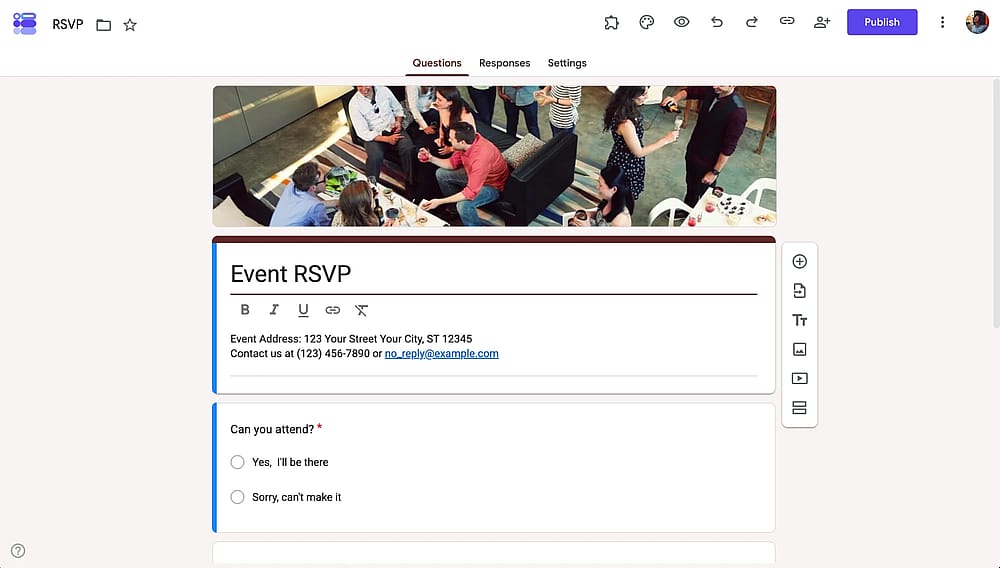
An RSVP form sample of Google Forms
It's free, requires zero technical knowledge, and works on any device. Whether you're signing up volunteers at a community event or tracking expenses after a fundraising campaign, there's likely a form for that. Here's how NPOs actually put it to work:
- Structured data collection - volunteer application forms, grant, and program applications
- Volunteer engagement & feedback - post-event surveys, satisfaction forms after shifts
- Time & cost efficiency - replacing paper sign-in sheets
- Automation - time-off requests, multi-step intake flows that adapt to each respondent
- Accessibility across devices - event registration, on-site sign-ups, campaign interest forms
- Financial record keeping - receipt and invoice tracking, expense reimbursement requests
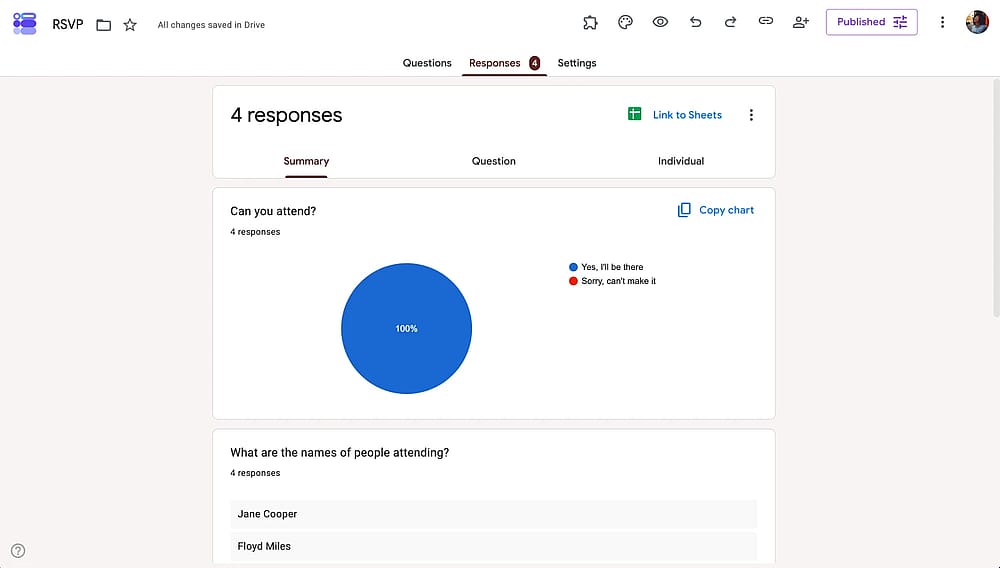
Responses tab of Google Forms
💡 Before building your form, write down exactly what you need from each response. Vague goals produce vague data. If your form is for a fundraising event, decide upfront whether you need dietary preferences, T-shirt sizes, or attendance confirmation, not all three if you only need one.
Limitations of Google Forms for nonprofits
Google Forms is impressive for a free tool, but free has a ceiling. As your nonprofit's needs grow, you'll start bumping into walls. Here's where Google Forms runs out of road:
Limited visual customization
You get a handful of color themes and a header image. That's about it. There's no way to add your logo properly, set brand fonts, or create a form that looks like it belongs to your organization.
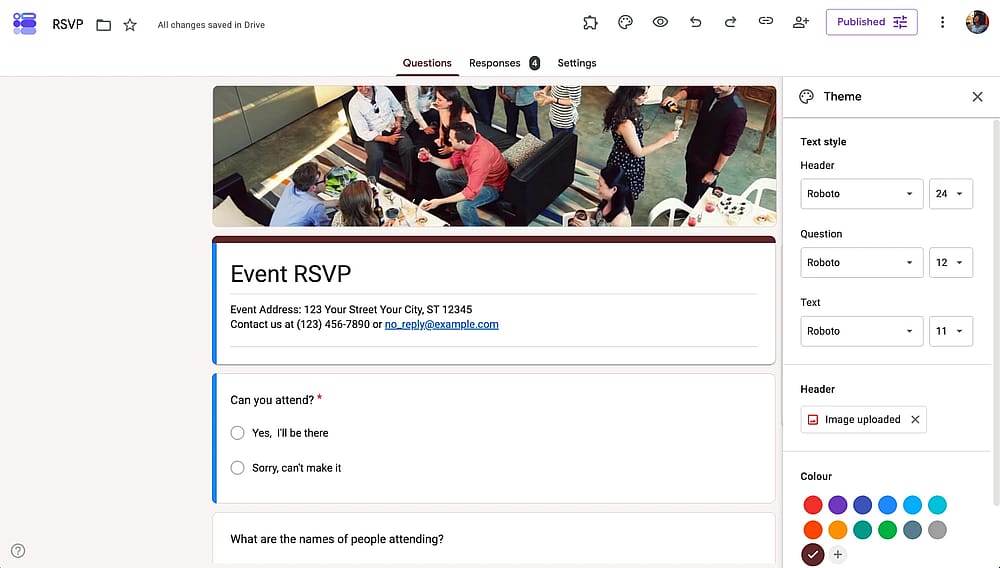
Available customizatiın options of Google Forms
💡Expert tip: At minimum, upload a high-quality header image that features your NPO's mission or a real photo from your work. It won't fully fix the customization gap, but it makes a noticeable difference in how professional the form feels.
Limited integrations
Google Forms connects to one place: Google Sheets. If your team uses a CRM, an email platform, or any external database, you're manually copying and pasting data.
No payment field or donate button
This is the biggest limitation for NPOs. Google Forms has no built-in payment field and no way to collect donations directly. You can link out to a separate donation page, but every extra click is a drop in conversion rate and a disruption to your fundraising efforts.
💡Expert tip: If you're using Google Forms for event registration, place your external donation link at the very end of the form, while the person is still engaged. It won't replace a native payment field, but it keeps your donate button visible at the right moment.
No advanced reporting and analytics
All responses go into a flat Google Sheet. There are no summaries, no statistics, and no analytics, meaning someone on your team has to manually analyze the data every time you need insights from your fundraising efforts.
Try a better alternative
Google Forms works well for simple tasks, but as your nonprofit grows, the gaps become harder to ignore. Collecting donations, legally signing up volunteers, and maintaining a consistent brand identity aren't edge cases for NPOs; they're everyday needs. forms.app is a Google Forms alternative built to handle all of them within a single, mobile-friendly platform, without requiring a developer or a large budget.
Payment field
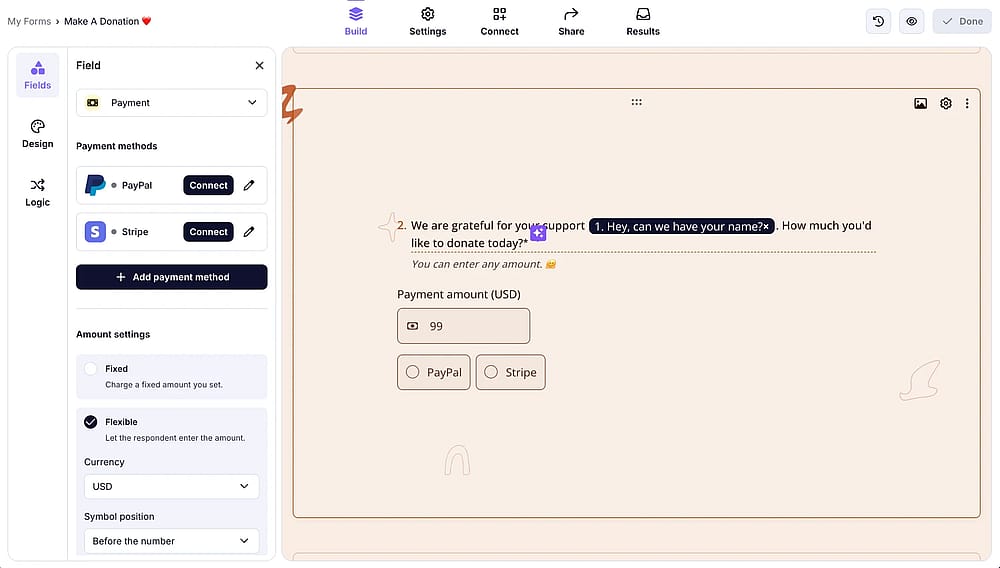
You can add the ‘Payment field’ and adjust its settings
With forms.app's Payment field, you can build a free donation form for nonprofits that accepts credit cards and processes payments securely. It lets you collect payments directly inside your form through native integrations with the Stripe and PayPal payment processors.
💡 Practical tip: Beyond fixed amounts, you can enable the Flexible amount toggle in the payment field settings, which lets respondents enter their own amount. This is a great way to offer suggested donation amounts while still allowing donors to give whatever feels right to them.
Legal fields
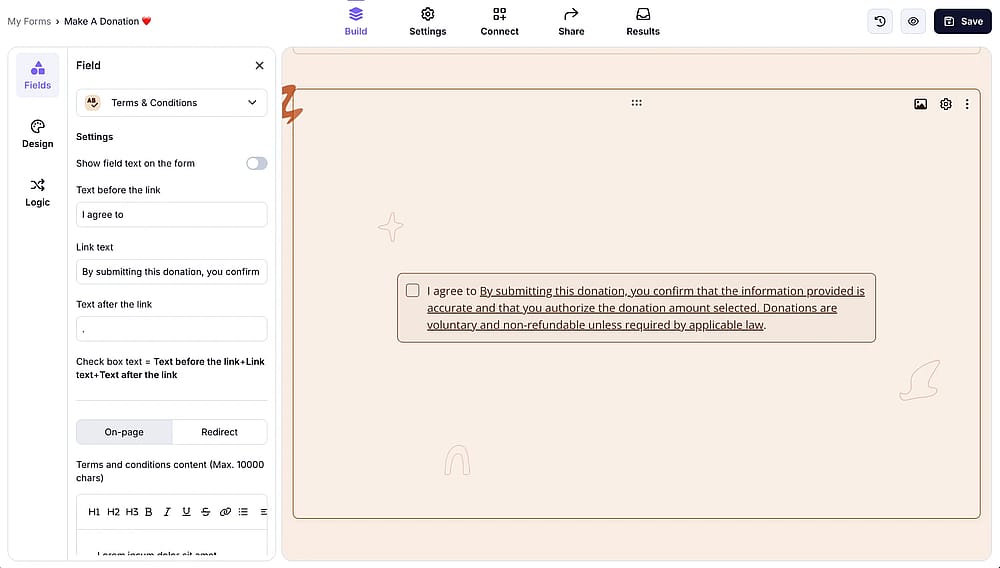
Add the “Terms & Conditions” field to your form
forms.app lets you add a Terms & Conditions checkbox and a legally binding e-signature field directly to any form. This means you can collect consent and signatures in the same flow, no printing, no scanning, no chasing people down afterward.
💡 NPO use case: Volunteer onboarding forms that require volunteers to acknowledge a code of conduct and sign a liability waiver before their first shift.
Logo & Cover
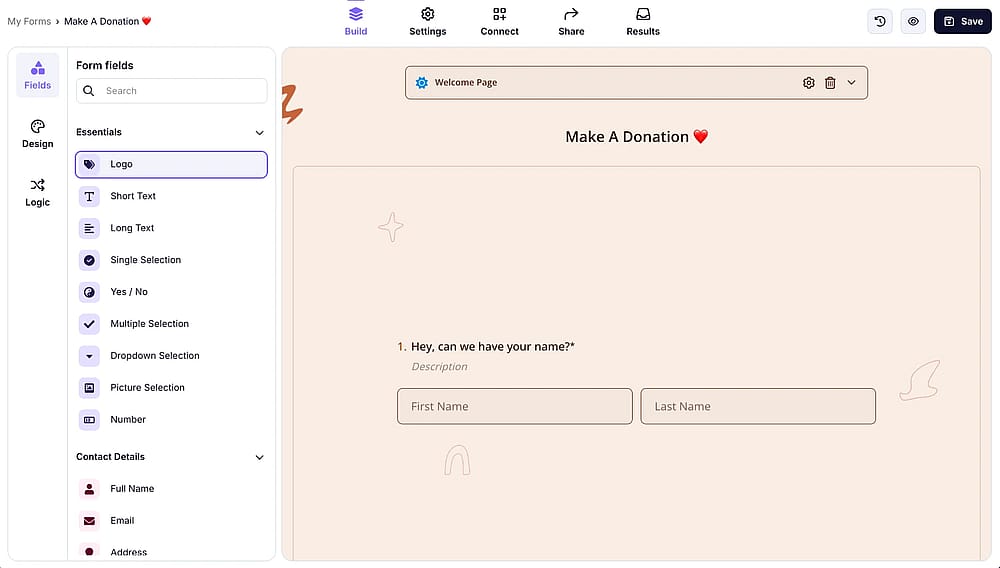
Add a logo by selecting the related field from the field menu on the left
Upload your organization's logo and a branded cover image so your forms look like they actually belong to your NPO. For donors and applicants, a branded form signals professionalism and builds the kind of trust that a generic Google Form simply cannot.
Large template library
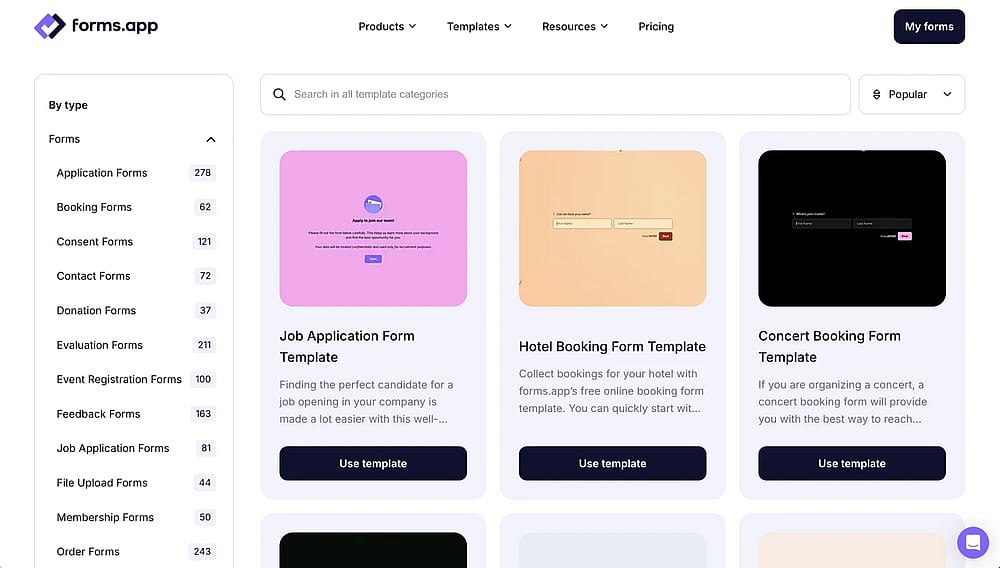
Select a template from our template library and customize it further if needed
forms.app offers a large template library that includes ready-made online donation forms for nonprofit organizations, so you don't have to build your data collection structure from scratch every time you need a new form.
Multiple integrations
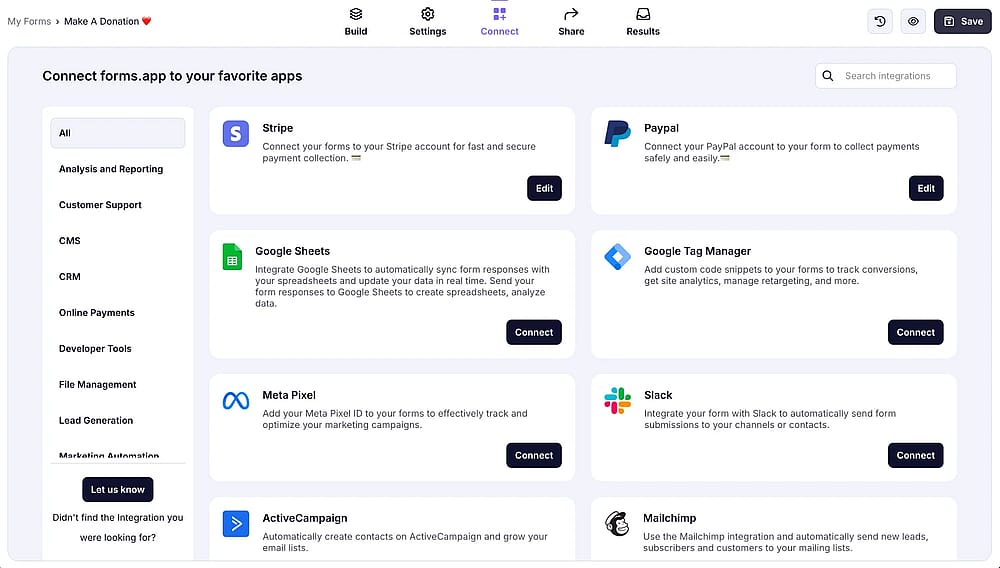
Access the ‘Connect’ tab to integrate your form with third-party platforms
forms.app lets you connect one form to multiple apps and payment processors at the same time.
💡 NPO use case: A volunteer application or any donation form template that sends data to your CRM, notifies your team on Slack, and adds the applicant or the payment information to your database.
Multilingual forms
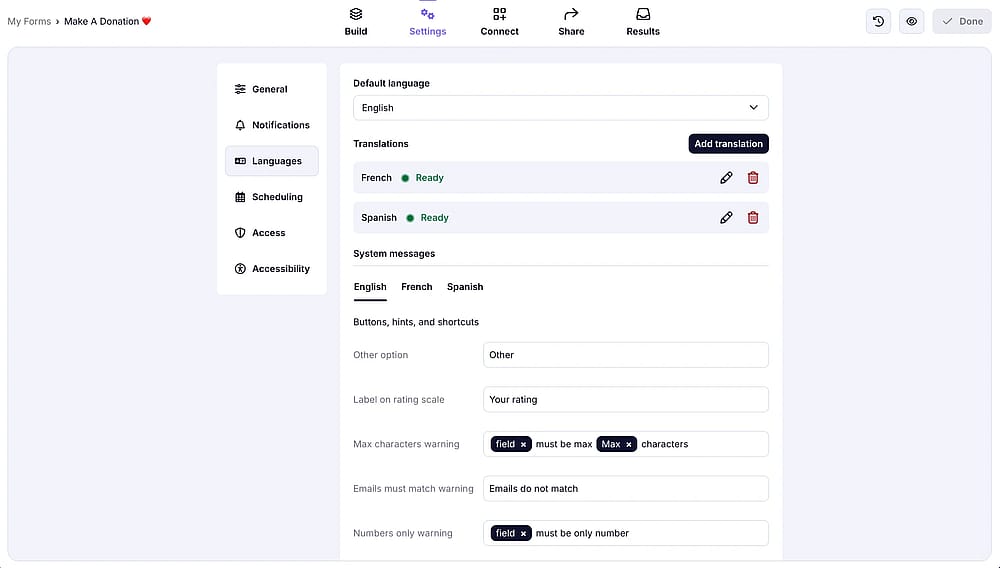
Make your form multilingual by accessing the ‘Languages’ tab
Nonprofits often serve diverse communities, and forms.app lets you create multilingual forms that display in your respondents' preferred language, making your applications, donation forms, and registrations accessible to a much wider audience.
Frequently asked questions (FAQs)
Forms can play several roles in a fundraising campaign, from collecting supporter contact information and measuring interest before the campaign launches, to registering attendees for fundraising events and gathering post-campaign feedback.
Google Forms does not have a native payment or donation field, so it cannot handle transactions on its own. You can add a link to an external donation page within the form, but this creates extra steps and potential drop-off.
For a smoother donation process, a form builder with a built-in Payment field, like forms.app, allows donors to complete everything in one place, reducing friction and increasing completion rates.
Yes, every template in forms.app is fully editable after you select it. Simply press the Use Template button, and you can customize the questions, branding, fields, and logic however you need.
For example, there is a ready-made donation form template for nonprofit organizations in the library: pick it, swap in your logo and cover image, adjust the donation amounts, and it's ready to share, no starting from scratch required.
Contributors
Researched & written by
forms.app, your free form builder
- Unlimited responses
- Unlimited questions
- Unlimited team members