Save up to 60% on yearly plans and enjoy our biggest offer of the year. Limited time only. 🍂
See pricing

Typeform vs. Cognito Forms: A detailed comparison in 2026
Summarize with
In this Cognito Forms vs. Typeform comparison, we cover seven categories: pricing, ease of use, design, field types, analytics, integrations, and team collaboration. Whether you're creating forms for your enterprise or small businesses, the advanced features on offer from each tool are quite different. We'll walk through everything side by side, and finish with a form-building alternative worth considering if neither tool fully fits your needs.
💡 All tools featured in this content have been reviewed and updated for 2026 standards. Pricing reflects the most current monthly options available.
Quick comparison table (TL;DR)
Typeform | Cognito Forms | forms.app | |
Starting paid price | $39/month | $19/month | $29/month |
Unlimited responses (free) | |||
Team collaboration | Up to 5 (paid) | Up to 20 (Enterprise) |
(Free & unlimited) |
AI form generation | |||
Mobile app | |||
HIPAA compliance | (Enterprise) | ||
Multi-language forms | |||
Conversational UX (Step view) |
About Typeform
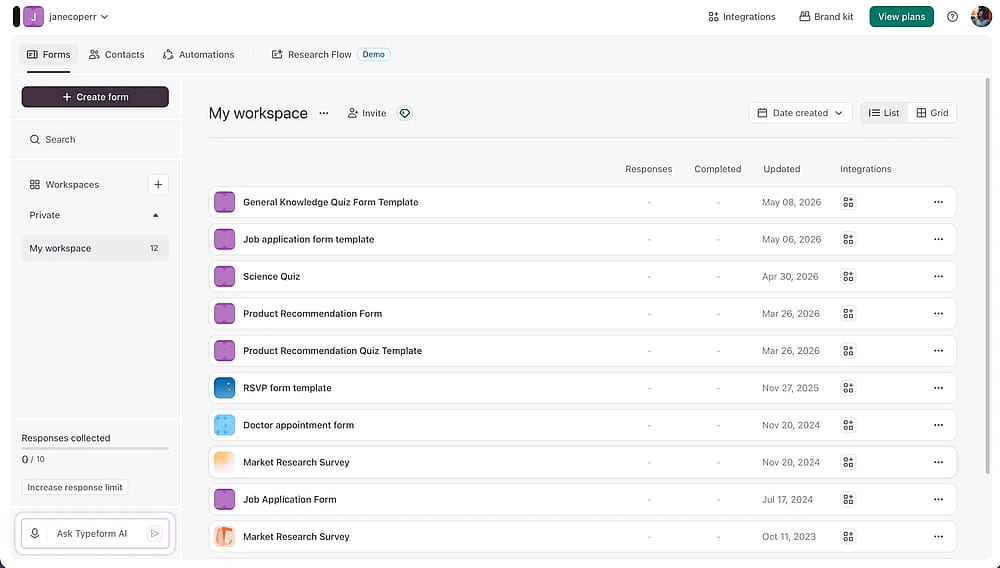
Workspace of Typeform
Typeform is an online form builder that turns data collection into a conversation. Instead of showing all questions at once, it guides respondents through one at a time. The features include conditional logic, hidden fields, AI-powered insights, and strong visual customization, with everything Typeform offers designed around making the respondent experience feel polished and on-brand.
💡 Use case example: A travel agency can use an image-driven Style Quiz with conditional logic to route users to custom vacation packages.
About Cognito Forms
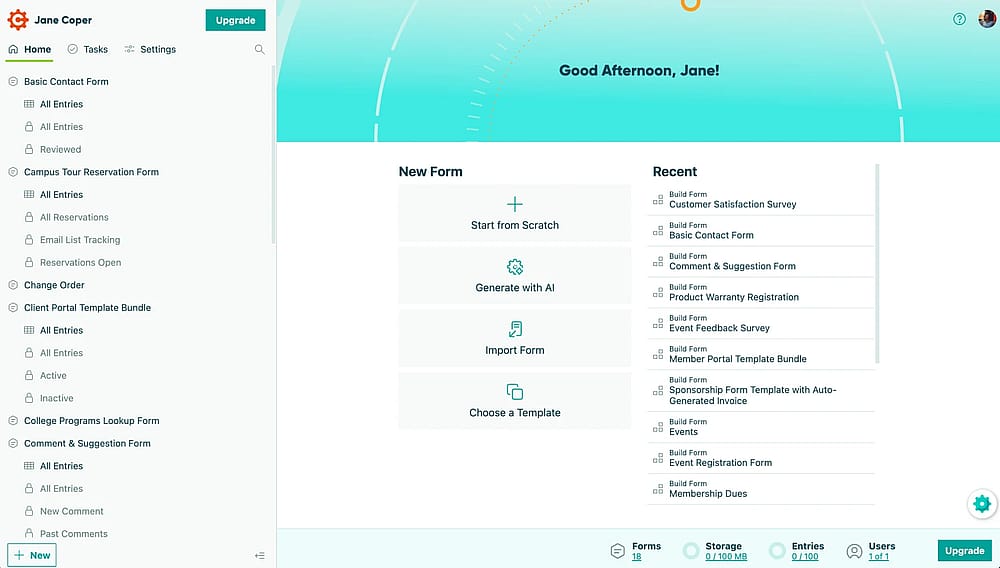
Workspace of Cognito Forms
Cognito Forms is a form builder built around what happens after someone submits. Where most tools stop at data collection, Cognito Forms offers a full workflow engine, approvals, role-based access, task assignments, and status tracking alongside the form itself. The features include calculation fields, e-signatures, and a client portal, making it a strong fit for teams with forms offering more complexity than a standard survey.
💡 Use case example: An operations team can build an Expense Portal using Repeating Sections for itemized receipts alongside a Calculation feature to instantly compute subtotals.
Head-to-Head: 7 categories
Typeform and Cognito Forms both cover the core job of online form building, but their strengths pull in opposite directions. Here's how they compare across the seven categories that matter most:
1. Pricing
Typeform pricing starts at $39/month on the Basic plan, which includes 100 responses and 1 user. Higher Typeform pricing plans add more responses, extra seats, and advanced analytics, topping out at $129/month on Business. The free plan limits you to 10 responses per month, enough to test, not enough to run anything live.
Individuals | Teams | ||||
Free | Basic | Plus | Business | Talent | Growth Flow |
0 USD/mo | 39 USD/mo | 79 USD/mo | 129 USD/mo | 169 USD/mo | 379 USD/mo |
Cognito forms pricing starts at $19/month on the Pro plan for 2 users, with the Team plan at $39/month for 5 users. The free plan allows 100 entries per month across unlimited forms, a noticeably more generous starting point than Typeform.
Free / Individual | Pro | Team | Enterprise |
|---|---|---|---|
0 USD/mo | 19 USD/mo | 39 USD/mo | 129 USD/mo |
💡 Practical tip: Cognito Forms offers a 14-day free trial for its paid plans, giving you full access to advanced features like data encryption, document generation, and increased monthly entry limits.
2. Ease of use & Form creation
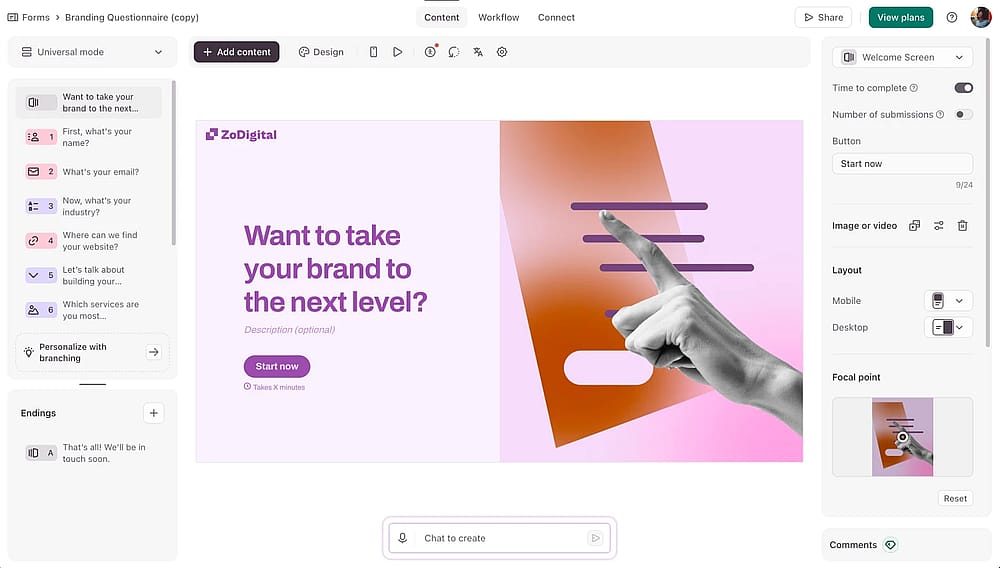
Form builder section of the Typeform
Typeform's builder has a distinct personality; everything is structured around the conversational, one-at-a-time format, and stepping outside it takes deliberate effort. It's not difficult, but there's a real learning curve if you're used to traditional form layouts.
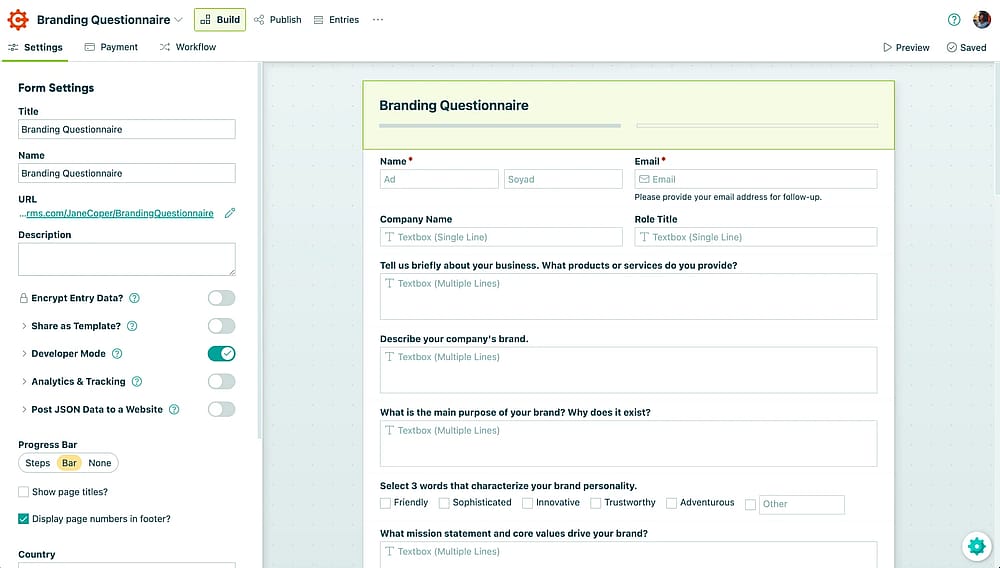
Form builder section of the Cognito Forms
Cognito Forms uses a traditional drag-and-drop builder. Add a field, place it, done. For anyone who needs to manage form structure across multiple steps or embed complex logic, the layout feels immediately familiar with almost no learning curve at all.
3. Design & Customization
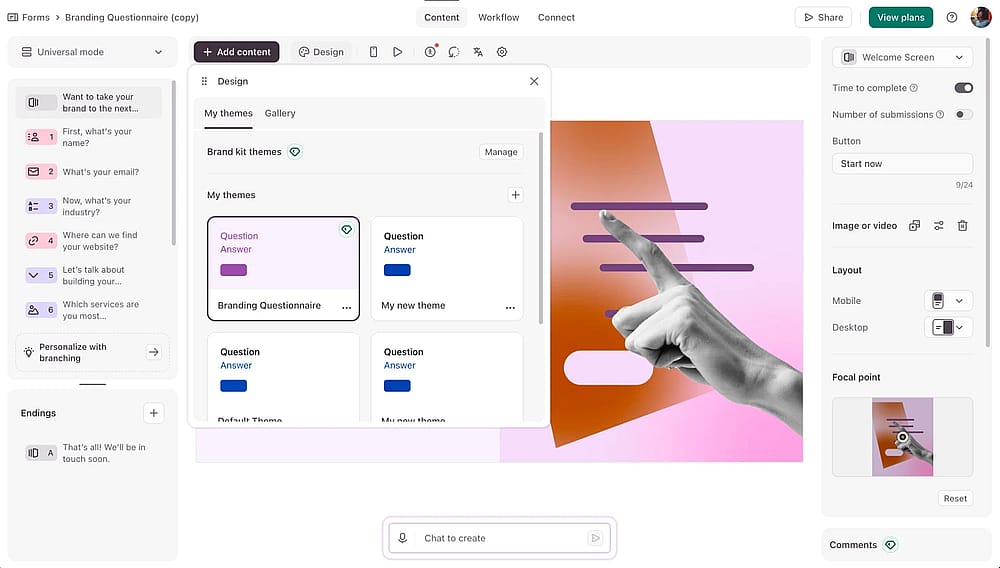
Form designer section of the Typeform tool
Typeform has custom fonts, animated backgrounds, a built-in image library, and full brand kit support, which means you can build something that genuinely looks considered, not just functional.
💡 Note from our testing: Brand kit features in Typeform are locked to paid plans. Additionally, even some design themes from the native theme gallery are locked, forcing you to stick to the most basic styles unless you upgrade.
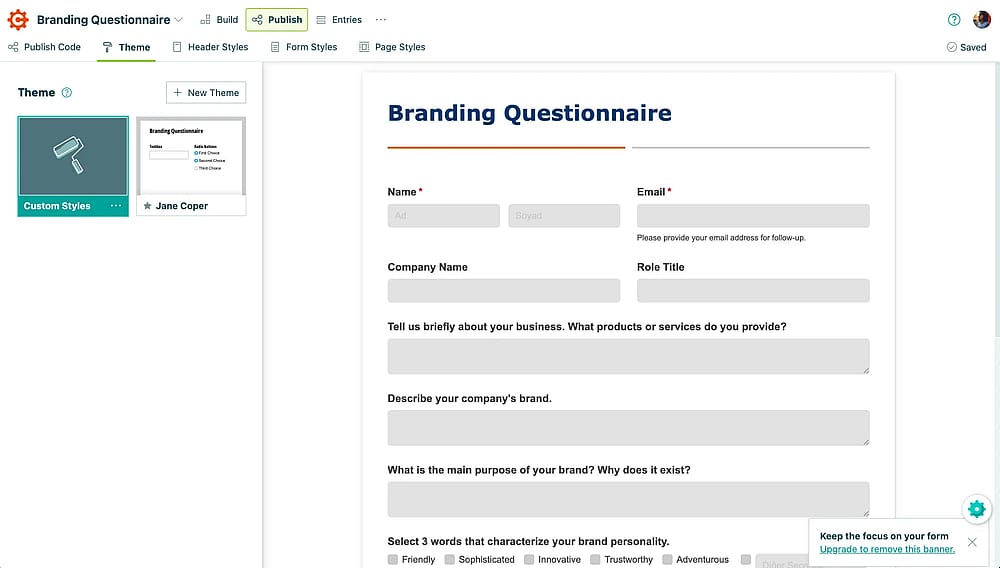
Form designer section of the Cognito Forms
Cognito Forms is more straightforward here. You can adjust colors, fonts, and basic layout, and the result looks clean and professional. But visual customization isn't a priority for the platform.
4. Field Types & Features
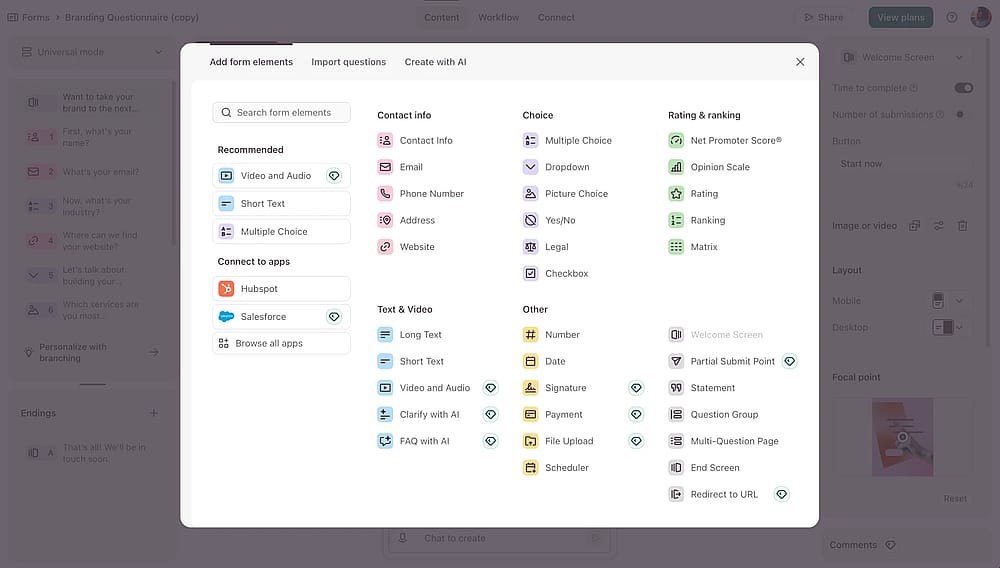
Options of the form fields you can add with Typeform
Typeform's field types are built around the conversational experience, rating scales, file uploads, payment fields, opinion scales, and conditional logic all work within the one-question-at-a-time flow. The plans include AI-generated forms and Smart Insights on higher tiers.
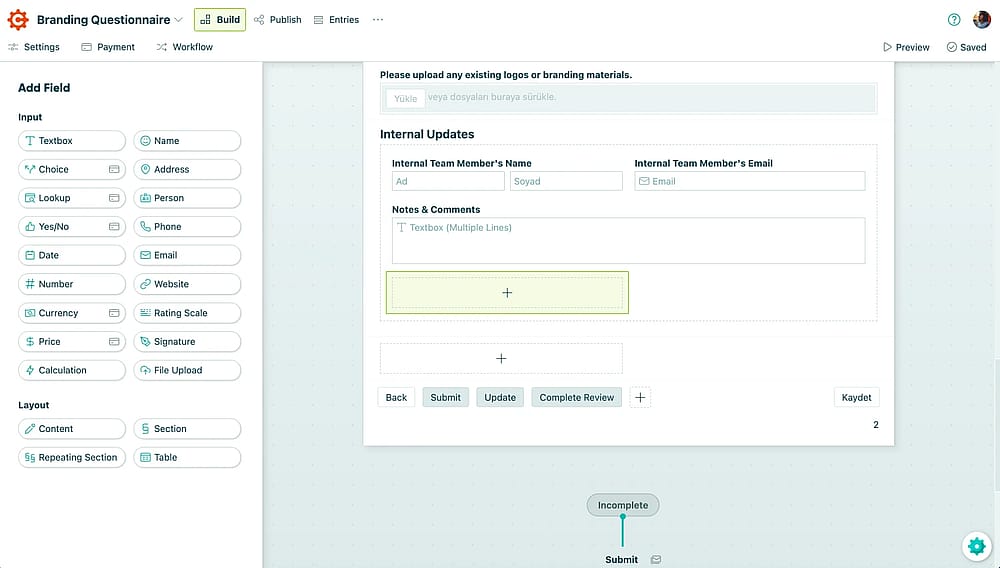
Options of the form fields you can add with Cogntio Forms
Cognito Forms takes a more structured approach. The plans include repeating sections, formula-based calculation fields, digital signatures, Google Sheets sync, and save & resume, features that make it genuinely suited to complex data collection scenarios. Conditional logic is available on every plan, including the free one.
On the Cognito Forms free Individual plan, you can only collect payments via Stripe. If you want to integrate PayPal or Square, you must upgrade to the Team plan or higher.
5. Analytics & Reporting
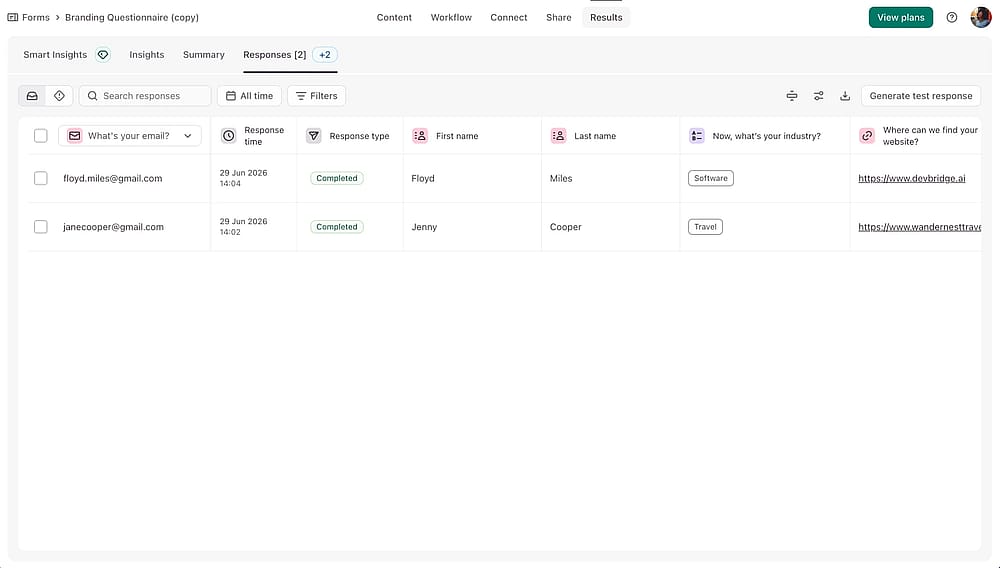
The ‘Results’ section of the Typeform
Typeform's drop-off tracking shows exactly where respondents abandon a form, and AI-powered Smart Insights surface patterns across open-ended responses automatically, useful for anyone running research or customer feedback workflows.
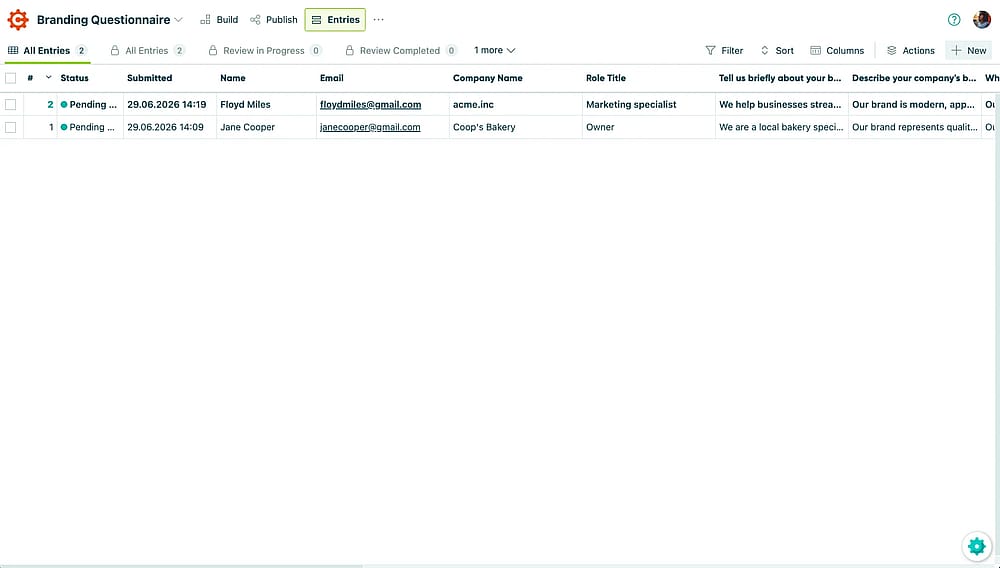
The ‘Results’ section of the Cognito Forms
Cognito Forms keeps things simpler. Free and Pro plans cover views, submissions, and completion rates. Deeper reporting, referrer data, and custom reports are only unlocked at the Team tier and above.
6. Integrations
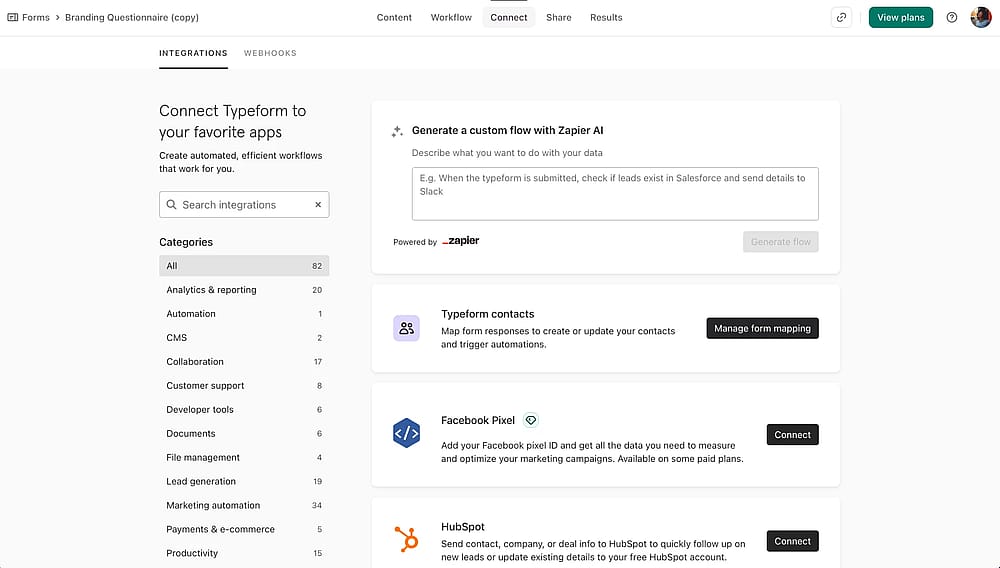
The ‘Connect’ section of the Typeform
Typeform connects natively with 120+ tools and covers the marketing stack well. HubSpot, Mailchimp, Salesforce, Slack, and Google Sheets all have direct integrations. For teams running campaigns or lead gen workflows, it slots in without friction.
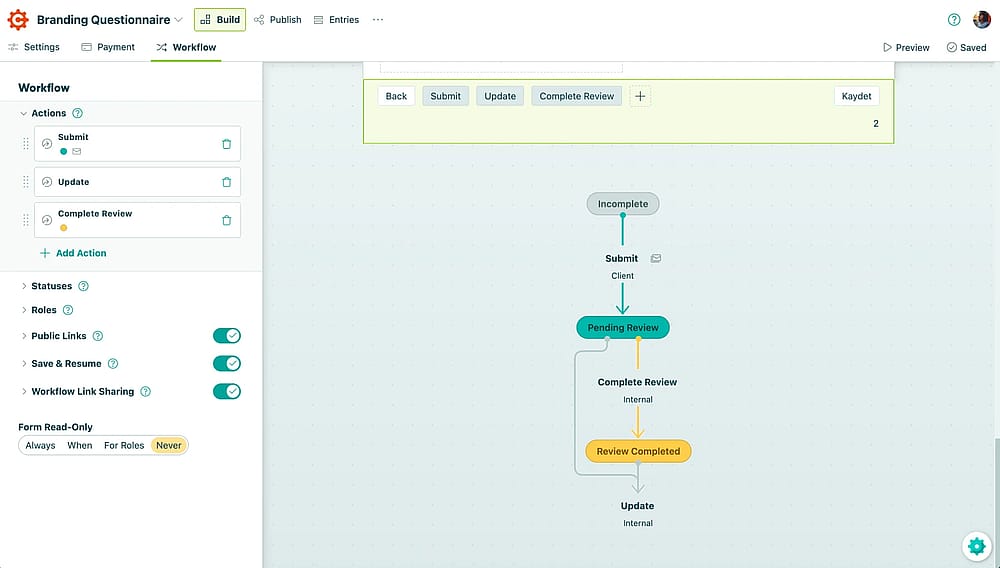
The ‘Connect’ section of the Cognito Forms
Cognito Forms connects well with Microsoft tools, Power Automate, SharePoint, Outlook, and syncs natively with Google Sheets. Zapier and Make cover the rest. On the free plan, advanced integrations are locked. Workarounds exist, but native analytics integrations require a paid plan.
💡 Note from our testing: Free plan users can export data manually or use webhook workarounds, but direct analytics tool connections and Google Analytics integration are Pro and above only.
7. Team collaboration
Typeform's collaboration model is straightforward but limited: 1 seat on Basic, 3 on Plus, 5 on Business. There's no way to bring in a larger team without paying significantly more, and even the top standard plan caps out at 5 users.
Cognito Forms adds multi-user access on the Pro plan and above, with distinct Editor and Viewer roles so you can control who can manage form builds and who can only review submissions. Like Typeform, the free plan is single-user only.
💡 Note from our testing: If your team needs to collaborate on forms without committing to a paid plan first, both tools will hit a wall quickly. Neither offers free-tier collaboration in any meaningful sense.
Looking for something different? Meet forms.app
Typeform and Cognito Forms are both solid tools, but solid doesn't always mean the right fit. Response limits, team seat restrictions, and payment features that hide behind paid plans are real friction points. If either tool is leaving gaps for how you actually work, forms.app is worth adding to your shortlist.
1. Unlimited responses
Most tools cap how many submissions you can receive on a free plan. forms.app doesn't. Run a live form, collect as many responses as you need, and figure out paid plans later.
2. Unlimited team seats (free)
Both Typeform and Cognito Forms lock collaboration behind paid tiers. forms.app lets every team member in from day one, no extra seats, no upgrade required.
3. Drop-off tracking & partial submissions
forms.app shows exactly where respondents abandon a form and saves their partial progress automatically. Over time, this data makes it easy to spot problem questions and improve completion rates, without guessing.
4. AI form tools
An AI Form Generator, AI Survey Tool, and AI Quiz Maker are all available on the free plan. No upgrade needed to start building with AI assistance.
5. Payment collection
forms.app supports payment collection via Stripe and PayPal directly within your forms, useful for order forms, event registrations, or any workflow where collecting money and collecting data happen in the same step.
💡 Practical tip: forms.app supports four payment methods through its Payment field: Stripe (credit/debit cards), PayPal, Bank Transfer, and Pay on Delivery. All of them can be enabled directly in the field settings, with no commission fees charged by forms.app.
Conclusion
Typeform and Cognito Forms serve different priorities, and that's really the heart of this comparison. Typeform is the stronger pick when the respondent experience matters most, the design, the flow, and the brand feel. Cognito Forms wins when the form is just the starting point, and what happens to the data afterward counts.
Pricing: Typeform vs. Cognito also reflects this split: Cognito is cheaper, with a more functional free tier, while Typeform earns its higher price through polish and presentation. If neither fits exactly, forms.app is worth a look, especially if unlimited responses, free team seats, and built-in AI tools are priorities for how you work.
Frequently Asked Questions (FAQs)
Yes, however, Typeform supports Stripe and PayPal, but not within the same payment field.
Cognito Forms supports Stripe on the free plan, with PayPal and Square requiring a Team plan upgrade.
forms.app supports Stripe, PayPal, Bank Transfer, and Pay on Delivery, all through a single Payment field, with no commission fees on any transaction.
Since forms.app supports unlimited responses and unlimited team members, even on the free plan, it's an ideal choice for teams. Everyone can collaborate in the same workspace without hitting plan limits, ensuring a smooth and uninterrupted workflow.
Contributors
Researched & written by
forms.app, your free form builder
- Unlimited responses
- Unlimited questions
- Unlimited team members