1. Import into your account
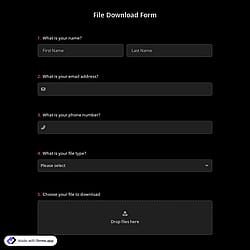
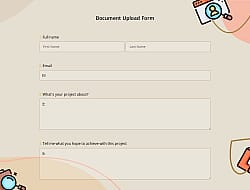
View this online photo upload form template and click on “Use template” after making sure this is what you are looking for.

Save up to 60% on yearly plans and enjoy our biggest offer of the year. Limited time only. 🍂
See pricing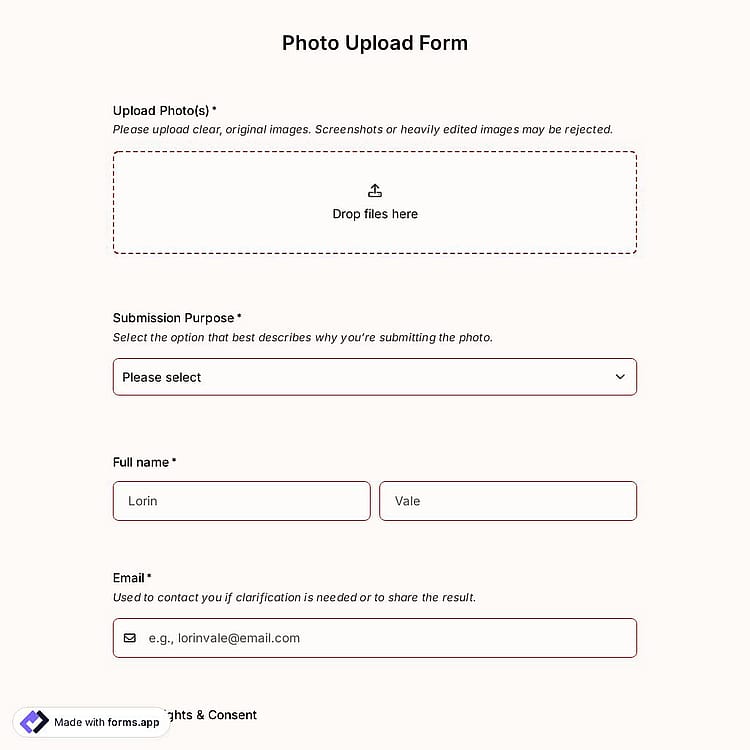
Photo upload forms are online forms that allow users to submit images directly through a website or app. They are often used to collect photos for contests, applications, registrations, portfolios, events, or feedback. Users can usually drag and drop images, select files from their device, and sometimes preview or crop them before submission. This free online photo upload form template offers you all the fundamental fields and questions you will need:
Form questions that inquire about:
Form fields and features we thoughtfully included, such as:
💡 This template comes with pre-set group fields, an ending page, and a ready-made layout that’s applied automatically.
This photo upload form allows you to easily collect and securely store not only image files but also documents, compressed files, audio, and video files in multiple file formats:
Yes! forms.app is designed with industry-leading security and privacy protections, making it quite safe for collecting user data, documents, and processing payments. And what’s more, you retain control over your data, which means you can set form-access permissions.
You can integrate this photo upload form template with 500+ apps. To do this, simply select the app you want to integrate your form with, and then click on ‘’Connect to forms.app’’ or alternatively “Connect to Zapier”. Finally, you’ll see some easy-to-follow instructions to create an account and set up the integration.
Yes, you can. With forms.app, you can add legal fields such as terms and conditions, or signature fields to your form. This allows you to collect explicit permission for photo usage, data processing, or other legal requirements before the form is submitted.
Yes, you can. Photo upload forms on forms.app allow you to collect additional information alongside uploaded images. You can add contact fields, multiple-choice questions, open-ended text fields, and legal consent fields to gather details like descriptions, categories, permissions, or participant information in a single form.
Yes! With the forever-free plan on forms.app, you can collect and access the files and photos anytime, anywhere, for free. Here are the key benefits you get:
Yes, all templates on forms.app are optimized for all devices, whether it’s desktop, tablet, or mobile.
Yes, you can. With forms.app, you can export or download the uploaded photos along with form responses. After you tap a response, click the Download button below the photos.
After creating your file upload form template on forms.app, you can share across all digital platforms, including Instagram, X, Facebook, and even WhatsApp. Also, you can change the meta image and description as you wish.
Yes! You can add your own brand logo and cover to forms.app forms for free by using the Logo and Cover fields when building your form. Just insert the logo field, upload your logo image, and adjust its settings to display your branding on the form.
Follow the three easy steps below to easily import the template to your account, customize questions, and quickly share the form on your website or social media.

View this online photo upload form template and click on “Use template” after making sure this is what you are looking for.

Add or remove questions through forms.app's drag-and-drop interface and match your brand style.

Embed it on your website in 6 different ways or share your form across all social media channels.
Looking for something else? Explore similar form templates below, or browse our extensive collection of free templates on the templates page.
Just tell us how you would like to have a custom photo upload form for your specific needs. forms.app’s AI form builder will create a free template for you in seconds.
Create your photo upload form with powerful features and make the upload process simple and clear for everyone.
Add a file upload field to easily collect photos and images by letting users upload files directly through the form in any format.
Allow users to add captions, descriptions, or explanations for their uploaded photos by choosing from short text, long text, masked text, and other open-ended fields.
Gather essential details like name, email, or phone number to identify and follow up with contributors.
Let users categorize their photos, select submission types, or answer simple related questions by choosing from single- or multiple-selection options, dropdowns, pictures, yes/no, and more.
Get consent for image usage, terms and conditions, or copyrights before form submission.
Organize the form clearly with images, page breaks, or custom endings for a better user experience.
Categories
This photo upload form template is free and customizable