1. Import into your account
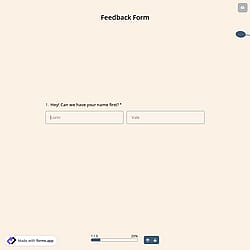
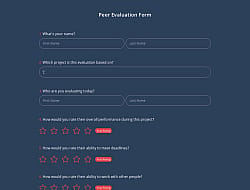
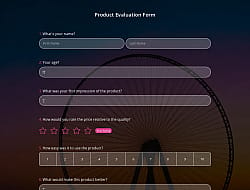
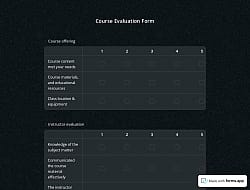
View this evaluation form template and click on “Use template” after making sure this is what you are looking for.

Save up to 60% on yearly plans and enjoy our biggest offer of the year. Limited time only. 🍂
See pricing
An evaluation form is a structured document used to assess, measure, or provide feedback on a person, event, program, product, or service. It includes questions & powerful features to collect valuable feedback effortlessly.
Form questions that ask about:
Features that we thoughtfully included for your needs, such as:
💡 This template comes with pre-set page breaks, welcome & ending pages, and a ready-made layout that’s applied automatically.
Evaluation forms can be used by various professional groups for several purposes. Here are 8 groups that use online evaluation forms to collect vital feedback and improve their overall service quality.
Teachers and educators assess student performance, projects, or overall course effectiveness to improve their teaching methods.
Event organizers collect attendees' feedback on conferences, workshops, and seminars to improve future events and participants' experiences.
HR teams and managers evaluate productivity, training results, and also gather employee performance reviews to identify strengths and weaknesses.
Businesses and research and development teams gather customer feedback on products, services, and overall satisfaction to improve their offerings.
Trainers and coaches measure their participants’ progress, the effectiveness of their sessions, and learning results to improve the quality of their courses.
NPOs usually evaluate program effectiveness, volunteer engagement, and satisfaction to enhance their service and ultimately, achieve their goals.
Healthcare providers collect patient feedback on services, treatment experience, and care quality.
Researchers also use evaluation forms to collect crucial data from studies, surveys, or experiments.
Once you have completed your online form, you’ll have a dedicated results page. There, you will have access to AI insights, Statistics, and Responses. Here is what you can do with them:
AI Insights is an innovative feature that enables you to analyze form responses with AI. You can get general trends, related charts, key points, and suggestions, and ask more questions about the analysis.
Statistics offers a number of valuable information for you, as a form owner. Once you are in Statistics, you will be able to see data about your form, respondents, and answers. Additionally, you will have access to data on device types, platforms, locations, scores, and more.
In the Responses section, you have two viewing options: List and Grid view. After selecting and viewing a submission, you can print it, add a note, or send it to the trash. You can view the percentages and get a general idea of the submissions on the statistics page. It is possible to download your data as .xls or .csv files.
Yes! This evaluation form template is available for free use, along with other free evaluation form templates on forms.app.
Yes! You can easily export your form responses in several formats. Go to the Results page and make sure you are on the Responses tab. Click the Download icon in the upper-right corner to start the download process. After clicking the Download in the pop-up, you will receive an email with a download link shortly. Then choose from .xlsx or .csv formats to download your data.
If you would like a printed copy of a form response, you can easily do so on the Response tab of the Results page. Select the response you want to print out, open the three-dot menu on the right, and press the Print button. Adjust the print options, then click the “Print” button. Alternatively, you can save your response as a PDF.
Yes, this free evaluation form template is suitable for both individuals and organizations and can be adapted to any purpose. Individuals can use it to evaluate personal projects, learning progress, or events, while organizations can collect structured feedback from employees, customers, or participants to improve their services.
Yes, all templates on forms.app are optimized for all devices, whether it’s desktop, tablet, or mobile.
Follow the three easy steps below to easily import the template to your account, customize questions, and quickly share the form on your website or social media.

View this evaluation form template and click on “Use template” after making sure this is what you are looking for.

Add or remove questions through forms.app's drag-and-drop interface and match your brand style.

Embed it on your website in 6 different ways or share your form across all social media channels.
Looking for something else? Explore similar evaluation form samples below, or browse our extensive collection of free templates on the templates page.
Starting from scratch can take a long time; just tell us how you would like an evaluation form tailored to your specific needs. forms.app’s free AI form builder will create a free template for you in seconds.
Create your evaluation form with powerful features and make the evaluation process simple and clear for everyone.
Allow respondents to select answers easily with single/multiple choice questions, dropdowns, or yes/no options.
Give space for detailed feedback and get their personal opinions by choosing from short text, long text, masked text, and other open-ended questions.
Get people’s precise opinions and give them a rating system by choosing from star ratings, opinion scales, or a selection matrix to ask your question.
Receive documents, reports, or images directly within the evaluation form in any format. Ensure all documents are stored in one place and easily access data collected.
Collect evaluators' contact information, including phone numbers and email addresses, in case further communication is needed.
Show relevant questions based on the people’s answers to have more detailed information, or just hide irrelevant ones.
Categories
This evaluation form template is free and customizable