Save up to 60% on yearly plans and enjoy our biggest offer of the year. Limited time only. 🍂
See pricing

10 Top 123FormBuilder alternatives: 2026 expert comparison

Summarize with
A form builder shouldn't be the bottleneck in your workflow.
While 123FormBuilder has been a reliable industry staple for years, its recent pricing shifts and aging interface have left many users looking for a modern exit.
To find the best path forward, we spent the last three weeks hands-on with 25 different platforms, building everything from simple contact forms to complex systems. We didn't just read feature lists; we tested the logic engine limits and analyzed the 2026 product roadmaps for every tool. This guide breaks down the top 10 alternatives that outperformed the best 123FormBuilder alternatives, categorized by use case and actual value for money.
💡 All tools featured in this content have been updated for 2026 (including features and pricing). Monthly payment options are listed for all tools that offer them.
TL;DR for alternatives to 123FormBuilder
1. forms.app — Best for teams.
2. Paperform — Best for e-commerce and “doc-style” design.
3. Woorise — Best for viral giveaways and lead contests.
4. Typeform — Best for conversational UI and engagement.
5. Cognito Forms — Best for complex logic and HIPAA security.
6. Google Forms — Best for simple, 100% free data collection.
7. Microsoft Forms — Best for internal Office 365 workflows.
8. Formstack — Best for enterprise-grade secure automation.
9. Wufoo — Best for fast, old-school simplicity.
10. Gravity Forms — Best for advanced WordPress customization.
About 123FormBuilder: features & pricing
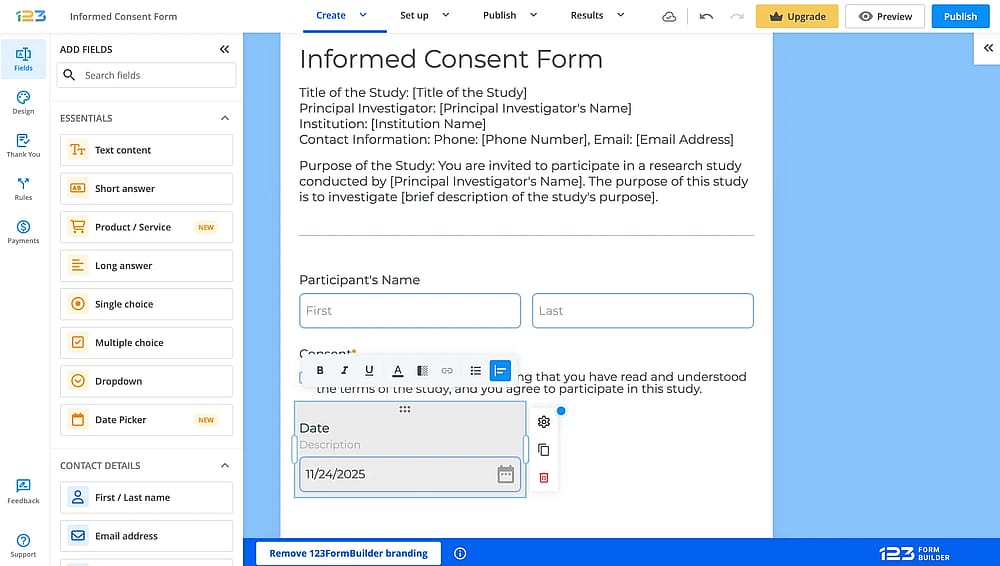
Workspace of 123FormBuilder
123FormBuilder excels at enterprise security and native Salesforce integration. During our testing, it proved to be a powerhouse for HIPAA compliance and complex data mapping that simpler tools can’t handle.
However, the interface is dated and clunky. In our speed tests, the editor felt sluggish, and the steep pricing for advanced features makes it less accessible for smaller teams.
Plan | Monthly Price (USD) | Key Submission Limits | Important Takeaway |
Basic | $0 | 100 Submissions/mo | Very limited; includes 123FormBuilder branding and only 10 fields. |
Gold | $37/mo | 5,000 Submissions/mo | Entry-level paid tier; removes branding but lacks payment features. |
Platinum | $49/mo | 20,000 Submissions/mo | The "sweet spot" for most; includes payments and custom branding. |
Diamond | $99/mo | 100,000 Submissions/mo | Unlocks Salesforce Marketing Cloud and 15+ payment gateways. |
Enterprise | $225+/mo | Unlimited | Essential for HIPAA compliance and dedicated account support. |
First glance at the top 123FormBuilder alternatives
Tool | Free Plan | Best Use Case | Monthly Price (Starting) |
forms.app | AI Form Generation & Mobile Speed | $29 USD (Basic) | |
Paperform | E-commerce & “Doc-style” Design | $29 USD (Essentials) | |
Woorise | Viral Giveaways & Lead Contests | $29 USD (Basic) | |
Typeform | Conversational UI & Engagement | $29 USD (Basic) | |
Cognito Forms | Complex Logic & HIPAA Security | $19 USD (Pro) | |
Google Forms | Simple, 100% Free Data Collection | Completely Free | |
Microsoft Forms | Internal Office 365 Workflows | Included with M365 | |
Formstack | Enterprise-grade Secure Automation | $99 USD (Forms) | |
Wufoo | Fast, Old-school Simplicity | $22 USD (Starter) | |
Gravity Forms | Advanced WordPress Customization | $59 USD (Only billed yearly) |
Top 10 tools you can use instead of 123FormBuilder
123FormBuilder is a good tool for form creation with payment processing capabilities and rich integration options. However, it’s not the only option. Here are the best options for 123FormBuilder:
1. forms.app (Best for teams)
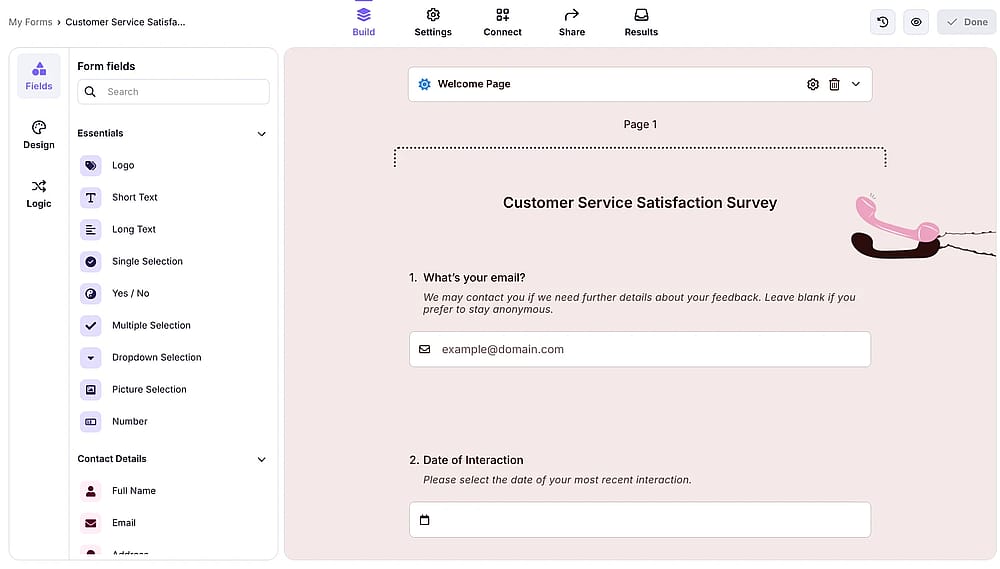
Workspace of forms.app
forms.app is a versatile, mobile-first form builder that utilizes AI to create high-conversion surveys, quizzes, and contact forms quickly and easily for over 3 million users.
Why is forms.app a top pick?: It sets the industry standard by combining AI-driven survey creation with proven, expert-level conversational forms, guaranteeing higher response rates and efficiency than traditional legacy builders.
Key Features
- Generous free plan: Offers unlimited responses and seats with other advanced features.
- Rich customization options: Provides deep, code-free design control to align perfectly with your brand identity.
- Affordable scaling & enterprise trust: Offers robust features and strong security, making professional tools accessible to all scales of operation.
- AI Insights: Get general trends, related charts, key points, and suggestions from form data, as well as ask more questions about the analysis.
Prices:
- Free plan: ✅
- Basic plan: 29 USD per month
- Pro plan: 39 USD per month
- Premium plan: 79 USD per month
2. Paperform (Best for e-commerce & design-led landing pages)
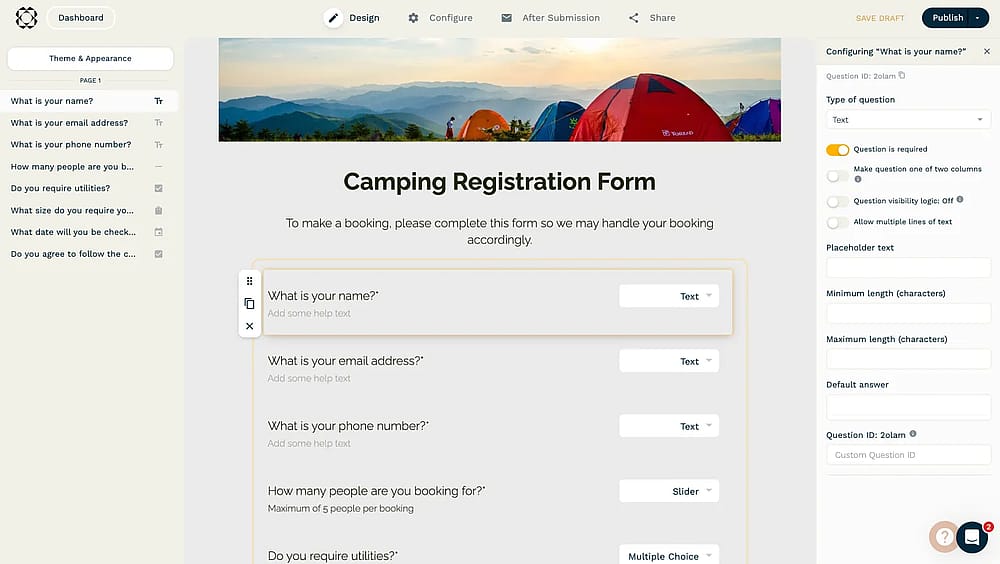
Workspace of Paperform
Paperform is a “doc-style” builder that functions more like a landing page creator than a simple form tool, allowing you to blend styled text, images, and videos with input fields.
Why is Paperform a top pick?: It is the best choice for users who find 123FormBuilder’s designs too rigid; it allows you to create beautiful, branded checkout pages and booking systems that feel like premium websites.
Key Features
- Document-style editor: Create forms by simply typing on the page, making complex layouts intuitive.
- Advanced e-commerce: Robust inventory management and custom pricing logic integrated directly into the form.
- Appointment scheduling: Native booking features that sync with your calendar without needing third-party plugins.
Prices:
- Free plan: ❌ (only free trial)
- Essentials: 29 USD per month
- Pro: 59 USD per month
- Business: 159 USD per month
3. Woorise (Best for viral marketing & lead generation)
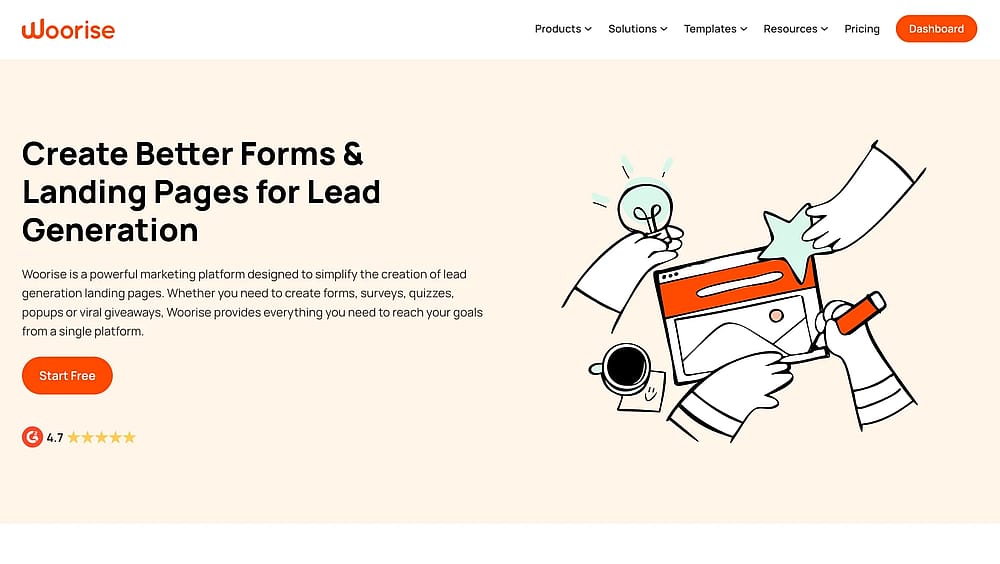
Homepage of Woorise
Woorise is a powerful lead generation platform specialized in creating interactive campaigns such as giveaways, contests, and landing pages to grow social media followings.
Why is Woorise a top pick?: While 123FormBuilder is built for data collection, Woorise is built for growth, offering unique features like “refer-a-friend” and social media actions that turn a simple form into a viral marketing engine.
Key Features
- Viral giveaway tools: Built-in rewards systems that encourage users to share your form for extra entries.
- Landing page builder: Drag-and-drop tools to create high-converting pages around your forms.
- Bio-link tools: Create a centralized "link-in-bio" page for Instagram and TikTok to drive traffic to your forms.
Prices:
- Free plan: ✅
- Basic: 29 USD per month
- Grow: 49 USD per month
- Pro: 99 USD per month (10,000 entries/month)
4. Typeform (Best for conversational UI & engagement)
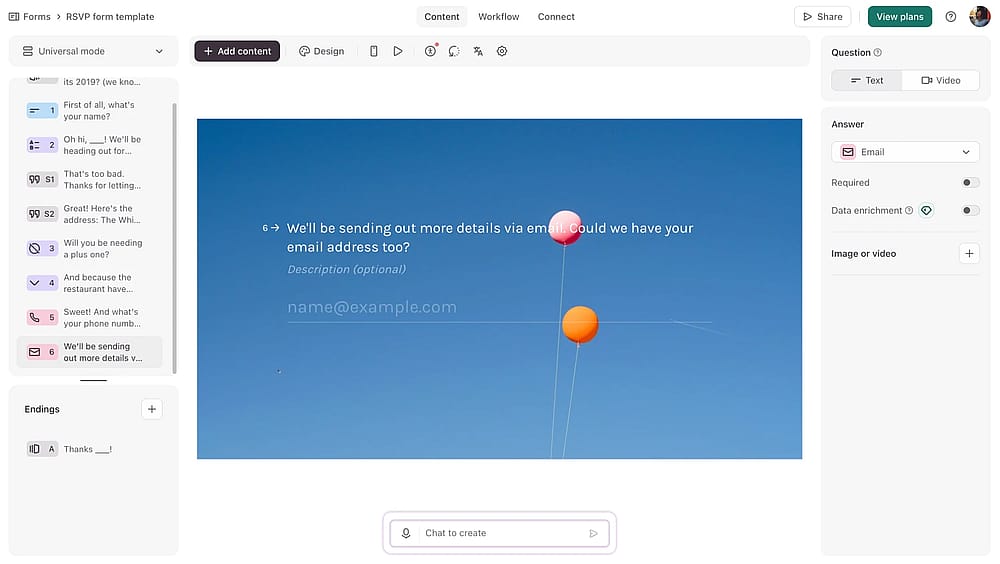
Workspace of Typeform
Typeform pioneered the “one question at a time” and drag and drop interface, focusing heavily on user experience and design to make filling out forms feel like a natural conversation.
Why is Typeform a top pick?: It is the premier alternative for those who suffer from high “form abandonment” on 123FormBuilder; its sleek, interactive UI is proven to keep users engaged until the final submit button.
Key Features
- Conversational flow: A unique “One-at-a-time” question delivery that reduces cognitive load for respondents.
- VideoAsk integration: Allows you to add video greetings and responses for a more personal touch.
- Logic jump: Sophisticated conditional logic that makes the form feel personalized to every user.
Prices:
- Free plan: ✅
- Basic: 29 USD per month
- Plus: 59 USD per month
- Business: 99 USD per month
- Growth Essentials: 199 USD per month
- Growth Pro: 349 USD per month
- Talent: 149 USD per month
5. Cognito Forms (Best for complex logic & HIPAA security)
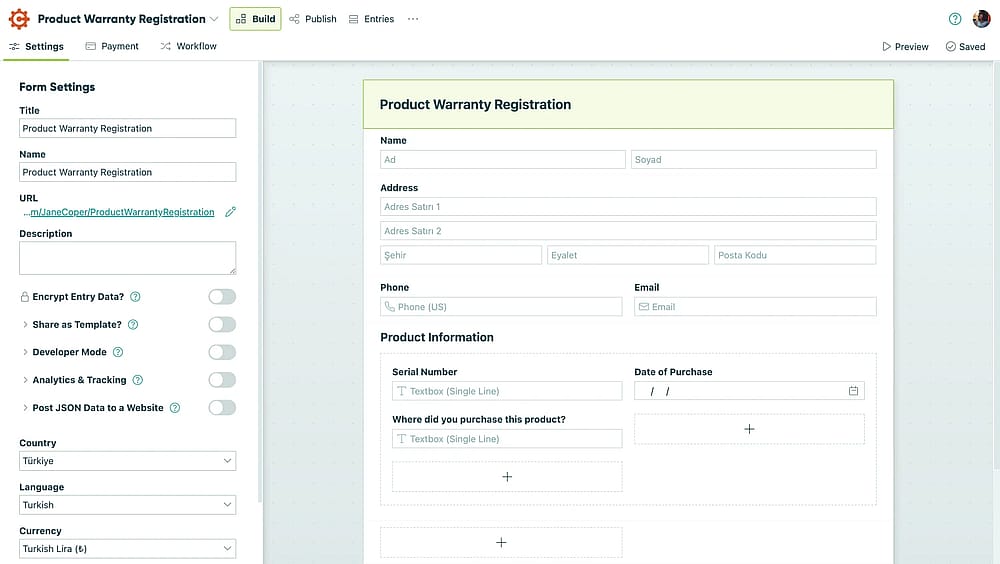
Workspace of Cognito Forms
Cognito Forms is a robust, data-centric builder that excels at handling complex calculations, repeating sections, and enterprise-level security protocols.
Why is Cognito Forms a top pick?: It provides a more affordable path to HIPAA compliance and advanced document generation than 123FormBuilder, making it ideal for healthcare and legal professionals.
Key Features
- Complex calculations: Perform advanced math and data processing within the form fields.
- HIPAA compliance: Secure data encryption and BAA agreements available at much lower price points than competitors.
- Document merging: Automatically generate custom PDFs or Word docs from form submissions.
Prices:
- Free plan: ✅
- Pro: 19 USD per month
- Team: 39 USD per month
- Enterpise: 129 USD per month
6. Google Forms (Best for 100% free, basic data collection)
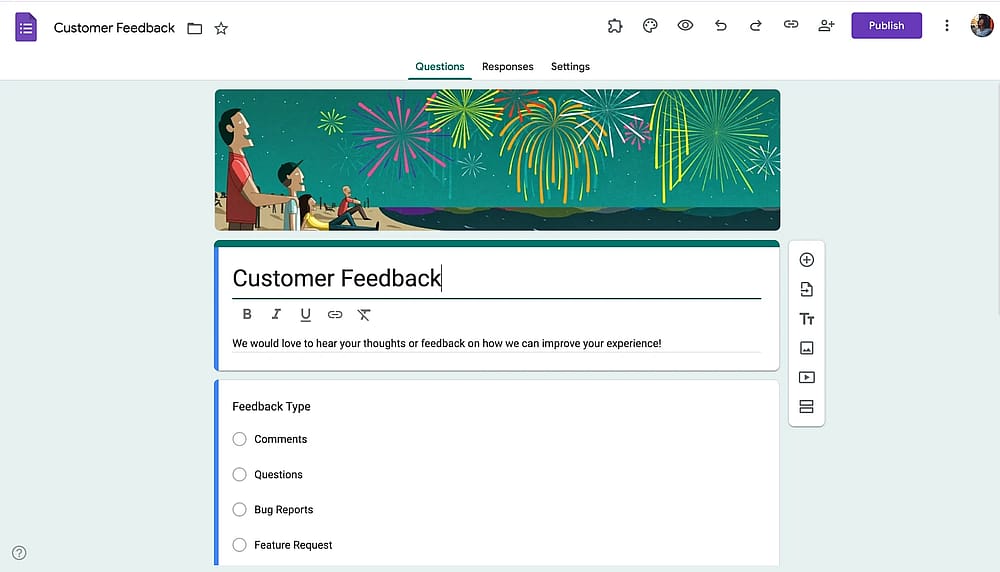
Workspace of Google Forms
Google Forms is the go-to solution for anyone needing a simple, functional form without any monthly subscription costs or submission limits.
Why is Google Forms a top pick?: For users who don't need the complex integrations of 123FormBuilder, Google Forms provides a completely free, reliable, and collaborative environment that integrates perfectly with Google Sheets.
💡 Editor’s note: It’s the only truly “limitless” free tool. We hammered it with thousands of entries and it never crashed. However, the lack of branding and payment options makes it look amateur for external business.
Key Features
- Zero cost: Unlimited forms and submissions for free, forever.
- Real-time collaboration: Multiple team members can edit the same form simultaneously, just like a Google Doc.
- Add-on ecosystem: A wide marketplace of community-made tools to extend functionality.
Prices:
- Completely free ✅
7. Microsoft Forms (Best for internal Office 365 workflows)
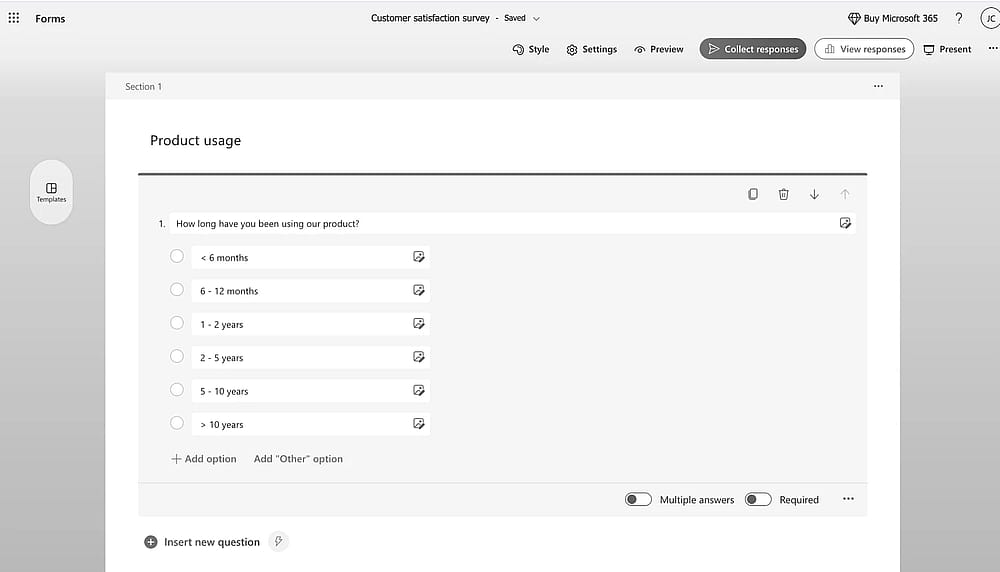
Workspace of Microsoft Forms
Microsoft Forms is a streamlined tool included with Microsoft 365, designed for quick surveys, quizzes, and internal polls within a corporate or educational environment.
Why is Microsoft Forms a top pick?: It is the most secure and efficient choice for organizations already using Excel, Teams, and SharePoint, as it requires no extra login and maintains strict internal data silos.
💡 Editor’s experience: Perfect for those in the Office 365 ecosystem. The Teams and Excel integration is seamless, though the design is almost entirely unchangeable. It’s a tool for internal efficiency, not for making a splash.
Key Features
- Native M365 integration: Seamlessly push data into Excel for real-time analysis or Power Automate for workflows.
- Self-grading quizzes: Excellent tools for educators to create auto-graded assessments.
- Teams integration: Embed forms directly into Teams channels for instant employee feedback.
Prices:
- Completely free ✅
8. Formstack (Best for enterprise workflow automation)
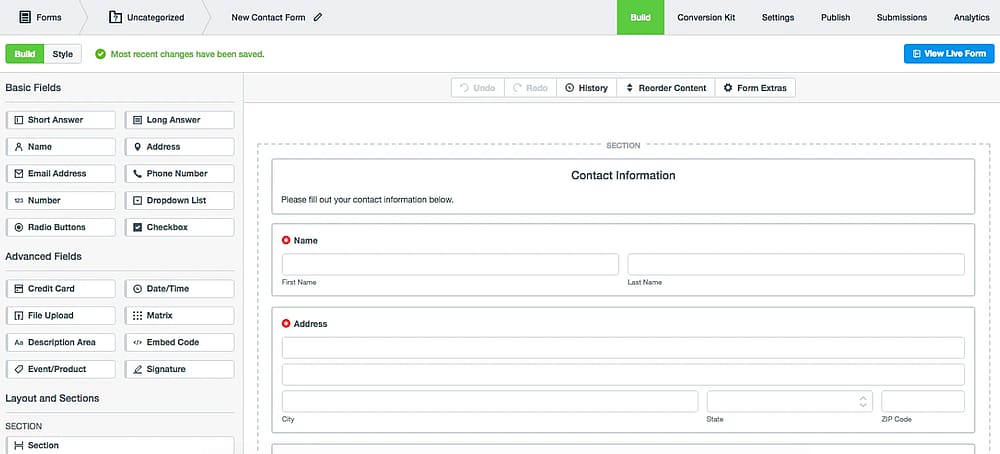
Workspace of Formstack
Formstack is an “all-in-one” productivity platform that combines professional forms with document generation and legally binding e-signatures.
Why is Formstack a top pick?: It is a more modern, comprehensive alternative to 123FormBuilder for large-scale Enterprise automation, offering a “Suite” that handles the entire data lifecycle from collection to signed contract.
Key Features
- Formstack Sign: Integrated e-signatures that meet global security standards.
- Advanced data routing: Send submission data to different departments or apps based on specific logic.
- Salesforce native: Offers a dedicated app that lives entirely inside your Salesforce environment.
Formstack pricing:
- Free plan: ❌
- forms: 99 USD per month
- suite: 299 USD per month
9. Wufoo (Best for fast, “no-fuss” form building)
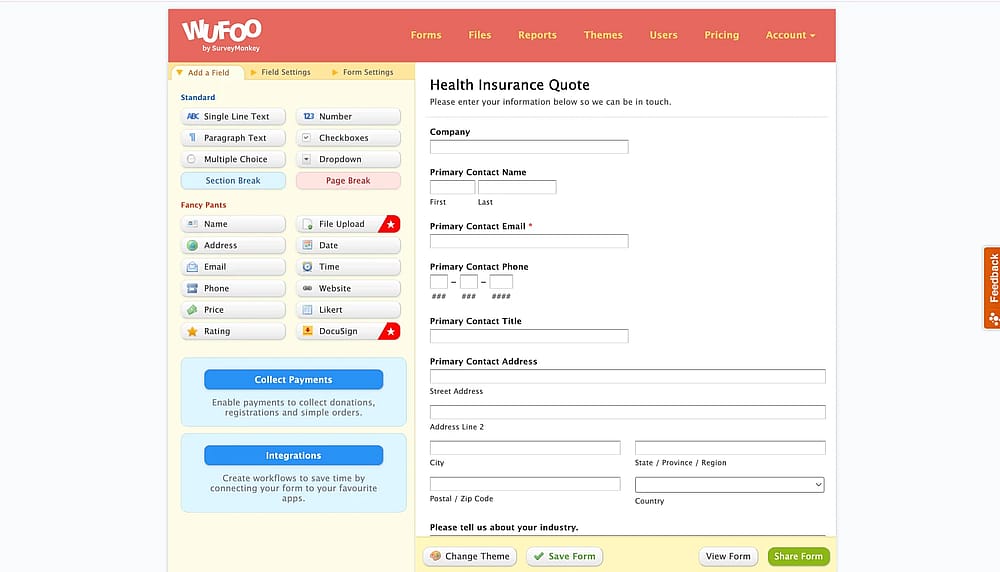
Workspace of Wufoo
Wufoo, owned by SurveyMonkey, is one of the original form builders known for its playful interface and extreme ease of use for non-technical users.
Why is Wufoo a top pick?: If 123FormBuilder feels too "corporate" or complex, Wufoo provides a fast, drag-and-drop experience that allows you to get a functional form live in under five minutes.
Key Features
- Theme designer: A simple visual tool to customize colors and fonts without any CSS knowledge.
- Legacy reliability: A battle-tested platform with nearly 20 years of uptime and stability.
- Quick embed: Simple code snippets that work on almost any website or CMS.
Wufoo pricing:
- Free plan: ✅
- Starter: 22 USD per month
- Professional: 45 USD per month
- Advanced: 113 USD per month
- Ultimate: 286 USD per month
10. Gravity Forms (Best for advanced WordPress customization)
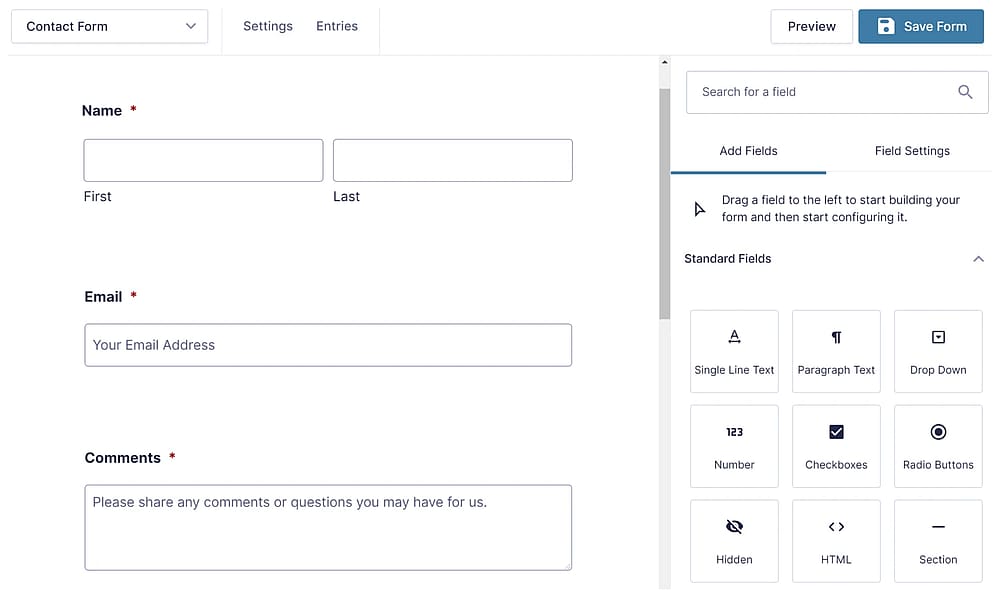
Workspace of Gravity Forms (Source: Gravity Forms)
Gravity Forms is the industry-standard plugin for WordPress developers who need to build complex, deeply integrated forms directly inside their website’s dashboard.
Why is Gravity Forms a top pick?: It offers more “under-the-hood” control than 123FormBuilder for WordPress users, providing hundreds of developer hooks and specialized add-ons for a truly custom experience.
Key Features
- WordPress-native: Everything is managed inside your WP admin area, keeping your data on your own server.
- Massive add-on library: Integrates with everything from HubSpot to Stripe via specialized official and third-party plugins.
- User registration: Easily build custom login and registration forms for your WordPress site.
Gravity Forms pricing:
- Free plan: ❌
- Basic License: 59 USD per year (1 site)
- Elit License: 259 USD per year (Unlimited sites)
- Pro License: 159 USD per year (3 sites)
Frequently asked questions(FAQs)
One of the biggest complaints about 123FormBuilder is that payments are locked behind a $49/mo wall. In contrast, forms.app allows payment collection even on the free plan. If you’re a small business selling just a few items a month, it is much more cost-effective.
Absolutely. If you are a developer who likes the “under-the-hood” access of 123FormBuilder, you’ll find that Gravity Forms, forms.app, and Cognito Forms offer even deeper CSS control. Paperform also allows for advanced styling but focuses more on a “no-code” visual editor that achieves the same results faster.
Contributors
Researched & written by
forms.app, your free form builder
- Unlimited responses
- Unlimited questions
- Unlimited team members