Sushi Order Form
Sushi orders can be quite varied (a number of rolls, a number of sets, various extra requests, etc.). The sushi order form provides a direct way for customers to place their order online and alerts staff to the order as they prepare the food.- Collect unlimited responses for sushi orders
- Offer a menu with the Products field
- Share your form with unlimited views
Show customers what they can order
The Sushi Order Form is an editable way of taking in online sushi orders. You can share your ordering link and get the orders in written form rather than being entirely reliant on calls during peak lunch and dinner times.
The Products field can show the available rolls, sets and extras with their prices and quantities. You can offer the option of pickup or delivery and of course ask for a delivery address if required. It's important to make it clear whether orders submitted via the system require staff confirmation.
Where you can use this template
A sushi business can use one form for all of its orders. You can invite an unlimited number of team members to help with the submissions, providing each one with only the level of access they require.
Sushi takeaway counters
Customers can put in their preferences prior to coming to the counter. The staff can then refer to that when checking the food and pick up.
Restaurants with delivery service
Gather the orders from customers who want their sushi delivered (if you offer delivery).
Caterers preparing sushi platters
Accept larger requests for office lunches or events. The organizer can just give the caterer a description of the number of guests and the number of platters required, and they'll be able to confirm the order.
Sushi ordering FAQs
Can a customer order more than one type of sushi at a time?
Yes. The Products field allows you to list the sushi you're selling and the quantities. Use the product names and prices that are currently on your menu.
How do I split out the pickup and delivery orders?
Add a pickup or delivery option and use conditional logic to display the address question to delivery customers only.
What if the customer has a food allergy?
You can add a notes question for dietary requirements, however a note in no way guarantees that a meal will be free from allergens. Anyone with an allergy should get in touch with the restaurant directly.
Explore related food order forms
Frequently asked questions about Sushi Order Form?
Yes, forms.app is a powerful order form creator that has many payment integrations and offers you an easy-to-use interface for displaying your products & services and accepting payments from your visitors. To accept payments through your order forms, all you have to do is add a payment field in your form, connect to your Stripe or Paypal account, and enjoy collecting money automatically.
An order form helps businesses or individuals sell their products without even a website or pricy e-commerce platforms. So, it is only logical to create online order forms to start selling online. The first tool you need is an order form builder, like forms.app here. Then you can follow the steps below and finish creating your custom form:
- Open an online order form template or start a new form
- Edit the form fields and add new questions or fields
- If you will create a product order form, make sure to add your product photos to the product basket.
- Choose payment gateways and connect your accounts to your form
- Add questions to collect contact information and address
- Customize your form design to make it more appealing to your potential customers
- Share your order form on social media or embed it on your website
- Enjoy receiving customer orders online
To promote your online store, you can post your form on social media, send it out via email, or embed it on your website. As an easy-to-use form builder, forms.app, helps you achieve all of these with a few clicks. After creating your form, open the “Share” tab and find a suitable sharing option. Here you can customize your form URL, quickly share your form on social media, or get a unique embed code for your website.
Template details
This sushi order form is free and customizable
Template details
Templates you might like
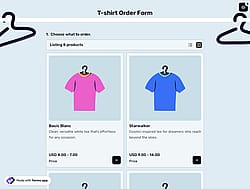
T-shirt Order Form Template
A t-shirt order form offers an easy method to gather information on the t-shirt your client wants to purchase. This free t-shirt order form template enables businesses to take and manage orders by: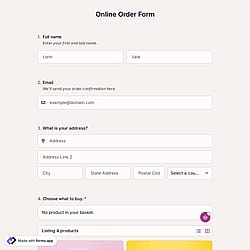
Online Order Form Template
Online order forms are digital tools that enable selling items or services online and automatically receive client details, such as product selection, quantities, shipping, and payment. This free and fully customizable online order form enables you to: