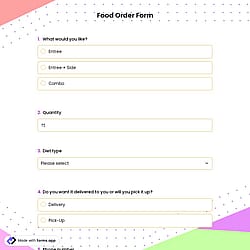
Meal Order Form
Take the meal orders online as you're getting on with the cooking. Share the form with your menu and then just go through each order as it comes in via forms.app. The customers can fill it in on their phones.- Receive unlimited responses for meal orders
- Show meal photos and prices with the Products field
- Invite unlimited team members to help with orders
About this meal order form
This is an editable template for taking meal orders online. You can send the link out to your regulars or just stick it on your website. It's unlimited views, so people can come back and view it as many times as they like.
When you're putting together your menu, be very clear as to what the price covers. "Chicken curry with rice, one portion" is a lot more informative to the customer than just "Curry". You can use the Products field to list the products, prices, and quantities that you're offering.
Who can use it?
An order for one person's lunch needs less detail than an order for a full office meal delivery. Adjust your questions accordingly depending on the type of service you're providing.
Office lunch providers
One person may be placing an order for six colleagues. For that sort of order you'd ask for each individual's meal and name so that the lunch bags are easy to hand out.
Meal-prep businesses
For a menu that's changing weekly, put the collection date in with the meal options. Someone coming via a link from an older post should still be able to see what week they're ordering for.
Community kitchens
Volunteers can take turns packing the meals. They can have access to the submissions in the order form folder, but the menu edits will remain with the people who are actually responsible for them.
Questions about taking meal orders
Can one customer place an order for several different meals?
Yes, there's a products field where the customer can select the items and quantities. An order can contain two portions of one item and one portion of another.
Can I close the orders before I actually start cooking?
Set a closing date and time in the scheduling settings. For a Friday meal service that would be Thursday evening. The cutoff is on that date. You can set a new one for the next batch of orders.
Do pickup customers have to give an address?
No. Add the pickup or delivery question and then use conditional logic to show the address question only to those choosing delivery.
Other forms for food orders
Frequently asked questions about Meal Order Form?
Yes, forms.app is a powerful order form creator that has many payment integrations and offers you an easy-to-use interface for displaying your products & services and accepting payments from your visitors. To accept payments through your order forms, all you have to do is add a payment field in your form, connect to your Stripe or Paypal account, and enjoy collecting money automatically.
An order form helps businesses or individuals sell their products without even a website or pricy e-commerce platforms. So, it is only logical to create online order forms to start selling online. The first tool you need is an order form builder, like forms.app here. Then you can follow the steps below and finish creating your custom form:
- Open an online order form template or start a new form
- Edit the form fields and add new questions or fields
- If you will create a product order form, make sure to add your product photos to the product basket.
- Choose payment gateways and connect your accounts to your form
- Add questions to collect contact information and address
- Customize your form design to make it more appealing to your potential customers
- Share your order form on social media or embed it on your website
- Enjoy receiving customer orders online
To promote your online store, you can post your form on social media, send it out via email, or embed it on your website. As an easy-to-use form builder, forms.app, helps you achieve all of these with a few clicks. After creating your form, open the “Share” tab and find a suitable sharing option. Here you can customize your form URL, quickly share your form on social media, or get a unique embed code for your website.
Template details
This meal order form is free and customizable
Template details
Templates you might like
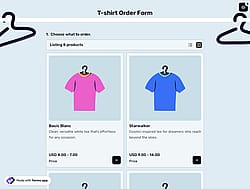
T-shirt Order Form Template
A t-shirt order form offers an easy method to gather information on the t-shirt your client wants to purchase. This free t-shirt order form template enables businesses to take and manage orders by: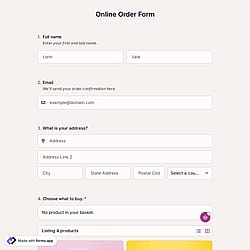
Online Order Form Template
Online order forms are digital tools that enable selling items or services online and automatically receive client details, such as product selection, quantities, shipping, and payment. This free and fully customizable online order form enables you to: