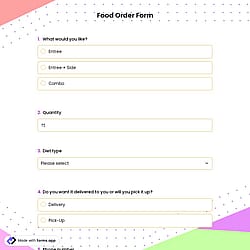
Jersey Order Form
A team jersey order is more than just a shirt, really. This jersey order form gives the players and the supporters a direct route into requesting merchandise and allows your club or shop to take on the orders online.- Accept unlimited responses for jersey orders
- Offer unlimited form views from one shared link
- Make jersey choices clearer before preparing an order
Set up a jersey order page for your club or store
Use the editable jersey order form to start taking online requests for team jerseys. It's a way of getting orders in from people who would like a jersey without having to have each individual buyer contact you.
You can, of course, offer the sizes and editions that you have in stock and then add in a printed name/number question if personalization is an option. A size guide and quantity options will make it much easier for the customer to place their order. If you take payment at checkout, then you'll want to connect a Payment field.
Who might be selling the jerseys via a form?
Clubs, shops and school teams can all take orders via the same form link. An unlimited number of team members can work on the submissions, each with the appropriate level of permission for their role.
Local sports clubs
Gather all the requests for club jerseys prior to placing a team-wide order with a supplier.
Supporter merchandise shops
Let the fans request their preferred jersey edition and then arrange for pickup or shipping via the store.
School athletics coordinators
Collect the uniform requests from the players/families and then check the quantities before issuing out the jerseys.
Useful questions to check
How do I help a customer to pick the right size?
Add a size selection and have a size chart next to it so the buyer knows which measurements to use.
Can the buyer request a printed name and number?
Yes. If you offer customization, then add separate text or number questions and make the character/number rules very clear.
What if a jersey's no longer available?
Update the choices you present and state whether your team confirms stock on submission. The Products field has stock settings that can be edited as well.
Explore other clothing order templates
Frequently asked questions about Jersey Order Form?
Yes, forms.app is a powerful order form creator that has many payment integrations and offers you an easy-to-use interface for displaying your products & services and accepting payments from your visitors. To accept payments through your order forms, all you have to do is add a payment field in your form, connect to your Stripe or Paypal account, and enjoy collecting money automatically.
An order form helps businesses or individuals sell their products without even a website or pricy e-commerce platforms. So, it is only logical to create online order forms to start selling online. The first tool you need is an order form builder, like forms.app here. Then you can follow the steps below and finish creating your custom form:
- Open an online order form template or start a new form
- Edit the form fields and add new questions or fields
- If you will create a product order form, make sure to add your product photos to the product basket.
- Choose payment gateways and connect your accounts to your form
- Add questions to collect contact information and address
- Customize your form design to make it more appealing to your potential customers
- Share your order form on social media or embed it on your website
- Enjoy receiving customer orders online
To promote your online store, you can post your form on social media, send it out via email, or embed it on your website. As an easy-to-use form builder, forms.app, helps you achieve all of these with a few clicks. After creating your form, open the “Share” tab and find a suitable sharing option. Here you can customize your form URL, quickly share your form on social media, or get a unique embed code for your website.
Template details
This jersey order form is free and customizable
Template details
Templates you might like
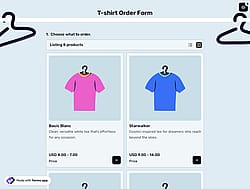
T-shirt Order Form Template
A t-shirt order form offers an easy method to gather information on the t-shirt your client wants to purchase. This free t-shirt order form template enables businesses to take and manage orders by: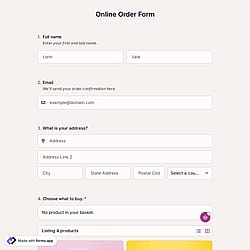
Online Order Form Template
Online order forms are digital tools that enable selling items or services online and automatically receive client details, such as product selection, quantities, shipping, and payment. This free and fully customizable online order form enables you to: