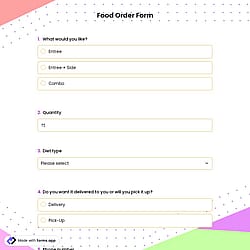
Hamburger Order Form
A burger order is far easier to produce if the kitchen can see what the customer has ordered. This hamburger order form gives the customer the option of ordering online rather than having to call during the peak of lunch or dinner.- Collect unlimited responses for hamburger orders
- Share your ordering link with unlimited form views
- Offer burger and meal options that match your menu
Take burger orders with a menu that suits your restaurant
This is an editable burger order form designed to take burger and takeaway orders online. The customer can simply open the form, place their order, and you then have a written record of what they've ordered. The layout and questions can be altered to suit how your kitchen takes orders.
You can use the Products field to list your burgers, sides and drinks with their prices and quantities. If you have different toppings or meal deals available in the kitchen then you can list those too. For takeaway and delivery you can of course specify the relevant handover options and let the customer know how their order will be confirmed.
Where this order form helps
A single order link is useful in any situation where the team needs to be able to view the food orders as they're being prepared. You can invite an unlimited number of team members to help with the incoming orders and give the appropriate levels of access to both kitchen and front-of-house staff.
Burger shops offering takeaway
Customers can send in their meal requests prior to arrival. The counter staff can check the request at the time of confirming the food and pick-up.
Food trucks at busy lunch spots
Share the form on a menu board or on a social page so people can make their choice without having to wait around at the window to explain a very long order.
Cafés with a burger lunch special
Offer a pared-down lunch menu comprising the day's burger, a side and a drink. The staff can see the combination that has been selected.
Hamburger ordering FAQs
Can the customer choose their toppings and meal deals?
Yes. Offer separate options for toppings or meal combos and only include items that are on your current menu. The Products field can show the items and prices.
Can I let the customer choose whether they want pickup or delivery?
Yes. Add a choice for pickup or delivery. Conditional logic to show the address question only when delivery is selected.
How do I avoid orders for a burger that's sold out?
Update or remove any sold-out items from your available product list. You can also use the final message to let the customer know that an order requires staff confirmation.
Related forms for food orders
Frequently asked questions about Hamburger Order Form?
Yes, forms.app is a powerful order form creator that has many payment integrations and offers you an easy-to-use interface for displaying your products & services and accepting payments from your visitors. To accept payments through your order forms, all you have to do is add a payment field in your form, connect to your Stripe or Paypal account, and enjoy collecting money automatically.
An order form helps businesses or individuals sell their products without even a website or pricy e-commerce platforms. So, it is only logical to create online order forms to start selling online. The first tool you need is an order form builder, like forms.app here. Then you can follow the steps below and finish creating your custom form:
- Open an online order form template or start a new form
- Edit the form fields and add new questions or fields
- If you will create a product order form, make sure to add your product photos to the product basket.
- Choose payment gateways and connect your accounts to your form
- Add questions to collect contact information and address
- Customize your form design to make it more appealing to your potential customers
- Share your order form on social media or embed it on your website
- Enjoy receiving customer orders online
To promote your online store, you can post your form on social media, send it out via email, or embed it on your website. As an easy-to-use form builder, forms.app, helps you achieve all of these with a few clicks. After creating your form, open the “Share” tab and find a suitable sharing option. Here you can customize your form URL, quickly share your form on social media, or get a unique embed code for your website.
Template details
This hamburger order form is free and customizable
Template details
Templates you might like
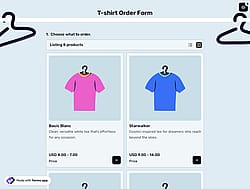
T-shirt Order Form Template
A t-shirt order form offers an easy method to gather information on the t-shirt your client wants to purchase. This free t-shirt order form template enables businesses to take and manage orders by: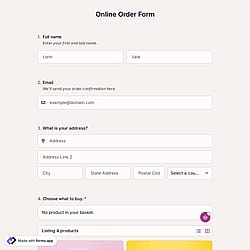
Online Order Form Template
Online order forms are digital tools that enable selling items or services online and automatically receive client details, such as product selection, quantities, shipping, and payment. This free and fully customizable online order form enables you to: