Save up to 60% on yearly plans and enjoy our biggest offer of the year. Limited time only. 🍂
See pricing

Best forms.app alternatives for 2026 (tested & ranked)

Summarize with
TL;DR list for forms.app alternatives:
1. Microsoft Forms: Best for Microsoft 365 Users
2. Typeform: Best for Conversational UX
3. Google Forms: Best for Unlimited Free Usage
4. SurveyMonkey:Best for Deep Data Analytics
5. Fillout: Best for Database Integrations
Finding the right tool shouldn’t feel like a chore, but choosing the wrong one often is.
We didn't just skim feature lists to find the best alternatives to forms.app; we actually built workflows in every tool on this list to see where they shine and where they stumble in a real-world setting.
Our team spent hours testing these platforms, focusing on everything from UI speed to the limitations of free tiers. Whether you need a robust free online form builder for complex data or a simple free form creator for a quick project, we’ve documented the genuine user experience. This isn't a list of specs; it’s a hands-on guide based on the actual friction we encountered while building and sharing forms.
💡All tools featured in this content have been updated for 2026 (including features and pricing). Monthly payment options are listed for all tools that offer them.
About forms.app
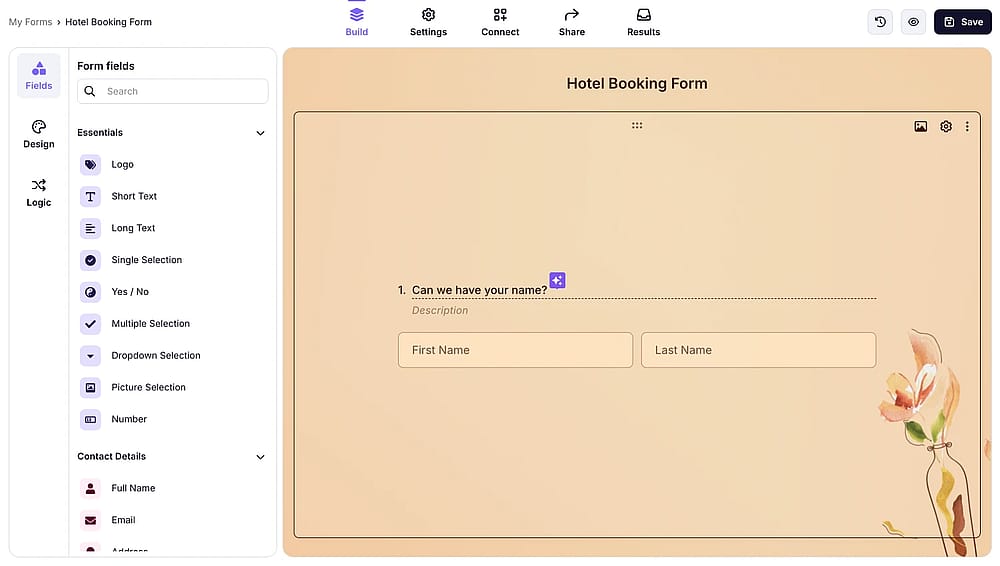
Workspace of forms.app
forms.app is a versatile tool that allows users to jump into form creation for anything from custom forms and polls to a detailed form-survey-quiz. Known for its user friendly learning curve, the platform offers a smooth experience that simplifies lead generation. By utilizing a wide range of question types, users can capture specific data points and even turn a simple form into a functional landing page for their brand.
While it remains a popular free-form creator, its strength lies in its automated workflows and mobile accessibility. Whether you are using it for basic forms and surveys or complex data collection, it serves as a solid free online form builder for those who prioritize a quick setup.
First glance at the top forms.app alternatives
Tool | Plan | Price (Monthly) | Key Features |
|---|---|---|---|
Microsoft Forms | Personal/Work | $0* | Excel syncing, multilingual support, quiz grading. |
Typeform | Basic | $39 | Conversational UI, 120+ integrations, logic jumps. |
Google Forms | Free | $0 | Real-time collaboration, basic logic, zero cost. |
SurveyMonkey | Standard | $99 | Sentiment analysis, A/B testing, advanced reports. |
Fillout | Starter | $15 | Update records, 50+ field types, payment collection. |
* Quick Note: Microsoft Forms is available for free to anyone with a personal Microsoft account, though a Microsoft 365 subscription is required to unlock advanced features like higher response limits and deeper branding options.
5 Best forms.app alternatives (free & paid)
Take a look at the given list below to find the best online form builder alternatives that you can use instead of forms.app:
1. Microsoft Forms (Best for Microsoft 365 users)
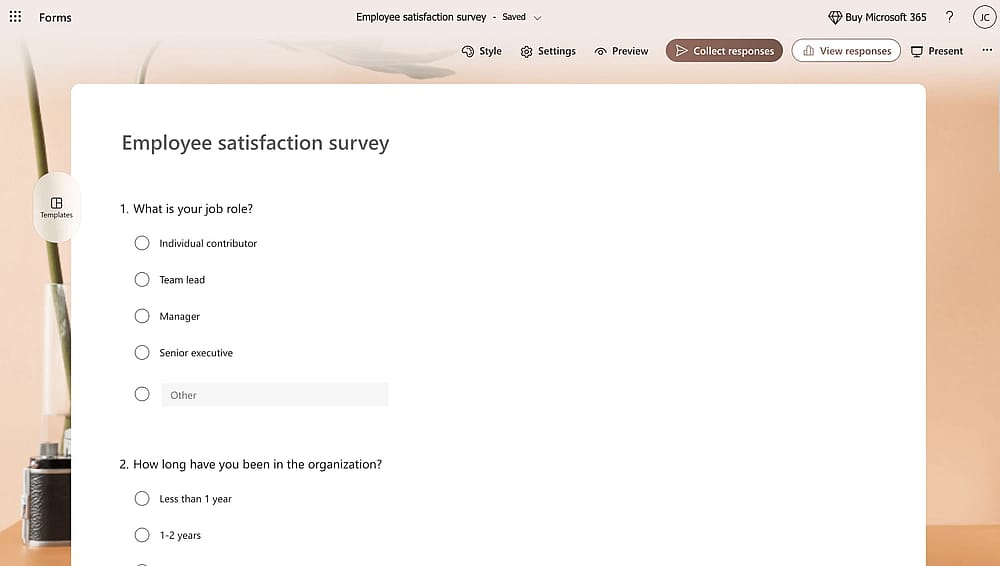
Workspace of MS Forms
Microsoft Forms is the best online form builder tool that integrates perfectly with the Microsoft ecosystem. This tool is a perfect choice for internal business surveys and educational quizzes, especially due to its ability to sync response data with Excel in real-time.
- Data synchronization with Microsoft Excel
- Integration with Microsoft Teams and Outlook
- Mobile-responsive design for on-the-go data collection
- Automatic grading and feedback tools for quizzes
Editor’s experience: I synced a live form to a shared Excel sheet for a test; seeing the data populate without needing to manually export files was a massive time-saver. However, the design customization is extremely limiting. If you want to change specific button colors or adjust font spacing to match strict brand guidelines, you can’t.
Microsoft Forms pricing:
- Completely free if you have a Microsoft 365 account
2. Typeform (Best for conversational UX)
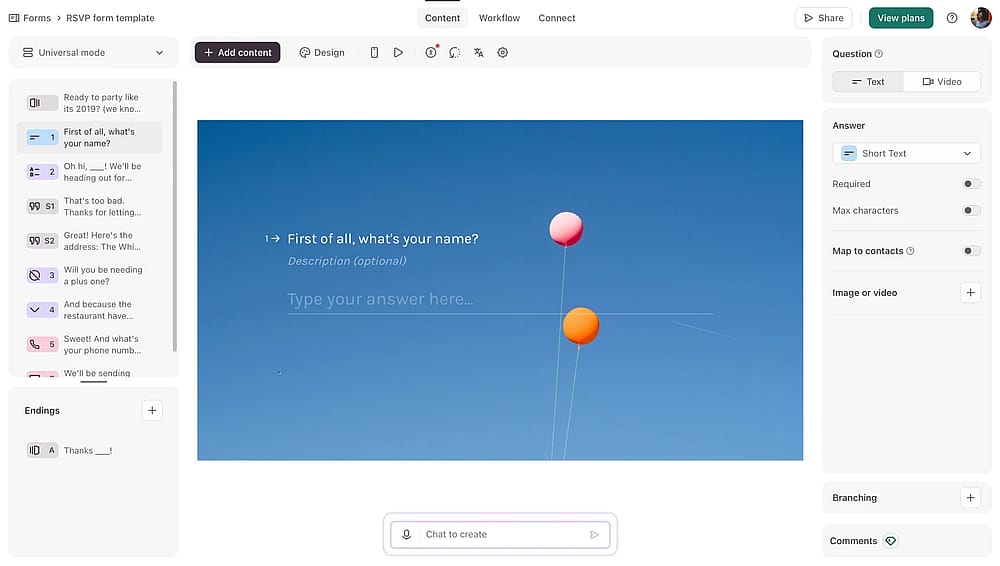
Workspace of Typeform
Typeform is great for creating forms that feel like a natural conversation rather than a long questionnaire. We spent time testing its one-question-at-a-time interface. It yields higher completion rates for customer feedback and brand-focused lead generation.
- Engaging, "one-question-at-a-time" flow
- Advanced logic jumps and personalized ending screens
- Native integrations with HubSpot, Salesforce, and Zapier
- Rich media support (video, GIFs, and high-res imagery)
Editor’s experience: While the respondent experience on mobile is flawless, I found the builder interface a bit cramped on smaller screens, making it a premium choice that requires a desktop for the best setup experience.
Typeform pricing:
- Free plan: ✅
- Basic: $39 / mo
- Plus plan: $79 / mo
- Business plan: $129 / mo
- Growth essentials: $169 / mo
- Growth pro: $379 / mo
3. Google Forms (Best for unlimited free usage)
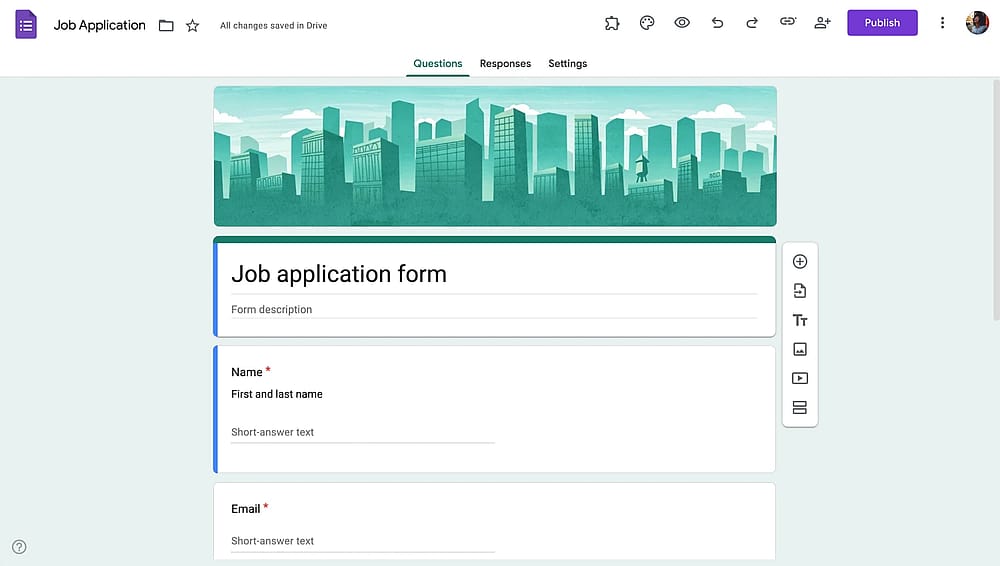
Workspace of Google Forms
Google Forms remains the go-to for users who need a completely free, straightforward tool without any hidden submission caps. In our evaluation, it stood out as the most reliable free online form builder for personal projects, simple registrations, and collaborative team research within Google Workspace.
- Completely free with unlimited forms and responses
- Instant collaboration with multiple editors in real-time
- Automatic summary charts and data export to Google Sheets
- Drag-and-drop builder with essential question types
Editor’s experience: It is the ultimate "no-frills" tool, though you’ll have to accept a basic aesthetic in exchange for totally unlimited forms and responses.
Google Forms pricing:
- Completely free ✅
4. SurveyMonkey (Best for deep data analytics)
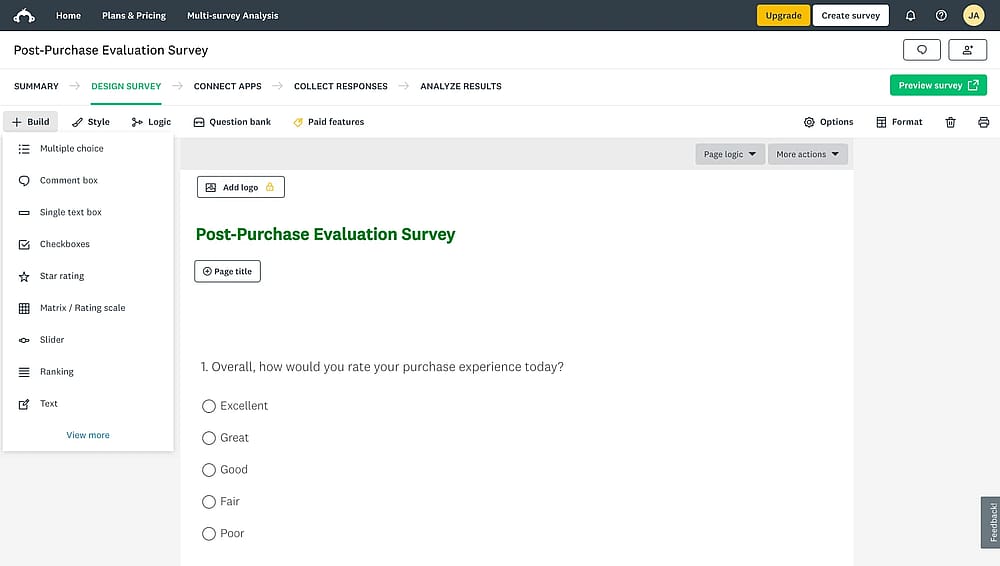
Workspace of SurveyMonkey
SurveyMonkey is designed specifically for professional market research and complex data analysis. We really tested its reporting suite and found that it offers the most sophisticated filtering and benchmarking tools for businesses that need to turn responses into actionable insights.
- Advanced survey logic, including A/B testing and piping
- Industry-leading data visualization and custom reporting
- Huge library of expert-certified question templates
SurveyMonkey pricing:
- Free plan: ✅
- Team Advantage: $30 per month/user
- Team Premier: $92 per month/user
- Premier Annual: $139 per month
- Advantage Annual: $39 per month
- Standard Monthly: $99 per month
5. Fillout (Best for database integrations)
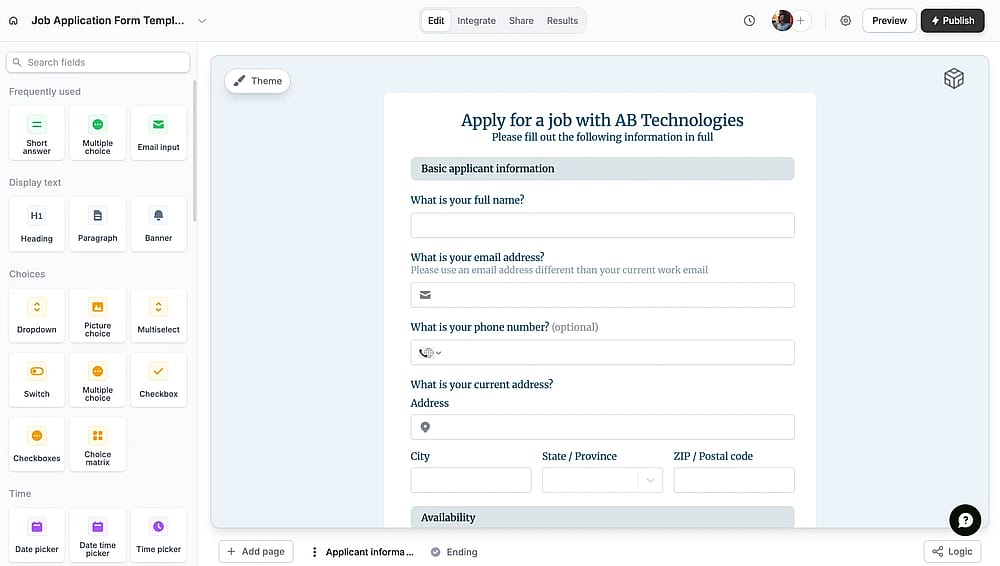
Workspace of Fillout
Fillout is a modern form builder that specializes in connecting your forms directly to your existing data. Our team focused on its "update" capabilities; it allows users to pull existing records from a database, edit them through a form, and sync the changes back instantly.
- Deep native integrations with Airtable, Notion, and HubSpot
- Multi-page forms with "save and continue later" functionality
- Ability to update existing database records directly from a form
- Advanced field types like address autocomplete and signature capture
Fillout pricing
- Free plan: ✅
- Starter: $19 per month
- Pro: $49 per month
- Business: $89 per month
Wrapping it up
When you're sifting through the dozens of best form builder options, it's easy to get distracted by flashy templates. To find the right fit for your workflow, keep these five critical factors in mind:
- Conditional logic: Ensure the tool can hide or show form fields based on user answers to keep surveys concise.
- Storage & Limits: Check the caps on file uploads and monthly responses to avoid your registration or order forms cutting off unexpectedly.
- Ease of sharing: Look for one-click social media integration and easy embedding to reach your audience where they are.
- Native integrations: Pick a builder that connects directly to your CRM or sheets to automate your workflow without manual entry.
- Mobile optimization: Since most users will fill out forms on their phones, the user experience must be flawless on all screen sizes.
There are numerous tools you can use to create forms for free; however, considering your privileges and needs will help you most in the decision-making process. Also, you can always contact us to explain why you’re looking for an alternative to forms.app so that we can help you find the perfect match for your specific workflow and data needs!
Frequently asked questions (FAQs)
Google Forms is the only "truly free" option on this list, offering unlimited forms and responses without a subscription. While other tools like Fillout and Microsoft Forms have generous free tiers, they eventually cap your submissions or advanced form fields behind a paywall.
For legally binding signatures, Fillout can help you at this point. It includes a dedicated signature field that works smoothly on touchscreens.
All of these best form builder options provide a direct link that you can paste into social media bios or posts. Typeform and SurveyMonkey take it a step further by offering optimized "meta tags," ensuring your form looks like a professional card with a custom image when shared on platforms like LinkedIn or X.
Contributors
Researched & written by
forms.app, your free form builder
- Unlimited responses
- Unlimited questions
- Unlimited team members