Save up to 60% on yearly plans and enjoy our biggest offer of the year. Limited time only. 🍂
See pricing

19+ Best online quiz maker tools (free & paid 2026)
Summarize with
Finding the right quiz maker for your business or classroom can feel overwhelming. With dozens of platforms promising easy setup and high conversions, how do you truly know which tool is worth your time and money?
To answer that question and bring you a genuinely authoritative resource, our team tested and ranked 19 leading quiz platforms. We went hands-on to see which tools truly allow you to make your own online quiz with professional results and minimal fuss.
In this definitive guide, we break down 19 online quiz creator tools, including the best online quiz creator for free options, detailing the features, costs, and real-world performance based on our extensive testing. We conclude with expert tips on choosing the perfect tool for your goals.
💡 All tools featured in this content have been reviewed and updated for 2026 standards. Pricing reflects the most current monthly options available.
TL;DR for the online quiz makers
1. forms.app — Best for teams
2. Kahoot! — Best for high-energy, live group engagement and gamification
3. ProProfs Quiz Maker — Best for creating quizzes & assessments for business and training
4. SC Training — Best for mobile-first micro-learning and workforce training
5. Quizlet — Best for AI-driven flashcards and study tools (education)
6. TriviaMaker — Best for game show-style live trivia
7. AhaSlides — Best for interactive presentations and massive live events
8. Slido — Best for corporate meeting polls, Q&A, and real-time feedback
9. FlexiQuiz — Best for secure, scheduled exams with detailed scoring logic
10. QuizMaker — Best for certification, compliance, and auto-graded testing
11. Woorise – Best for giveaways and landing pages
12. Mentimeter — Best for real-time audience feedback in large presentations
13. iSpring QuizMaker — Best for professional SCORM/LMS-ready corporate assessments
14. Riddle — Best for high-volume content publishers and viral quizzes
15. Interact — Best for branded product recommendation quizzes and CX
16. LeadQuizzes — Best for advanced lead segmentation and marketing integrations
17. Meiro — Best for unlimited AI-assisted quiz creation
18. Rolljak — Best for collaborative and creative classroom learning activities
19. WayGround — Best for self-paced, gamified student assessments (K-12/Higher Ed)
20. Poll Everywhere — Best for audience engagement and polling during hybrid events
21. Socrative — Best for instant, formative classroom assessment
22. Marquiz — Best for simple, high-converting lead generation (marketing focus)
First glance at the top tools to make quizzes online
Tool | Best For | Features | Entry Plan |
forms.app | Teams | AI Suite, Conditional Logic/Calculator (low tiers), Deep Customization, Mobile Support. | Free (Paid: $29/mo) |
Kahoot! | Live Group Engagement | Live Gamification, Massive Content Library, Real-Time Analytics, Mobile Player. | Free (Paid: $19/host/mo) |
ProProfs Quiz Maker | AI-powered assessments, certifications & secure online testing | AI Quiz Generator, 20+ Question Types, Question Banks, Browser Lockdown & Proctoring, Automated Grading & Analytics | Free (Paid: $19.99/mo) |
SC Training | Mobile Workforce Training | AI Doc-to-Course Conversion, Micro-learning Design, Compliance Tracking, Certificates. | Free (Paid: $15/learner/mo) |
Quizlet | AI Flashcards & Study | Community Content, AI Study Modes (Learn/Test), Spaced Repetition, Gamified Live. | Free (Paid: $8/mo) |
TriviaMaker | Live Game Show Experiences | 7 Game Formats, Instant Join Codes, No Account Required for Players, Real-Time Leaderboards, Custom Branding. | Free (Paid: $6.99/mo) |
AhaSlides | Massive Live Events | Scalable to 100K users, Integrations (Zoom, G. Slides), Real-Time Polling/Q&A. | Free (Paid: $23.95/mo) |
Slido | Corporate Polls & Q&A | Deep Native Integration (Zoom, Teams, PPT), Simple Participant Setup, Q&A Prioritization. | Free (Paid: $60/mo) |
FlexiQuiz | Secure, Scheduled Exams | Exam Security (IP Restriction, Timed), SEB Integration, Detailed Admin Controls. | Free (Paid: $25/mo) |
QuizMaker | Certification & Compliance | Certificate Issuance, Strong Security/Login, Auto-Grading, Integrated Gamification. | Free (Paid: $29/mo) |
Woorise | Marketing quizzes & conversion-focused campaigns | Flexible quiz flows with logic & calculations, Lead capture before or after quizzes, Landing pages & embeddable widgets | Free (Paid starts at $29/mo) |
Mentimeter | Real-Time Audience Feedback | Seamless Presentation Integration, Live Polls/Word Clouds, Dynamic Visualizations, GDPR Compliant. | Free (Paid: $13/mo) |
iSpring QuizMaker | SCORM/LMS Assessments | Full SCORM/xAPI Compliance, 14 Advanced Question Types, Anti-Cheating Features (Randomization). | Free (Paid: $720/author/year) |
Riddle | Viral Content Publishers | 30+ Interactive Formats, High Traffic Volume Support, AI Content Creation, Lead Generation/Segmentation. | Free (Paid: $69/mo) |
Interact | Product Recommendation | Product Recommendation Focus, AI Generation from Web, Deep Lead Segmentation, CRM Integration. | Free (Paid: $39/mo) |
LeadQuizzes | Advanced Lead Segmentation | Lead Qualification Focus, Real-Time Analytics, Customizable Paths, Seamless CRM Integration. | Free (Paid: $13/mo) |
Meiro | Affordable Unlimited Usage | Unlimited Quizzes/Leads (Paid), AI Generation (Text/Files/Video), AI Image Generation. | Free (Custom) |
Rolljak | Collaborative Classroom | Peer Evaluation, Sketch/Open-Ended Responses, AI Automated Marking, Team Mode. | Free (Paid: $6/mo) |
WayGround | Self-Paced Student Assm't | Self-Paced Mode, AI Quiz Generation (Text/Doc), Huge Community Library, Device Agnostic. | Free (Custom) |
Poll Everywhere | Hybrid Event Polling | Enterprise Security, Numerous Integrations (PPT, Zoom), Attendance Tracking, Live Q&A. | Free (Paid: $10/mo) |
Socrative | Instant Formative Assessment | Real-Time Formative Assessment, Gamified Space Race, Exit Ticket Feature, Web-Based Simplicity. | Free (Paid: $14.99/seat/mo) |
Marquiz | Simple Lead Conversion | Pricing based on Leads, Advanced Logic Branching, AI Quiz Generation, Generous Free Plan (10 leads). | Free (Paid: $19/mo) |
What did we pay attention to?
To determine the best paid & free online quiz makers, we spent over 90 hours hands-on with 19 platforms, rigorously testing them against four essential performance criteria:
1. Scoring & Logic integrity
- Complex scoring: Can the tool handle multiple question types and precisely assign weights or points?
- Result mapping: Does the conditional logic stably redirect users or display accurate results screens based on specific score ranges?
2. Conversion & Lead capture efficacy
- Integration depth: How efficiently does the platform send collected quiz data (including scores) to CRMs and marketing tools? We verified instant, accurate data flow.
- Form flexibility: Can the lead capture form be strategically placed (before/after the quiz) and customized without using code?
3. Design, Embedding, & Responsiveness
- Branding control: Does the builder offer granular control to match the user's exact brand aesthetic (including custom CSS)?
- Embedding performance: How reliably and quickly does the quiz embed on various web platforms, and what are the load times on mobile devices?
4. AI capabilities & Time-to-publish
- Quiz generation quality: How well does the AI understand complex prompts to generate a truly usable, high-quality quiz?
- Ease of interation: Can the user efficiently edit, restructure, or modify the quiz without disrupting complex existing logic?
19+ Best free tools to make online quizzes
There are numerous quiz tools available, so selecting the best one for you could be a challenge. So that you save time, we tested and listed the best 19 tools to make a quiz online.
1. forms.app (Best for Teams)
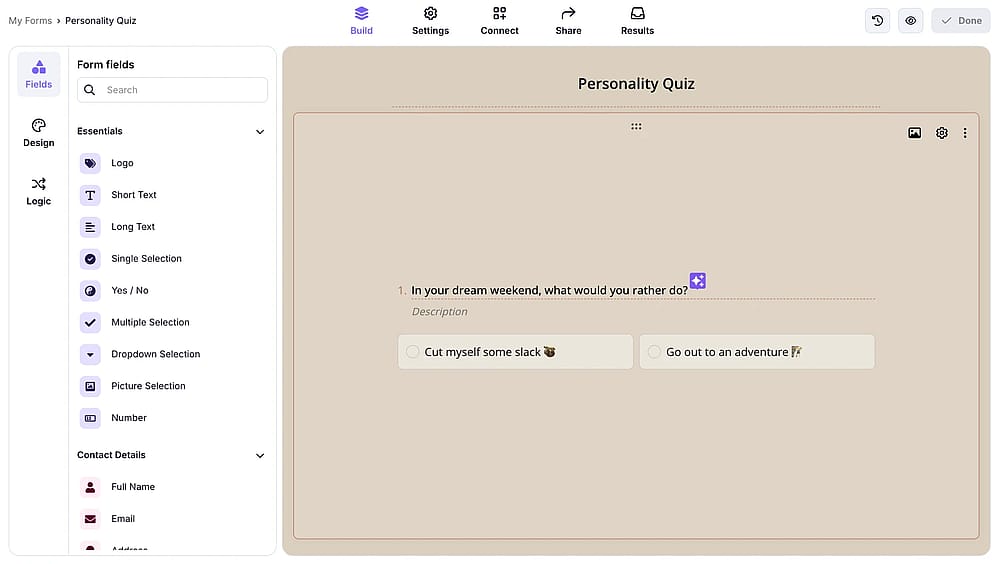
Workspace of forms.app
forms.app is a free online quiz creator that combines a modern, intuitive interface with robust, functional features. It stands out for its deep customization options, allowing users to significantly improve the look and interactivity of quizzes with custom colors, themes, animations, and advanced logic. It’s perfect for creators who need a highly branded, high-performance quiz without a high barrier to entry.
Why it’s a top pick: This tool dominates the price-to-performance ratio by offering critical tools, like the Calculator for advanced scoring logic and conditional logic, even on its Free and lower-tier plans. It’s the best high-value solution for businesses and educators requiring powerful, customized quizzes without the enterprise price tag.
Pros of forms.app
- Robust AI suite for quiz generation and text refinement.
- Excellent in mobile devices (creating and taking quizzes).
- Unlimited responses and seats in the free plan.
- Deep visual customization options for perfect branding.
- Wide variety of high-function question types.
Cons of forms.app
- A newer ecosystem compared to industry veterans.
- Currently lacks advanced proctoring tools suitable for university-level testing.
forms.app pricing:
- Free plan: ✅
- Basic plan: 29 USD per month
- Pro plan: 39 USD per month
- Premium plan: 79 USD per month
2. Kahoot! (Best for High-Energy, Live Group Engagement and Gamification)
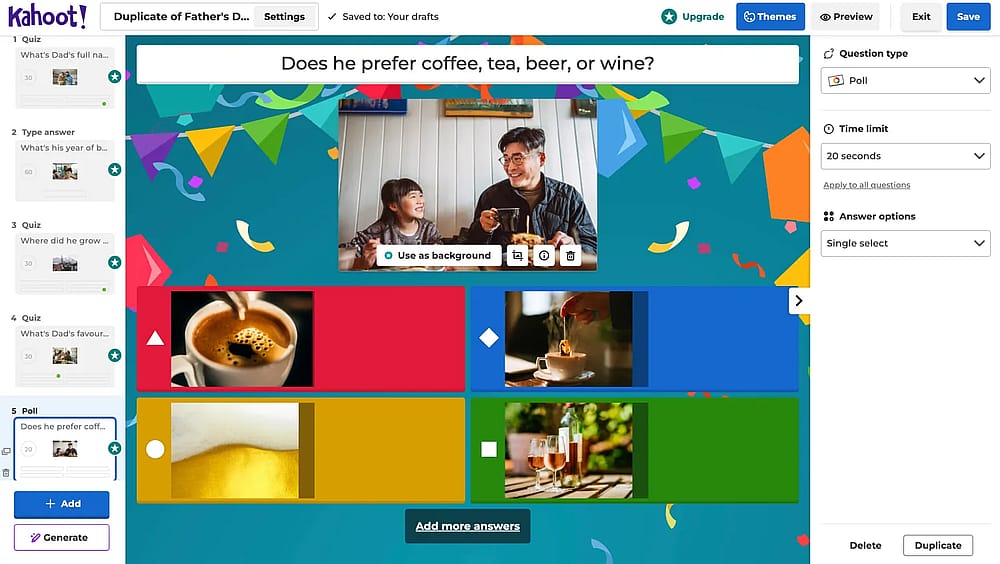
Workspace of Kahoot!
Kahoot! is an online quiz maker for teachers that is free; turning lessons, presentations, and training into highly energetic, score-driven events. It began as a foundational tool for educators to boost engagement and recall, but it is now widely adopted in work settings for training, meetings, and team building.
Why it’s a top pick: Kahoot! Lets you create quizzes that are instant, high-octane engagement by transforming multiple-choice quizzes into a shared, live social experience. The platform's intuitive mobile player, powerful real-time analytics, and vast library of community-generated content make it the default choice for any host needing to drive immediate participation in a group setting.
Pros of Kahoot!
- Live engagement and gamification.
- Massive library of pre-made quizzes and content.
- Self-paced learning and homework mode available.
- New features for AI-assisted quiz creation.
Cons of Kahoot!
- Focus on speed can create pressure for learners.
- Limited participant capacity on the Free Plan.
- Pricing structure is complex across different user types.
Kahoot! pricing:
- Free plan: ✅
- Pro Start: 19 USD per host per month
- Pro Standard: 29 USD per host per month
- Pro Plus: 49 USD per host per month
- Pro Max: 79 USD per host per month
3. ProProfs Quiz Maker (Best for Creating Quizzes & Assessments for Business and Training)
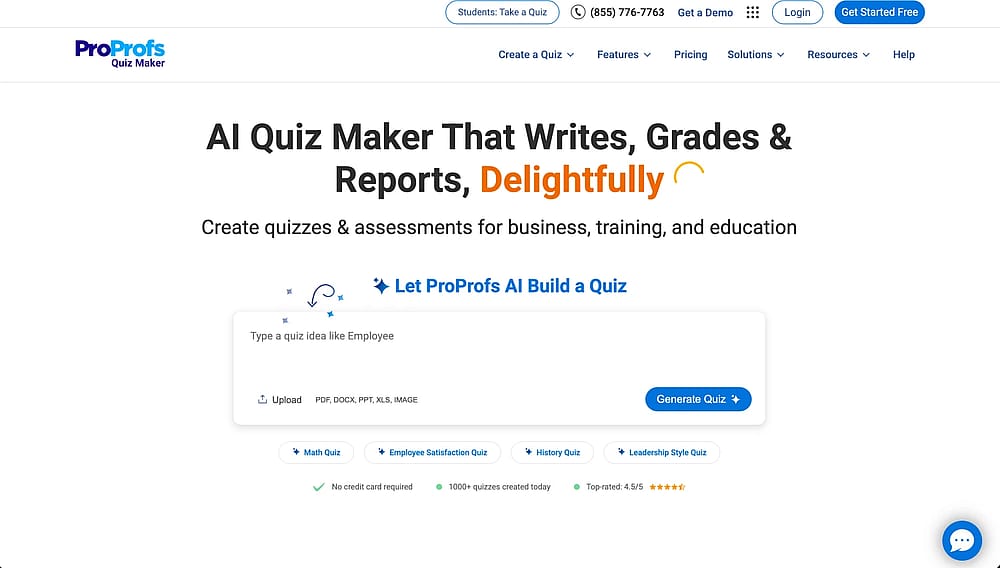
Workspace of ProProfs Quiz Maker
ProProfs Quiz Maker is an AI-powered online quiz platform that makes it easy to create professional assessments for education, training, certification, and compliance. It supports AI-generated quizzes from prompts, documents, webpages, and YouTube videos while offering over 20 question types, reusable question banks, and built-in security for reliable online testing.
Why it's a top pick: ProProfs Quiz Maker stands out for combining fast AI-powered quiz creation with enterprise-grade assessment features. Unlike basic quiz builders, it includes browser lockdown, question randomization, automated webcam and screen proctoring, detailed analytics, and automated grading, making it suitable for educators, businesses, and certification providers alike.
💡 Editor's experience: We generated a quiz from a PDF in minutes using the AI quiz generator and tested browser lockdown with question randomization. The automatic grading and detailed reports made reviewing results significantly faster without requiring additional setup.
Pros of ProProfs Quiz Maker
- AI-powered quiz generation from prompts, documents, webpages, and videos.
- 20+ question types with reusable question banks.
- Strong security with browser lockdown and automated proctoring.
- Detailed analytics, automated grading, and certificates.
- Easy to create and share quizzes without technical expertise.
Cons of ProProfs Quiz Maker
- No dark mode for extended quiz sessions.
- Only cloud-based; no on-premise deployment available.
ProProfs Quiz Maker pricing:
- Free plan: ✅
- Paid plans: Start at $19.99/month
- Enterprise: Custom pricing
4. SC Training (Best for Mobile-First Micro-learning and Workforce Training)
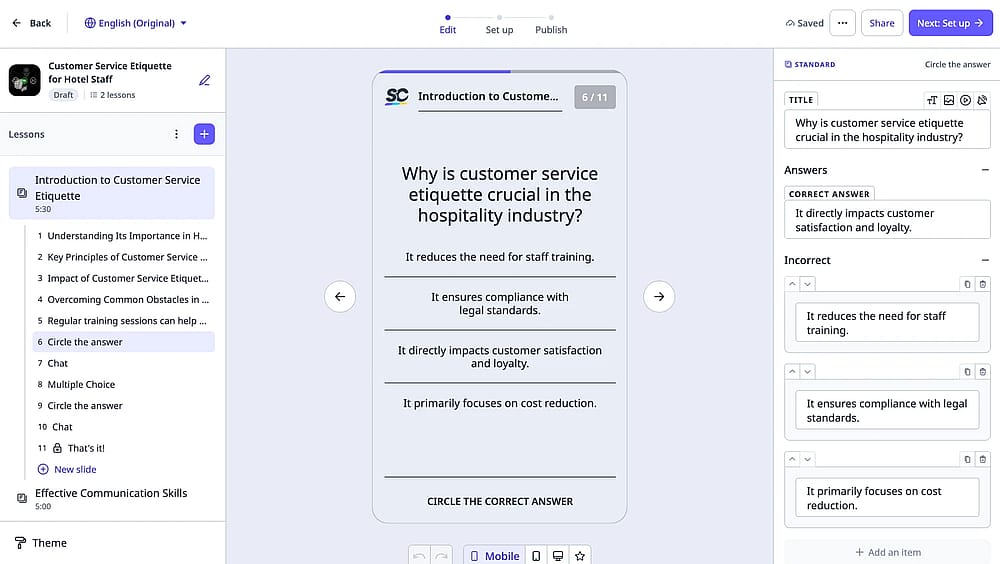
Workspace of SC Training
SC Training (formerly EdApp) is purpose-built for workforce training and corporate education, specializing in the delivery of quizzes, tests, and courses via micro-learning modules. SC Training's powerful AI tool can instantly transform your PDFs, documents, or presentations into mobile-friendly training courses, making content creation scalable and efficient.
Why it’s a top pick: SC Training is the ideal solution for enterprises that rely on mobile or deskless workers (retail, logistics, field services). Its focus on micro-learning, compliance certification, and the powerful AI converter minimizes the time employees spend training, making it highly effective for maximizing knowledge retention and ensuring industry compliance.
💡 Editor’s experience: The AI instantly converted the document into three mobile-friendly micro-learning modules, and the Certificate Issuance feature auto-generated correctly upon a passing score, validating its compliance suitability.
Pros of SC Training
- Industry-leading AI for turning documents into courses.
- Mobile-first micro-learning design (optimized for any device).
- Excellent for tracking compliance and issuing certificates.
- Extensive library of pre-made, editable training courses.
Cons of SC Training
- Primarily focused on L&D; less suitable for academic or pure lead generation.
- Deeper analytics and white-labeling are restricted to higher-tier plans.
- Some users report a steep learning curve for advanced functionality.
SC Training pricing:
- Free plan: ✅
- Premium: 15 USD per month/learner (billed annually)
- Enterprise: Custom pricing
5. Quizlet (Best for AI-Driven Flashcards and Study Tools)
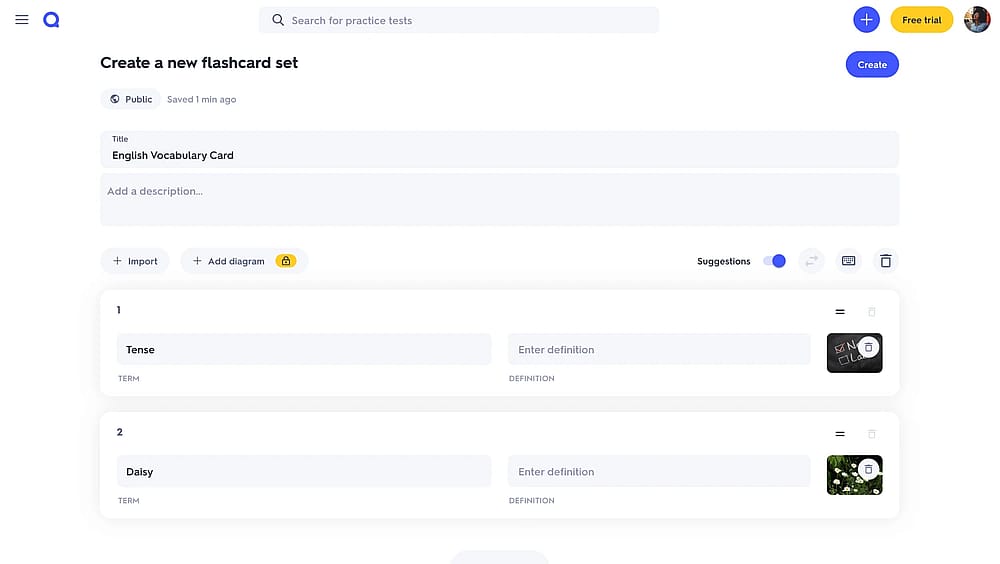
Workspace of Quizlet
Quizlet lets breathe online quizzes that fundamentally assists students and instructors with adaptive practice tests and study guides. Students can enrich and customize their studies using personalized digital flashcards and can leverage a massive library of user-generated content shared by other learners globally.
Why it’s a top pick: Quizlet is the gold standard for long-term knowledge retention due to its effective use of spaced repetition and AI-driven study modes (like Learn and Test). The massive community content library drastically cuts down preparation time, making it the most trusted and efficient tool for students and educators focused on memorization and vocabulary building.
💡 Editor’s experience: Verified that the AI-assisted study modes and spaced repetition correctly prioritized difficult terms, confirming its efficacy for long-term knowledge retention.
Pros of Quizlet
- Massive library of community-created study sets.
- AI-assisted study modes (e.g., Learn) and tutoring features.
- Spaced repetition system for long-term recall.
- Gamified group learning via Quizlet Live.
- Good mobile and offline study support.
Cons of Quizlet
- Paid subscription required for full access to adaptive learning and test modes.
- Quality of user-generated content can be inconsistent.
- Less focus on complex logic or sophisticated marketing/lead generation quizzes.
Quizlet pricing:
- Free plan: ✅
- Quizlet Plus: 8 USD per month
6. TriviaMaker (Best for Game Show-Style Live Trivia)
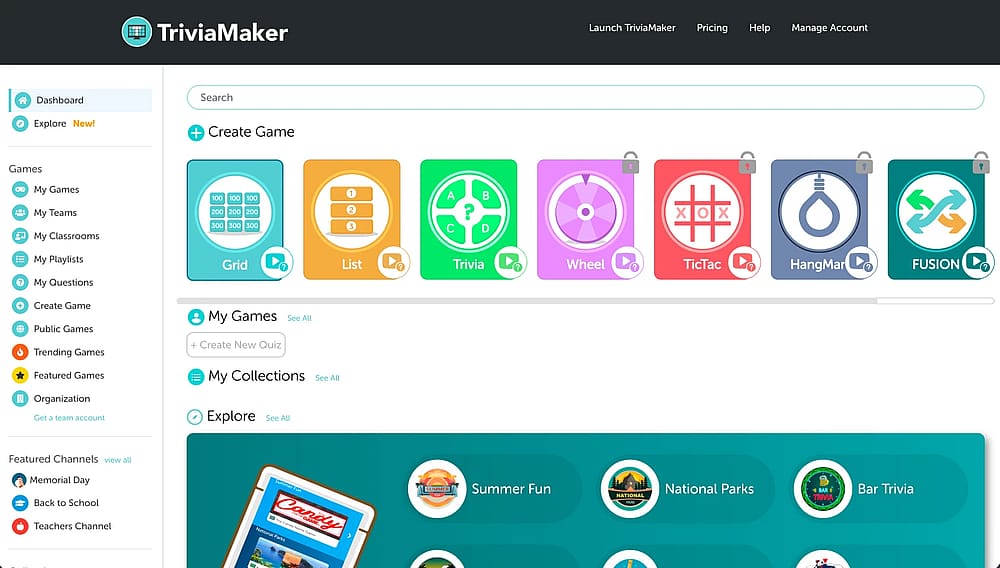
Workspace of TriviaMaker
TriviaMaker is an online platform for creating quizzes and TV game shows. It goes beyond a basic quiz by helping users create engaging live game shows for classrooms, corporate events, team-building sessions, and virtual gatherings. It offers 7 interactive game show formats and 8 game modes, including Jeopardy-style and Family Feud-style games.
Why it's a top pick: TriviaMaker stands out for its presentation-grade game show experience combined with genuine ease of use. It lets users create interactive experiences with Jeopardy-style grids, Family Feud-style lists, Wheel of Fortune-style spins, buzzer competitions, and more. The Crowd Mode supports up to 2,000 simultaneous participants, making it an excellent choice for large classrooms and events.
💡 Editor's experience: We built a 20-question Jeopardy-style grid game using the AI question generator. The Buzz Mode stood out, as it requires players to physically race to buzz in before answering.
Pros of TriviaMaker
- AI-powered question generation
- Various game show formats and game modes
- No participant logins required
- Big-screen ready with dedicated TV apps
Cons of TriviaMaker
- Advanced customization features require a paid plan
- The variety of options may feel overwhelming to beginners
TriviaMaker pricing:
- Free plan: ✅
- Premium: $6.99 per month
- Premium Plus: $29 per year
- Enterprise: Custom pricing
7. AhaSlides (Best for Interactive Presentations and Massive Live Events)
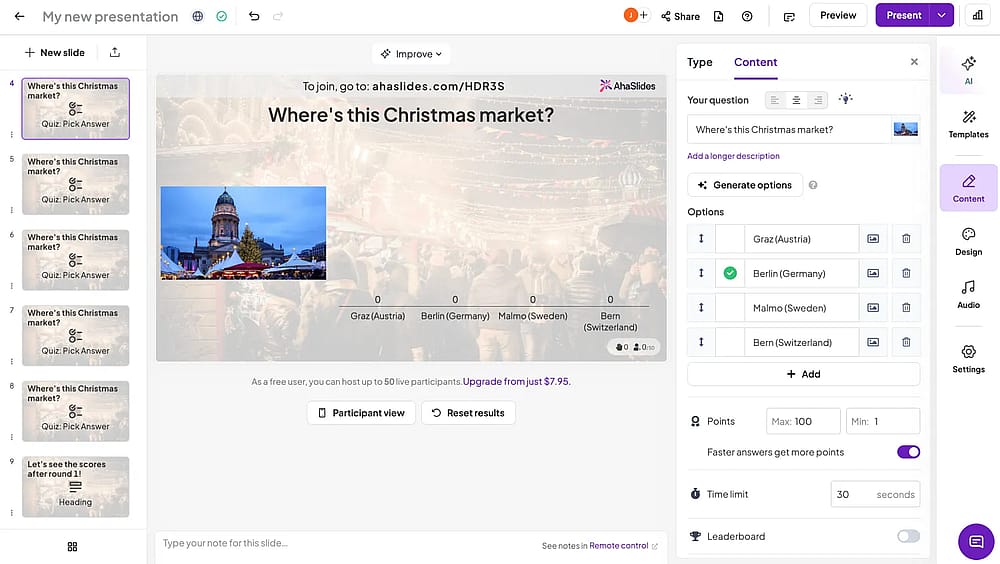
Workspace of AhaSlides
AhaSlides is a robust cloud-based software for creating highly interactive presentations, quizzes, and live polls. It is specifically designed to handle large-scale events and live audience engagement, supporting participation from up to 100,000 users (on Enterprise tiers). The platform offers a multi-device experience, and an array of quiz templates, making it ideal for conferences, large classrooms.
Why it’s a top pick: AhaSlides is successful in its capacity to drive large-scale, simultaneous participation and engagement. Its Pro and Enterprise tiers can handle audience sizes that rival major broadcast platforms. It is the premier tool for event hosts who must turn a one-way presentation into a dynamic, two-way conversation.
💡 Editor’s experience: Successfully maintained a stable, simultaneous connection for all 50 users and confirmed the real-time polling feature worked flawlessly for large-scale presentation engagement.
Pros of AhaSlides
- Scalable to massive live audiences (up to 100,000 on Enterprise).
- Powerful integrations (Google Slides, Zoom, PowerPoint).
- Includes a generous Free Plan for up to 50 live participants.
- Excellent for real-time polling, Q&A, and word clouds.
- Supports team battles and breakout rooms.
Cons of AhaSlides
- Limited quiz slides on the Free Plan (5 per presentation).
- Core functionality is tied to the live presentation setting.
- Customization for advanced branding is restricted to higher-tier plans.
AhaSlides pricing:
- Free plan: ✅
- Essential: 23.95 USD per month
- Pro: 49.95 USD per month
- Enterprise: Custom pricing
8. Slido (Best for Corporate Meeting Polls, Q&A, and Real-Time Feedback)
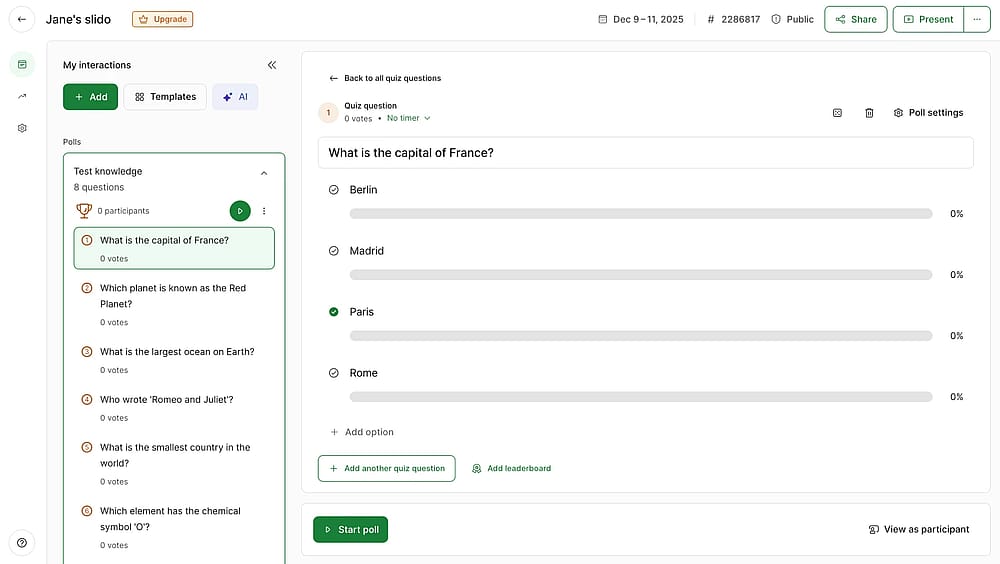
Workspace of Slido
Slido lets you create online quizzes and specializes in delivering live polls, Q&A sessions, and quizzes for virtual, hybrid, and in-person meetings, events, and conferences. Slido excels in integrating directly into major presentation software, making real-time audience feedback and participation a seamless part of any business or educational event.
Why it’s a top pick: Slido is the enterprise favorite for Q&A and polling integration. Its strength lies in its simplicity, requiring zero setup for participants and offering deep native integration with tools like PowerPoint, Zoom, and Teams. This makes it the most reliable solution for corporate environments that demand immediate, friction-less audience feedback and participation during structured events.
Pros of Slido
- Deep native integration with major presentation platforms (Zoom, MS Teams, PowerPoint).
- Excellent for structuring Q&A sessions and prioritizing questions.
- Offers five distinct poll types plus quizzes and surveys.
Cons of Slido
- Limited customization and branding on lower-tier plans.
- The focus is on live engagement, not self-paced learning or detailed quiz scoring.
- Free plan has limits on the number of polls and quiz questions per event.
Slido pricing:
- Free plan: ✅
- Engage: 60 USD per month
- Professional: 240 USD per month
- Premium: 1000 USD per month
9. FlexiQuiz (Best for Secure, Scheduled Exams with Detailed Scoring Logic)
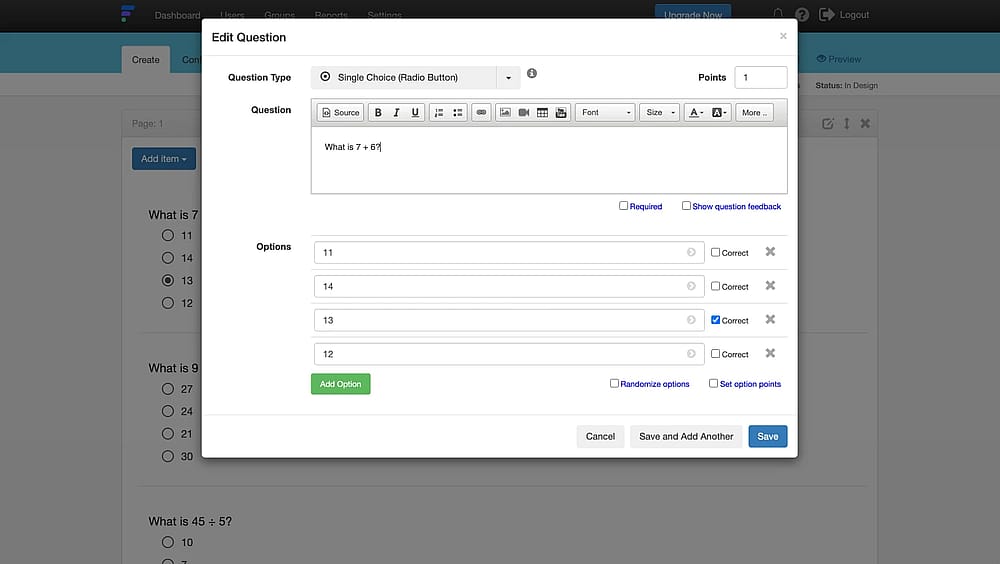
Workspace of FlexiQuiz
FlexiQuiz is a highly flexible, online assessment tool designed for creating formal quiz questions and answers, and courses for educational, training, and commercial needs. It excels in delivering secure, time-controlled assessments with rich media support. FlexiQuiz offers advanced control over delivery, access levels, and branding, making it a powerful solution for organizations that prioritize rigor and compliance.
Why it’s a top pick: FlexiQuiz is the strongest choice for users who need exam-grade security and control. Features like IP restriction, timed tests, custom access levels for administrators and participants, and the option to integrate with Safe Exam Browser (SEB) make it ideal for schools, HR, and compliance departments that require validated, high-stakes assessments.
Pros of FlexiQuiz
- Strong exam security features (IP restriction, randomization).
- Detailed administrative controls and user roles.
- Timed and scheduled quiz delivery options.
- Full custom branding and white-labeling available.
- Excellent variety of advanced question types.
Cons of FlexiQuiz
- Pricing model limits response volume on lower tiers.
- Custom CSS and APIs are reserved for Enterprise plans.
- User interface is reported as slightly dated compared to newer platforms.
FlexiQuiz pricing:
- Free plan: ✅
- Essentials: 25 USD per month
- Premium: 39 USD per month
- Enterprise: 89 USD per month
10. QuizMaker (Best for Certification, Compliance, and Auto-Graded Testing)
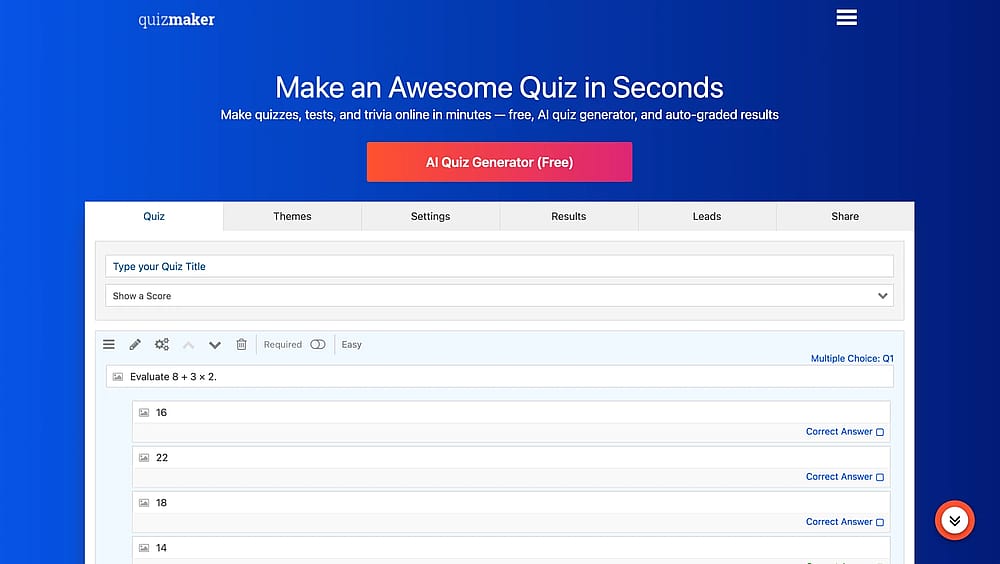
Workspace of QuizMaker
QuizMaker is a versatile online tool that supports the creation of quick polls, surveys, and formal quizzes for diverse needs, including education, corporate training, and lead generation. It is highly valued for its strong focus on assessment integrity, enabling teachers and trainers to craft numerous quizzes with strong security protocols and auto-grading.
Why it’s a top pick: QuizMaker is the reliable choice for users who need a secure and compliant assessment platform. Its combination of strong security features (like login requirements to prevent manipulation), auto-grading, and certificate issuance makes it perfect for HR departments, training providers, and educators running high-stakes exams or professional certification programs.
Pros of QuizMaker
- Certificate issuance and custom branding features.
- Strong security and login requirements for integrity.
- Auto-grading saves significant time for large test groups.
- Integrated gamification tools to boost engagement.
- Supports lead capture and custom themes.
Cons of QuizMaker
- Free version is limited to a small number of responses (often 25) and may show ads.
- User interface is sometimes reported as dated compared to competitors.
- Full-featured white-labeling is reserved for higher-tier plans.
QuizMaker pricing:
- Free plan: ❌ (only free trial)
- Standard: 29 USD per month
- Premium: 49 USD per month
- Platinum: 99 USD per month
11. Woorise (Best for marketing quizzes & conversion-focused campaigns)
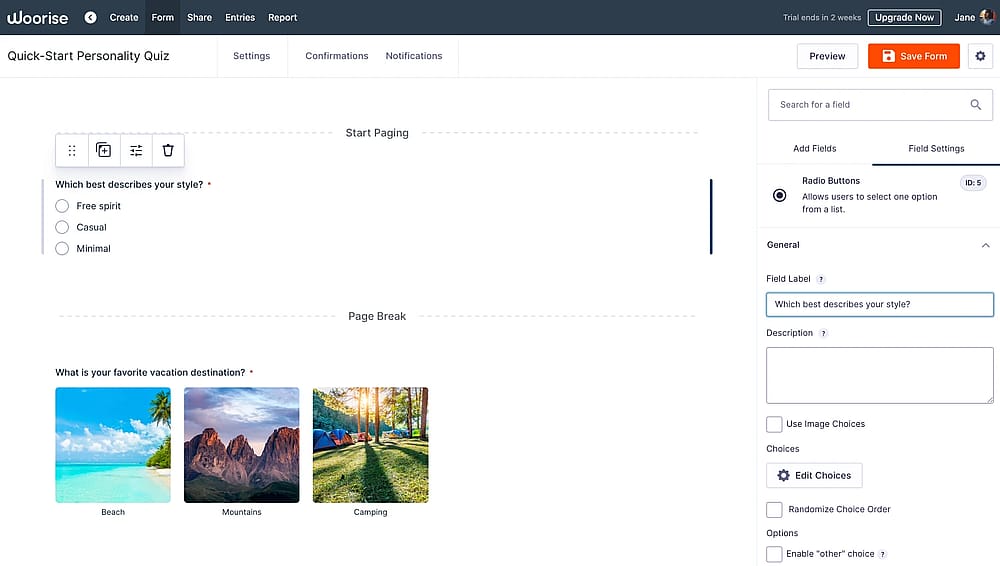
Workspace of Woorise
Woorise is a flexible online quiz maker designed for businesses and marketers who want quizzes to drive measurable results. Instead of focusing purely on education or trivia, Woorise combines quizzes with forms, landing pages, and on-site embeds to help turn engagement into leads and actions.
Why it’s a top pick: Woorise is built for real-world marketing use cases where quizzes are part of a broader funnel. You can control the full flow, from quiz experience to lead capture and follow-up. This makes it especially effective for campaigns where conversion, data ownership, and integration matter more than classroom-style testing.
Pros of Woorise
- Flexible quiz builder with multi-step flows
- Strong control over logic, calculations, and result paths
- Lead capture forms that can be placed before or after quizzes
- Landing pages and embeds included (no extra tools needed)
- Useful analytics for tracking quiz performance and conversions
Cons of Woorise
- No free plan (only free trial)
- Takes some time to get familiar with the advanced features
Woorise pricing:
- Free plan: ❌
- Basic plan: 29 USD per month
- Grow plan: 49 USD per month
- Pro plan: 99 USD per month
12. Mentimeter (Best for Real-Time Audience Feedback in Large Presentations)
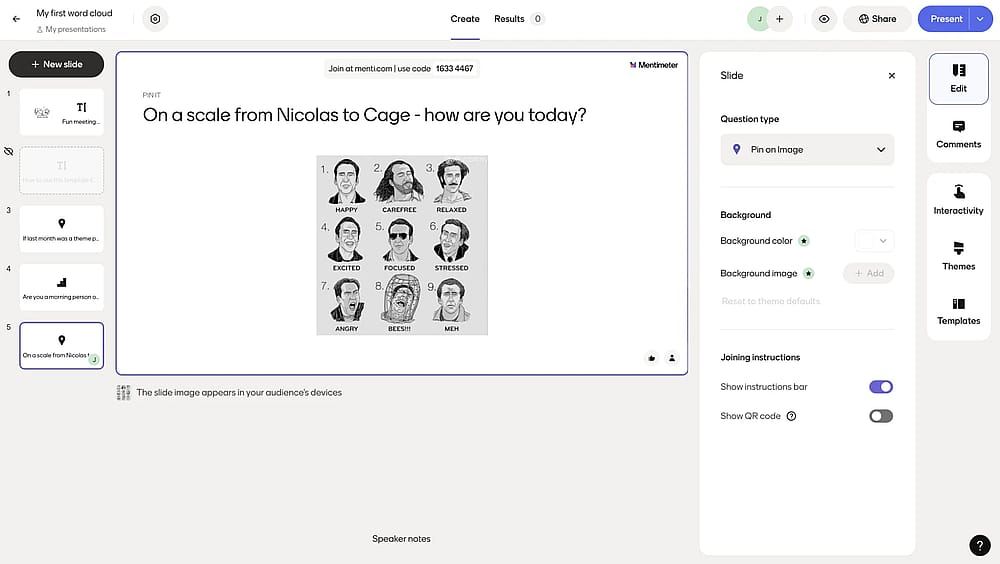
Workspace of Mentimeter
Mentimeter is a powerful audience engagement tool that seamlessly blends interactive quizzes and polls into presentations for educational, entertainment, and knowledge testing purposes. Beyond trivia quizzes, it features live polls, Q&A sessions, and dynamic Word Clouds. Participants can join quickly and efficiently using a simple link or QR code, eliminating setup friction.
Why it’s a top pick: Mentimeter excels as an interactive presentation layer, empowering speakers to check comprehension and gather actionable data in real-time without leaving their slide deck. Its generous Free Plan (with a key participant limitation) and robust integration with tools like PowerPoint and Zoom make it the industry leader for professionals and educators focused on live feedback and dynamic data visualization in large settings.
Pros of Mentimeter
- Seamless integration into popular presentation software.
- Wide variety of live poll, quiz, and word cloud types.
- Instant feedback displayed with engaging dynamic visualizations.
- Excellent data protection and GDPR compliance.
- Generous Free Plan with most features unlocked (participant limit applies).
Cons of Mentimeter
- Strict 50-participant limit per month on the Free Plan.
- Annual billing required for all paid plans (no monthly option).
- Custom branding and advanced forms are reserved for higher tiers.
Mentimeter pricing:
- Free plan: ✅
- Basic: 13 USD per month (billed yearly)
- Pro: 27 USD per month (billed yearly)
13. iSpring QuizMaker (Best for Professional SCORM/LMS-Ready Corporate Assessments)
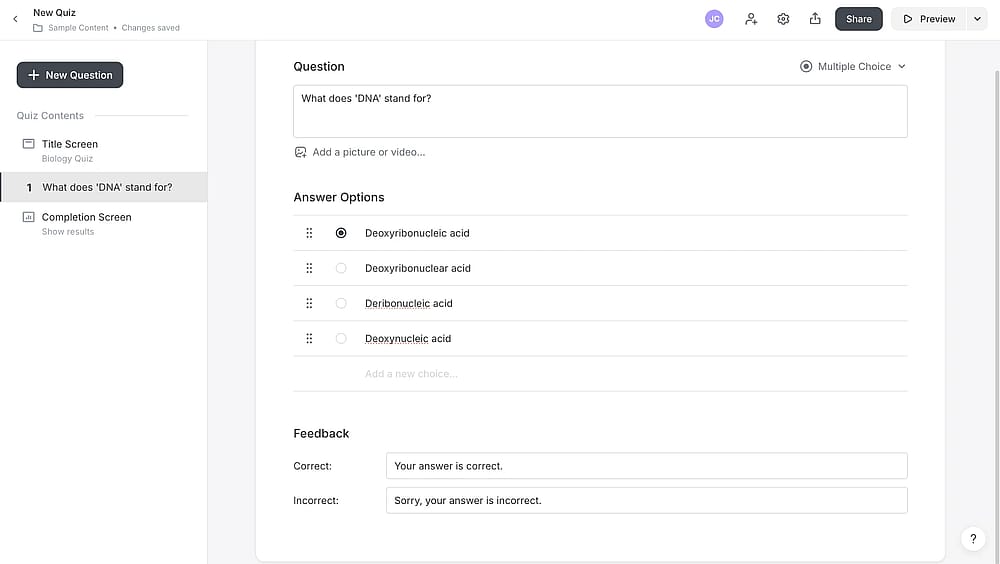
Workspace of iSpring QuizMaker
iSpring QuizMaker is a robust desktop application dedicated to creating professional, high-integrity online tests and quizzes. It is a premier tool for corporate training and academic institutions, offering a wide array of advanced features like 14 interactive question types, customized answer feedback, and sophisticated scoring rules.
Why it’s a top pick: iSpring QuizMaker is the essential tool for eLearning developers and HR departments needing LMS compatibility and high assessment security. Its advanced controls for cheat-proofing (randomization, time limits, attempts).
Pros of iSpring QuizMaker
- Full SCORM/xAPI/cmi5 compliance for robust LMS reporting.
- 14 advanced question types (hotspot, drag-and-drop, sequence).
- Powerful anti-cheating features (randomization, negative scoring).
- Supports branching scenarios and complex scoring logic.
Cons of iSpring QuizMaker
- High initial cost (no permanent free plan, only a trial).
- Primary application is Windows-based (can be limiting for Mac users).
- Interface may feel slightly dated compared to newer cloud-native tools.
iSpring QuizMaker pricing:
- Free plan: ❌
- iSpring Suite: 970 USD per author/year
- iSpring Suite AI: 1,290 USD per author/year
- iSpring Cloud AI: 720 USD per author/year
14. Riddle (Best for High-Volume Content Publishers and Viral Quizzes)
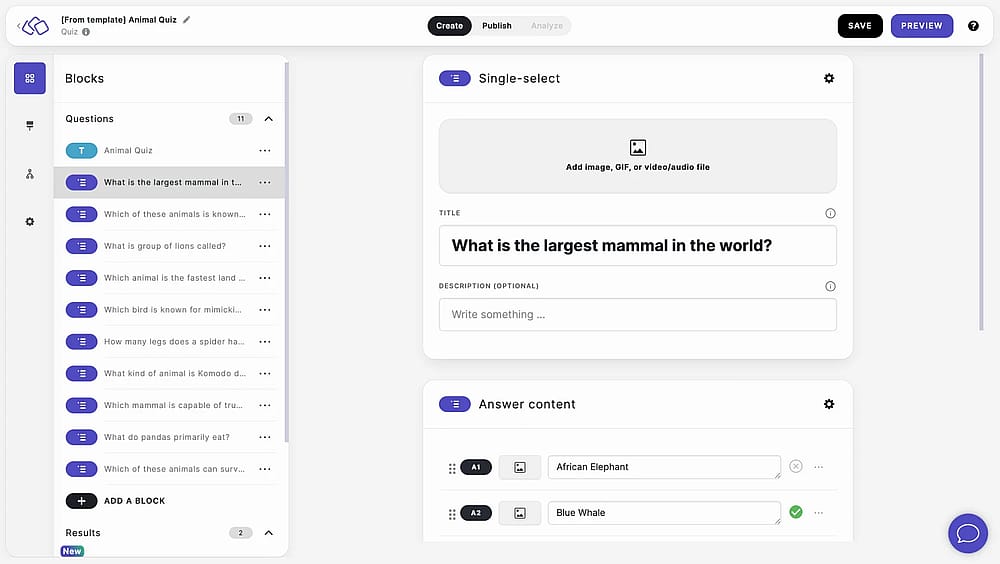
Workspace of Riddle
Riddle is a professional-grade platform that enables marketers and instructors to build highly interactive content, including personality quizzes, score predictors, polls, and surveys, using over 30 diverse content types. You can embed quizzes on your website or run as standalone landing pages.
Why it’s a top pick: Riddle is the platform of choice for large publishers and viral marketing campaigns. The platform supports exceptionally high traffic volumes and offers vital marketing features, such as advanced lead generation, data segmentation, and deep integration with major marketing tools.
Pros of Riddle
- Supports 30+ interactive formats (including personality and score predictors).
- Excellent for high-volume, viral content and traffic spikes.
- AI engine for rapid content creation in seconds.
- Deep data segmentation and lead generation features.
Cons of Riddle
- No free plan. Users must commit to a trial or paid subscription.
- The most powerful lead generation features are reserved for higher-tier plans.
- Primarily focused on marketing/publishing, less suited for formal, secure academic testing.
Riddle pricing:
- Free plan: ❌
- Essential: 69 USD per month
- Pro: 129 USD per month
- Business: 299 USD per month
- Enterprise: 799 USD per month
15. Interact (Best for Branded Product Recommendation Quizzes and CX)
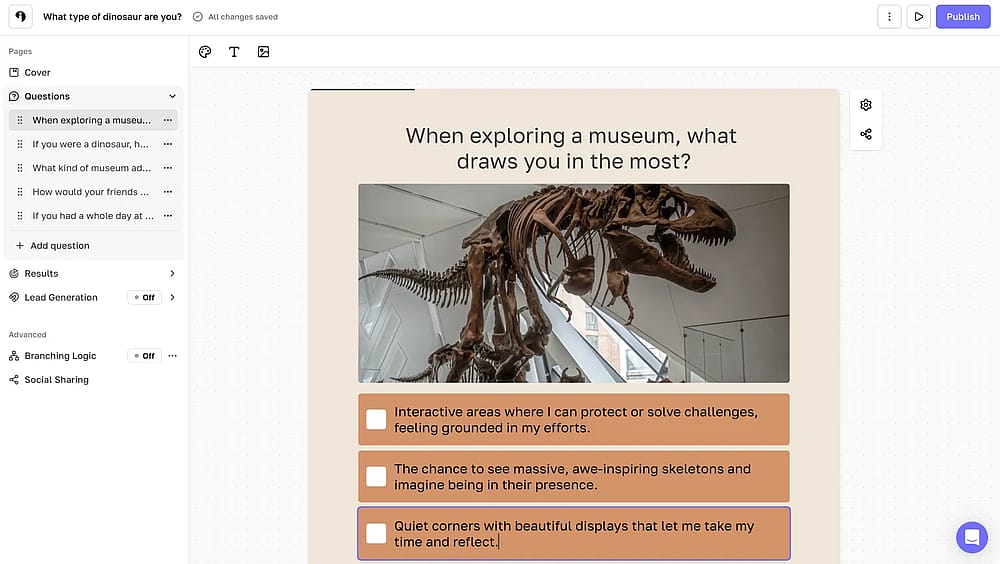
Workspace of Interact
Interact is a dedicated online platform for creating quizzes that powerfully engage your audience, generate leads, segment customers, recommend products, and gather valuable insights. It is a premier tool for marketers and e-commerce businesses, offering an AI tool that simplifies creation by generating quiz content based on your existing website content or business description.
Why it’s a top pick: Interact is the leading quiz builder for e-commerce and customer experience (CX). Its unique strength is converting quiz results into tailored product recommendations or service paths, which drives conversions and high-quality lead segmentation.
Pros of Interact
- Industry-leading for product recommendation quizzes.
- AI generation tool simplifies content creation from existing sources.
- Deep customer segmentation and lead generation features.
- Seamless integration with all major CRMs and marketing platforms.
- Large library of niche-specific, high-converting templates.
Cons of Interact
- No free plan (only a free trial is available).
- Cost can escalate quickly as monthly response limits are reached.
- Not designed for formal academic testing or secure certification.
Interact pricing:
- Free plan: ❌(only free trial)
- Lite: 39 USD per month
- Growth: 89 USD per month
- Pro: 209 USD per month
16. LeadQuizzes (Best for Advanced Lead Segmentation and Marketing Integrations)
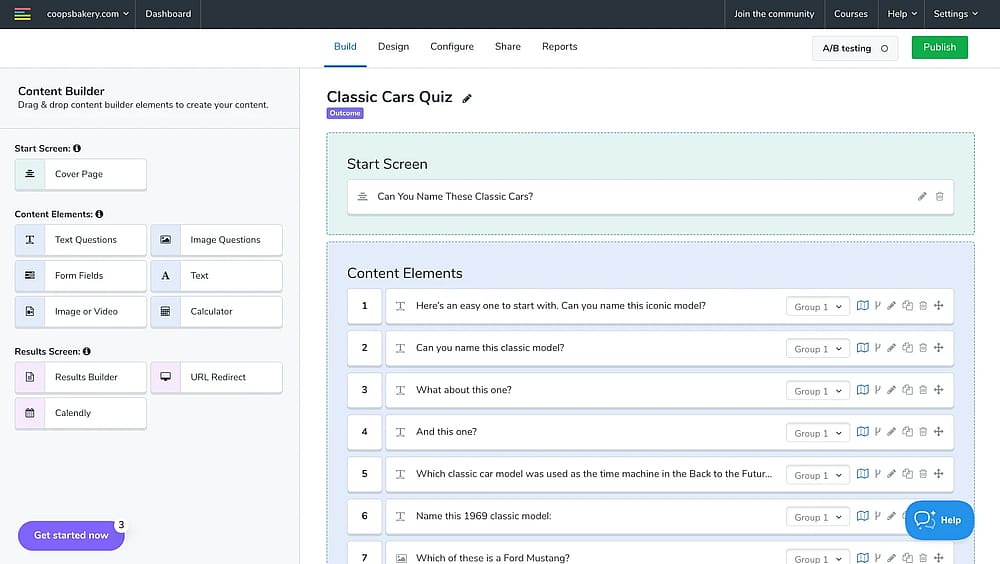
Workspace of LeadQuizzes
LeadQuizzes is an easy-to-use quiz maker explicitly designed to maximize lead generation and provide deep audience insights. It allows for full personalization of the quiz journey, from the start page and questions to the results pages. Businesses use it to engage their audience, promote their brand, and scale their sales funnels.
Why it’s a top pick: LeadQuizzes excels at lead qualification and data segmentation. Its focus on deep, real-time integration with major sales and CRM platforms ensures that rich customer data collected through the quiz is immediately actionable within marketing automation workflows.
Pros of LeadQuizzes
- Excellent for lead qualification and data segmentation.
- Real-time analytics provide actionable marketing insights.
- Fully customizable quiz paths, questions, and results pages.
- Seamless integration with popular CRM and marketing platforms.
- Offers over 75 pre-built, conversion-focused templates.
Cons of LeadQuizzes
- High starting price with no permanent free plan.
- Cost quickly increases as response limits are reached.
- Some users report a limited number of native integrations compared to competitors.
LeadQuizzes pricing:
- Free plan: ❌(only free trial)
- Startup: 13 USD per month
- Standard: 49 USD per month
- Pro: 99 USD per month
- Premium: 249 USD per month
17. Meiro (Best for Affordable AI Quiz Creation & Unlimited Usage)
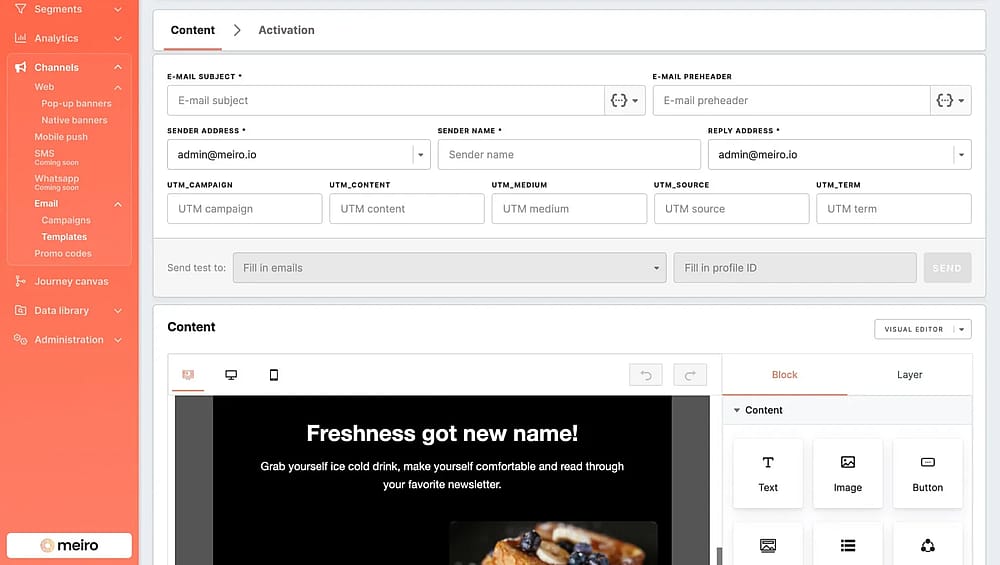
Workspace of Meiro (Source: G2)
Meiro is a modern, easy-to-use AI quiz maker designed to help marketers, educators, and content creators quickly build interactive quizzes and tests. Meiro allows for high-level customization, including detailed edits to descriptions, colors, question types, and branding. Its primary draw for high-volume users is the ability to create an infinite number of quizzes and leads, coupled with built-in features for real-time analytics and lead tracking.
Why it’s a top pick: Meiro's strength lies in its affordability combined with unlimited usage limits (challenges, views, leads) on its paid tiers, which is rare for AI-powered quiz makers. The AI generation tool is effective and includes the unique ability to create content and corresponding AI-generated images directly from a prompt or uploaded source material.
Pros of Meiro
- Unlimited quiz creations, views, completions, and leads (on paid plans).
- AI-supported creation from prompts, text, files, or videos.
- Generates AI images for content blocks, boosting engagement.
- Advanced customization of colors, branding, and questions.
- Real-time analytics and lead tracking features.
Cons of Meiro
- AI generation features are not included in the lowest-priced plan.
- Some user reviews report occasional bugs and slow feature development.
- AI image generation requires separate credits.
Meiro pricing:
- Free plan: ❌
- Custom pricing
18. Rolljak (Best for Collaborative and Creative Classroom Learning Activities)
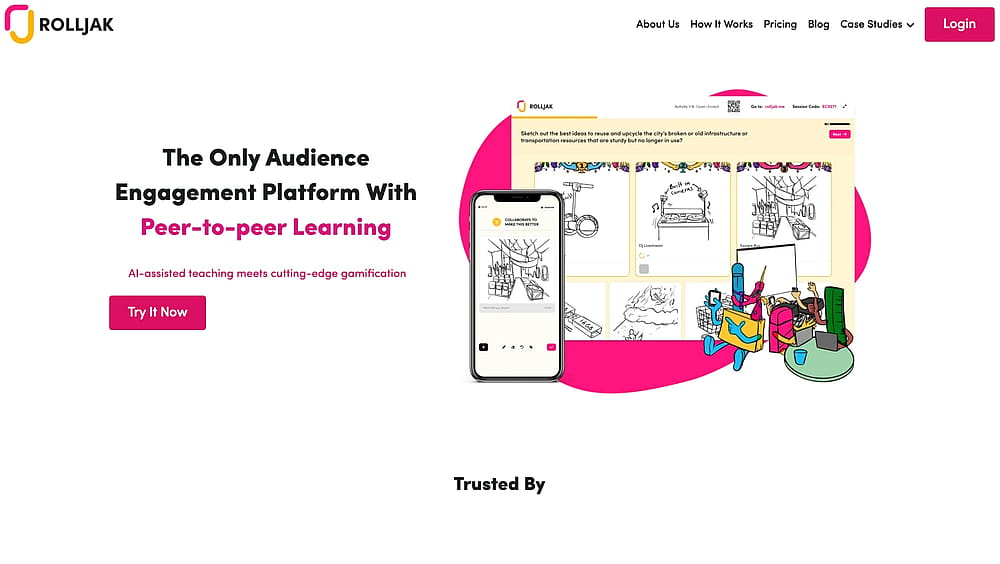
Homepage of Rolljak
Rolljak is a dynamic, gamified learning tool explicitly designed for students and instructors to enhance teaching and exam preparation in the classroom. Rolljak offers a suite of interactive features, including team-based activities, collaborative ideation, polls, word clouds, mini-games, and the unique ability to collect sketched and open-ended text responses.
Why it’s a top pick: Rolljak is the premier alternative to traditional competitive quiz platforms, focusing on fostering deep student collaboration and creativity. Features like Peer Evaluation and Sketch Responses allow teachers to assess soft skills and creative thinking that MCQ-only tools miss.
Pros of Rolljak
- Focus on Collaboration: Unique features like Peer Evaluation and Team Mode.
- Supports creative and critical responses (Sketched and Open-Ended answers).
- AI Automated Marking for open-ended text responses.
- Offers a "Forever Free" plan for educators (with limits).
- Wide variety of engaging mini-games and interactive slides.
Cons of Rolljak
- Less known than market leaders (e.g., Kahoot! and Quizizz).
- Primarily focused on education; less applicable for corporate marketing funnels.
- AI question generation is limited on lower-tier plans.
Rolljak pricing:
- Free plan: ❌
- Basic Plan: 6 USD per month
- Pro Plan: 19 USD per month
- Premium: 39 USD per month
19. WayGround - formerly Quiziz (Best for Self-Paced, Gamified Student Assessments (K-12/Higher Ed))
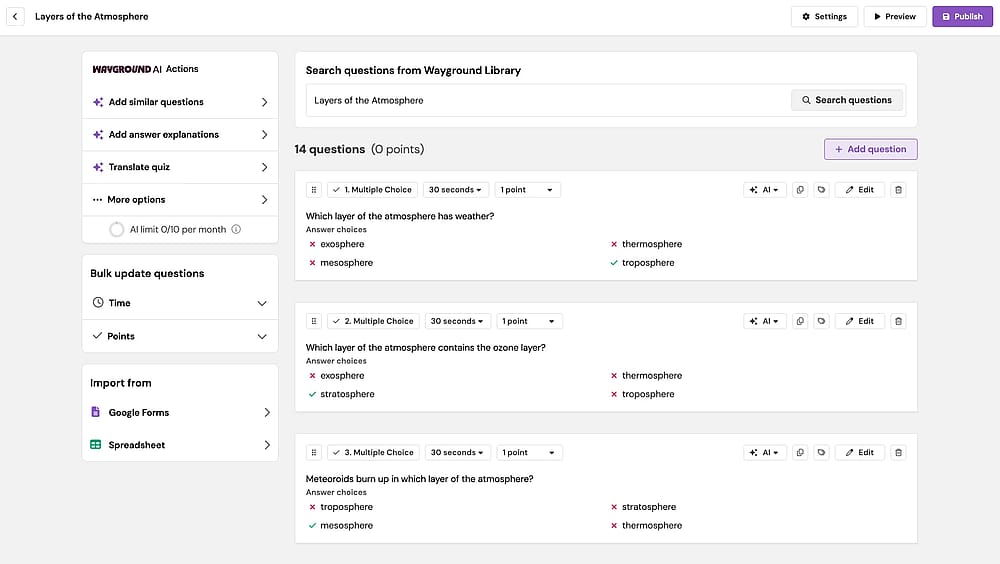
Workspace of WayGround
WayGround is a simple yet powerful platform that makes studying enjoyable and efficient. It is highly beneficial for both instructional designers and instructors, offering a flexible tool that runs on any device without the need for downloads. Its core appeal lies in its ease of use and the integrated AI engine that generates quizzes quickly and efficiently from existing documents or prompts.
Why it’s a top pick: WayGround is the leading platform for self-paced, equitable gamification in education. Its integrated AI creation features and vast library of community content significantly cut preparation time for teachers, making it the most flexible and widely adopted tool for K-12 and Higher Education review and assessment.
Pros of WayGround
- Self-paced mode allows students to work without pressure.
- AI-powered quiz generation from text, links, or documents.
- Huge community library of user-created content.
- Works seamlessly on any device without requiring downloads.
- Detailed, immediate feedback and reports for learners and instructors.
Cons of WayGround
- Primarily focused on education; not suitable for advanced marketing funnels.
- The quality of community content can be inconsistent.
- Some advanced reporting and co-teacher features are locked behind the paid tiers.
WayGround pricing:
- Free plan: ✅
- Custom pricing
20. Poll Everywhere (Best for Audience Engagement and Polling During Hybrid Events)
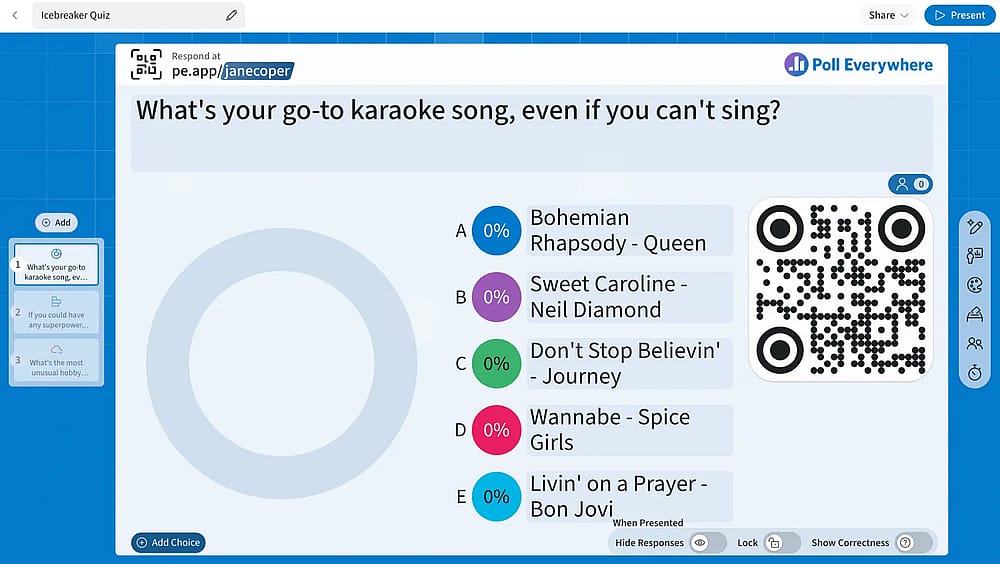
Workspace of Poll Everywhere
Poll Everywhere is a trusted tool for bringing life to presentations and engaging audiences in classrooms, meetings, and hybrid events. Poll Everywhere is highly valued by companies and universities alike due to its strong security protocols and essential features like attendance tracking and seamless integration with major presentation software.
Why it’s a top pick: Poll Everywhere is the most reliable tool for professional-grade, real-time polling in large, mixed audiences. Its strength lies in its exceptional security, ease of use for participants, and deep integrations with platforms like PowerPoint and Google Slides. This makes it the standard choice for enterprise-level events, town halls, and large university lectures where security and attendance tracking are critical.
Pros of Poll Everywhere
- Enterprise-grade security and data protection.
- Seamless, numerous integrations (Zoom, MS Teams, PowerPoint, etc.).
- Excellent for real-time polling, Q&A, and live icebreakers.
- Supports attendance tracking for corporate/academic compliance.
- Very generous Free Plan (Intro) for up to 40 participants.
Cons of Poll Everywhere
- Primarily focused on polling and Q&A; quiz functionality is basic.
- High cost for higher-tier plans (Engage and Teams).
- Customization options are limited compared to dedicated quiz builders.
Poll Everywhere pricing:
- Free plan: ✅
- Present: 10 USD per month
- Engage: 99 USD per month
- Teams: 249 USD per month
21. Socrative (Best for Instant, Formative Classroom Assessment)
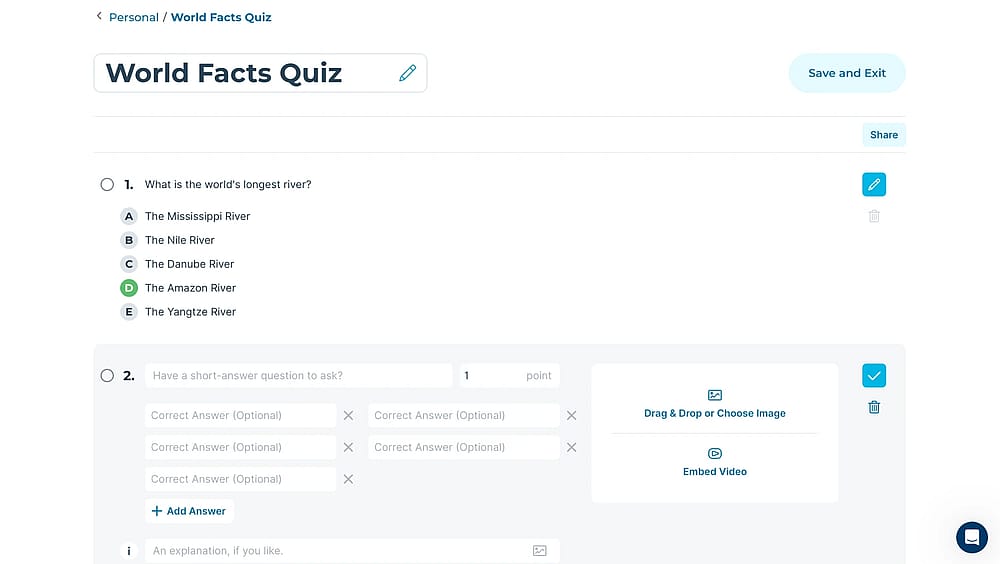
Workspace of Socrative
Socrative is a simple, web-based platform that is an ideal tool for instructors and companies needing to execute real-time formative assessments. It allows for the quick launch of multiple quiz types, the use of Exit Tickets to gauge understanding at the end of a session, and immediate questioning to check for understanding during in-class sessions. Socrative is free and works on any device, making it a highly accessible and flexible tool for enhancing instruction and tracking student performance instantly.
Why it’s a top pick: Socrative is the gold standard for quick, actionable insight into student comprehension. Its simplicity and focus on real-time assessment (like the Quick Quiz and Exit Ticket features) enable instructors to adjust teaching on the fly, filling learning gaps immediately. The Space Race gamification mode boosts motivation, solidifying Socrative as the essential tool for seamless and continuous classroom evaluation.
Pros of Socrative
- Gold standard for real-time formative assessment.
- Gamified Space Race mode for team competition.
- Exit Ticket feature for quick post-lesson feedback.
- Works seamlessly on any device (web-based).
Cons of Socrative
- Limited quiz creation (up to 5 quizzes) on the Free Plan.
- Interface is functional but visually less engaging than competitors.
- Advanced features like AI Results Insights and multiple rooms require a paid plan.
Socrative pricing:
- Free plan: ✅
- Essentials: 14.99 USD per seat/month
- Pro: 22.49 USD per seat/month
- Organization: 14.50 USD per seat/month
22. Marquiz (Best for Simple, High-Converting Lead Generation
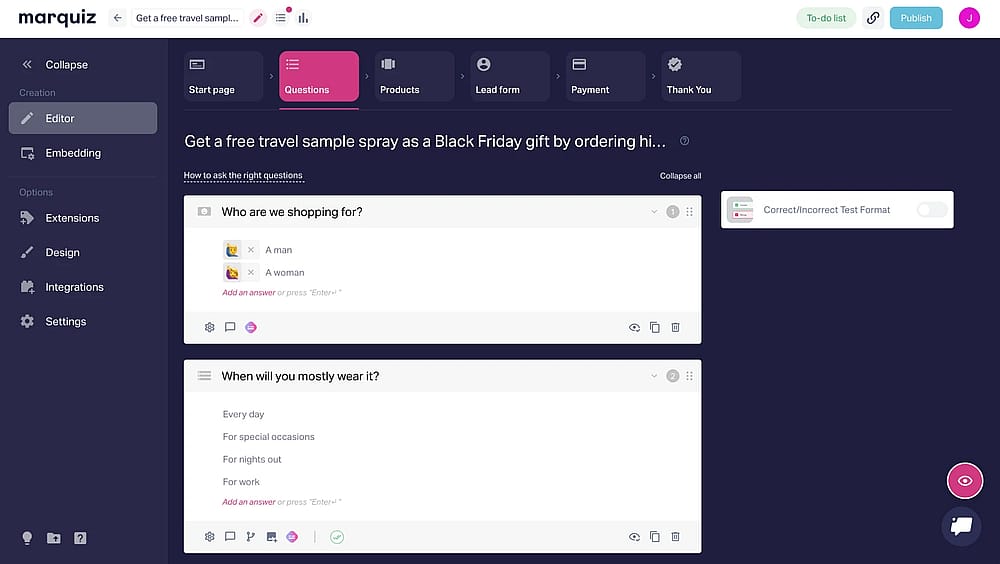
Workspace of Marquiz
Marquiz is a specialized, marketing-focused quiz platform designed exclusively for maximizing lead generation and conversion optimization. Marquiz helps marketers quickly collect valuable data, segment their audience, and drive users toward a sale by offering bonuses and dynamic content based on quiz results.
Why it’s a top pick: Marquiz is the best platform for marketers prioritizing speed and conversion over complexity. It achieves high lead capture rates by allowing users to easily set up complex logic for personalized results, and its pricing is based on the number of leads captured, ensuring high ROI accountability. The generous Free Plan allows perpetual lead collection (with a small limit), making it highly accessible for testing marketing hypotheses.
Pros of Marquiz
- Pricing based on the number of leads captured (high ROI focus).
- Advanced logic branching for personalized results and recommendations.
- Generous Free Plan includes up to 10 leads per month.
- AI-powered quiz generation and over 200 ready-to-use templates.
- Deep integration with CRM, email marketing, and analytics platforms.
Cons of Marquiz
- Limited functionality for formal academic or secure certification testing.
- Users report a challenging process when trying to disable the lead capture form.
- The Pro and Plus plans, required for higher lead volumes, can become costly.
Marquiz pricing:
- Free plan: ✅
- Start: 19 USD (up to 30 leads per month)
- Plus: 39 USD (up to 100 leads per month)
Conclusion: Choosing your quiz power tool
Selecting the right quiz maker depends entirely on matching the tool's core strength with your primary goal. No single platform is universally perfect.
Goal | Top Recommendation | Why It Wins |
Price-to-Performance | forms.app | High value, offering advanced logic and scoring features (Calculator) even on free/lower-tier plans. |
High-Stakes Exams | FlexiQuiz | Strongest security features (IP restriction, SEB), timed, and scheduled tests. |
Live Group Engagement | Kahoot! | Unmatched for high-energy, real-time gamification in group settings. |
Quick Formative Feedback | Socrative | Gold standard for instant, simple, and actionable real-time classroom assessment. |
Frequently asked questions (FAQs)
Several tools have integrated powerful features for AI quiz creation, but three stand out:
- forms.app: Features a robust AI suite for quiz generation and text refinement, offering high value even on its lower-tier plans.
- SC Training: Offers industry-leading AI specifically for turning existing documents, PDFs, or presentations directly into mobile-friendly training courses.
- Meiro: Excels in affordable, unlimited AI quiz creation, uniquely capable of generating both quiz content and corresponding AI images from a simple prompt.
When evaluating tools for effective Lead Generation, our testing focused on the Conversion & Lead capture efficacy criteria, which requires:
- Integration Depth: The ability to efficiently send collected quiz data (including scores) instantly and accurately to major CRMs and marketing tools (a strength of involve.me and LeadQuizzes).
- Form Flexibility: The ability to strategically place and customize the lead capture form (before or after the quiz) without using code.
- Result Mapping: Using conditional logic to deliver personalized results that drive the user toward a specific product or service (a focus of Interact).
Yes, you can easily share your forms.app quizzes on social media. The platform provides multiple fast sharing options right from the “Share” page, including:
- Direct Social Buttons: One-click sharing to platforms like Facebook and Twitter (X).
- Custom URL: A unique link you can copy and paste into any post, story, or bio link.
- QR Code: A scannable code for instant access, perfect for sharing on printed materials.
This feature is designed to maximize audience engagement and lead generation.
- May 2026 - Tested TriviaMaker and added to the list
- September 2026 - Tested ProProfs Quiz Maker and added to the list
Contributors
forms.app, your free form builder
- Unlimited responses
- Unlimited questions
- Unlimited team members