Save up to 60% on yearly plans and enjoy our biggest offer of the year. Limited time only. 🍂
See pricing

Best 10 Paperform alternatives: Pricing & comparison (2026)

Summarize with
Paperform is a highly effective, no-code form builder popular with small businesses - we know because we've tested it.
But even the best tools have limitations, especially concerning complex workflows, high-volume data, or specific budget constraints. If you've hit a wall with Paperform, you need a hands-on, expert guide to what works better.
Our team spent 30+ hours testing direct competitors, focusing on their conditional logic, payment integrations, and overall reliability. Below is our definitive, vetted list of the 10 best Paperform alternatives that truly deliver when performance matters most.
💡 All tools featured in this content have been updated for 2026 (including features and pricing). Monthly payment options are listed for all tools that offer them.
TL;DR for best alternatives to Paperform
1. forms.app — Best for AI Form Generation & Mobile Design
2. Formstack — Best for Enterprise Compliance & Automation
3. involve.me — Best for Interactive Quizzes & Lead Generation
4. Fillout — Best for Deep Integrations (Airtable/Notion)
5. Zoho Forms — Best for Zoho Ecosystem Integration & Approvals
6. Typeform — Best for Conversational Surveys & High Engagement
7. Cognito Forms — Best for Complex Calculations & Payments
8. Gravity Forms — Best for WordPress-Native Integration
9. 123FormBuilder — Best for Regulated Industries & Templates
10. ProProfs Survey Maker — Best for Detailed Survey Analytics
About Paperform: features & pricing
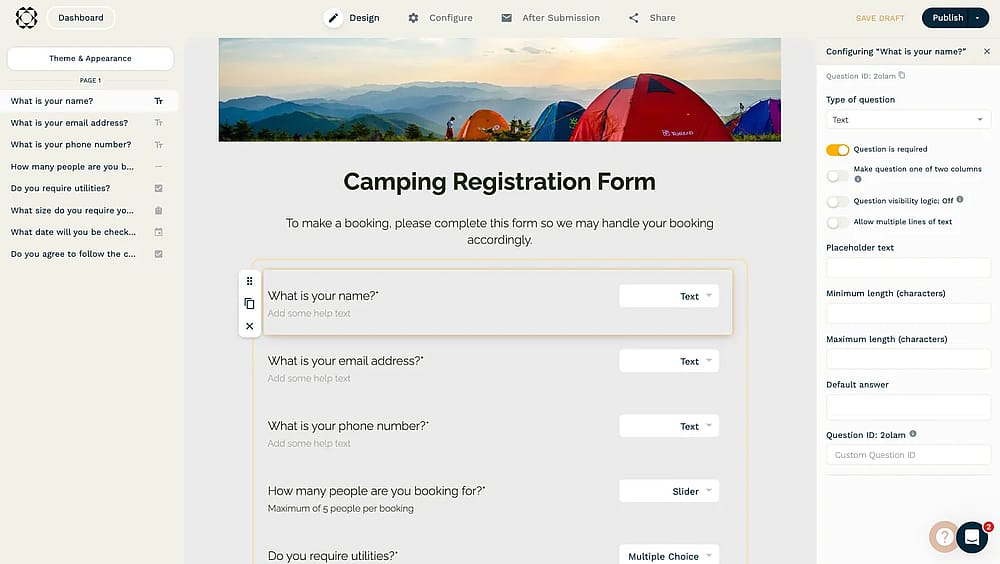
Workspace of Paperform
Paperform is a cloud-based form builder designed for businesses prioritizing visual polish and e-commerce. Its unique document-style editor lets users seamlessly blend media and fields, creating stunning, highly branded forms perfect for sales and bookings.
However, the major drawback is the high price barrier. Unlike competitors, crucial features (like custom domains and high limits) are locked behind the expensive Pro or Business tiers.
If you need premium design and advanced payment flexibility, Paperform excels. If you need robust features on a tight budget, its high pricing is the clear reason to seek an alternative.
Plan | Monthly Price (USD) | Key Submission Limits | Important Takeaway |
Free Trial | $0 | 30 Submissions/month | Limited use case; not a primary option. |
Essentials | $29/month | 1,000 Submissions/month | The minimum to remove ads and get basic features. |
Pro | $59/month | 10,000 Submissions/month | Required for advanced features like Removable Branding and Calculations Field. |
Business | $129/month | 10,000 Submissions/month (5 Users) | Needed for Custom HTML/CSS and User Permissions. |
First glance at the top paid & free Paperform alternatives
Tool | Free Plan | Best Feature | Monthly Price (Starting) |
forms.app | AI Form Generation & Mobile Design | $29 USD (Basic) | |
Formstack | Enterprise Compliance & Automation | $99 USD (Forms) | |
involve.me | Interactive Quizzes & Lead Generation | $49 USD (Starter) | |
Fillout | Deep Integrations (Airtable/Notion) | $19 USD (Starter) | |
Zoho Forms | Zoho Ecosystem Integration & Approvals | $9 USD (Basic) | |
Typeform | Conversational Surveys & High Engagement | $29 USD (Basic) | |
Cognito Forms | Complex Calculations & Payments | $19 USD (Pro) | |
Gravity Forms | WordPress-Native Integration | $4.92 USD (Basic)** | |
123FormBuilder | Regulated Industries & Templates | $37 USD (Gold) | |
ProProfs Survey Maker | Detailed Survey Analytics | $39.99 USD (Essentials) |
Top 10 tools you can use instead of Paperform
Paperform is cool, but not the only option. Here are the best Paperform alternatives with seamless integration options and a smooth form creation process:
1. forms.app (Best for AI Form Generation & Mobile Design)
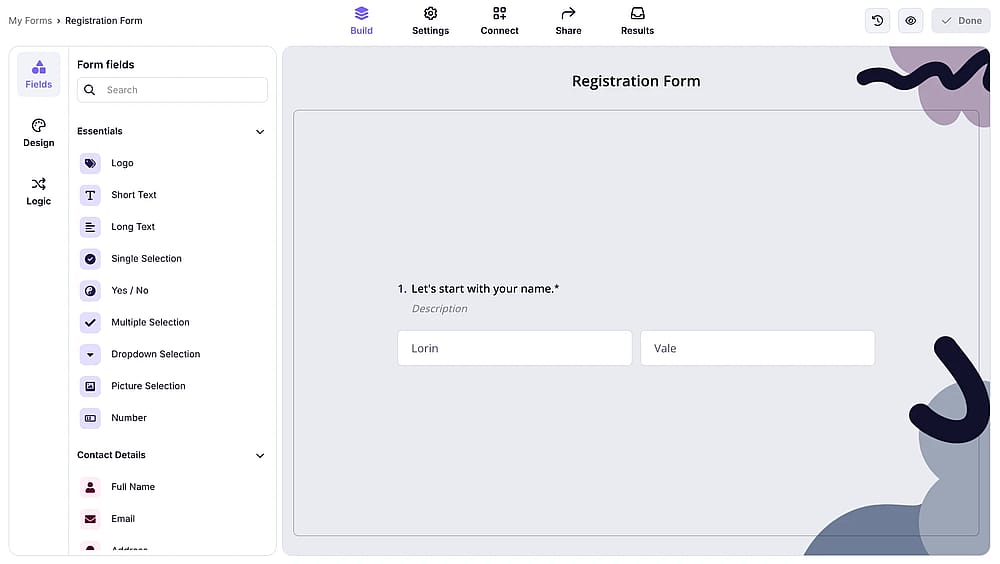
Workspace of forms.app
forms.app is a versatile, mobile-first form builder that utilizes advanced AI to create high-conversion surveys, quizzes, and forms quickly and easily.
Why it's a top pick? It stands out by combining powerful AI-driven survey creation with an intuitive interface and a strong mobile focus. This blend of cutting-edge technology and accessibility allows users to generate polished, effective forms in minutes, reducing the time commitment needed for expert results.
Key Features
- AI form generation: Automatically drafts effective, professional forms, surveys, and quizzes based on a simple topic prompt.
- Mobile-first design: All forms are instantly optimized for a superior user experience on smartphones and tablets.
- Conversational mode: Transforms standard forms into engaging, chatbot-style interactions to boost completion rates.
- Generous free plan: Offers unlimited responses and unlimited seats with other advanced features.
- Rich customization: Provides drag and drop form control to align forms perfectly with your brand identity.
forms.app pricing:
- Free plan: ✅
- Basic plan: 29 USD per month
- Pro plan: 39 USD per month
- Premium plan: 79 USD per month
2. Formstack (Best for Enterprise Compliance & Automation)
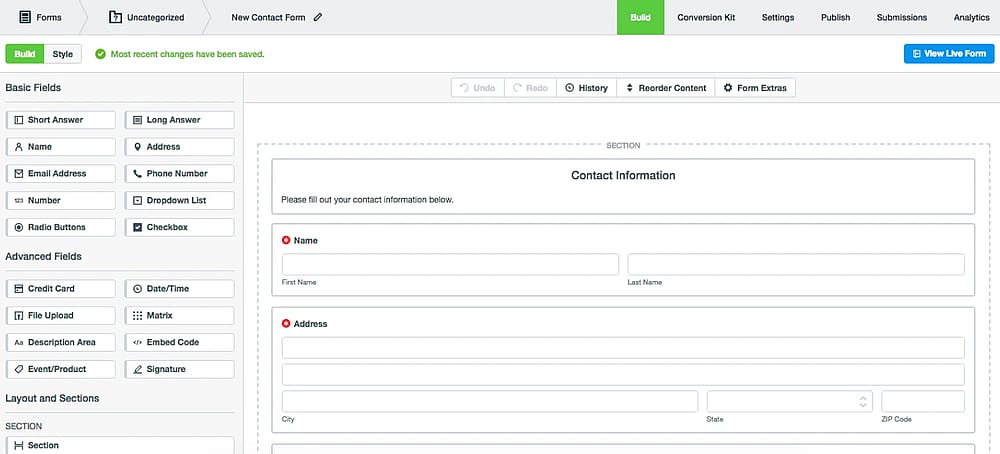
Workspace of Formstack
Formstack is an all-in-one workplace productivity platform built for mid-sized to enterprise organizations. Unlike Paperform's focus on aesthetics, Formstack emphasizes secure data collection and regulatory compliance (HIPAA, GDPR, PCI).
Why it's a top pick? It is the definitive Paperform alternative for businesses handling sensitive data or operating in regulated form fields like finance and healthcare. Our testing shows its superior features.
Key Features
- Enterprise-grade compliance: Features robust security measures and compliance with HIPAA, GDPR, and PCI, including the provision of a Business Associate Agreement (BAA).
- Workflow automation suite: Extends beyond forms to include integrated tools for Document Generation and legally binding eSignatures (Formstack Sign).
- User and permission controls: Offers sophisticated user-level permissions and security settings crucial for large teams and regulated data access.
- Audit logging: Provides detailed logs and audit trails necessary for regulatory reporting and data integrity assurance.
Formstack pricing:
- Free plan: ❌
- forms: 99 USD per month
- suite: 299 USD per month
3. involve.me (Best for Interactive Quizzes & Lead Generation)
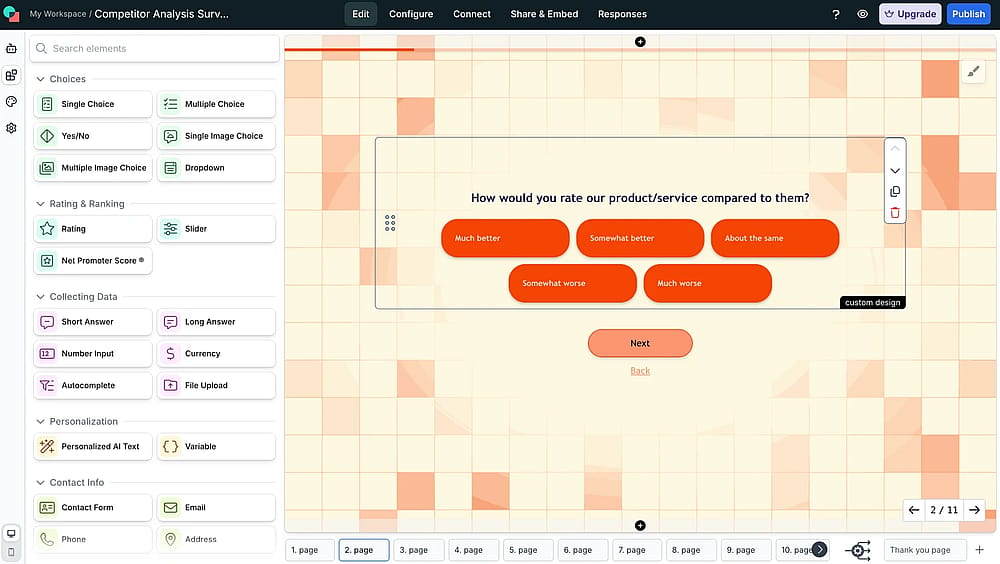
Workspace of involve.me
involve.me is a platform that creates engaging surveys that go far beyond simple documents and is built for marketers and salespeople to generate and qualify leads.
Why it's a top pick? Unlike Paperform, which focuses mainly on clean forms and payments, involve.me focuses on conversion optimization.
Key Features
- Interactive content specialist: Tools specifically designed to build quizzes, assessment tests, lead-qualifying calculators, and product recommendation funnels.
- Visual funnel logic: Features a user-friendly, visual drag-and-drop builder to map out complex, multi-path user journeys without needing to code.
- High-conversion focus: Includes built-in lead scoring, partial submission tracking, and A/B testing capabilities to optimize conversion rates continuously.
- Integrated payments & outcomes: Allows for secure payment collection within funnels and provides multiple, personalized final pages or redirects based on user input.
involve.me pricing:
- Free plan: ✅
- Starter: 49 USD per month
- Pro: 99 USD per month
- Business: 199 USD per month
4. Fillout (Best for Deep Integrations (Airtable/Notion))
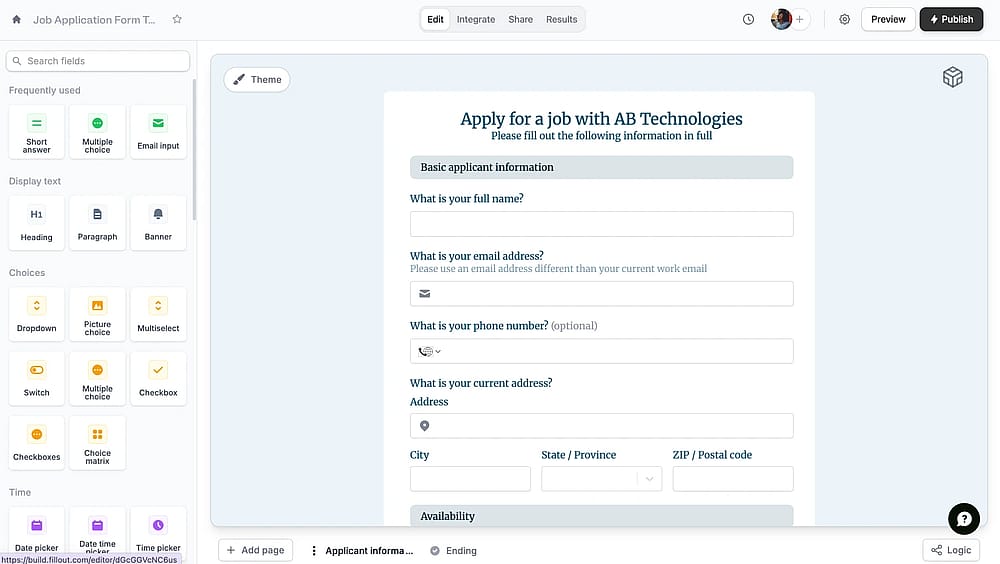
Workspace of Fillout
Fillout is a modern, flexible form builder that has gained rapid popularity by focusing on deep, bidirectional integrations, particularly with databases and CRMs like Airtable, Notion, and Salesforce.
Why it's a top pick? It can not only write data to your database but also read live data to pre-fill forms, create dynamic dropdowns, and validate information in real-time. This two-way synchronization makes it an essential tool for creating forms that function as true, interactive extensions of your core systems.
Key Features
- Deep bidirectional integrations: Superior, two-way synchronization with tools like Airtable, Notion, and Salesforce, allowing for data pre-filling and real-time updates.
- AI-powered PDF conversion: Easily convert existing PDF documents or uploaded lists of questions into ready-to-use online forms.
- Advanced logic & calculations: Supports complex, multi-layered logic and custom calculations for building quoting tools and graded assessments.
- Payment & scheduling: Integrated payment processing and built-in scheduling features for booking appointments directly through forms.
Fillout pricing
- Free plan: ✅
- Starter: 19 USD per month
- Pro: 49 USD per month
- Business: 89 USD per month
5. Zoho Forms (Best for Zoho Ecosystem Integration & Approvals)
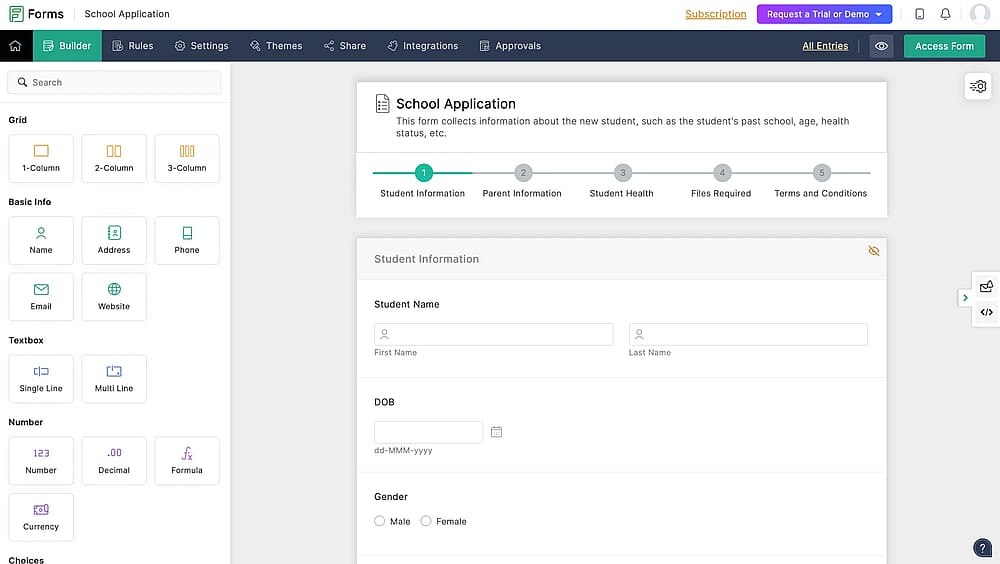
Workspace of Zoho Forms
Zoho Forms is an online form builder that serves as the seamless, primary data collection tool within the vast Zoho Suite (CRM, Analytics, Marketing).
Why it's a top pick? For businesses already invested in the Zoho ecosystem, this is the undisputed best alternative. Zoho Forms’ workflow capabilities surpass Paperform’s, turning form submission into the first step of an automated, fully trackable business process.
Key Features
- Deep Zoho integration: Zero-friction, native connections with over 40 Zoho applications for unified data transfer and workflow triggering.
- Advanced approvals & workflows: Provides sophisticated, customizable multi-level approval workflows for regulating data submission and management.
- Offline data collection: Dedicated native mobile apps allow users to collect and submit data even without an internet connection, syncing automatically later.
- Security & compliance: Offers data encryption at rest and in transit, and complies with major global standards, suitable for enterprise IT needs.
Prices:
- Free plan: ✅
- Basic: 9 USD per month
- Plus: 35 USD per month
- Pro: 49 USD per month
- Enterprise: 109 USD per month
6. Typeform (Best for Conversational Surveys & High Engagement)
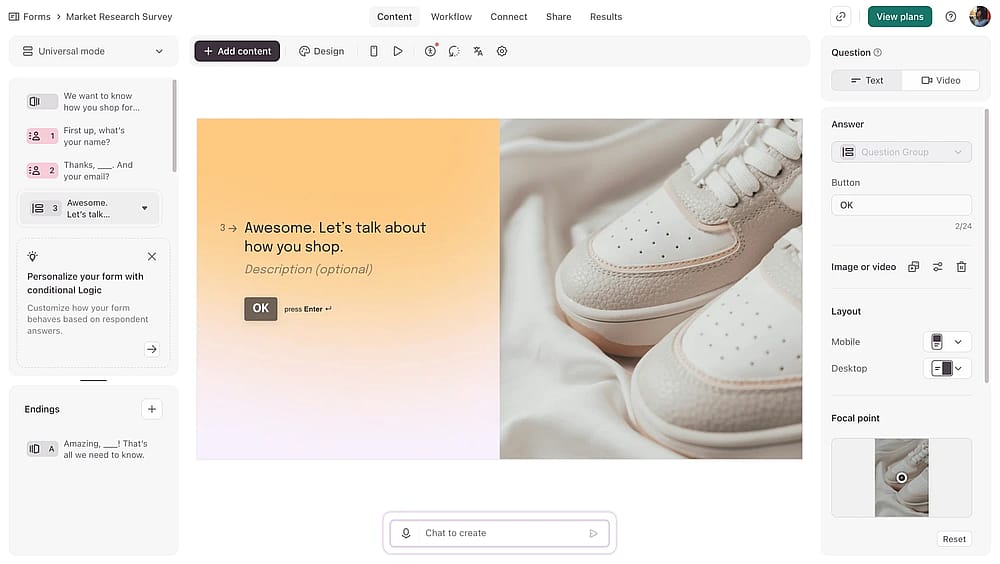
Workspace of Typeform
Typeform is known for the “one-question-at-a-time” approach, which transforms traditional, scrolling forms into highly engaging, conversational experiences.
Why it's a top pick? When engagement and conversion are the priority, Typeform delivers. Typeform creates a human-centric, conversational design significantly reduces cognitive load.
Key Features
- Logic jumps and personalization: Advanced conditional logic creates personalized, dynamic question paths that feel intelligent and respectful of the respondent's time.
- Aesthetic focus: Offers professional, highly customizable templates with support for video and image backgrounds for exceptional brand appeal.
- Video integration (VideoAsk): Seamlessly integrates with its companion tool, VideoAsk, for collecting and presenting video-based questions and answers.
- Performance analytics: Provides deep insights into drop-off points, completion rates, and conversion tracking to continuously optimize form performance.
💡 Editor’s experience: While the conversational design is gorgeous, accessing the advanced analytics (like question-by-question drop-off) is still locked behind the pricier tiers, making optimization expensive.
Typeform pricing:
- Free plan: ✅
- Basic: 29 USD per month
- Plus plan: 59 USD per month
- Business plan: 99 USD per month
- Growth essentials: 166 USD per month
- Growth pro: 291 USD per month
7. Cognito Forms (Best for Complex Calculations & Payments)
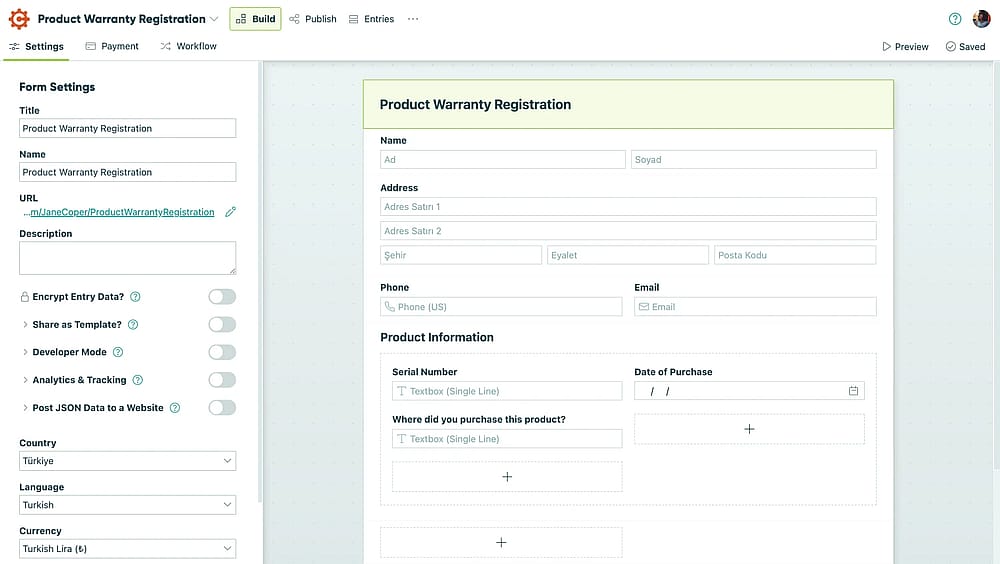
Workspace of Cognito Forms
Cognito Forms is built to handle complex, technical form requirements while maintaining an affordable and generous structure, even in its free tier.
Why it's a top pick? For users who need to build dynamic price quotes, custom calculators, or score-based assessments, Cognito Forms offers a calculation engine that is powerful, flexible, and often more cost-effective than Paperform's equivalent tiers.
Key Features
- Integrated payments: Securely accepts payments via Stripe, PayPal, and Square with features like invoice creation, recurring billing, and digital signature collection.
- Multi-page forms & save progress: Supports breaking long forms into manageable pages and allows users to save and resume submissions later.
- HIPAA compliance: Offers HIPAA compliance (with a paid BAA) for healthcare users, demonstrating strong data security and trustworthiness.
- Document generation: Automatically creates high-quality PDF or Word documents from form submissions, such as invoices, contracts, or application summaries.
💡 Editor’s experience: The calculation expression language is surprisingly flexible.
Cognito Forms pricing:
- Free plan: ✅
- Pro plan: 19 USD per month
- Team plan: 35 USD per month
- Enterprise plan: 129 USD per month
8. Gravity Forms (Best for WordPress-Native Integration)
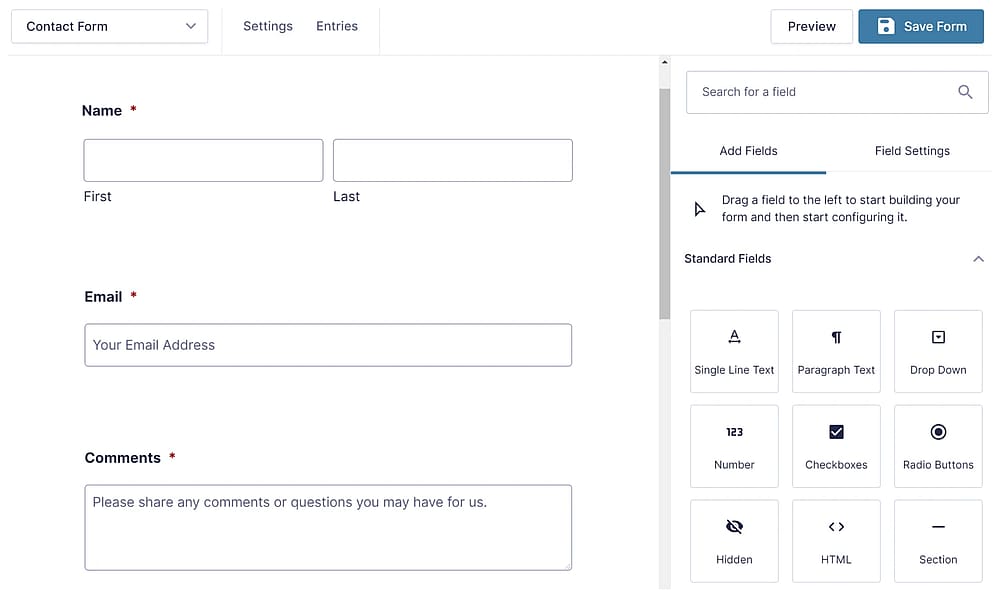
Workspace of Gravity Forms (Source: Gravity Forms)
Gravity Forms is not a cloud-based service but the premier form builder plugin for WordPress users.
Why it's a top pick? The native database integration and control over collected data are superior to embedding a cloud form like Paperform, giving site owners complete control and speed.
Key Features
- WordPress-native integration: Built as a plugin, it stores all data within your WordPress database, giving you complete ownership and control.
- Extensive add-on ecosystem: Supported by a massive library of official and third-party extensions for advanced features like front-end entry display, PDF generation, and multi-step workflows.
- Anti-spam: Includes robust spam protection (reCAPTCHA, Akismet) and granular control over user roles and permissions.
- Email & payment gateways: Natively integrates with major payment processors (Stripe, PayPal) and email marketing services.
Gravity Forms pricing:
- Free plan: ❌
- Basic License: 59 USD per year (1 site)
- Elit License: 259 USD per year (Unlimited sites)
- Pro License: 159 USD per year (3 sites)
9. 123FormBuilder (Best for Regulated Industries & Templates)
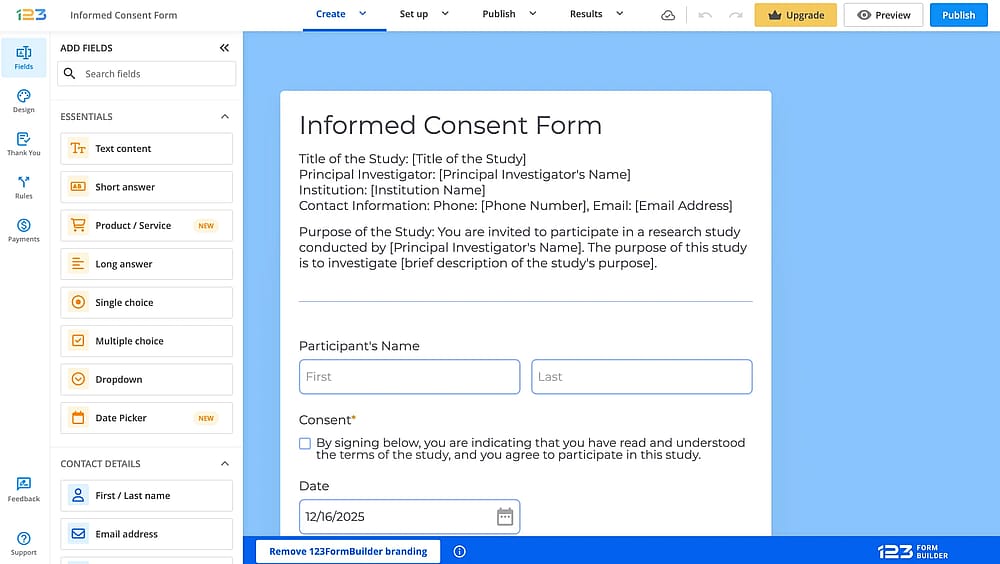
Workspace of 123FormBuilder
123FormBuilder is a dependable, established form platform primarily focused on providing secure data collection for clients in regulated and compliance-heavy industries.
Why it's a top pick? While Paperform excels at design, 123FormBuilder excels at security and rapid deployment.
Key Features
- Regulated industry focus: Committed to high security standards with HIPAA and GDPR compliance available for professional plans.
- Approval workflows: Allows for building internal approval flows and routing data to different team members based on submission content.
- Multi-User collaboration: Features tools for team members to collaborate on form design and manage submissions efficiently.
- Data privacy controls: Offers granular control over data encryption, retention, and access management necessary for sensitive information.
💡 Editor’s experience: The template library is massive, covering many niche compliance forms (HR, finance) that weren't available in Paperform's gallery.
123Formbuilder pricing:
- Free plan: ✅
- Gold plan: 37 USD per month
- Platinum plan: 49 USD per month
- Diamond plan: 99 USD per month
- Enterprise plan: 225 USD per month
10. ProProfs Survey Maker (Best for Detailed Survey Analytics)
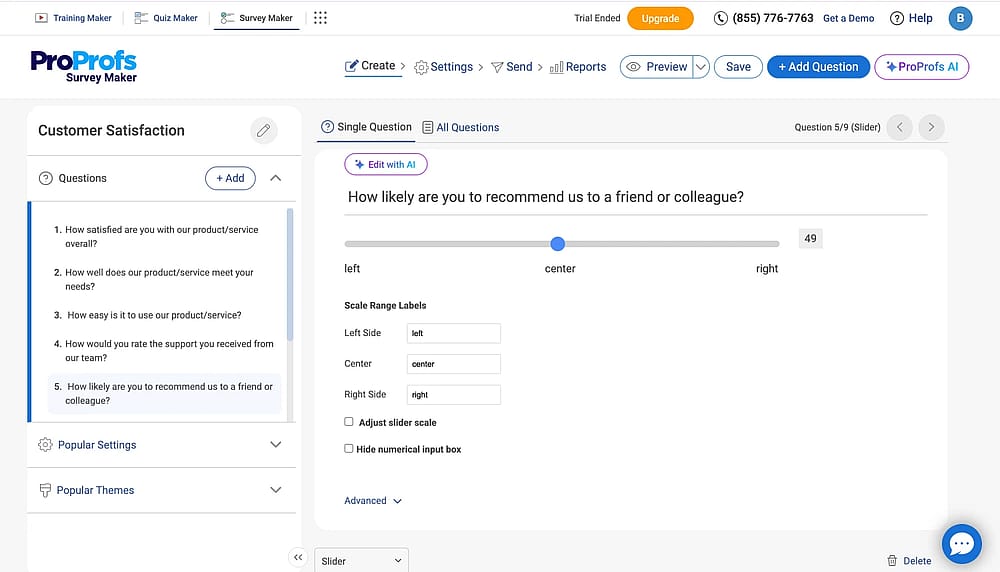
Workspace of ProProfs
ProProfs Survey Maker is a specialist in customer and market feedback, designed for professionals who need deep, granular insights from their data.
Why it's a top pick? If your goal is to derive actionable intelligence from feedback, ProProfs is a better choice over Paperform since it goes deeper, providing instant statistics, trend tracking, and segmentation reports.
Key Features
- Advanced survey analytics: Provides real-time stats, drop-off rate tracking, individual respondent action logs, and detailed segmentation reports.
- Quiz & assessment tools: Built-in functionality for creating graded quizzes, personality tests, and scored assessments with custom outcomes.
- Custom reporting & export: Easily generate customized reports and export data in multiple formats for sharing with stakeholders.
- NPS & CSAT ready: Dedicated tools for measuring Net Promoter Score (NPS) and Customer Satisfaction (CSAT) to benchmark customer loyalty.
ProProfs Survey Maker pricing:
- Free plan: ✅
- Essentials: 39.99 USD per month
- Premium: 69.99 USD per month
- Business: 149.99 USD per month
Conclusion: Making the final choice
Paperform is excellent for design, but its high cost and workflow limitations are clear. After 30+ hours of testing, here are our top expert recommendations:
The best alternative for your needs:
- Best overall value (price & features): forms.app. Excellent AI generation and mobile design starting at just $25/month.
- Most budget-friendly: Fillout or Cognito Forms (robust features for $19/month).
- Best for conversion/quizzes: Typeform or involve.me (highest engagement rates).
- Best for enterprise security: Formstack (HIPAA, GDPR, and complex automation).
- Best for WordPress Sites: Gravity Forms (undisputed native control).
Your choice depends entirely on why you are leaving Paperform. Start with the generous free plan offered by forms.app today to test its AI-builder and mobile design features.
Frequently asked questions (FAQs)
The best option for quick migration depends on your form complexity, but Fillout is a strong contender. Fillout excels at taking existing data structures (like those in Airtable or Notion) and converting them into forms, which simplifies the migration process if your forms are backed by a database. For general ease of use, the simple, intuitive builder of forms.app minimizes the learning curve.
Generally, no. While most alternatives like forms.app, Fillout, and involve.me include the payment field on their free plan; they severely limit the number of payment submissions before requiring a paid upgrade. This is a common constraint across all major form builders, including Paperform's own free plan.
Yes. If you have teams collecting data in the field or at events where internet access is unreliable, Zoho Forms is the best choice. It offers dedicated native mobile apps that allow users to fill out forms offline, and the data automatically syncs to your dashboard once an internet connection is restored. This is a crucial feature that Paperform does not prominently offer.
Contributors
Researched & written by
forms.app, your free form builder
- Unlimited responses
- Unlimited questions
- Unlimited team members