1. Import into your account
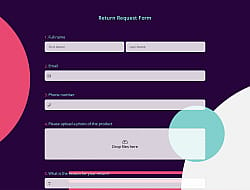
View this IT equipment return form example and click on “Use template” after making sure this is what you are looking for.

Save up to 60% on yearly plans and enjoy our biggest offer of the year. Limited time only. 🍂
See pricing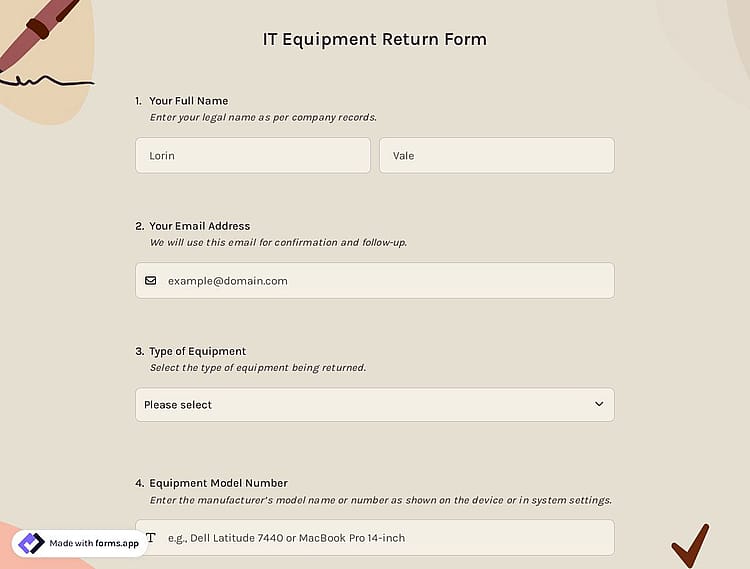
An IT equipment return form is a document that companies use when an employee returns devices they use. This free online IT equipment return form offers you all the essential questions and fields you will need:
Form questions that ask about:
Features that we thoughtfully included for your needs, such as:
💡 This template comes with a pre-set ending page and a ready-made layout that’s applied automatically.
Yes, you can integrate this IT equipment return form with 500+ apps. To do this, simply select the app you want to integrate your form with, and then click on “Connect to forms.app’’ or “Connect to Zapier”. Finally, you’ll see some easy-to-follow instructions to create an account and set up the integration.
Yes, this IT equipment return form template is free to use along with other free online form templates on forms.app.
Yes, you can! You are free to place your logo in any convenient place for free.
是的! If your audience speaks different languages, you can add multiple languages and let people choose their preferred language when they open up your form. Please note that this feature is available only on Pro and Premium plans.
Yes, you can change every element of the form through forms.app’s drag and drop interface and multiple question types after clicking the “Use template’’ button.
Follow the three easy steps below to easily import the template to your account, customize questions, and quickly share the form on your website or social media.

View this IT equipment return form example and click on “Use template” after making sure this is what you are looking for.

Add or remove questions through forms.app's drag-and-drop interface and match your brand style.

Embed it on your website in 6 different ways or share your form across all social media channels.
Looking for something else? Explore similar form templates below, or browse our extensive collection of free templates on the templates page.
Just tell us how you would like to have an IT equipment return form for your specific needs. forms.app’s free AI form builder will create a custom form template for you in seconds.
Create your return form with powerful features and make the intake process simple and clear for everyone.
Let employees upload photos of returned equipment, receipts, or other supporting documents in any format.
Enable employees to confirm that all items were returned in the stated condition by adding a signature field to get their signatures.
Collect essential employee information, including employee name, department, ID, and contact details.
Allow people to record the exact return date and time. Also, you can add a timer to your forms to count up or count down.
Let employees select which devices they are returning from a predefined list. Single or multiple selection, dropdown, pictures, yes/no, and more.
Add open-ended fields so employees can write notes about item condition, missing accessories, or comments by choosing from short text, long text, masked text, and other open-ended fields.
Categories
This it equipment return form is free and customizable
Categories