Save up to 60% on yearly plans and enjoy our biggest offer of the year. Limited time only. 🍂
See pricing

How to translate form responses
Collecting form responses in multiple languages? Translate your forms instantly without leaving forms.app. Here’s how:
1. Open a form and go to the “Results” tab:
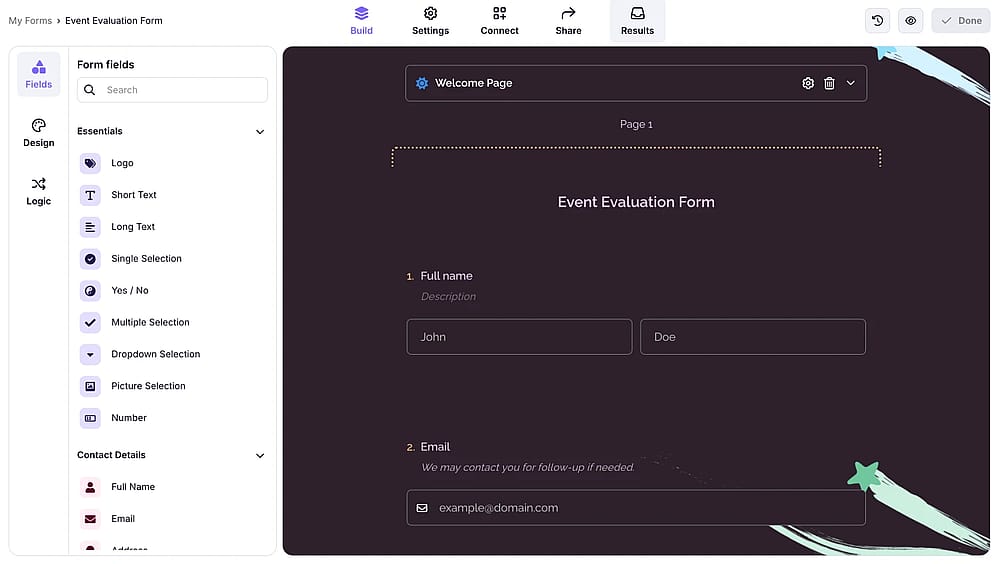
A screenshot highlighting the results tab
2. Select a response and click on the translate button on the upper right corner:
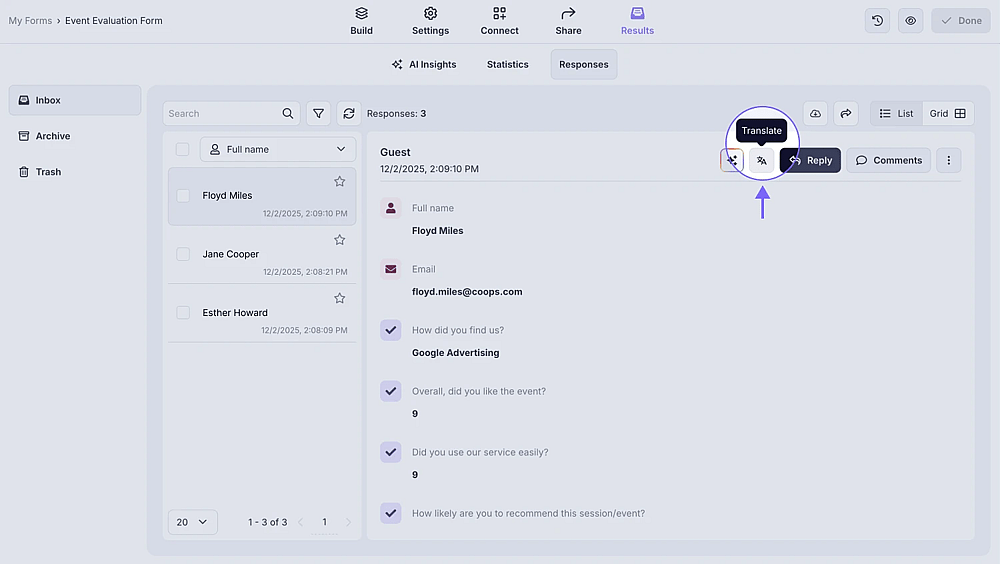
A screenshot highlighting the AI translation button
3. There you can translate the response for once, or make your selected language default for any response in your form:
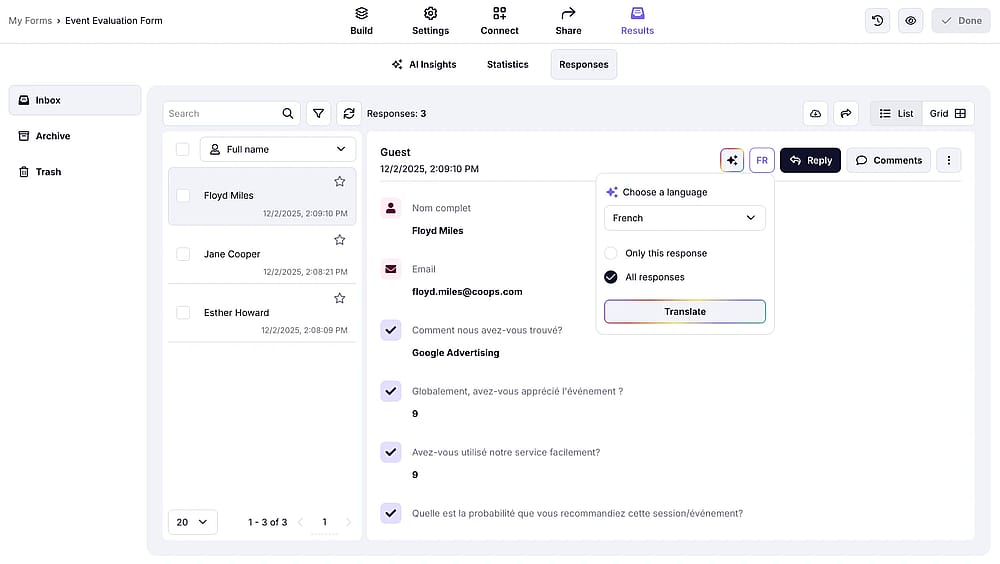
A screenshot showing the AI translation options
That’s it! The response translation feature will help you save time and understand form responses much easier, especially when you collect data in multiple languages.
While it is not possible to get a custom PDF for your translated responses, you can print out or get a standard PDF for them using “CTRL/Command + P” shortcut.