Save up to 60% on yearly plans and enjoy our biggest offer of the year. Limited time only. 🍂
See pricing

How to embed forms on a Notion page
Notion is a powerful note-taking and workspace tool where you can organize lists and databases. Notion pages can also be public and used as a website. Sometimes you need to place your ready form directly into Notion. You can easily embed your forms.app form directly into a Notion page. Check the steps below and learn how:
1. Open your form and access the Share section:
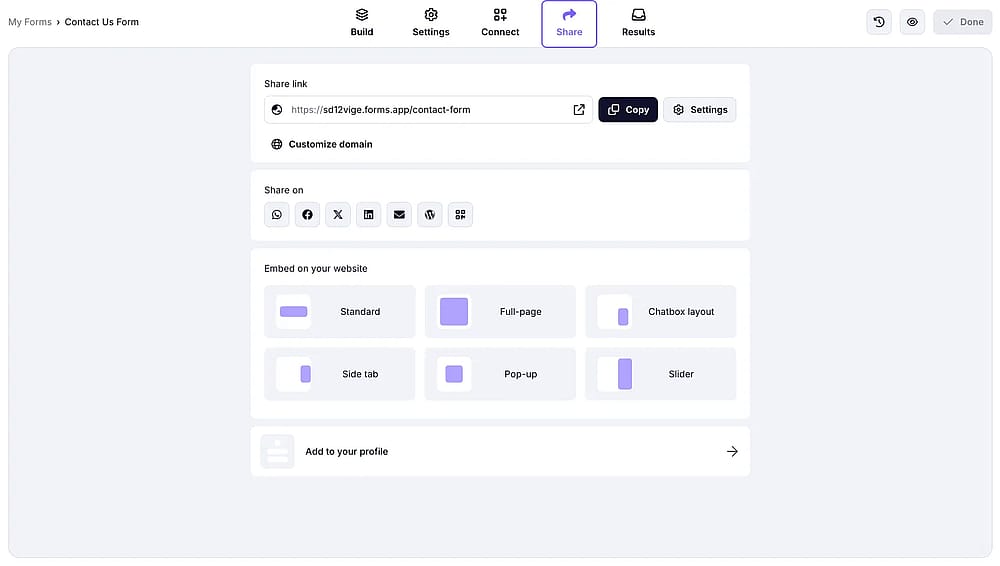
An image showing the “Share” section of the form on forms.app platform
2. Copy the URL of your form by clicking the Copy button:
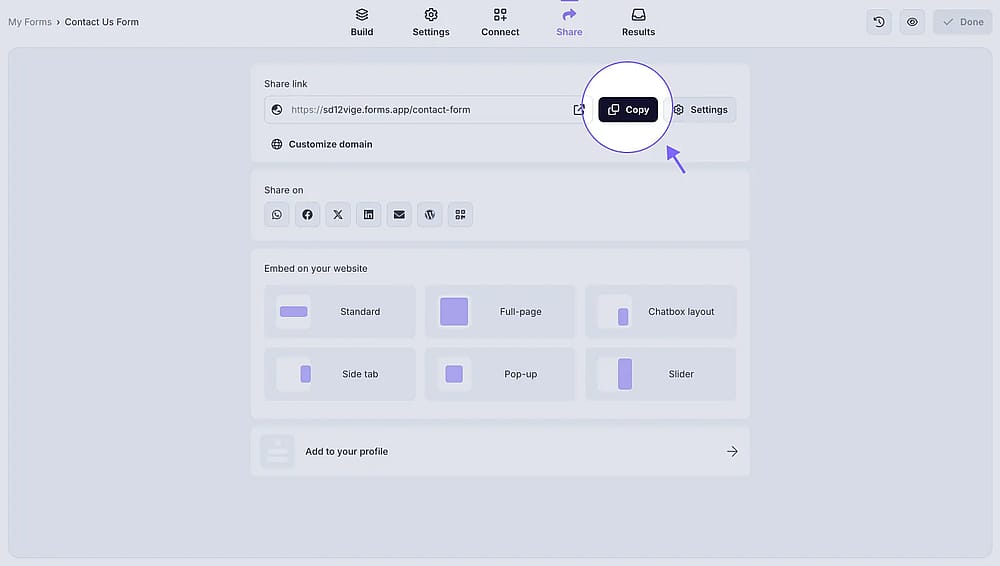
An image showing the “Copy” button you need to click to copy the URL of your completed form
3. After that, open your Notion page where you are going to embed your form:
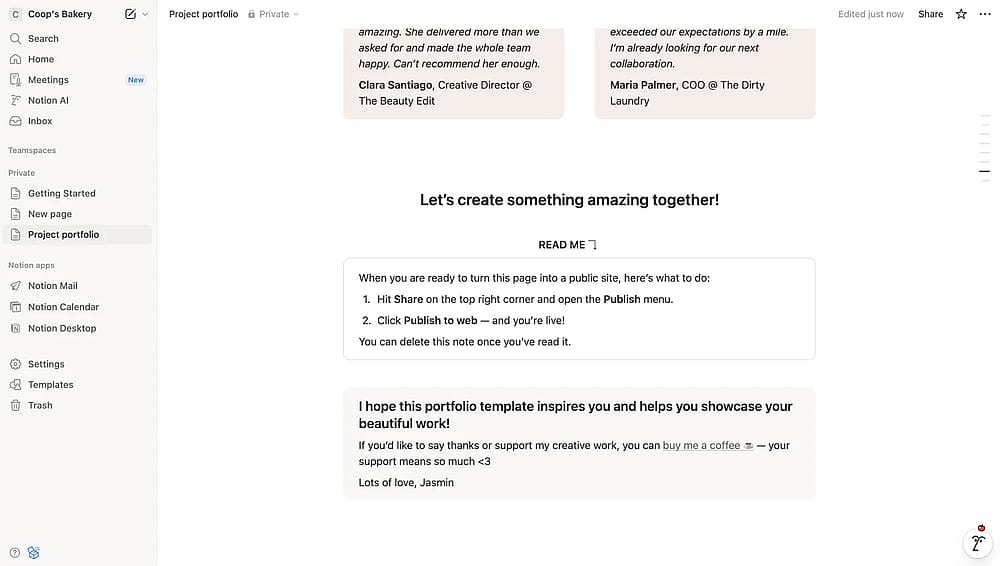
An image showing a “Notion” page where you are going to embed your form
4. Next, just paste your form link to the needed area and select the Embed option that will automatically appear in the dropdown menu:
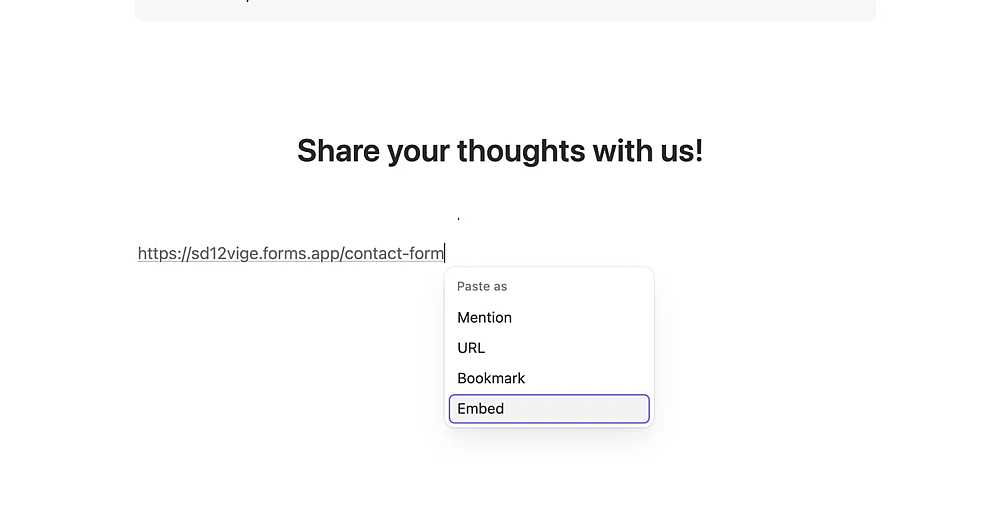
An image showing the dropdown menu that appears once you paste your form URL and the “Embed” option that you need to choose
You can also embed your form by typing “/” in your Notion page and selecting the Embed option from the menu that appears, then pasting your form URL.
5. That's it! Once your form appears on your Notion page, you can adjust its size or check other customization options:
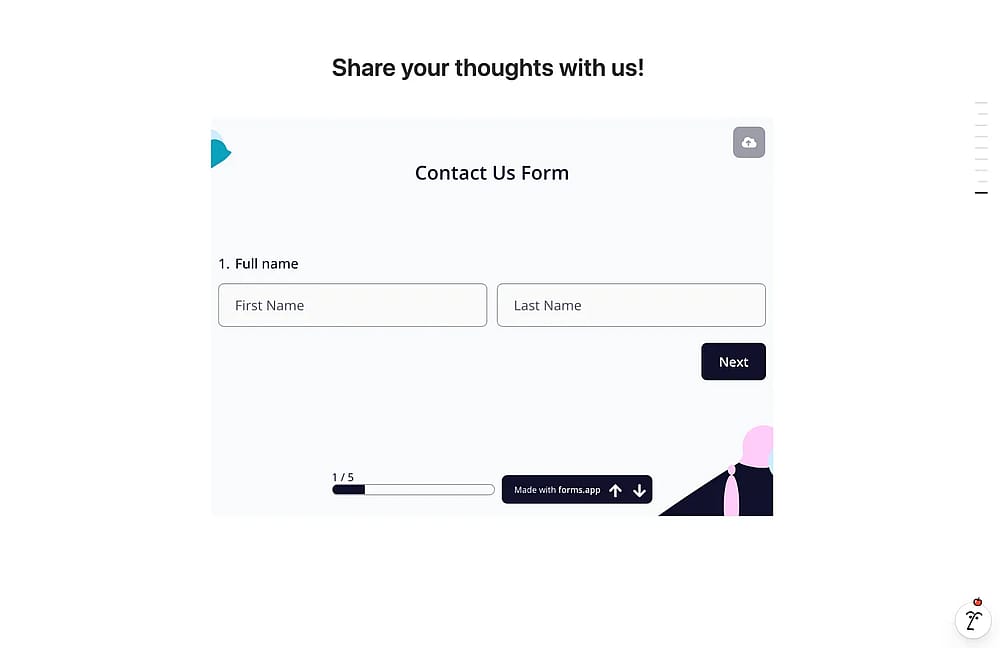
An image showing a successfully embedded form on your Notion page
Did you know that forms.app is an integration partner of Notion? You can easily share your data from your form responses to the Notion database. Check out the help article to learn how: Notion integration.