Save up to 60% on yearly plans and enjoy our biggest offer of the year. Limited time only. 🍂
See pricing

15 Great benefits of online surveys

Summarize with
With the world turning to digital tools for daily life, business, education, and more, the importance of online surveys is unquestionable. Surveys are foundational for collecting reliable quantitative and qualitative data and using it to generate actionable insights. Using online surveys is superior because they enable rapid, real-time data collection, automated statistical analysis, and immediate updates, ensuring your research is both fast and flexible.
Online surveys are not just a tool; they are a core research methodology used by market analysts, academics, and businesses globally. This article will show you what defines a high-quality online survey, the 15 data-driven reasons to use them, and how to create one with a focus on best research practices, along with expert tips. If you are ready to start collecting cleaner data, let’s get into it!
TL;DR list
- Cost-effective scalability: Eliminates manual data entry and printing costs.
- Unmatched global reach: Connects with audiences worldwide, overcoming geographical barriers.
- Optimized time-to-insight: Rapid deployment speeds up the entire research cycle.
- Flexible distribution channels: Easily shared via link, email, social media, or embedding.
- Enhanced eespondent engagement via design: Uses visuals to boost completion rates.
- Precision customization and logic: Allows for complex survey design using conditional logic.
- Maximized respondent candor through anonymity: Encourages honest feedback on sensitive topics.
- Asynchronous completion flexibility: Respondents can participate at their convenience.
- Automated data aggregation: Eliminates manual sorting, preparing data instantly for analysis.
- Universal device accessibility (mobile-first): Ensures high participation across all devices.
- High volume data collection for significance: Easily gathers large samples for statistical validity.
- Streamlined data analysis and reporting: Built-in features create immediate summaries and visuals.
- Efficient follow-up and relationship management: Simple tracking for reminders and sharing results.
- Robust security and regulatory compliance: Meets standards like GDPR and CCPA, and uses encryption.
- Instantaneous real-time data monitoring: Allows researchers to track responses and make immediate adjustments.
15 Eye-opening reasons to use online surveys
The advantages of online surveys in research methods, market research, and academic studies are undeniable. Conducting online surveys is the most effective way to collect large volumes of insights and feedback while maintaining data integrity.
Here are fifteen key benefits of online surveys:
1. Cost-Effective Scalability
Since online surveys do not require any physical materials, they are significantly more cost-effective. By eliminating expenses associated with printing, postage, interviewer travel time, and manual data entry, online surveys allow researchers to invest their budget solely in optimizing question design and ensuring data quality rather than logistics.
💡 Expert tip: Focus your time saved on pre-testing the survey (known as pilot-testing) and post-collection data cleaning, rather than creation. Even a well-designed survey needs careful testing to ensure the logic flows correctly and prevents confusing or biased results.
2. Unmatched Global Reach
An online survey can reach a target audience worldwide. There is no limit on access and no worries about the targeted location. Using social media or other online platforms makes it easy to reach a larger audience.
3. Optimized Time-to-Insight
Compared to other survey methods, such as in-person surveys, online surveys save time. While creating a survey, the questions can be organized and published in minutes, with the option to edit them. Also, when the survey is published, it takes seconds for the responder to reach and minutes to answer and return the feedback.
4. Flexible Distribution Channels
The ability to reach a broader audience after creating a survey is crucial. This is quickly done when an online survey is shared via a URL on social media, embedded on a website, or sent through a targeted email address. It is easy to adjust the distribution method based on the audience and timeframe.
5. Enhanced Respondent Engagement via Design
To increase engagement and completion rates, incorporating visuals and professional design is key. Online survey tools help you integrate brand assets and relevant visual elements.
💡 Expert tip: Use visuals sparingly to avoid cognitive overload. Images should be functional (e.g., product visuals in a preference test) rather than purely decorative. Crucially, ensure all images are optimized for mobile load speed to prevent high drop-off rates on cellular networks.
6. Precision Customization and Logic
The design, functionality, and audience flow can all be precisely selected when creating an online survey. This level of customization is essential for creating a survey that is highly relevant to your specific research goals.
💡 Expert tip: Use conditional logic (or "skip logic") extensively. This ensures respondents only see questions relevant to their previous answers, which drastically improves the quality of the data and shortens the perceived length of the survey, reducing respondent fatigue.
7. Maximized Respondent Candor through Anonymity
While taking an online survey, the option to answer questions anonymously is the best way to achieve higher response rates and more honest feedback.
💡 Expert tip: Explicitly state your anonymity policy at the beginning of the survey. For sensitive topics, use language like “Your responses will be aggregated and completely anonymous,” which significantly increases a participant's willingness to be open and truthful, a process known as maximizing candor.
8. Asynchronous Completion Flexibility
There is no fixed time or place for online surveys to be taken, unlike in-person interviews. The participant can pause and return, or complete the survey while commuting or at home.
9. Automated Data Aggregation
When the survey results are received from the people, all of the collected data is gathered in an organized way. Thanks to the built-in analysis systems that the online survey offers, it is even easier to gather all of the answers together and analyze them.
10. Universal Device Accessibility (Mobile-First)
Since a large percentage of online questionnaires are now taken on mobile devices, ensuring the surveys are fully responsive is mandatory. This accessibility helps the study reach a wider audience anytime, anywhere.
💡 Expert tip: When designing for mobile, prioritize single-select answer choices (radio buttons) over drop-down menus or complex drag-and-drop features. Furthermore, limit text per screen, preferring short, single-question pages to long, scrolling lists to reduce accidental exits.
11. High Volume Data Collection for Significance
Businesses or researchers can use online surveys since they can collect thousands of responses. It is helpful for many respondents to take the survey without any issues.
12. Streamlined Data Analysis and Reporting
Businesses or researchers value online surveys because they can collect thousands of responses without incurring linear cost increases. This enables the gathering of responses large enough for robust statistical significance.
13. Efficient Follow-Up and Relationship Management
With the help of built-in features, online surveys automatically create summaries and visuals to help interpret the results of the collected data in charts or required formats, streamlining the analysis process toward an understandable conclusion.
14. Robust Security and Regulatory Compliance
Following up with who answered the survey and who hasn’t is possible based on the distribution list. It is also easy to send a thank you or a summary of the findings to participants by emailing them.
15. Instantaneous Real-Time Data Monitoring
It is possible to track online survey responses as they are submitted. This allows researchers to monitor response rates, identify potential issues (such as high drop-off at a specific question), and make on-the-fly adjustments to the distribution strategy if needed.
How to create an online survey with forms.app
There is no better way to collect information or feedback and have it all collected in one place than to use online polls or surveys. After seeing the benefits of using an online survey, it is time to see how to create one for yourself. In this part, we will explain how to create on.
1. Log in to your account
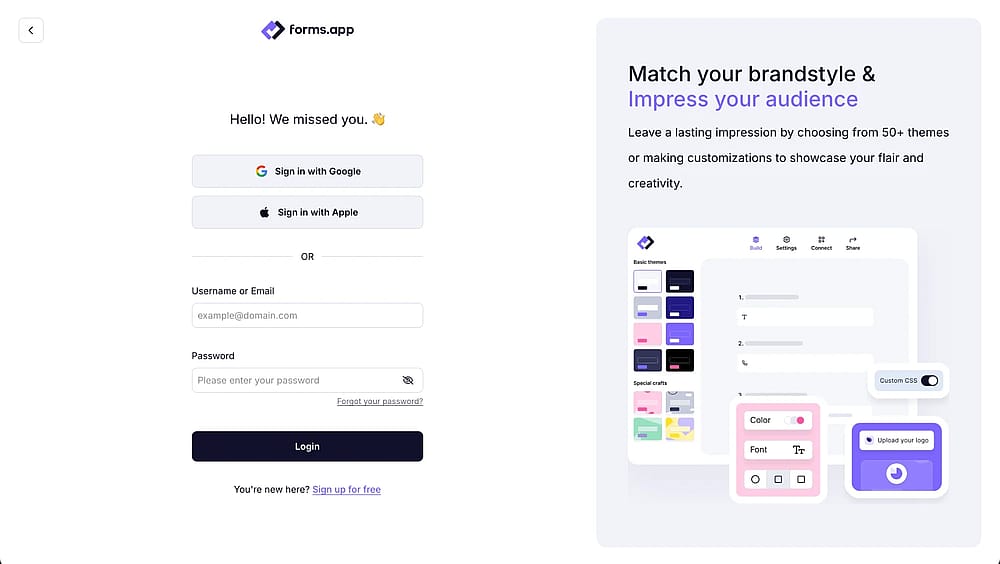
Open your account
If you have an account in forms.app, you can log in to your account. If not, it is free and quick to create one. It is also possible to use Google or Apple to log in.
2. Create a new survey
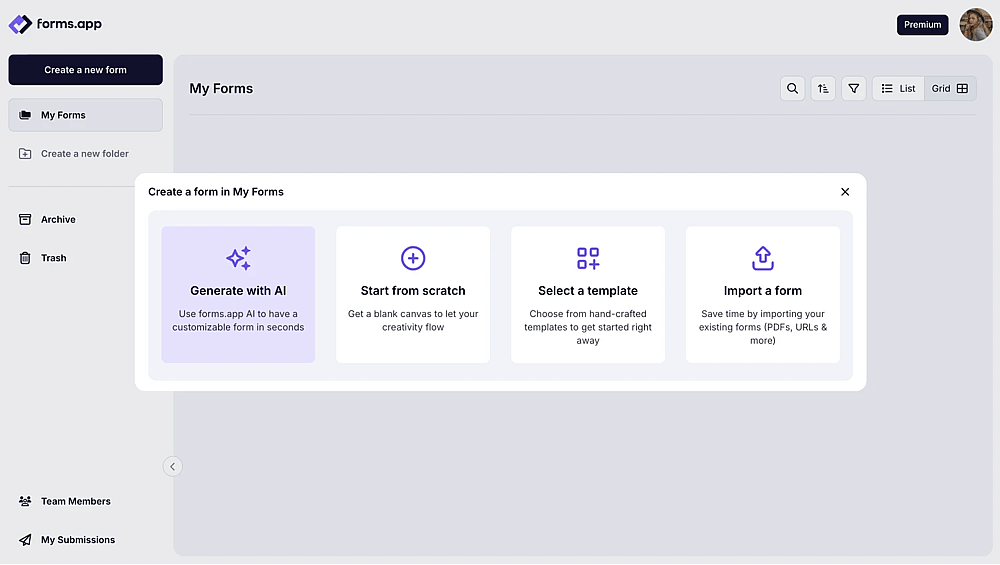
Choose a way to start
Start the form by choosing the Create Form button. You can also choose from a ready-made template. It is also possible to use AI. Also, you can try to let your creativity speak or import a form.
3. Customize the survey design
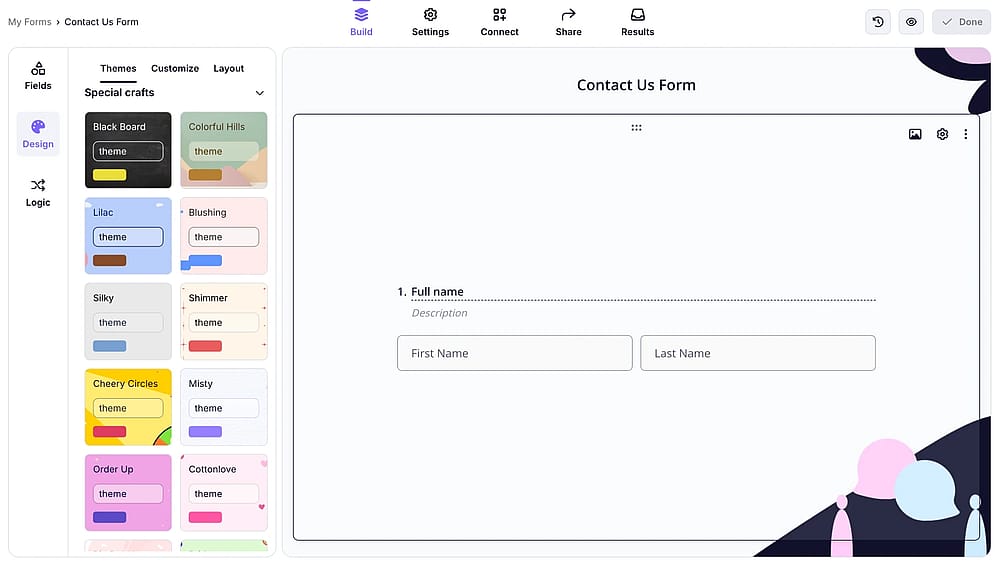
Style your online survey
Open the application form and explore the design options. You can customize the theme, font, font size, font color, and background image, and discover even more settings!
4. Complete and share the survey
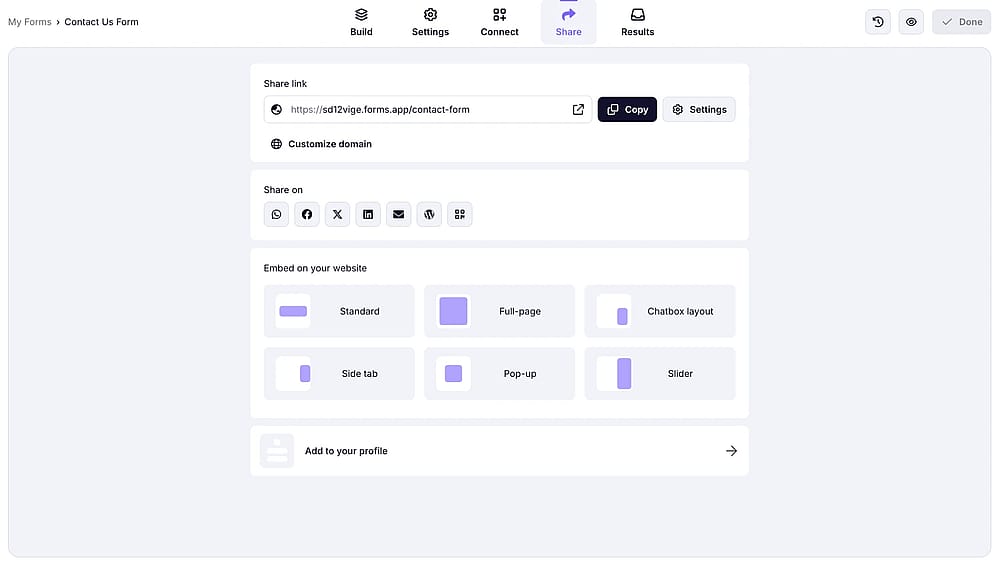
Share your online survey
To see the latest version of your form, click the View option. After that, set the settings to determine who can see the survey, and finish the form. Now is the time to share the survey on platforms like Facebook or send it to the audience via their personal email addresses. You can embed the application form link on your website to reach a broader audience.
5. Check the responses
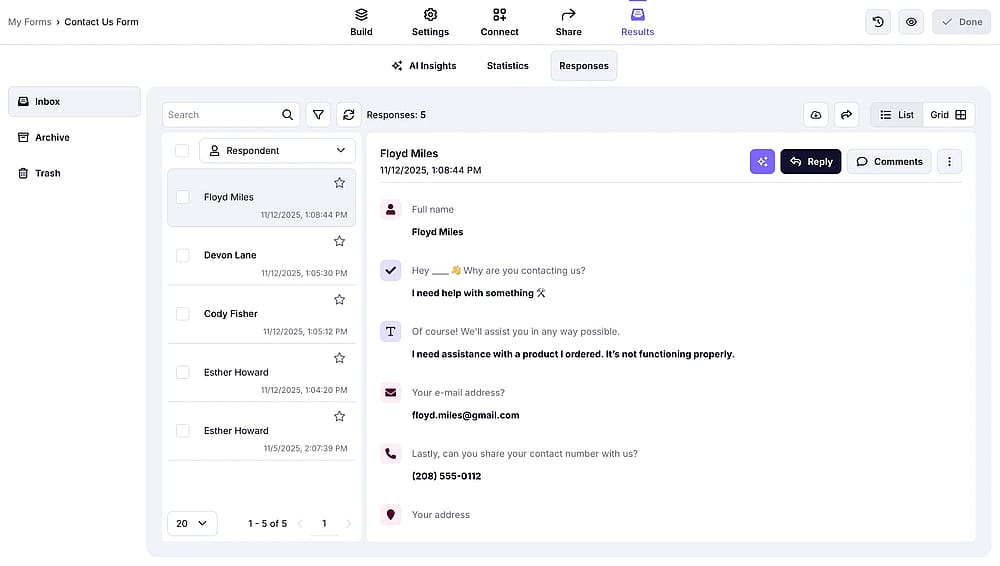
Share your online survey
To control the results of the survey, get help from AI by checking the statistics that it gathered; this way, the results can be seen more clearly and in an organized way.
Final words
Online surveys are the fastest and easiest way to reach the audience. With real-time results and the ability to reach large groups worldwide, online surveys are a savior for businesses and researchers of all sizes.
In this guide, we have covered what an online survey is, how to create one, and key tips to have the most appealing online survey. We have also covered the advantages of surveys, such as flexibility and being able to use them on mobile phones.
If you are ready to create one, the forms.app will await you!
Contributors
forms.app, your free form builder
- Unlimited responses
- Unlimited questions
- Unlimited team members