Save up to 60% on yearly plans and enjoy our biggest offer of the year. Limited time only. 🍂
See pricing

Likert Scale: What it is, When to use & How to create (+Examples)

Summarize with
Every time a survey asks you to react to a statement on a scale from "strongly disagree" to "strongly agree," you're using one of the most common formats in survey research. The Likert scale is commonly used in research questionnaires, which is exactly why it's stuck around for nearly a century. It turns something as fuzzy as an opinion into quantitative data you can actually measure, compare, and track over time.
We'll cover what a Likert scale is and when to use one, break down the main types of Likert items, help you decide how many scale points actually make sense for your survey, share tips for writing questions that don't confuse respondents, and walk through how to build one yourself, with real examples you can adapt.
TL;DR: What is a Likert scale & when to use it
A Likert scale is a question type that asks respondents to react to a statement along a point scale, usually running from one extreme to the other, like "strongly disagree" to "strongly agree," with a neutral option in the middle.
An example of a Likert scale in customer service: "The support agent resolved my issue quickly," with answer options from strongly disagree to strongly agree.
✅ Use a Likert scale when you need to:
1. Measure attitudes or opinions (satisfaction, agreement, importance)
2. Compare sentiment before and after a change
3. Let people agree or disagree with a statement rather than answering yes/no
🔴 Skip it when:
1. You need a factual or behavioral answer
2. There are no natural scale points to react along
5 Types of Likert scale questions
Not all Likert scale data measures the same thing. The response scales you use should match what you're actually trying to learn. Here are the five most common question types, each with a Likert scale example:
Agreement
Asks respondents to agree or disagree with a statement.
- "The checkout process was easy to complete." (Strongly disagree → Strongly agree)
- "I understood the pricing before I purchased."
💡 Use case: Best for evaluating a specific claim or experience, like a checkout flow or onboarding step. An e-commerce brand testing a redesigned checkout page asks "The new checkout process was easy to complete" right after purchase to catch friction points early.
Frequency
Measures how often something happens.
- "How often do you contact customer support?" (Never → Very often)
- "How often do you use this feature?"
Importance
Measures how much weight respondents place on something.
- "How important is fast shipping to your decision to buy?" (Not important → Extremely important)
- "How important is 24/7 support to you?"
💡 Use case: Best for prioritizing which features or services to invest in. A logistics company deciding whether to offer weekend delivery asks customers "How important is weekend delivery to you?" before committing budget to it.
Satisfaction
The most common use case in customer service surveys.
- "How satisfied are you with your recent purchase?" (Very dissatisfied → Very satisfied)
- "How satisfied are you with our response time?"
💡 Most Likert items use bipolar scales (opposite ends, like satisfied vs. dissatisfied), and 5 point Likert scales are the most common, with enough scale points to capture nuance without overwhelming respondents.
Likelihood
Measures the probability someone will act.
- "How likely are you to recommend us to a friend?" (Very unlikely → Very likely)
- "How likely are you to shop with us again?"
How many points should a Likert scale have?
The right number of scale points depends on how much nuance you actually need when collecting data.
A 5-point scale (or five-point Likert scale) is the default for most survey questions; enough range to collect nuanced data without fatiguing respondents.
A 7 point Likert scale adds more granularity, useful for research where finer distinctions matter, like academic or clinical studies.
A 4 scale Likert scale (even-numbered, no neutral midpoint) works when you want to force a lean one way or the other and avoid fence-sitting.
💡 Expert tip: You can also use a Likert-like scale with word-based anchors (e.g., "Never" to "Always") instead of numbers; same idea, different labels, and often easier for respondents to interpret at a glance.
How to create a Likert scale survey in forms.app
forms.app is a no-code online form and survey builder that makes data collection simple, whether you're running a customer feedback survey or an internal employee check-in. Setting up a Likert scale, including 5-point Likert scales, the most commonly used format, takes just a few steps.
1. Sign up or log in
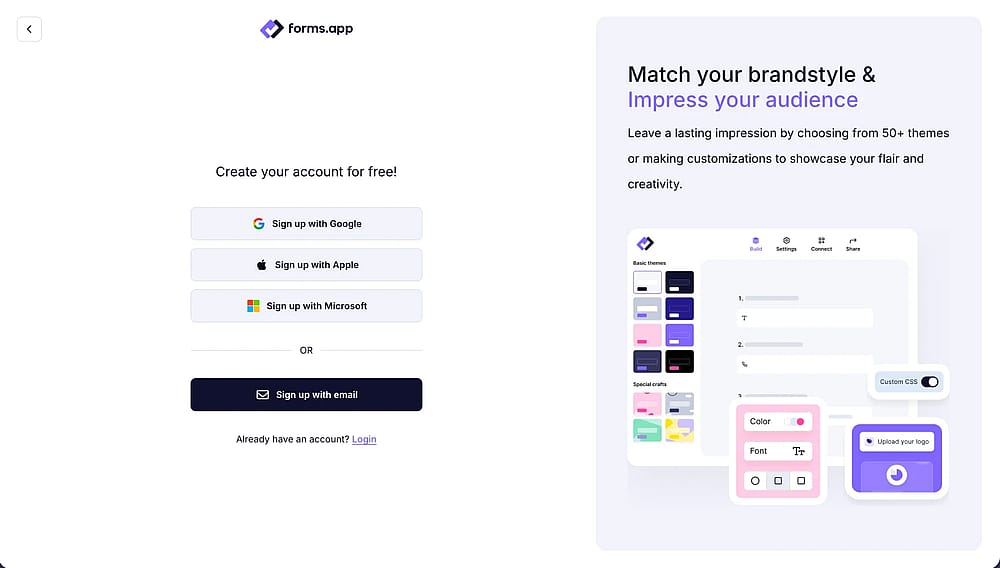
Log in to your account or create a new one
Create a free account or log in to forms.app to start building your survey. You can log in with Google, Microsoft, or Apple.
2. Choose a template or start from scratch
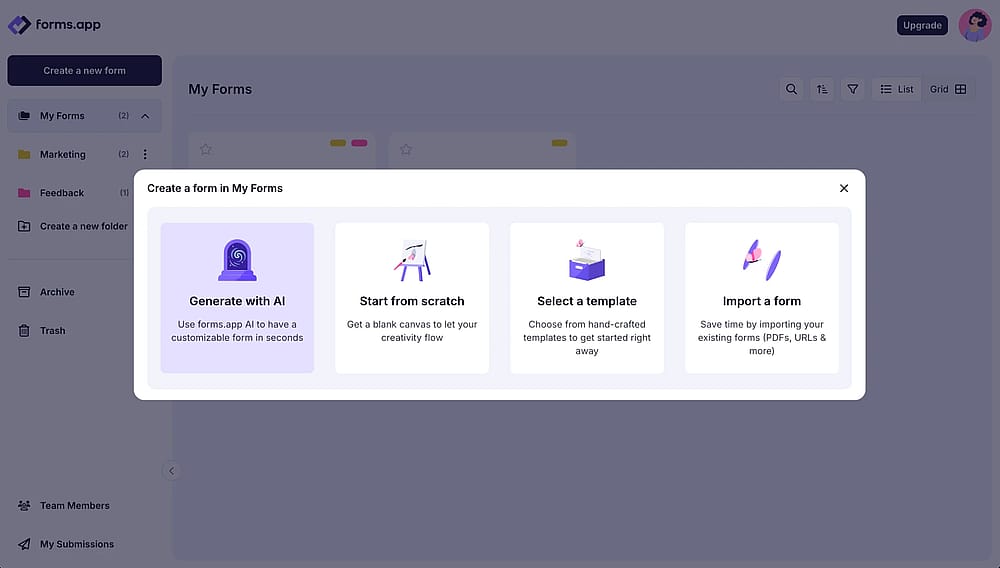
Start creating your form from a blank form, generate with AI, or select a template
Pick from forms.app's ready-made survey templates, or start with a blank form and add fields yourself. Plus, you can always start a form with the AI form generator by entering your prompt.
3. Add your Likert scale question
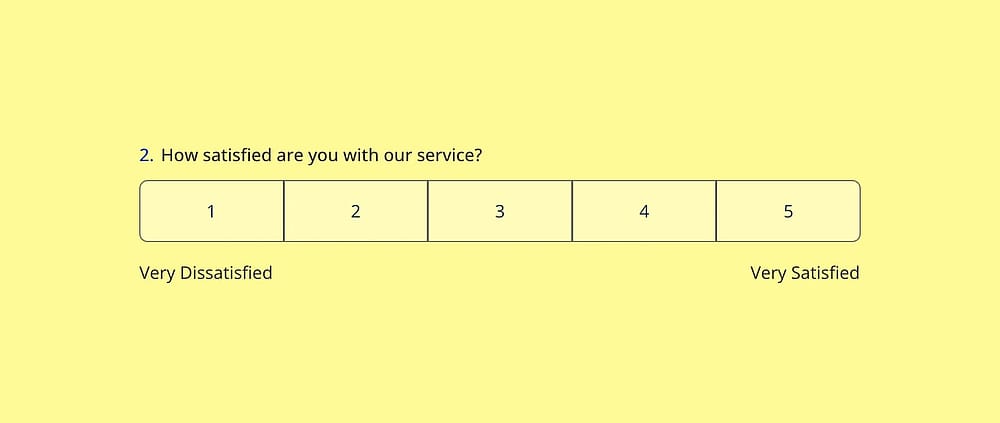
Use the ‘Opinion Scale’ to create a scale question
- Opinion Scale: a numbered scale where respondents pick a single number; add labels to either end (e.g. "Not satisfied" → "Very satisfied") to keep it unambiguous.
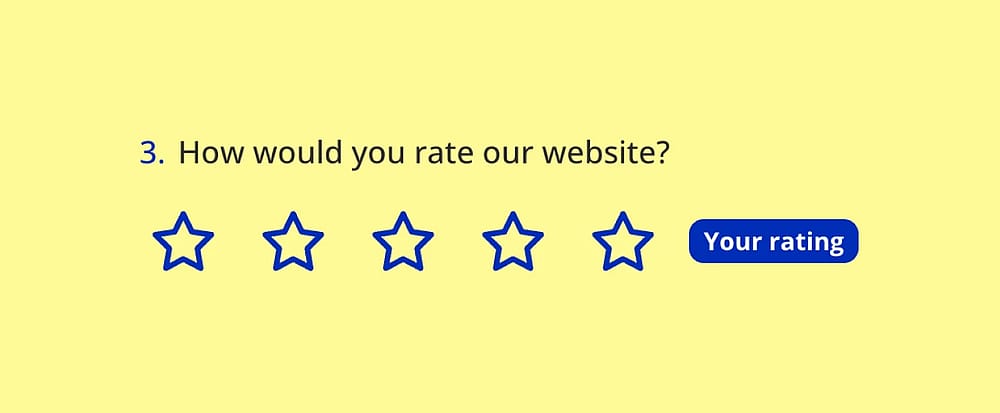
Use the ‘Star Rating’ to create a scale question
- Star Rating: the same idea with a star icon instead of numbers; you can adjust the number of stars and set a default answer.
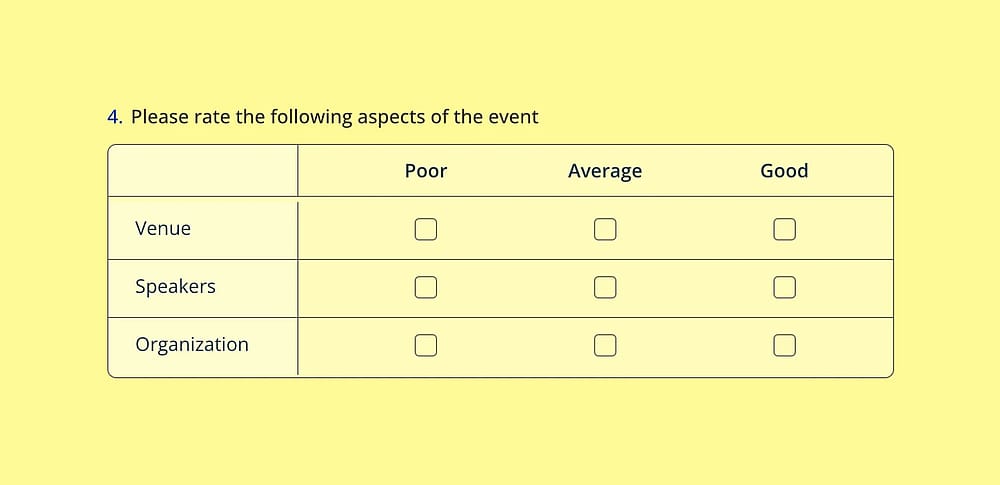
Use the ‘Selection Matrix’ to create a scale question
- Selection Matrix: best when you're rating several statements on the same scale (e.g., five aspects of a support call) in one grid, rows as statements and columns as scale points.
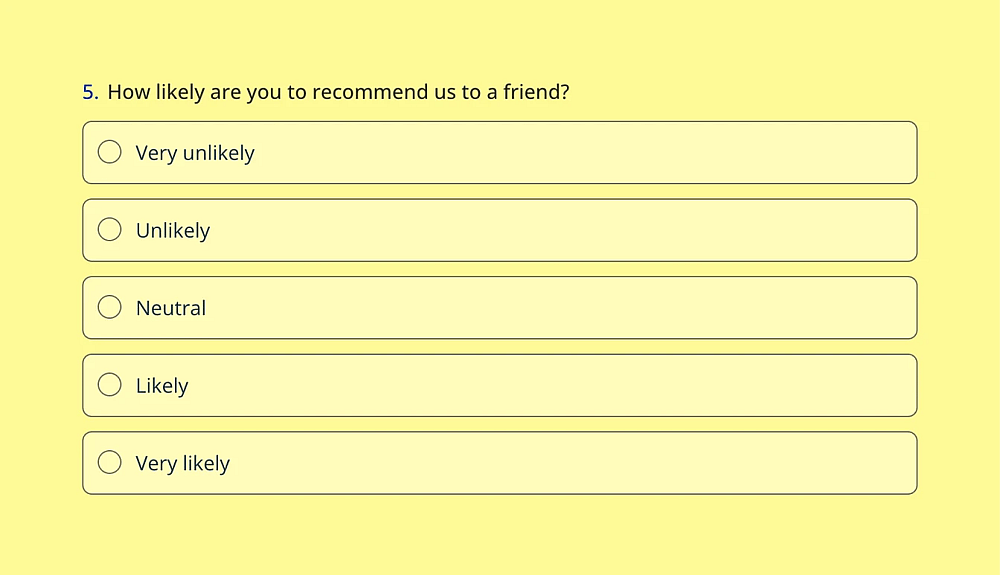
Use the ‘Single Selection’ to create a scale question
- Single Selection: list "Strongly disagree" through "Strongly agree" as choice options if you'd rather not use a scale-specific field.
💡 Which one to pick: Opinion Scale for a single quick question, Star Rating for something visually lighter, Selection Matrix when you're rating multiple statements at once.
4. Choose a theme or customize manually
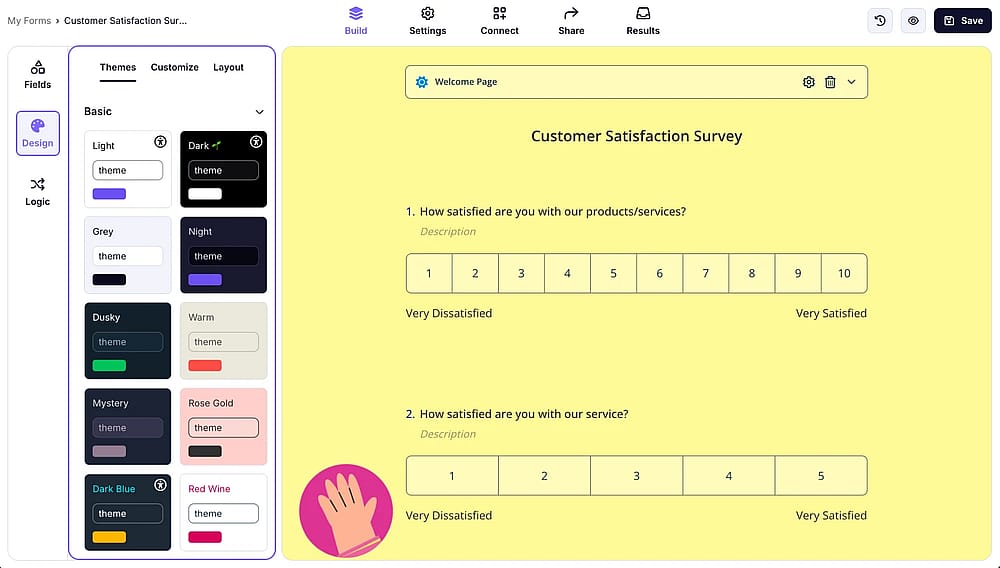
Check the customization options by opening the ‘Design’ tab
forms.app offers a range of built-in themes, or you can customize colors, fonts, and layout manually to match your brand.
5. Share your form
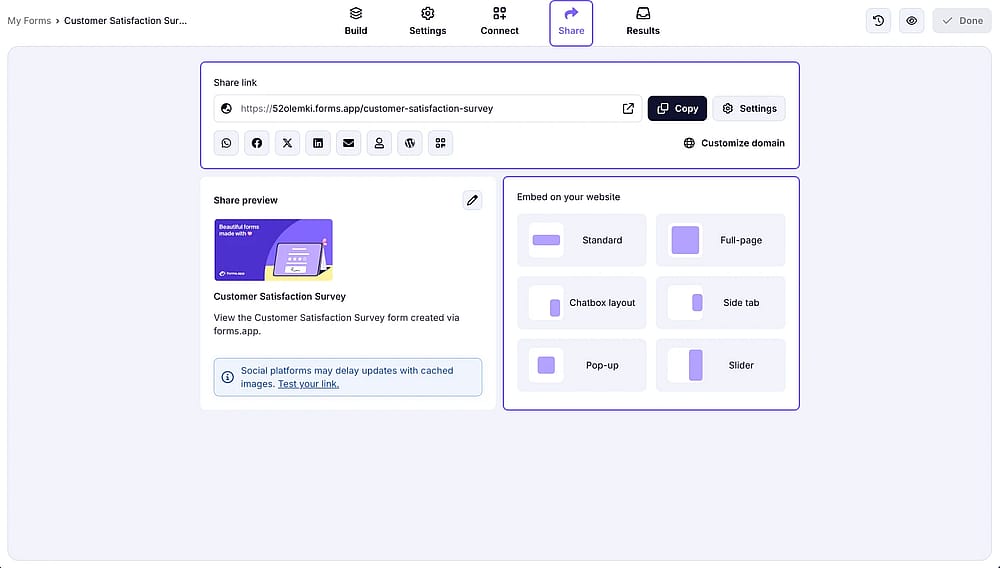
Explore sharing options available and publish your form by accessing the ‘Share’ tab
Once everything's set, publish and share your survey via link, embed, or QR code.
Common Likert scale mistakes and how to fix them
Even a well-designed Likert scale can produce misleading data if a few common pitfalls slip through. Here are the mistakes we see most often, and how to fix them.
1. Using an even-numbered scale when you actually need a neutral option
Dropping the midpoint can push undecided respondents toward a random answer instead of an honest one, which skews your results more than it sharpens them.
💡 Note from our testing: we've seen forced-choice scales work well for feasibility questions (like "I'll buy again"), but for satisfaction or agreement questions, removing the neutral option usually just adds noise to the data.
2. Mixing scale directions across questions
If one question runs "Strongly disagree → Strongly agree" and the next runs the reverse, respondents start answering on autopilot without reading carefully, and you'll see it in the data as inconsistent, contradictory responses.
💡Note from our testing: keep every scale in a survey running the same direction, even if it means rewording a statement to fit.
3. Writing double-barreled statements
A double-barreled statement like "The product is affordable and easy to use" asks for two things at once. If someone agrees with one part but not the other, there's no way to know which one they meant.
4. Using vague frequency labels
Words like "sometimes" or "often" mean different things to different people, so responses end up reflecting personal interpretation more than actual behavior.
💡 Note from our testing: where possible, anchor frequency options to something concrete (e.g., "1-2 times a month" instead of "occasionally").
5. Overloading the survey with too many Likert questions
Long, repetitive Likert batteries lead to straight-lining, where respondents just pick the same option down the whole list without reading each statement.
Free survey templates to use rating questions
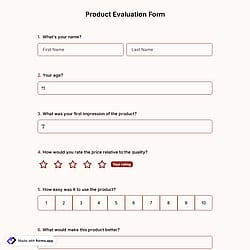
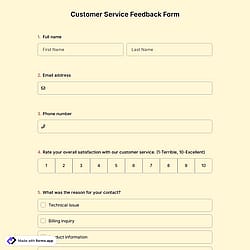
Don't want to build your Likert scale from scratch? forms.app offers a range of ready-made survey templates you can customize in minutes; just swap in your own questions, adjust the scale, and share. Below are a few templates to get you started:
Frequently asked questions (FAQs)
Most surveys use a 5-point scale, which offers enough range to capture nuance without overwhelming respondents. A 7-point scale adds more granularity for research where finer distinctions matter, while a 4-point scale (with no neutral midpoint) works when you want to force respondents to lean one way or the other.
A Likert scale specifically measures agreement, frequency, importance, satisfaction, or likelihood using a consistent set of anchored response options. A rating scale is a broader term that can include Likert scales but also covers things like star ratings or numeric scales without labeled anchors.
No; Likert scales are meant for statements where someone can agree or disagree to varying degrees. If a question only has two possible answers, a simple yes/no or multiple-choice field is a better fit.
- July 2026 - Article revised and updated to align with 2026 standards
- The content has been reviewed and updated from beginning to end.
- A new FAQ section has been added.
- The visuals have been renewed
Contributors
Researched & written by
forms.app, your free form builder
- Unlimited responses
- Unlimited questions
- Unlimited team members