Save up to 60% on yearly plans and enjoy our biggest offer of the year. Limited time only. 🍂
See pricing

How to create a petition on Google Forms (step by step)
Summarize with
Online petitions make a difference. Compared to traditional petitions, people can participate in more easily, and you have more means to reach people. One of the ways of creating an online petition is through Google Forms.
But making and sharing an online petition randomly will not help you at all. For that reason, in this article, we will discuss how to make a petition on Google Forms step by step, tips to run a successful petition online, alternative ways to collect signatures, and make a meaningful impact!
Can you create a petition on Google Forms?
Without signatures, yes. With signatures, no. Starting a petition and collecting signatures on Google Forms is not possible. Some signature add-ons exist on Google Workspace Marketplace; however, they do not allow collecting signatures within Google Forms.
A clever way to use Google Forms for a petition with signatures is adding a link to a signature page on your Google Form, or using another free petition form tool, as we will show in this article.
How to create a petition with a Google Form (in 4 steps)
Google Forms has features that are useful when creating a petition. It allows you to share your statements, explain your reasons, and show graphics. However, it is not possible to collect signatures on Google Forms. Below, we explain how to create a petition on Google Forms as quickly as possible, with all the necessary steps.
- Create a new form on Google Forms
- Add your questions and statements
- Change the look of your form
- Test & share
1. Create a new form on Google Forms
If you have a Google account, you can start creating immediately. You can quickly create a new account if you do not have one. Then click on the “+” button to start your petition form.
For Workspace users, Google shows Gemini to help you get started with forms; it gives you a Google petition template, if you will. Simply explain your petition form, and you can start with essential questions included.
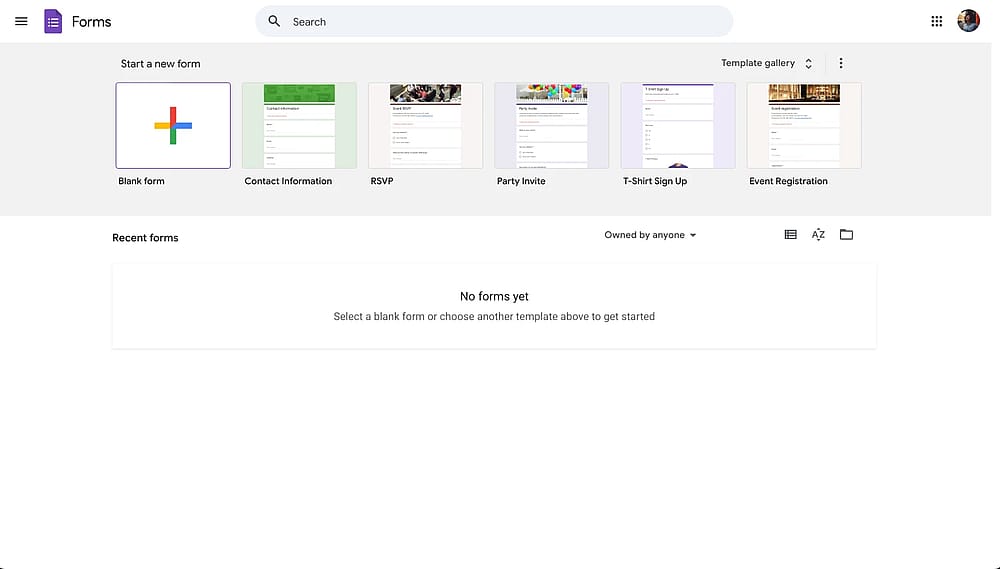
Create a form by clicking the plus button on the Google Forms dashboard
2. Add your questions and statements
At the beginning of the petition, you can explain or summarize your statement in order to help people understand your aim. You might add your questions according to your own needs and requirements, and create your petition on Google Forms.
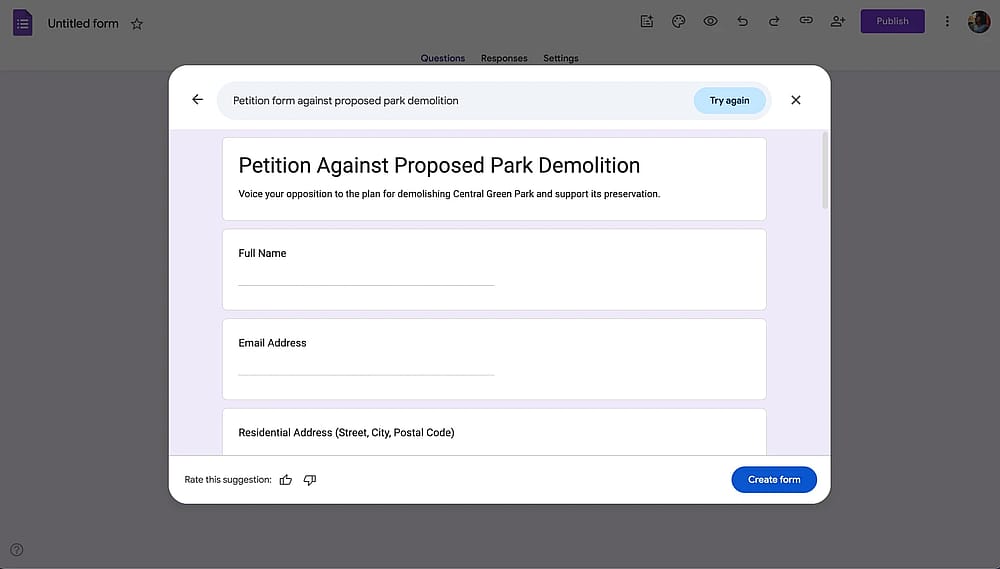
Add form fields and your statement on Google Forms
3. Change the look of your form
You can make changes to the look of your form. You can add pictures or videos, too. Also, you can decide on the type, color, and size of the font. You should not forget to change the color of the background to personalize your petition better.
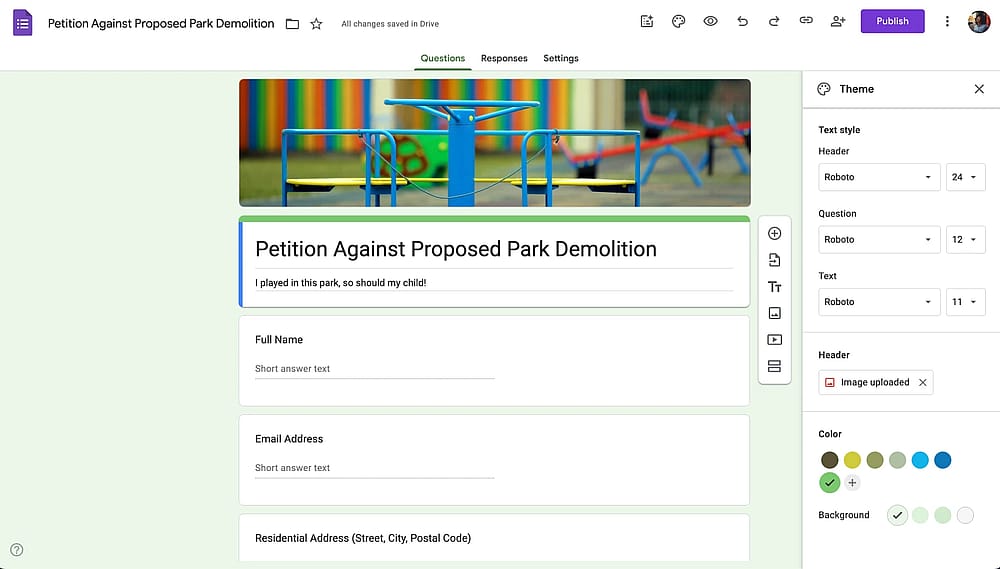
Customize your petition form
4. Test your petition form & share it with the world
After completing the last changes, you can share your petition with your target audience via Google Forms. You can add the names or email accounts to the receiver part. Also, you can add a topic in order to inform the receiver what it is about. Plus, you can add a message for them if you want.
Have a look at our collecting emails via Google Forms article to learn the best practices of collecting emails in your petitions.
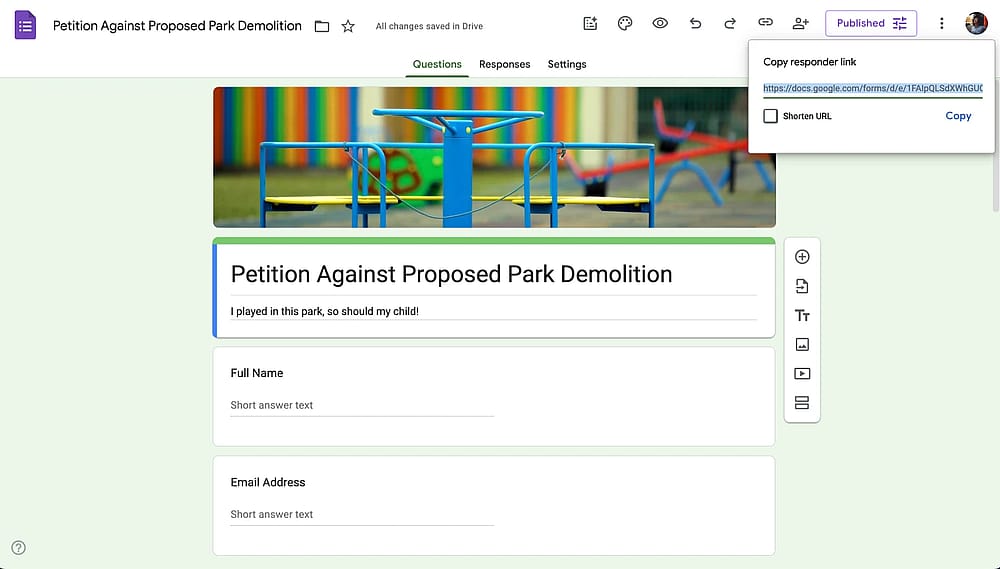
Test your Google Forms petition form and share it
You have a better alternative for creating a petition: forms.app
forms.app is an all-around form builder solution, and it comes with a built-in signature field. On forms.app, you can find many petition templates or use the AI form generator to create one tailored to your needs.
Creating a petition form on forms.app is as easy as it gets and looks much more professional than Google Forms. Also, you can take advantage of the use of collecting electronic signatures on forms.app. Moreover, you can customize your petition as you wish. You should not forget the fact that the more you pay attention to the look of the petition, the more you will look professional, get more participants, and make an impact!
If you want an example before starting, you can have a look at the online petition form of Teddy Atlas, former trainer of Mike Tyson, which he created to make a change in the boxing industry.
How to start a petition online with forms.app
Just like you do with your petitions, forms.app makes a difference with its capabilities! You can create your petition on forms.app by using the signature, explanation, terms & conditions fields, as well as images, videos, step-by-step layout, email notifications, automated PDF generation, and more. Of course, the most effective feature for the petition is the ability to collect electronic signatures right within the forms.
If you want to start a petition in a fast and smart way, here are the basic steps you should follow these basic steps:
1. Create a forms.app account, then simply choose from free form templates, use the AI form generator, import from an existing form, or start with a blank form.
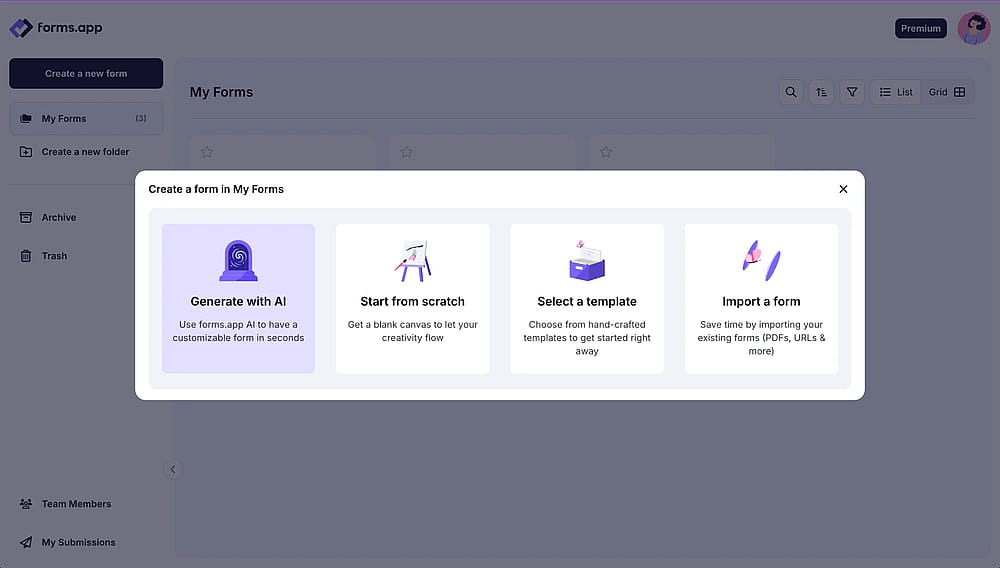
Form creation options on the forms.app dashboard
2. Add your own questions and statements, as well as a signature field to collect e-signatures
Pro tip: You can show a welcome page before the form and explain the reasons why you ask people to sign your petition.
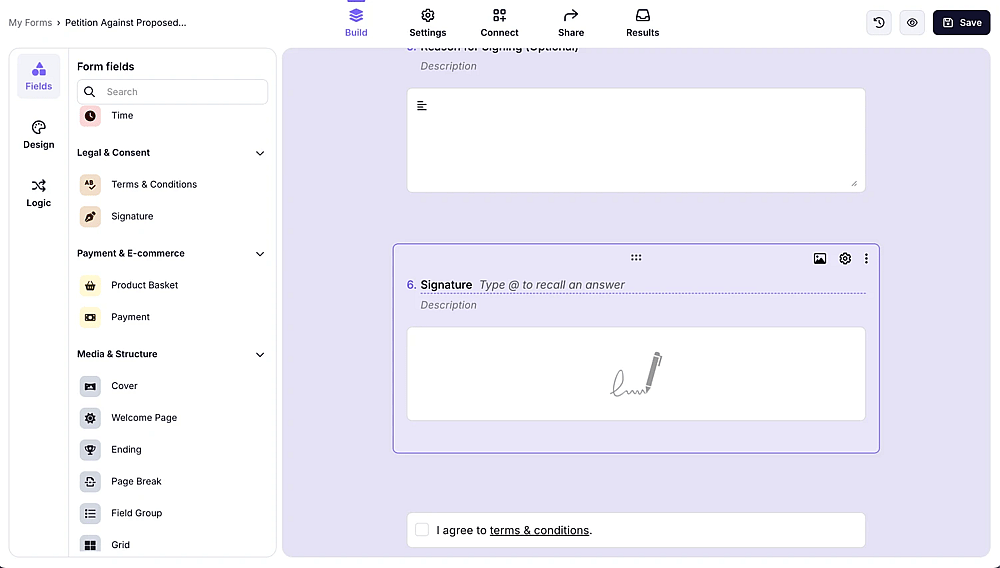
Adding a signature field to a petition form on forms.app
3. Change the theme, font, background, colors, form layout etc. forms.app offers a wide variety of customization options. Let your creativity become vocal too!
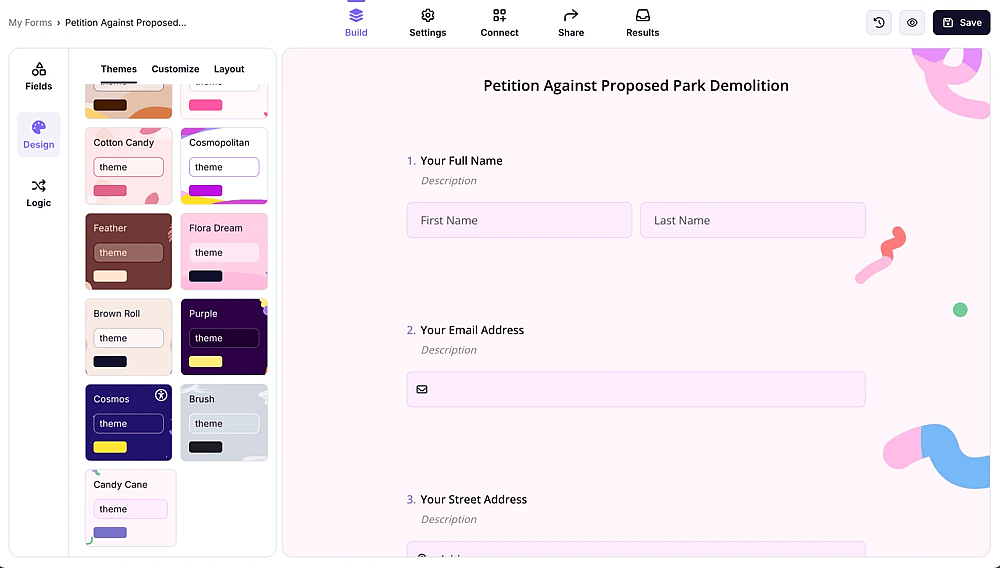
Customize your petition form
4. After checking the final form, you can share your petition with the world and make a real impact. forms.app lets you customize your form URL, create a QR code for your petition, or embed it on your website.
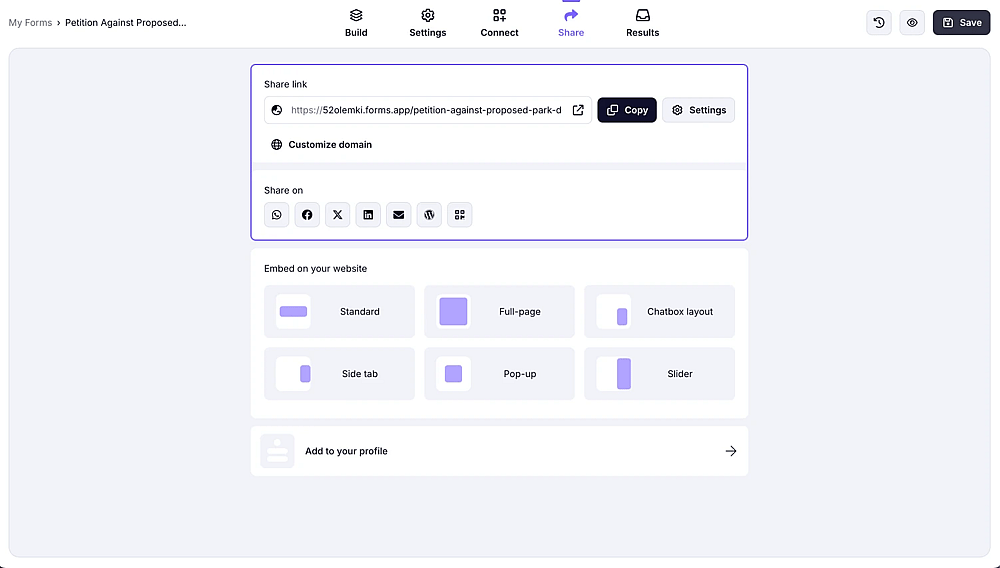
Share your petition form
Tips for running a successful petition online
Now that you have read how to create your petition via Google Forms and forms.app, you know how to deal with it. However, if you want to be one step ahead and look more professional, you will need some tips to follow.
- An effective intro: you can summarize your aim or problem with a few sentences in the beginning by using the spelling of the language.
- Keep it short: The shorter and easier the petition is, the more attendees or employees sign it.
- Consider making it anonymous: Collecting names and other details will ensure that respondents are real people. However, you can guarantee not sharing people’s names or not collecting them at all, if it aligns with your case.
- Pay attention to the look: A well-prepared online form looks simple and elegant at the same time.
Final words
To wrap it all up, sharing an online petition has become very popular lately; on Google Forms, you can create and share your own form with your target audience. By following a few steps, you can complete your petition form quickly. However, you have a better and broader alternative to creating a petition. By following some basic steps, you can create an excellent petition form!
Contributors
Researched & written by
forms.app, your free form builder
- Unlimited responses
- Unlimited questions
- Unlimited team members