Save up to 60% on yearly plans and enjoy our biggest offer of the year. Limited time only. 🍂
See pricing

14 Best SurveyMonkey alternatives for 2026 (features & pricing)
Summarize with
Selecting the right survey platform determines whether your data collection is a success or a sunk cost.
While SurveyMonkey remains a popular choice, its extensive feature set and pricing structure often lead users to look for better-suited or more cost-effective options. If you're searching for the best alternative to SurveyMonkey, the current market is saturated with survey software, each specializing in different areas, from advanced analytics and specific data visualizations to robust mobile compatibility and superior user experience. This competitive landscape makes choosing the right option complex.
We know this firsthand because we've personally tested, deployed, and benchmarked 14 of the leading survey maker tools to identify the true best alternatives to SurveyMonkey.
This isn't just a list; it's an objective comparison built on our in-depth experience with each platform's interface, feature depth, and real-world pricing. In this definitive guide, we provide the evidence you need: a comprehensive review of 14 top alternatives to SurveyMonkey, complete with a breakdown of their specific features, pricing tiers, and the unique use cases where they truly excel.
💡 All tools featured in this content have been updated for 2026 (including features and pricing). Monthly payment options are listed for all tools that offer them.
TL;DR for best alternatives to SurveyMonkey
1. forms.app — Best for teams
2. OrbitForms — Best for qualification and routing in surveys
3. Zonka Feedback — Best for omnichannel surveys with built-in AI analysis
4. SurveySparrow — Best for chatbot-style surveys and multi-channel deployment for CX/EX
5. Drag’n Survey — Best for simple, customizable forms with strong emphasis on reporting
6. Paperform — Best for creative & branded forms with direct payments
7. involve.me — Best for marketing quizzes and lead generation funnels with logic and scoring
8. Sogo Survey — Best for enterprise-grade features with strong security and compliance
9. Typeform — Best for high-conversion conversational surveys
10. Qualtrics — Best for enterprise-level market research and advanced statistical analysis
11. Google Forms — Best for free, unlimited surveys with integration to Google Sheets
12. Zoho Survey — Best for deep integration with the ZOHO ecosystem
13. Formstack — Best for secure, HIPAA/GDPR compliant forms
14. Survicate — Best for in-product, website, and email feedback for product teams and UX
First glance at the top paid & free alternatives to SurveyMonkey
Tool | Standout Feature | Free Plan? | Entry-Level Paid Plan |
forms.app | AI tools for fast form/quiz generation. | 29 USD per month (Basic plan) | |
OrbitForms | AI agent that qualifies and routes people on submission. | 29 USD per month (Pro plan) | |
Zonka Feedback | AI reads every open-text response for themes and sentiment automatically, built into every plan. | Custom pricing | |
SurveySparrow | Chat-style surveys for high completion rates. | 39 USD per month (Basic plan - billed quarterly) | |
Drag’n Survey | Proprietary AI sentiment analysis for text interpretation. | 28 USD per month (Plus plan) | |
Paperform | Built-in commerce and advanced calculation features. | 29 USD per month (Essentials plan) | |
involve.me | Calculator & Formula Builder for complex scoring. | 49 USD per month (Starter plan) | |
Sogolytics | Focus on data security and compliance for regulated industries. | 99 USD per month (Pro plan) | |
Typeform | One-question-at-a-time format for maximizing UX. | 29 USD per month (Basic plan) | |
Qualtrics | Predictive analytics and deep statistical package integration. | Custom pricing | |
Google Forms | Unlimited responses at zero cost on a permanent free plan. | N/A (Only free) | |
Zoho Survey | Native integration with Zoho CRM and 40+ other Zoho apps. | 9 USD per month (Basic plan) | |
Formstack | Certified HIPAA, GDPR, and PCI compliance. | 99 USD per month (forms plan) | |
Survicate | Optimized for CX/PX (microsurveys) and contextual feedback. | 49 USD per month (Growth plan - billed monthly) |
About SurveyMonkey: features & pricing
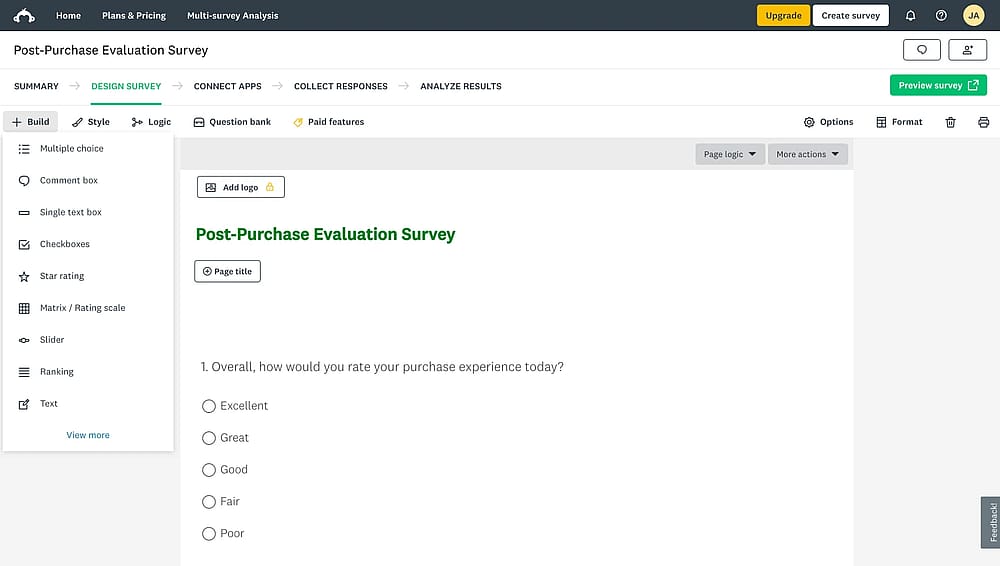
Workspace of SurveyMonkey
SurveyMonkey is a platform dedicated to creating surveys, distributing, and conducting advanced analysis of online surveys. It is recognized for its expert-certified templates and extensive question bank, which ensures users deploy methodologically sound research. Crucially, the platform excels in real-time data analysis, offering tools like cross-tabulation and statistical significance testing to extract actionable insights from large datasets. It also includes advanced features like skip logic and branching for complex, highly relevant surveys.
Below you can find the tool's monthly pricing, but be warned that packages are only billed annually (except Standard Monthly).
Plan Type | Plan Name | Price |
Team plans | Team Advantage | 30 USD per month/user |
Team plans | Team Premier | 92 USD per month/user |
Individual plans | Premier Annual | 139 USD per month/user |
Individual plans | Advantage Annual | 39 USD per month/user |
Individual plans | Standard Monthly | 99 USD per month |
Enterprise plan | Enterprise | Custom pricing |
Methodical approach: How to select the best SurveyMonkey alternative
Selecting the optimal survey platform requires a strategic decision process that moves beyond superficial feature lists and addresses the core limitations users often encounter with SurveyMonkey. Our expert testing framework is based on three critical performance dimensions:
1. Feature depth vs. Pricing structure
- Does the tool offer key advanced features (like advanced branching or custom scoring) on a lower-priced plan, providing better overall value?
- Does the tool impose high response caps or annual user license fees that dramatically increase the Total Cost of Ownership (TCO) at scale compared to SurveyMonkey?
- Is the pricing clear and transparent, or is it difficult to determine the true cost until you need a specific, high-tier feature?
2. Modern respondent & Creator experience
- How engaging and mobile-optimized is the final survey design (e.g., conversational, one-question-at-a-time format)?
- How intuitive is the survey-building UI compared to SurveyMonkey's interface, allowing for faster deployment?
- Does the platform offer modern, AI-enhanced features for quicker question generation or response analysis?
3. Specialization & Integration ecosystem
- Does the alternative specialize in your primary need (e.g., in-product feedback, customer experience, internal HR surveys)?
- How robust are the native integrations with critical external tools ?
- Does the tool offer compliance and support specific to enterprise-level or regulated industries (like GDPR, or ISO standards)?
By prioritizing your selection based on a blend of feature-value density, modern usability, and integration capability, you ensure you select an alternative that is functionally superior and financially sustainable for your specific research goals.
14 SurveyMonkey alternatives you can check
This section details 14 powerful alternatives, providing a breakdown of their key features, pros, cons, and pricing structures to help you choose the perfect survey platform for your needs.
1. forms.app (Best for teams)
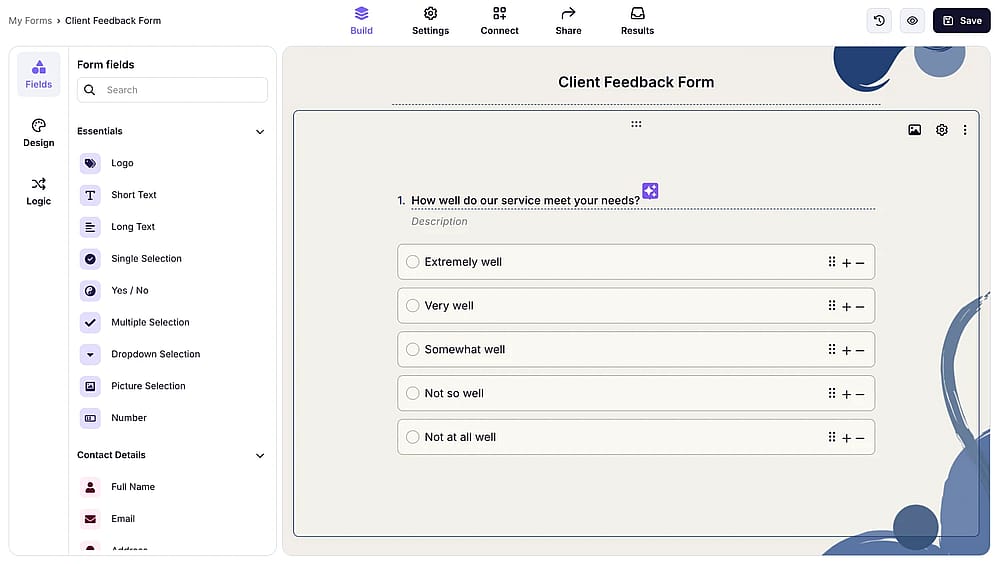
Workspace of forms.app
forms.app is an online form builder that offers a highly accessible entry point without sacrificing advanced features like conditional logic, payment integration, and robust design. It is the top recommendation for users seeking a highly mobile-optimized, conversational-style survey experience at a significantly lower operational cost than SurveyMonkey.
Why it’s a good alternative: Directly addresses two of SurveyMonkey's key limitations: modern design flexibility and pricing opacity. Its highly affordable paid plan provides superior feature density and generous limits, offering a clear, budget-friendly path to advanced features that are often locked behind SurveyMonkey's higher-tier subscriptions.
Pros of forms.app:
- Unlimited responses and seats, even in the free plan.
- New AI tools assist in fast, intelligent form and quiz generation.
- Mobile applications for form distribution and management.
- Conversational surveys and quizzes increase user completion rates.
Cons of forms.app:
- Not as robust or statistically deep as SurveyMonkey's enterprise-grade tools.
- No HIPAA compliance.
forms.app pricing:
- Free plan: ✅
- Basic plan: 29 USD per month
- Pro plan: 39 USD per month
- Premium plan: 79 USD per month
2. OrbitForms (Best for qualification and routing in surveys)
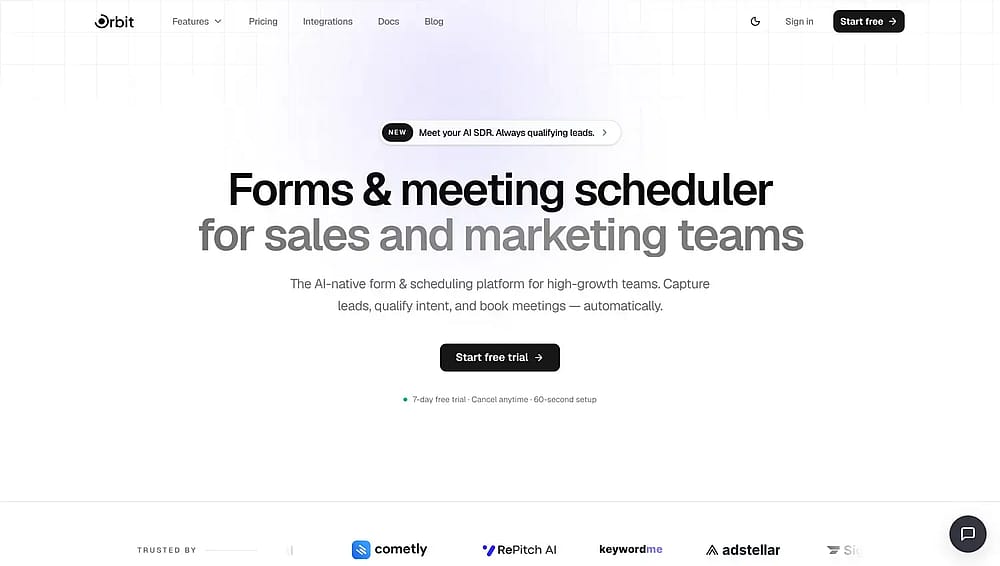
Homepa of OrbitForms
OrbitForms is a form and survey platform built for revenue teams. It is the top recommendation for a specific type of SurveyMonkey user: the marketing team that adopted a survey tool.
Why it's a good alternative: SurveyMonkey is built to analyze what a population thinks; OrbitForms is built to decide what to do about one respondent. Its AI agent classifies each submission against an ideal customer profile, routes it to your CRM or other tools, and offers the respondent a calendar slot. If your surveys are quietly functioning as lead forms, this closes a gap SurveyMonkey never fills.
Pros of OrbitForms:
- Qualifies and routes leads automatically at the moment of submission.
- Includes a meeting scheduler with calendar sync and round robin assignment.
- Connects natively to HubSpot, Slack, Clay, and Zapier through a visual workflow builder.
- Supports both standard and one-question-at-a-time form formats.
Cons of OrbitForms:
- Offers no statistical analysis, cross-tabulation, or question bank of any kind.
- No permanent free plan, only a 7-day trial across all tiers.
- Response limits are low for research use, starting at 1,000 per month.
OrbitForms pricing:
- Free plan: ❌ (7-day trial)
- Pro: 29 USD per month
- Business: 149 USD per month
- Advanced: 249 USD per month
3. Zonka Feedback (Best for omnichannel surveys with built-in AI analysis)
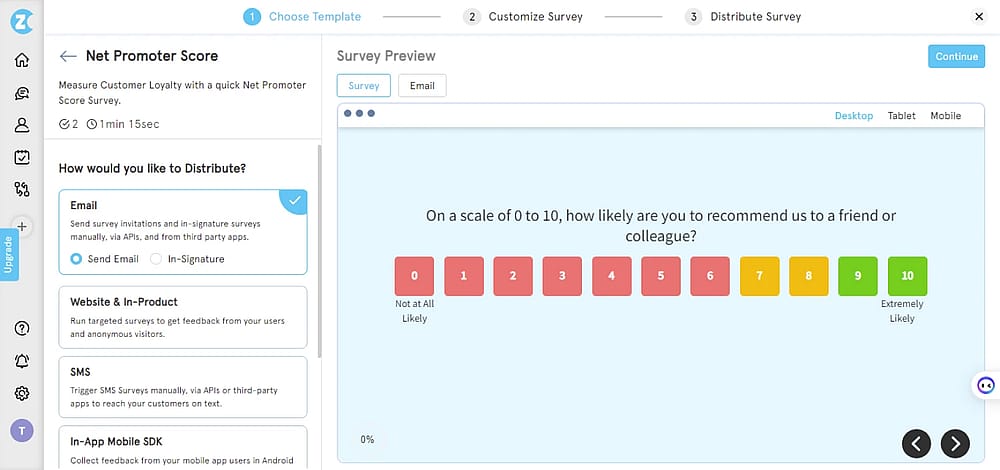
Workspace of Zonka Feedback
Zonka Feedback is an AI-powered survey and feedback platform that pairs straightforward survey creation with built-in AI analysis of every response, so you're not left combing through the data on your own.
Why it's a good alternative: Directly addresses one of SurveyMonkey's most common complaints: it collects responses well but leaves the analysis work to you. Zonka reads every open-text response for themes and sentiment automatically and adds channels SurveyMonkey doesn't offer, like WhatsApp, SMS, and in-app surveys.
Pros of Zonka Feedback:
- Omnichannel distribution across email, SMS, WhatsApp, web, in-app, kiosks, and QR codes, not just web links and email.
- AI reads every open-text response for themes and sentiment automatically, built into every plan rather than sold separately.
- 25+ question types with skip logic and branching for more complex, multi-path surveys.
- White-label branding keeps every survey looking like your own, not like a third-party form.
Cons of Zonka Feedback:
- No published self-serve pricing, so you'll need to talk to sales to get a quote.
- The added analysis depth means a slightly steeper setup than the most bare-bones form builders.
Pricing:
- Free plan: ❌
- Free trial available, custom pricing is based on survey volume and features needed, quoted after a scoping call rather than published upfront.
4. SurveySparrow (Best for conversational surveys and CX/EX engagement)
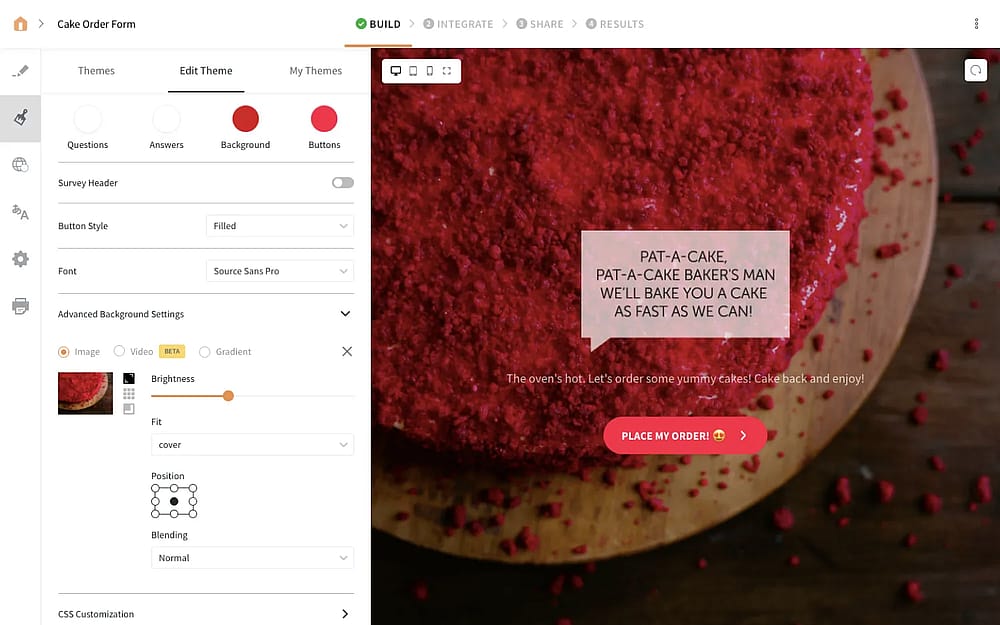
Workspace of SurveySparrow
SurveySparrow is a global experience management platform renowned for transforming traditional, monotonous questionnaires into engaging, conversational surveys.It is the top recommendation for businesses and HR departments focused on CX and EX that require higher engagement than traditional survey tools like SurveyMonkey provide.
Why it’s a good alternative: Its is proven to boost response rates, offering better value for marketing and internal feedback teams. Furthermore, its advanced CX features, like Reputation Management and the ability to convert survey feedback into support tickets, provide specialized functionality that goes beyond SurveyMonkey's core offerings.
Pros of SurveySparrow:
- Chat-style surveys lead to demonstrably higher completion rates.
- Built-in tools for 360-degree assessments, NPS tracking, and reputation management.
- Omnichannel sharing via email, SMS, chat, and offline data collection.
- Offers strong feature density and response limits on lower-tier plans compared to SurveyMonkey.
Cons of SurveySparrow:
- Built-in analysis is less comprehensive than SurveyMonkey's robust statistical suite.
- Creating complex logic or managing advanced settings can be less intuitive than simpler builders.
- Cost can escalate quickly as contact lists and specialized CX/EX tools are added.
SurveySparrow pricing:
- Free plan: ❌
- Basic: 39 USD per month (billed quarterly - 600 responses)
- Starter: 59 USD per month (billed quarterly - 3,600 responses)
- Business: 149 USD per month (billed quarterly - 12,000 responses)
5. Drag’n Survey (Best for simple, customizable forms with AI-driven analysis)
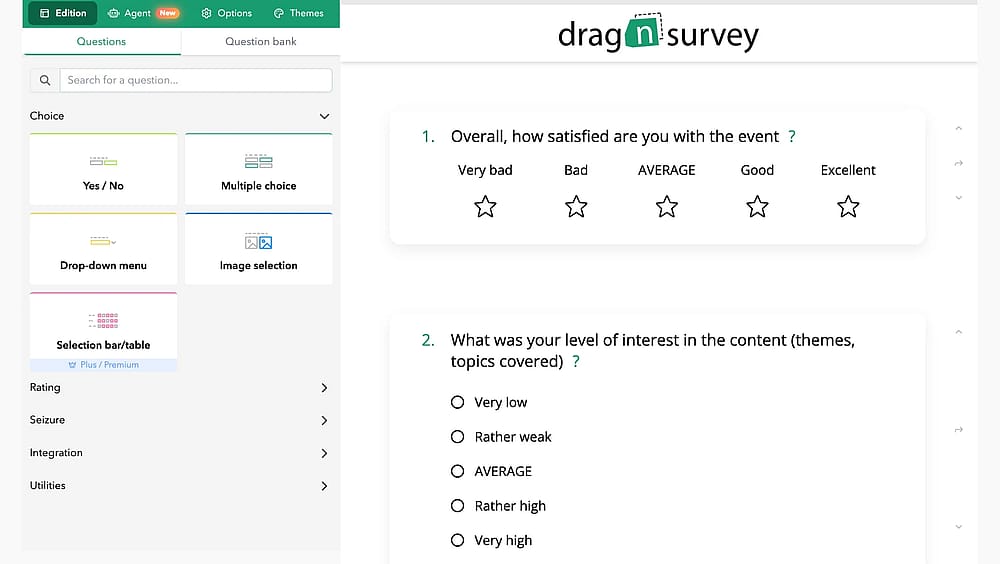
Workspace of Drag’n Survey
Drag’n Survey is an online survey platform that successfully combines simplicity with advanced data analysis features. It is the top recommendation for organizations that prioritize ease of deployment and AI-powered analysis capabilities that streamline qualitative data processing, which often requires significant manual effort in traditional platforms like SurveyMonkey.
Why it’s a good alternative: While SurveyMonkey provides deep statistical tools, Drag'n Survey stands out with its proprietary AI-powered sentiment analysis module. This feature automatically interprets open-text responses to deliver valuable qualitative data at speed, saving significant time compared to manual coding. Furthermore, its straightforward, all-inclusive pricing structure can offer better value than SurveyMonkey's tiered plans.
💡 Editor’s experience: After collecting hundreds of open-text responses, the AI sentiment analysis automatically identified the top 3 pain points in customer comments, saving our analyst team days of manual coding.
Pros of Drag’n Survey:
- Interprets qualitative text responses for fast, actionable insights.
- Simple drag-and-drop builder allows for quick survey creation and deployment.
- Strong commitment to GDPR and data security, appealing to EU and privacy-conscious users.
- Extensive library of pre-designed, effective survey templates.
Cons of Drag’n Survey:
- Less known globally compared to giants like SurveyMonkey and Qualtrics.
- May offer a smaller integration library than established, larger platforms.
- Advanced statistical modeling is less robust than SurveyMonkey's high-end enterprise tools.
Drag’n Survey pricing:
- Free plan: ✅
- Plus: 28 USD per month
- Premium: 47 USD per month
- Enterprise: Custom pricing
6. Paperform (Best for creative & branded forms with direct payments and custom calculators)
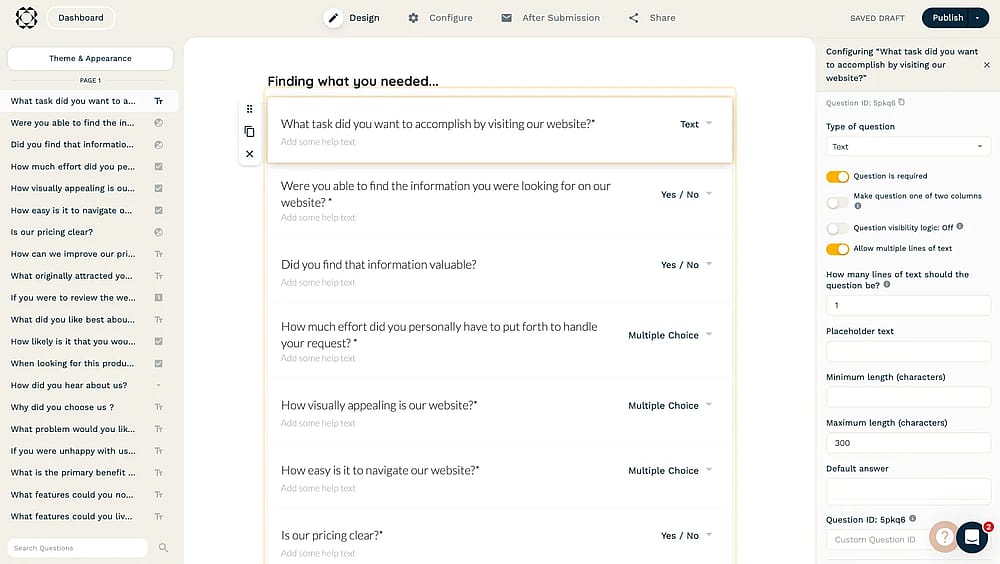
Workspace of Paperform
Paperform is a versatile online form builder that empowers users to create highly attractive, custom-designed forms, surveys, and product pages that function like mini-landing pages. It is the top recommendation for marketers and small businesses looking to accept direct payments, manage bookings, and create beautiful, highly branded experiences that standard survey tools like SurveyMonkey cannot easily replicate.
Why it’s a good alternative: Unlike SurveyMonkey, which focuses primarily on data collection and statistical analysis, Paperform provides advanced built-in features for calculations, custom pricing rules, and multiple payment integrations. This makes it a superior choice for selling products, offering dynamic quotes, or accepting donations directly through the form with powerful branding control.
💡 Editor’s experience: The reporting and basic data filtering were less statistically advanced than I expected.
Pros of Paperform:
- Near-limitless customization, including custom HTML/CSS, to perfectly match any brand.
- Seamless support for payments, subscriptions, and inventory management within the form.
- Powerful conditional logic and Excel-style functions for quizzes or price quotes.
- Offers thousands of integrations via native connectors and third-party tools.
Cons of Paperform:
- Built-in reporting is less statistically advanced than SurveyMonkey’s core analytics.
- Unlike SurveyMonkey, it does not offer a permanent free plan, only a free trial.
- The core strength is in form/landing page creation, not complex multi-user research workflows.
Paperform pricing:
- Free plan: ❌ (only free trial)
- Essentials: 29 USD per month
- Pro: 59 USD per month
- Business: 159 USD per month
7. involve.me (Best for marketing quizzes and lead generation funnels with logic and scoring)
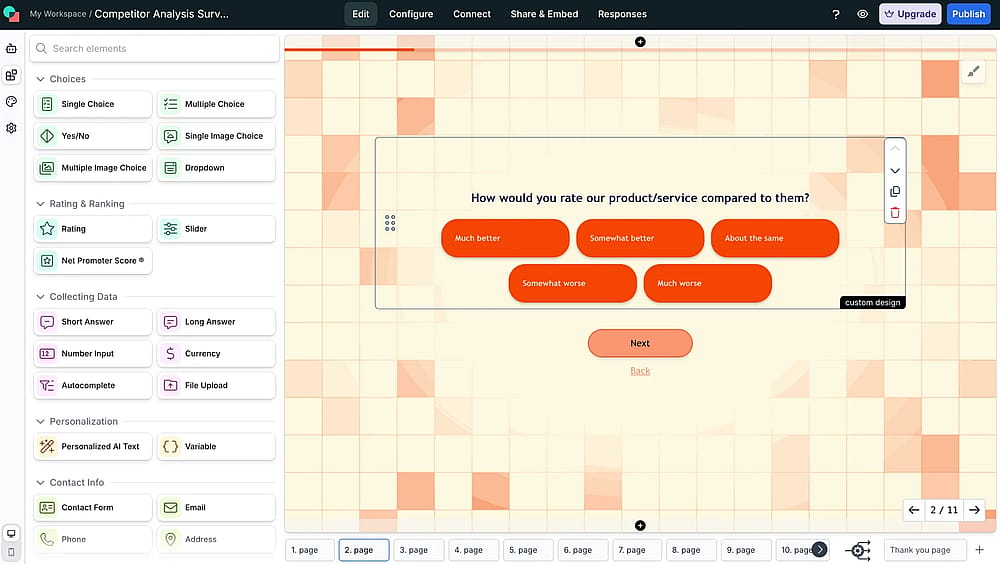
Workspace of involve.me
involve.me is a powerful SurveyMonkey competitor built around the principle of interactive content for lead generation. It is the top recommendation for users who want to move beyond simple data collection and use interactive tools to qualify leads, personalize offers, and drive sales through a robust marketing funnel, areas where SurveyMonkey lacks specialized features.
Why it’s a good alternative: Its advanced calculator & formula builder and sophisticated conditional logic allow users to create complex scoring mechanisms and price quotes, a capability mostly absent in SurveyMonkey. Coupled with its Detailed Funnel Analytics and deep native integrations with CRMs, it is a demonstrably better tool for lead segmentation and pipeline nurturing.
Pros of involve.me:
- Specialized tools like the Calculator Builder and Funnel Analytics are ideal for lead qualification.
- Includes an AI Form Builder, AI Text Generator, and AI Reports for rapid content creation and insight extraction.
- Native connections with top marketing and sales automation platforms.
- Easily create branded, visually appealing, and dynamic content assets.
Cons of involve.me:
- Not intended for complex, academic-style statistical research compared to SurveyMonkey.
- The powerful logic and calculation features require a moderate investment of time to master.
- Costs can escalate quickly once high lead volumes or advanced feature tiers are required.
involve.me pricing:
- Free plan: ✅
- Starter: 49 USD per month
- Pro: 99 USD per month
- Business: 199 USD per month
8. Sogolytics (Best for comprehensive, enterprise-grade features with strong security and compliance)
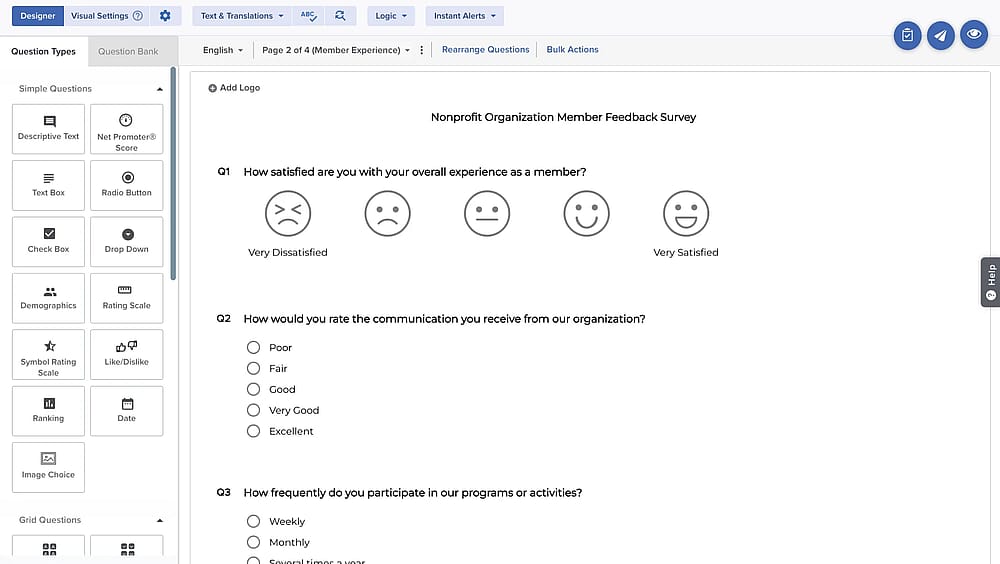
Workspace of Sogolytics
Sogolytics is a powerful, enterprise-grade survey maker tool with a strong emphasis on feature depth, security, and data automation. It allows users to create a wide variety of surveys using diverse question types and advanced logic functions that ensure data quality. It offers robust 3rd party integrations for automation, and provides the security and compliance required by large corporate environments, competing directly with the high-end offerings of SurveyMonkey.
Why it’s a good alternative: While both platforms offer advanced features like Skip Logic and a large Question Bank, Sogolytics is frequently chosen for its superior focus on compliance and data security, making it an attractive option for regulated industries.
Pros of Sogolytics:
- Appeals to larger organizations with strict data governance needs.
- Easy automation of surveys and data transfer using 3rd party integrations.
- Provides immediate, powerful access to collected data for quick decision-making.
Cons of Sogolytics:
- The user interface can feel more traditional and less modern than newer, design-focused competitors.
- Mastering all of the complex settings may take more time than with simpler builders.
- While powerful, it still has less global brand recognition than SurveyMonkey.
Sogolytics pricing:
- Free plan: ✅
- Pro: 99 USD per month
- Pro Max: 199 USD per month
- Enterprise: Custom pricing
9. Typeform (Best for high-conversion conversational surveys and beautiful, mobile-first design)
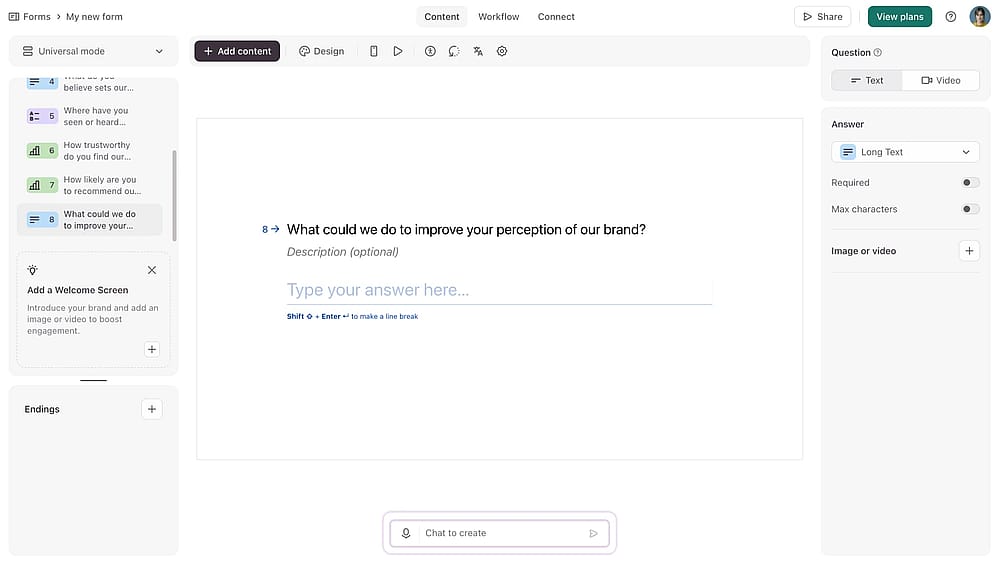
Workspace of Typeform
Typeform is a visually driven survey and form builder that pioneered the conversational survey experience. The platform presents one question at a time, resulting in a highly engaging and mobile-optimized interaction that feels more like a chat than a traditional questionnaire. It is a premium alternative to SurveyMonkey, emphasizing user experience (UX) and conversion optimization for marketing and customer feedback.
Why it’s a good alternative: The one-question-at-a-time format, combined with features like Logic Jumps and Conditional Logic, makes the survey personalized and reduces fatigue, leading to higher completion rates than multi-page forms. Its inclusion of a Calculator and the ability to Accept Payment also gives it versatility for lead qualification and order forms, going beyond SurveyMonkey's core research focus.
Pros of Typeform:
- Conversational interface and elegant design templates maximize completion rates on all devices.
- Allows for complex, personalized survey paths based on previous answers.
- Can be used for quizzes, order forms, and applications due to the built-in Calculator and payment acceptance.
- Excellent options for customization and embedding for seamless integration into a website.
Cons of Typeform:
- Generally more expensive than SurveyMonkey, especially for accessing advanced features.
- Even paid plans often include strict response limits, which can be restrictive for high-volume research.
- Reporting features are focused on conversion metrics and data flow rather than complex statistical tests.
Typeform pricing:
- Free plan: ✅
- Basic: 29 USD per month
- Plus plan: 59 USD per month
- Business plan: 99 USD per month
- Growth essentials: 166 USD per month
- Growth pro: 291 USD per month
10. Qualtrics (Best for Enterprise-Level Market Research and Advanced Statistical Analysis)
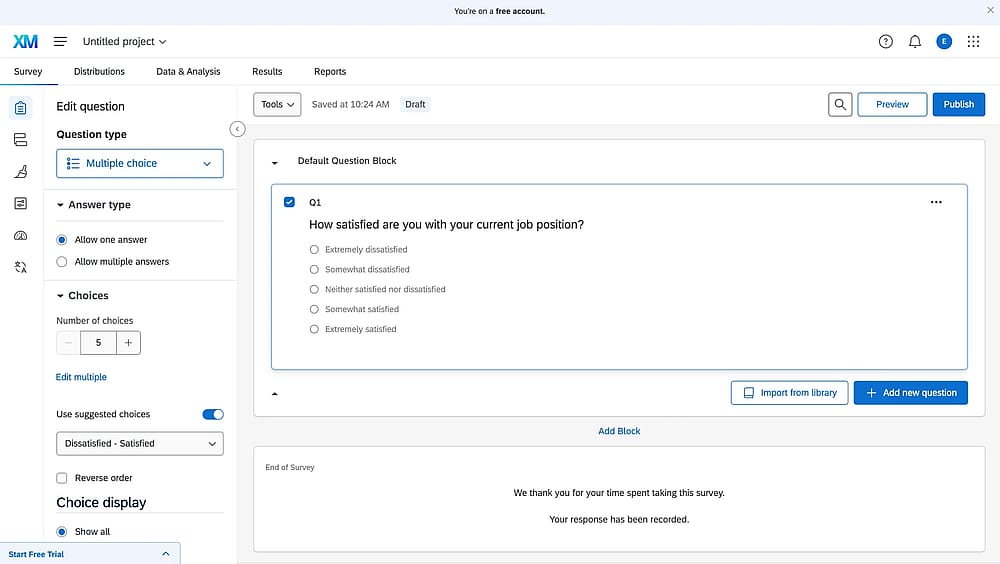
Workspace of Qualtrics
Qualtrics is the industry-leading platform for Experience Management (XM), offering a sophisticated suite of tools that go far beyond basic survey creation. It is specifically designed to manage the four core experiences: Customer (CX), Employee (EX), Product (PX), and Brand (BX).
Why it’s a good alternative: While SurveyMonkey is accessible, Qualtrics excels in features like advanced weighting, statistical package integration, and predictive analytics. Its Question Library is vast and methodologically sound, and its comprehensive security and compliance features make it the preferred choice for collecting sensitive, high-volume data within regulated environments.
💡 Editor’s experience: The platform is overwhelmingly complex for small projects.
Pros of Qualtrics:
- Unmatched capabilities for complex, academic, and enterprise-level research.
- Dedicated modules for CX, EX, PX, and BX, providing a holistic view of data.
- Superior statistical tools, including real-time response Monitoring and deep data filtering.
- Highest levels of security and enterprise-level governance features.
Cons of Qualtrics:
- More expensive than SurveyMonkey, often requiring custom enterprise quotes.
- The vast array of features and options can be overwhelming for casual or small-scale users.
- The focus is on data rigor and functionality, so the user interface is less visually modern than Typeform or forms.app.
Qualtrics pricing:
- Free plan: ❌
- Custom pricing
11. Google Forms (Best for free, unlimited surveys with seamless integration to Google Sheets)
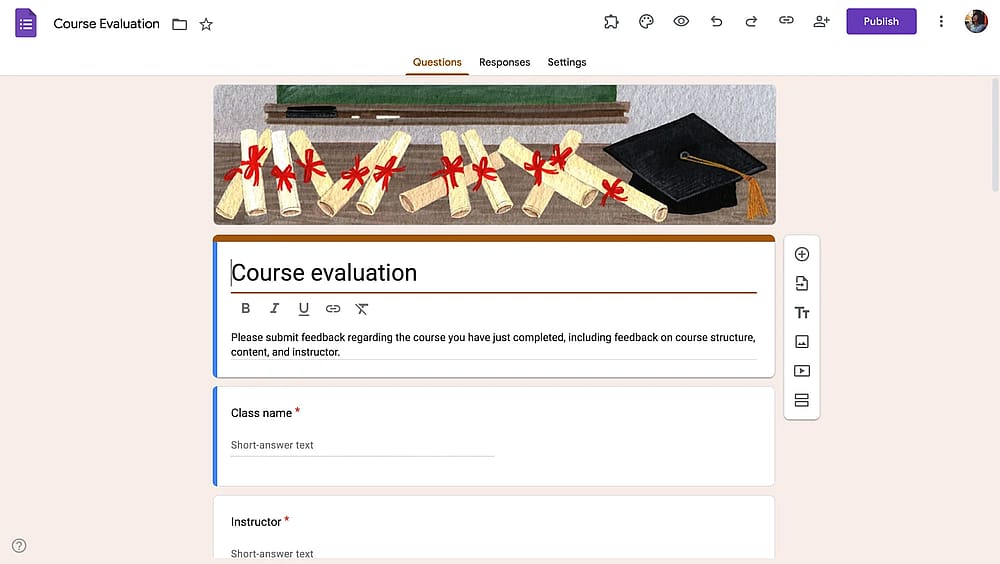
Workspace of Google Forms
Google Forms is one of the best free alternative to SurveyMonkey that is integrated seamlessly within the Google Workspace ecosystem. It is the top recommendation for budget-conscious individuals, educators, small teams, and anyone heavily reliant on Google Sheets for data analysis. It serves as the most accessible and cost-effective alternative to SurveyMonkey for basic data collection needs.
Why it’s a good alternative: Google Forms offers unlimited responses for free. While its feature set is basic, its ease of use, instant data synchronization with Google Sheets, and accessibility from all devices make it an invaluable tool for quick polls, registration forms, and simple data capture where advanced features are not required.
💡 Editor’s experience: The lack of advanced logic and minimal customization meant I couldn't run a sophisticated, branded survey. I had to choose simplicity over functionality.
Pros of Google Forms:
- Offers unlimited responses and forms at no cost, making it the most affordable option.
- Instant, powerful data flow directly into Google Sheets for quick analysis.
- Works on all devices and can be used without an internet connection (via Google Drive setup).
- Extremely easy-to-use interface with simple customization of fonts and colors.
Cons of Google Forms:
- Lacks advanced logic, statistical analysis tools, and sophisticated question types found in SurveyMonkey or Qualtrics.
- Customization is minimal, and the final design is visually less engaging than Typeform or Paperform.
- Does not offer enterprise compliance (like HIPAA) required for sensitive research.
Google Forms pricing:
- Free plan: ✅
12. Zoho Survey (Best for deep integration with the Zoho ecosystem and extensive multi-language support)
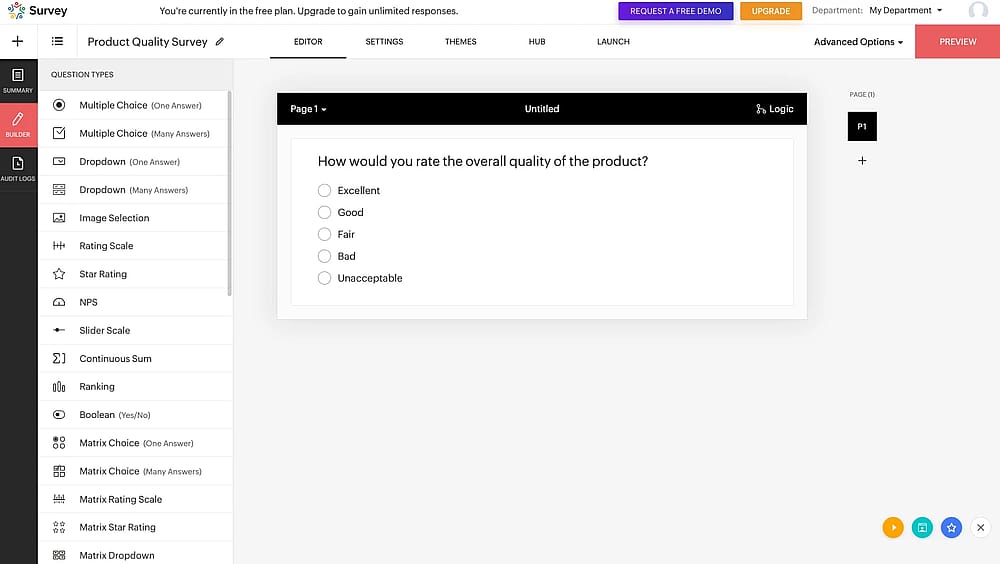
Workspace of Zoho Survey
Zoho Survey is a survey builder that stands out due to its user-friendly interface. It offers a wide variety of question types and advanced logic to help users capture precise results. It is the top recommendation for organizations and businesses that are already utilizing other Zoho products and require a cost-effective, seamless survey solution, offering a compelling blend of features and value that competes well against SurveyMonkey.
Why it’s a good alternative: Its greatest strength, however, is its ecosystem advantage. Users gain significant operational value by leveraging its native integrations, allowing for automatic data flow, real-time data updates in Zoho CRM, and powerful Feedback Management across the business. The platform's ability to create surveys in multiple languages also offers a global reach that many standard builders lack.
Pros of Zoho Survey:
- Deep, native, and seamless integration with Zoho CRM, Desk, and over 40 other Zoho applications.
- Provides a generous free plan and highly competitive pricing for advanced features.
- Easily create and manage surveys in numerous languages for global audiences.
- Includes powerful tools like Skip Logic and Scoring for sophisticated data capture.
Cons of Zoho Survey:
- The true power of the tool is diminished if the user is not integrated into the wider Zoho ecosystem.
- Reporting is primarily designed for operational data flow rather than advanced statistical research.
- While user-friendly, the design customization is generally less modern than Typeform or Paperform.
Zoho Survey pricing:
- Free plan: ✅
- Basic: 9 USD per month
- Plus: 35 USD per month
- Pro: 49 USD per month
- Enterprise: 109 USD per month
13. Formstack (Best for secure, HIPAA/GDPR compliant forms and workflow automation for business)
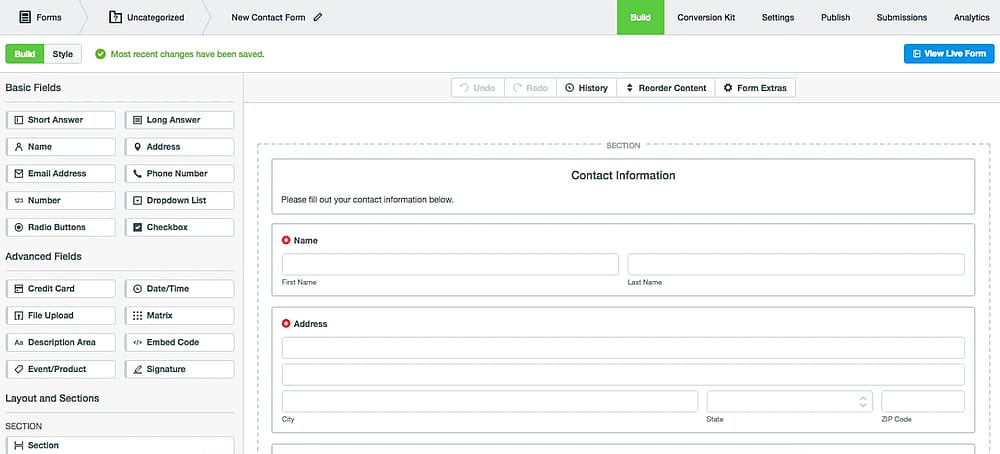
Workspace of Formstack (Source: Formstack)
Formstack is a powerful data collection platform renowned for its exceptional focus on security, data compliance, and workflow automation. It serves as a superior alternative to SurveyMonkey when storing private information and integrating data into complex business processes are the absolute highest priorities.
Why it’s a good alternative: Its ability to securely store private information and provide certified compliance makes it essential for medical, finance, and legal sectors. While it does not offer a free plan and its entry-level features may seem limited for the price, its value is derived from its robust, mobile-friendly security infrastructure and its Conditional Logic used to power complex, automated business workflows, making it a critical operational tool rather than just a simple survey creator.
Pros of Formstack:
- Strong capability for integrating data directly into business processes.
- Dedicated features for securely storing private information.
- Ready-made Templates and Conditional Logic support sophisticated form construction.
Cons of Formstack:
- A significant barrier to entry for small businesses or casual users.
- Membership plans are relatively expensive, and the core features are focused on compliance rather than raw survey analytics.
- The reporting features are less focused on statistical analysis compared to SurveyMonkey.
Formstack pricing:
- Free plan: ❌
- forms: 99 USD per month
- suite: 299 USD per month
14. Survicate (Best for in-product, website, and email feedback for Product Teams and UX)
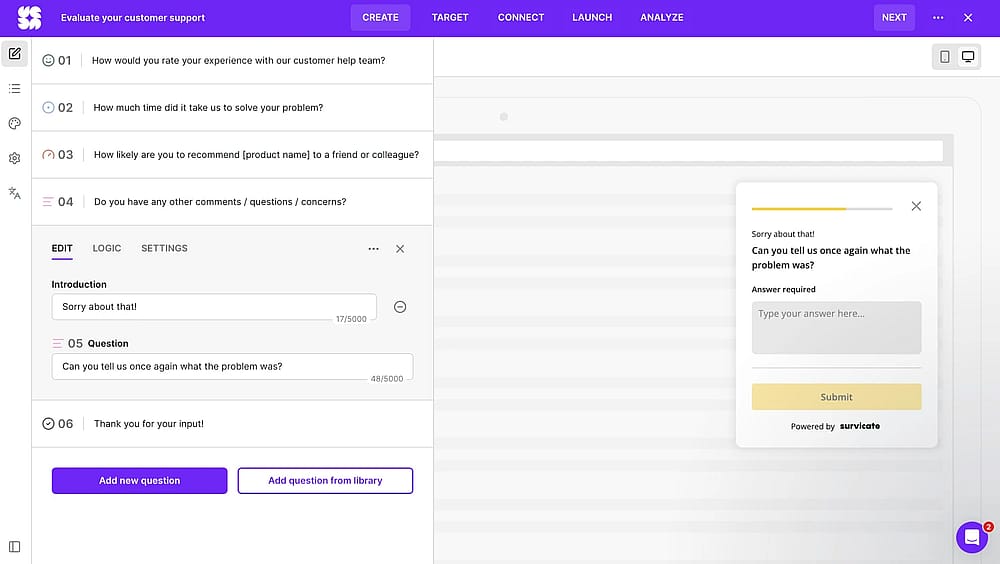
Workspace of Survicate
Survicate is a powerful customer feedback platform designed primarily for gathering feedback directly within the user experience. It is the top recommendation for Product Managers, UX Designers, and e-commerce teams who need to understand user behavior and capture anonymous feedback precisely at the point of experience.
Why it’s a good alternative: This distinction makes it superior for Customer Experience (CX) and Product Experience (PX) professionals. While both offer Conditional Logic and Notifications, Survicate's strength lies in its lightweight deployment scripts and native integrations, which allow for effortless data enrichment and closed-loop feedback management.
Pros of Survicate:
- Ideal for deploying unintrusive Net Promoter Score, Customer Satisfaction, and Exit-Intent surveys.
- Strong, native connections with major CRMs, marketing automation, and customer support platforms.
- Dedicated features to collect sensitive feedback while protecting respondent's identity.
- Manage and view surveys and real-time notifications via its dedicated mobile app.
Cons of Survicate:
- Not intended for complex, academic-style statistical or quantitative studies like Qualtrics or SurveyMonkey's high tiers.
- Costs can increase rapidly based on the number of unique user contacts/views being tracked.
- Focuses on functional, quick-to-complete surveys rather than highly decorative or custom-branded designs.
Survicate pricing:
- Free plan: ✅
- Starter: 79 USD per month (100 responses)
- Growth: 49 USD per month (100 responses)
- Volume: From 299 USD per month
- Pro: From 299 USD per month
- Enterprise: From 499 USD per month
Conclusion: The Best SurveyMonkey alternative for you
The best choice depends on your focus. The market offers specialized tools that beat SurveyMonkey on specific fronts:
If you need... | Choose… | Because it offers... |
Best Value & AI Tools | forms.app | High feature density and conversational design with unlimiteed submissions. |
Highest Engagement (Conversions) | Typeform | Premium, conversational design for maximum completion rates. |
Enterprise Research & Stats | Qualtrics | Deepest statistical analysis and enterprise-grade security. |
Free & Unlimited Responses | Google Forms | Zero-cost surveys with seamless Google Sheets integration. |
In-Product/UX Feedback | Survicate | Contextual micro-surveys for product and website teams. |
HIPAA/GDPR Compliance | Formstack | Robust security and certified compliance for sensitive data. |
Frequently asked questions (FAQs)
Google Forms is the cheapest, offering unlimited surveys and responses for free. For the lowest-cost paid plan with advanced features, forms.app and Zoho Survey offer highly competitive entry-level pricing.
While SurveyMonkey is popular, many alternatives offer better value (more features on lower-priced plans), a more modern/conversational user experience (higher completion rates), or specialized features (like lead generation, in-product feedback, or deep statistical analysis) that SurveyMonkey may lack or lock behind high-tier plans.
Contributors
forms.app, your free form builder
- Unlimited responses
- Unlimited questions
- Unlimited team members