
forms.app logoforms.app logo
  • Products
    • Survey Maker

      Gather meaningful insights

    • Quiz Maker

      Make trivia and quizzes

    • Poll Maker

      Start online polls

    • Store Builder

      Sell products through forms

    • Test Maker

      Make online tests and exams

    • AI Form Generator

      Generate a form in seconds

    • AI Survey Maker

      Create your survey with AI

    • AI Quiz Maker

      Make a quiz in a smart way

    Slack LogoGoogle Drive Logo
    Notion LogoGoogle Calendar Logo
    Intercom LogoDiscord Logo
    HubSpot LogoActiveCampaign Logo

    500+ Integrations

    Integrate your forms with your apps and create automated workflows that work for you.

    Explore all integrations
  • Integrations
  • Templates
  • Templates
    • Forms
      • Application forms
      • Booking forms
      • Contact forms
      • Consent forms
      • Payment forms
      • Registration forms
    • Surveys
      • Customer satisfaction surveys
      • Employee Satisfaction Surveys
      • Feedback Surveys
      • Marketing Surveys
      • Product Surveys
      • Research Surveys
    • Quizzes
      • Personality Quiz
      • General Knowledge Quiz
      • Vocabulary Quiz
      • Trivia Quiz
      • Science Quiz
      • Webinar Quiz
    Explore all templates

    By Type

    • Education Forms
    • Event Forms
    • Marketing Forms
    • Human Resources Forms
    • Sales Forms
    • IT Forms
  • Resources
    • Blog

      Guides, news, inspirations & more

    • Help-Center

      Carefully created articles to assist you

    • Contact us

      Ask a question or get assistance

    • Security

      Learn about our commitment to security

    • Enterprise

      Learn about enterprise solutions

    • Community

      Ask questions and share feature ideas

    About us

    We’re on a mission to build the easiest online form builder and make data collection effortless for everyone.

    Read our story
  • Pricing
  • Log in
    Sign up
Log in
Sign up
My forms
  • Home
  • Help
  • Results & Statistics
  • Insights

Insights

Insights is an overview section within the Results page. It allows you to quickly see how many responses/views you get, average submission time, submission percentage, locations, devices, languages, and a timeline chart. Plus, you can ask for AI analysis and apply filters, for free!

How can you use insights to make sense of your data?

Here is what you can find under insights and how to use them:

  • Apply filters: On top of the insights, you have the filters. This section allows you to filter the insights based on a timeline, location, device, or language.
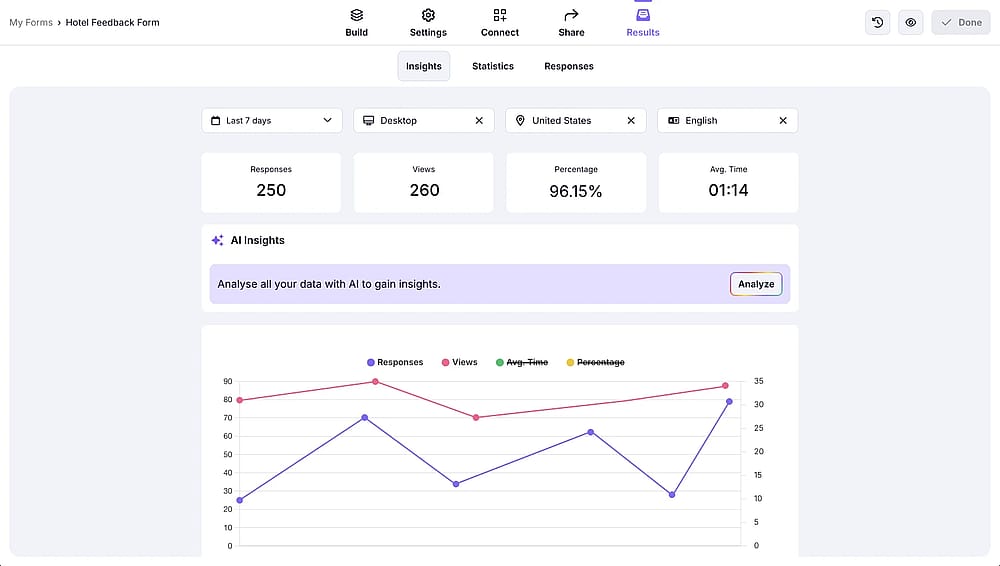
An image showing filters within Insights

An image showing filters within Insights

  • See the overview: A straight forward way to see number of responses, views, average submission time, and submission percentage.
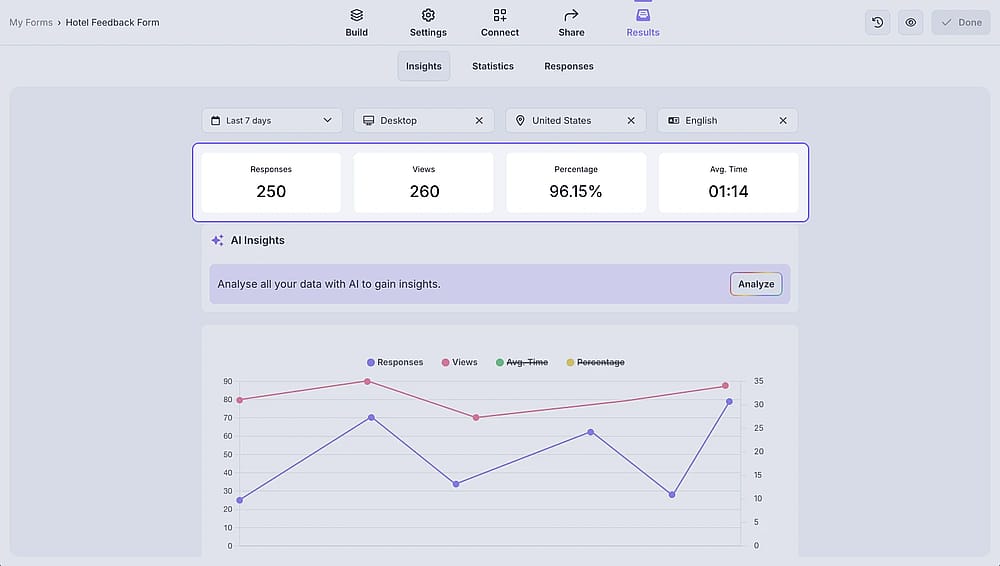
An image showing numbers related to form responses within Insights

An image showing numbers related to form responses within Insights

  • Generate AI insights: The quick and intelligent way to analyze form responses. Just click analyse and select the form fields; that’s it. Learn more about AI insights.
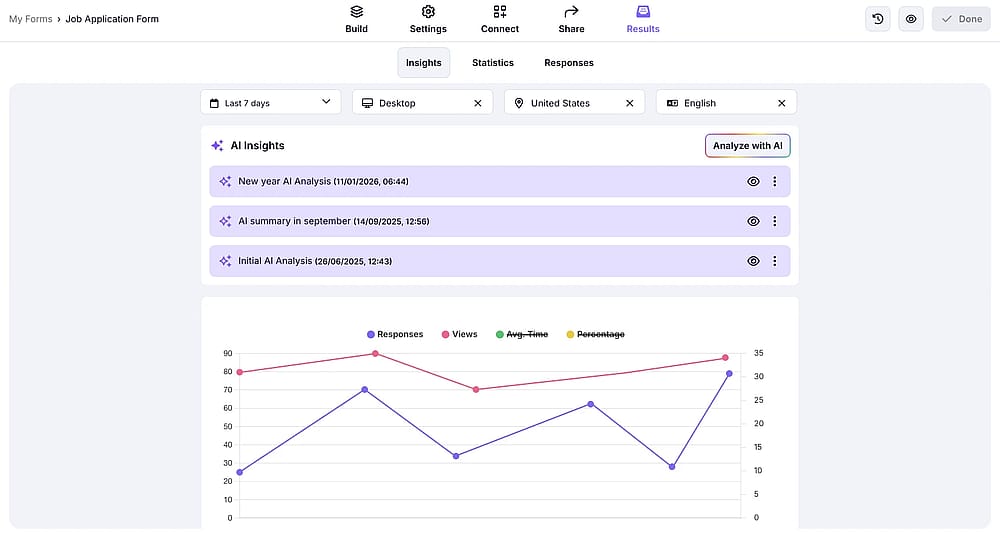
An image showing AI insights

An image showing AI insights

  • See the timeline: The timeline chart helps you see the patterns more clearly.
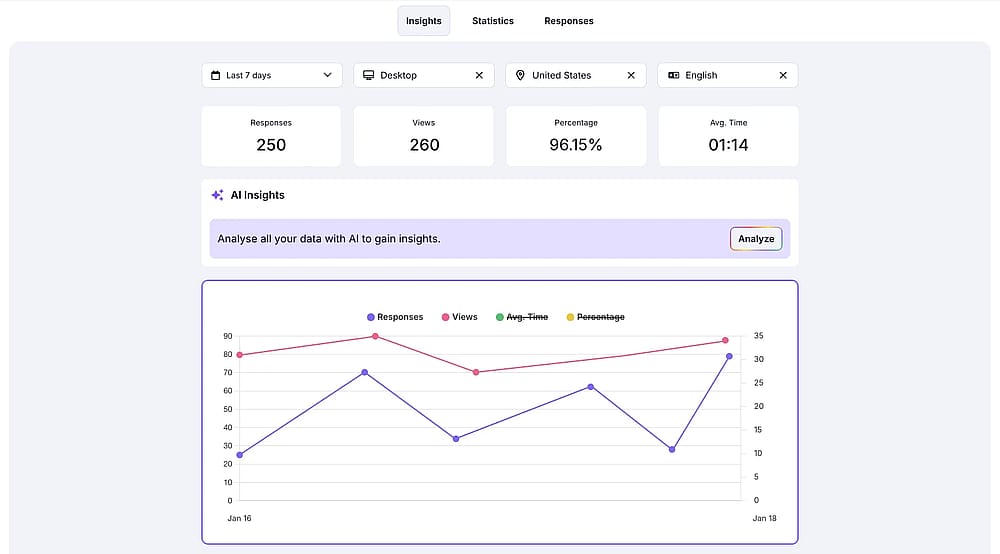
An image showing the timeline chart within Insights

An image showing the timeline chart within Insights

  • Check the locations where the forms are submitted: If you are wondering where people are opening and submitting your forms, then simply click on “Location” while you are on the statistics page.
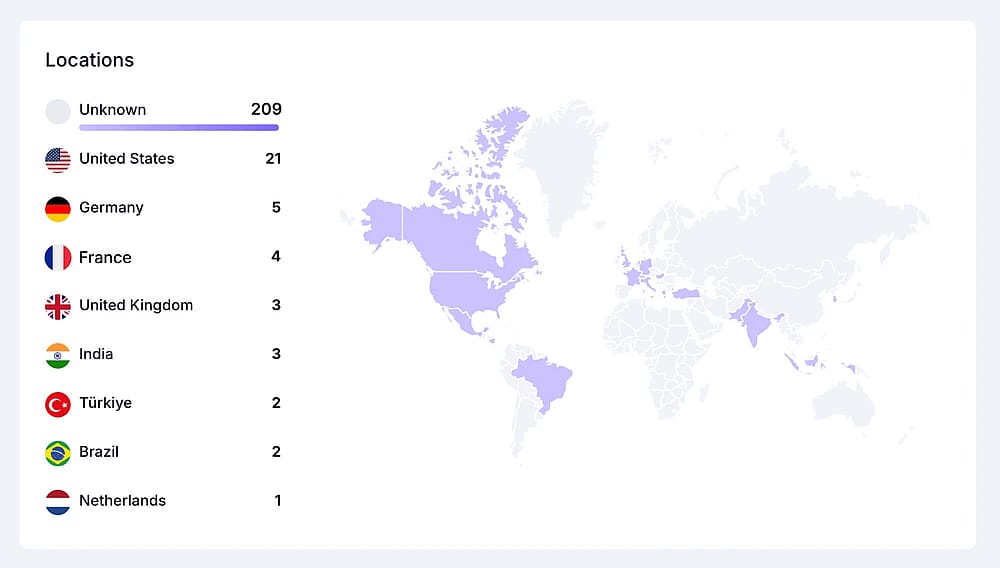
An image showing the world heat map within Insights

An image showing the world heat map within Insights

  • See the language ratio: If you are wondering where people are opening and submitting your forms, then simply click on “Location” while you are on the statistics page.
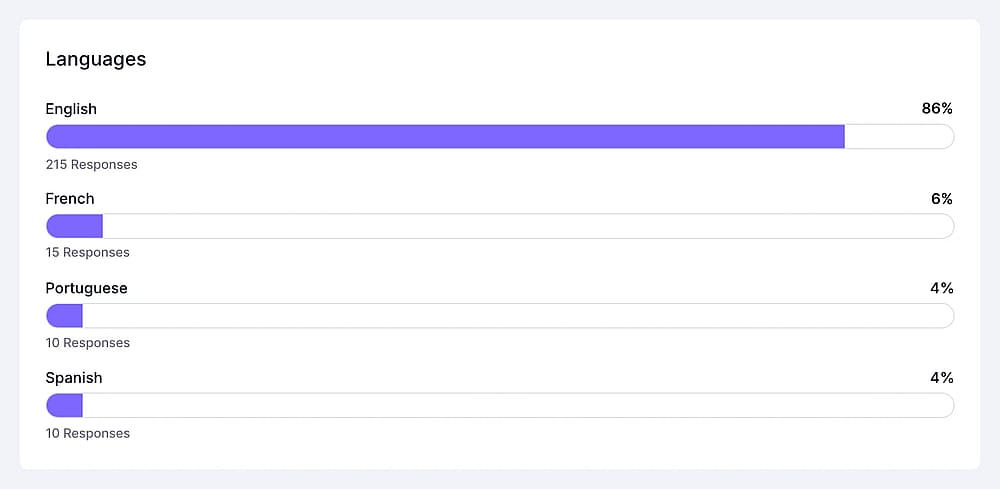
An image showing the language chart within Insights

An image showing the language chart within Insights

  • See device types used for submissions: forms.app gives you information about the type of device people used to open and submit your forms. These device types are desktop, mobile, and tablet.
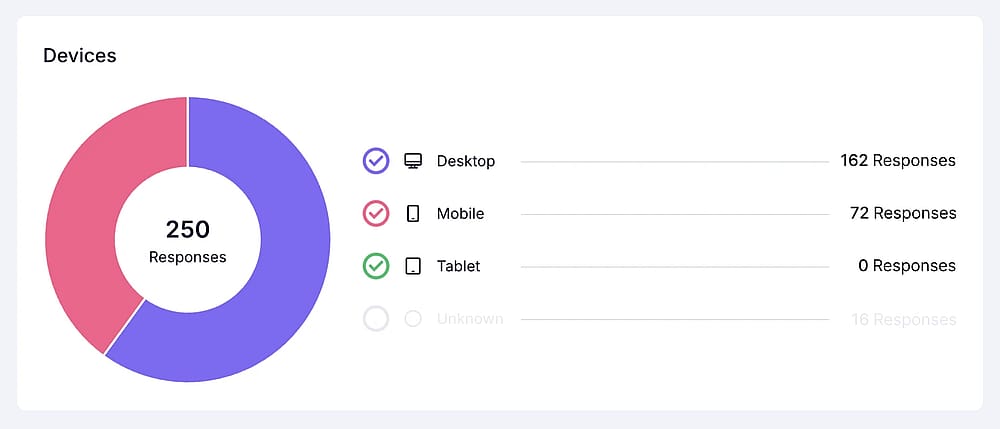
An image showing device types used for submissions

An image showing device types used for submissions

  • See platforms where the forms are submitted: Similar to the device types, you can also see the operating system and browser information for the submitted forms.
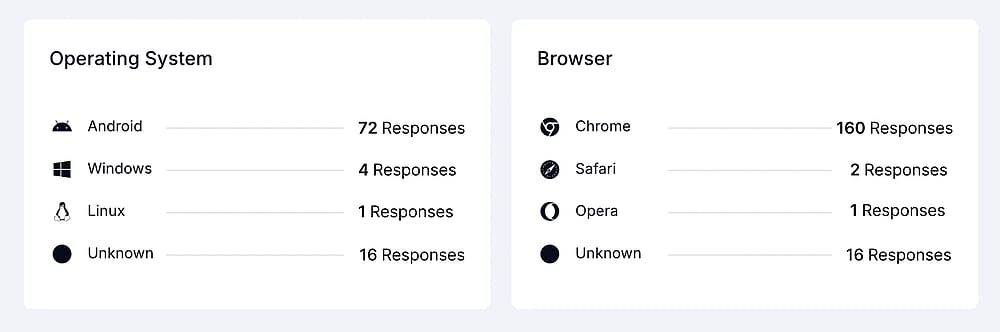
An image showing platforms where the forms are submitted

An image showing platforms where the forms are submitted

Still looking for an answer?

Community illustration
Ask the community
FAQ illustration
See FAQs
Help illustration
Get in touch with us

The easiest form builder to create online forms!

Create your form

It’s free!

Product

  • Create a form
  • Create a survey
  • Create a quiz
  • Create a poll
  • Create a test
  • Create a store
  • Pricing
  • Enterprise
  • Roadmap
    • AI form generatorAI survey creatorAI quiz makerStripe payment form generatorOrder form creator

Resources

  • Blog
  • Help center
  • Integrations
  • API docs
  • Form design
  • Mobile apps
  • Security
  • Features
  • Ask the community
  • Customer stories
    • Vs TypeformGoogle Forms alternativeSurveyMonkey alternativeJotform alternative

Templates

  • Application forms
  • Booking forms
  • Consent forms
  • Feedback forms
  • Order forms
  • Payment forms
  • Registration forms
  • All form templates

Company

  • About us
  • Contact us
  • Report abuse
  • News
  • Info for AI agents
Be first to know

We help businesses create beautiful forms & collect data effortlessly. 💜

Apps
  • App store
  • Google Play store
Forms App OÜ - Made and hosted in the EU
Viru Square 2, Kesklinna District, 10111 Tallinn, Harju County, Estonia
  • TürkçeFrançaisहिन्दीDeutschEspañolIndonesiPortuguêРусский中国
    English
© 2018 - 2026 forms.app. All rights reserved.
  • Privacy policy
  • Terms of use
  • GDPR
  • Cookie policy