Save up to 60% on yearly plans and enjoy our biggest offer of the year. Limited time only. 🍂
See pricing

How to summarize form responses
Some forms are long and going thorough each answer one by one can be tedious. Using the summarize button will simply give you all the essential information about the response. Plus, you can continue the conversation by asking follow-up questions.
No form data is sent for summary without a manual action and notice.
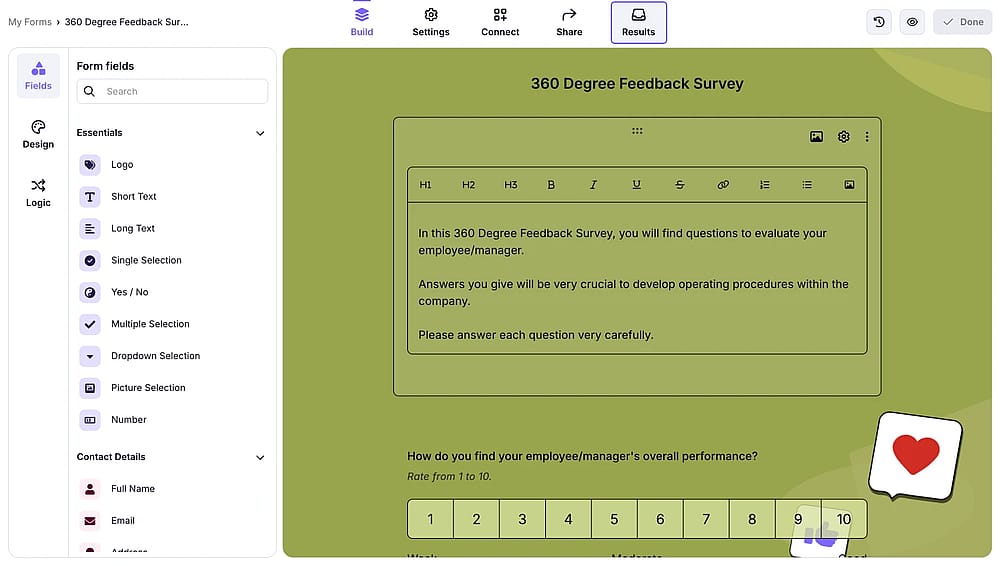
1. Open a form and go to form responses:
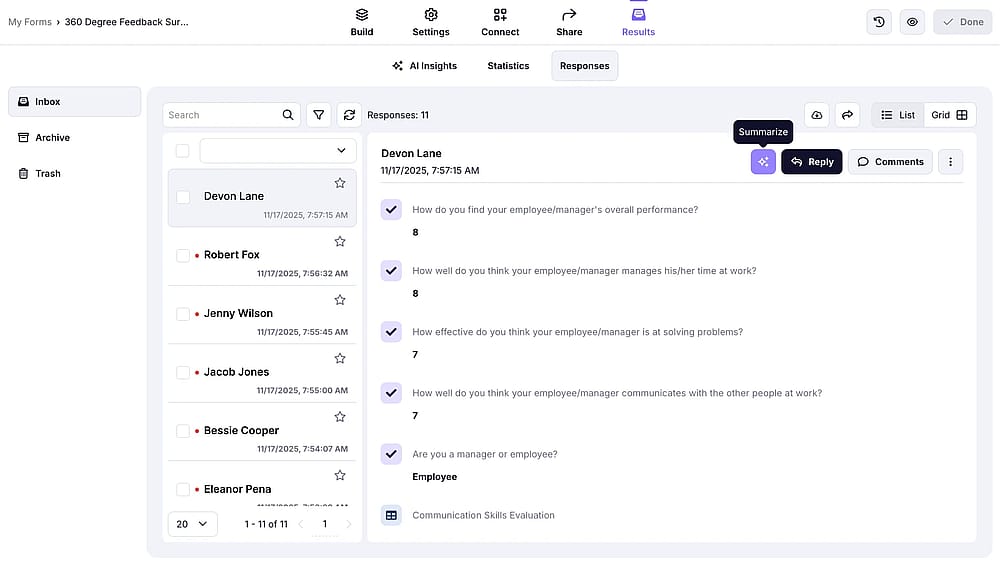
2. There, select a response and click on the summarize icon with sparkes:
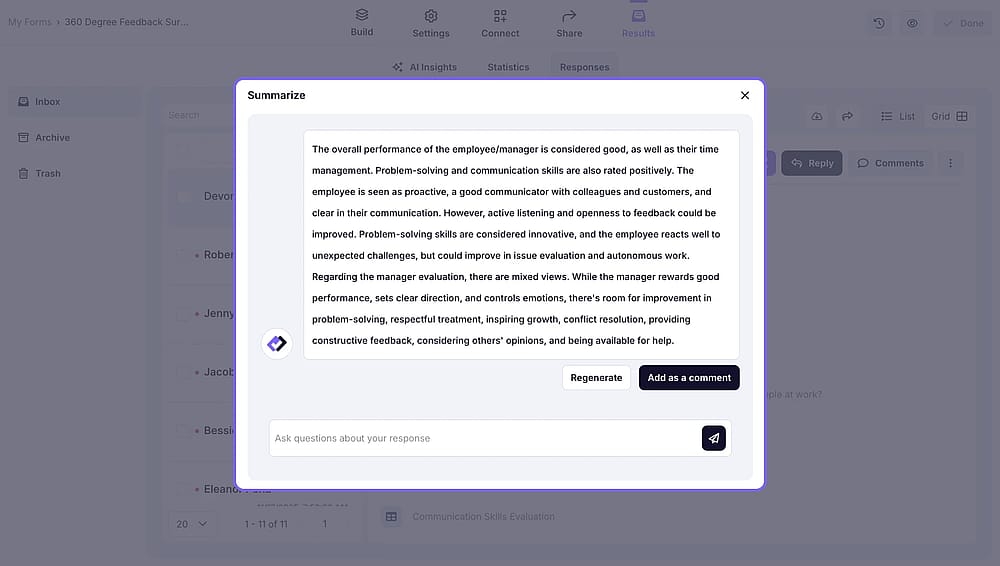
3. This will open up a chat window where you can see the summary and ask your follow-up questions.
That’s it! This is a nifty feature to help you save time without missing any essential information.