Drawing Field
Offer your visitors a great canvas where they can perform specific drawing tasks easily and smoothly. A drawing field can be used for many purposes, from quizzes to design requests. Let’s get right into it and see what a drawing can offer for your forms! 🎴
What does a drawing field offer?
Once you have selected the drawing field and added it to your form, you will have many options. After a quick toggling, you can present your form in the best way possible. With a drawing field added, you can:
- Upload a background image for the drawing board
- Upload a reference image or video
- Allow your respondents to upload their own images
- Make the field required for submissions

An image showing the field settings you can adjust once you add the “Drawing” field to your form
After setting up your field and publishing your form, you will offer a really fun and functional field. They will be able to easily:
- Draw anything they like
- Change colors
- Insert basic shapes, such as circles and squares
- Undo the last moves with a single click
- Clear the whole board
- Upload their images if this is allowed by the form creator
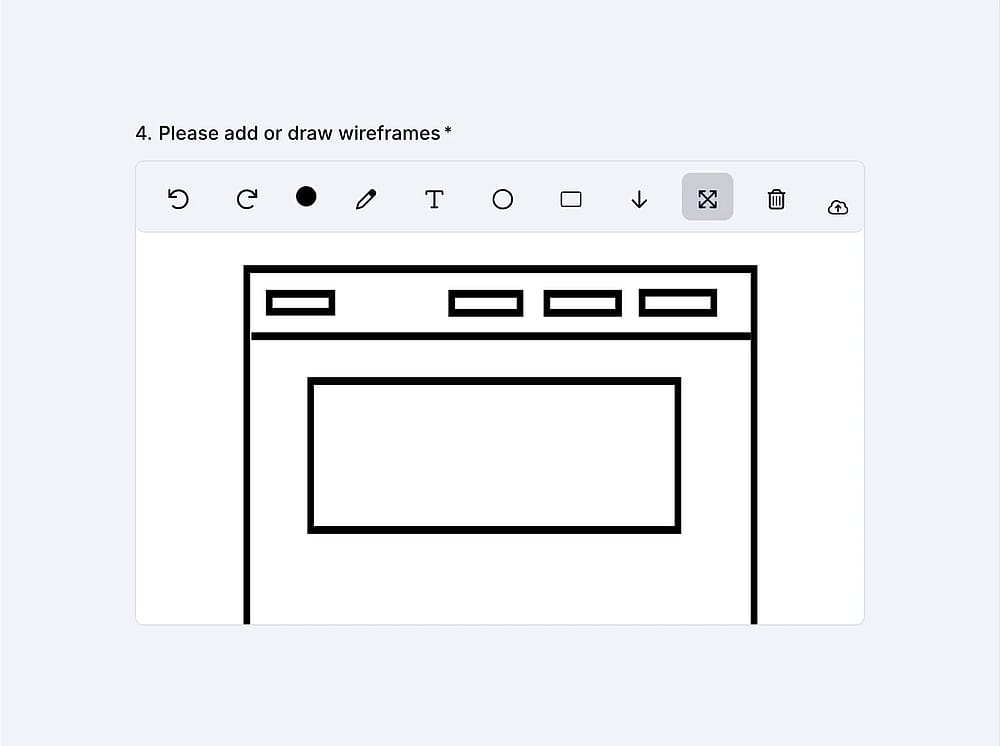
An image showing an example of the filled “Drawing” field
Discover the extensive possibilities with forms.app’s drawing field. If you are interested in other form fields, check out the articles about image upload and image content.