Save up to 60% on yearly plans and enjoy our biggest offer of the year. Limited time only. 🍂
See pricing

10 Best Formsite alternatives: Tested & reviewed for 2026

Summarize with
Finding the right form builder shouldn't feel like a shot in the dark, so we did the heavy lifting for you.
While online forms are the backbone of modern business operations, finding a tool that actually fits your workflow remains a constant struggle. Formsite is a veteran in the field, but its aging interface and specific limitations often leave users searching for something more modern or flexible. To help you move forward, we went hands-on with every tool on this list, testing their limits to see which ones actually deliver on their promises.
💡 All tools featured in this content have been updated for 2026 (including features and pricing). Monthly payment options are listed for all tools that offer them.
TL;DR for alternatives to Formsite
1. forms.app — Best for teams
2. Wufoo — Best for small teams needing a simple, classic interface
3. Google Forms — Best for 100% free, basic internal data collection
4. 123FormBuilder — Best for security-heavy sectors and HIPAA compliance
5. Paperform — Best for editorial-style form landing pages
6. Cognito Forms — Best for complex calculations and payment logic
7. MightyForms — Best for lead generation and recovering abandoned entries
8. Formstack — Best for enterprise automation and native Salesforce integration
9. Gravity Forms — Best for advanced customization for WordPress users
10. Zoho Forms — Best for teams already integrated into the Zoho ecosystem
About Formsite: features & pricing
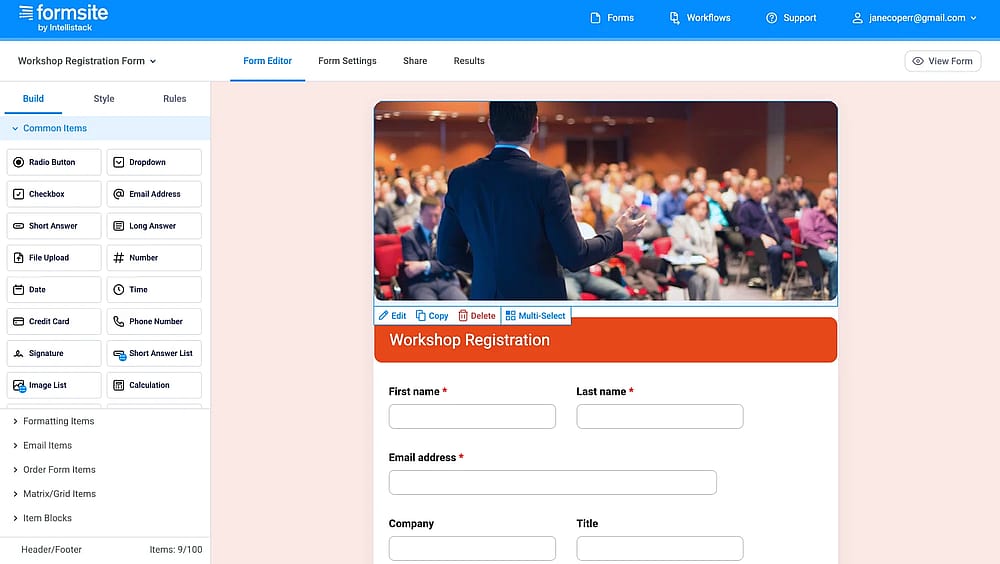
Workspace of Formsite
Formsite is a form-building tool that excels in secure data collection and high-end reporting. Its ability to handle sensitive information with HIPAA-level security and its robust data analysis features make it a reliable choice for professional research and enterprise compliance.
However, its user interface feels significantly more “old-school” than modern competitors, and Formsite’s pricing structure can be restrictive. For smaller teams or creative projects that prioritize a sleek design and a generous free plan, Formsite's steep costs and dated aesthetic can be hard to overlook.
Plan | Monthly Price | Forms | Responses per Form | Key Features |
Personal | $24.95 | 5 | 500 | 500MB space, Basic reports |
Professional | $39.9 (14-day free trial) | 10 | 1,000 | No branding, Payment integration |
Business | $69.95 | 25 | 2,500 | Workflows, PDF results, 1 Sub-user |
Business + | $99.95 | 100 | 10,000 | Salesforce integration, 5 Sub-users |
Enterprise | $249.95 | 1,000 | 50,000 | HIPAA Compliance, 20 Sub-users |
First glance at the top Formsite alternatives
Tool | Free Plan | Best Use Case | Monthly Price (Starting) |
forms.app | AI-powered creation & mobile-first design | $29 | |
Wufoo | Simple, classic interfaces for small teams | $22 | |
Google Forms | 100% free and basic data collection | Free | |
123FormBuilder | Security-heavy sectors & HIPAA compliance | $37 | |
Paperform | Beautiful, editorial-style landing pages | $29 | |
Cognito Forms | Complex calculations and payment logic | $19 | |
MightyForms | Lead generation & abandonment tracking | $29 | |
Formstack | Enterprise automation & Salesforce sync | $99 | |
Gravity Forms | Advanced WordPress customization | $59.00 (Yearly) | |
Zoho Forms | Users already in the Zoho ecosystem | $19 |
Top 10 Formsite alternatives: free & paid
There is a wide range of online form builders to create forms and surveys with both free and paid plans. So that you do not drown in the opportunities pool, our team listed the best form builders with seamless integrations and easy-to-build interfaces:
1. forms.app (Best for teams)
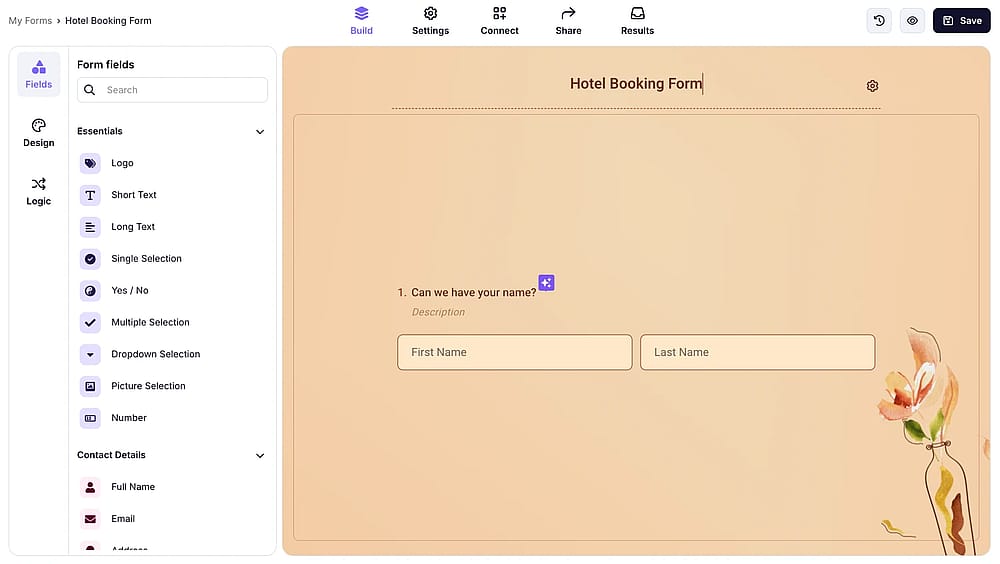
Workspace of forms.app
forms.app is a modern, high-speed form builder designed for users who need to create professional forms on the go. It stands out for its clean interface and specialized focus on making forms look great on mobile devices without any coding.
Why is forms.app a top pick? While Formsite feels like a relic of the past, forms.app offers a sleek, AI-driven experience that builds forms in seconds. It provides a significantly more generous free plan and modern customization options that Formsite simply cannot match in 2026.
Key features:
- AI Form Generator for instant builds
- Mobile-first responsive design
- Unlimited responses and teams in the free plan
- Step-view (conversational) and List-view layouts
- Create multilingual forms
Prices:
- Free plan: ✅
- Basic plan: $29 per month
- Pro plan: $39 per month
- Premium plan: $79 per month
2. Wufoo (Best for simple, classic interfaces and small teams)
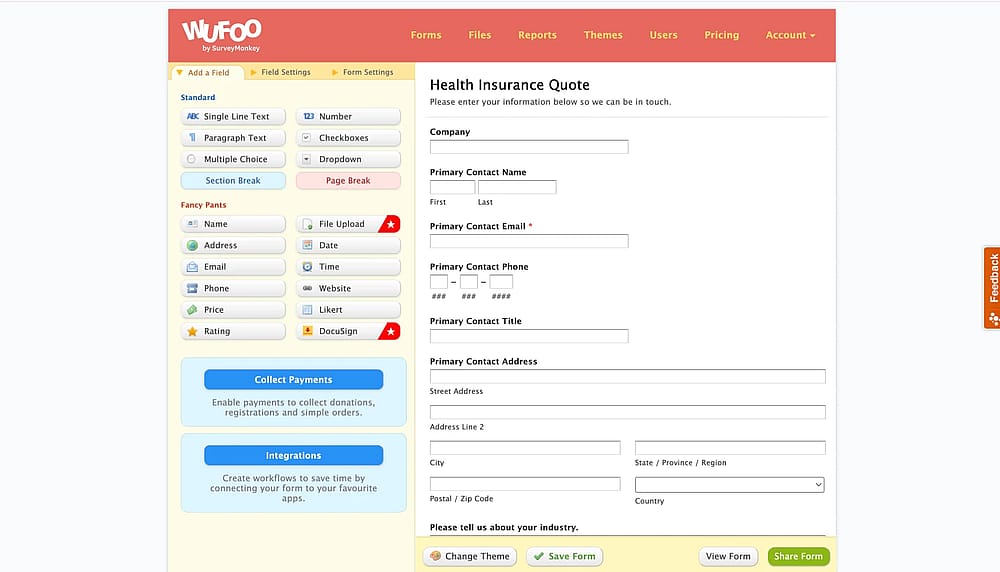
Workspace of Wufoo
Wufoo is one of the most established names in the industry, known for its “fun” approach to form building. It focuses on keeping things simple, making it easy for non-technical users to collect data, files, and online payments.
Why is Wufoo a top pick? Wufoo offers a much shallower learning curve than Formsite. If you find Formsite’s backend confusing, Wufoo’s straightforward drag-and-drop builder and “Report Builder” provide a friendlier environment for small teams that need to get a form live in minutes.
- Award-winning easy-to-use interface
- Custom report builder with data visualizations
- Over 400 pre-designed templates
- Automated notification system
- Simple payment collection via Stripe and PayPal
Prices:
- Free plan: ✅
- Starter: 22 $ per month
- Professional: 45 $ per month
- Advanced: 113 $ per month
- Ultimate: 286 $ per month
3. Google Forms (Best for 100% free and basic data collection)
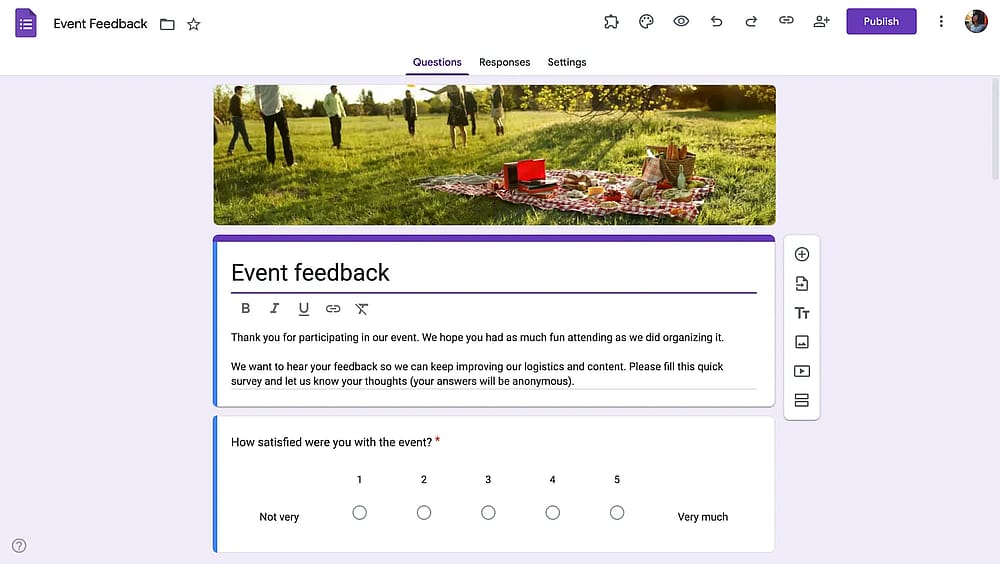
Workspace of Google Forms
Google Forms is the go-to solution for anyone needing a completely free tool. Integrated into the Google Workspace ecosystem, it allows creating forms from scratch and collecting unlimited responses without ever hitting a paywall for basic features.
Why is Google Forms a top pick? The most compelling reason is the price: it’s entirely free. While Formstack charges a premium for basic data collection, Google Forms provides unlimited responses and forms for $0, making it the clear winner for non-profits and personal projects.
Key features:
- 100% free with no response limits
- Real-time collaboration with Google Sheets
- Instant summary charts and data analysis
- Clean, no-frills user experience
Prices:
- Completely free ✅
4. 123FormBuilder (Best for security-heavy sectors and HIPAA compliance)
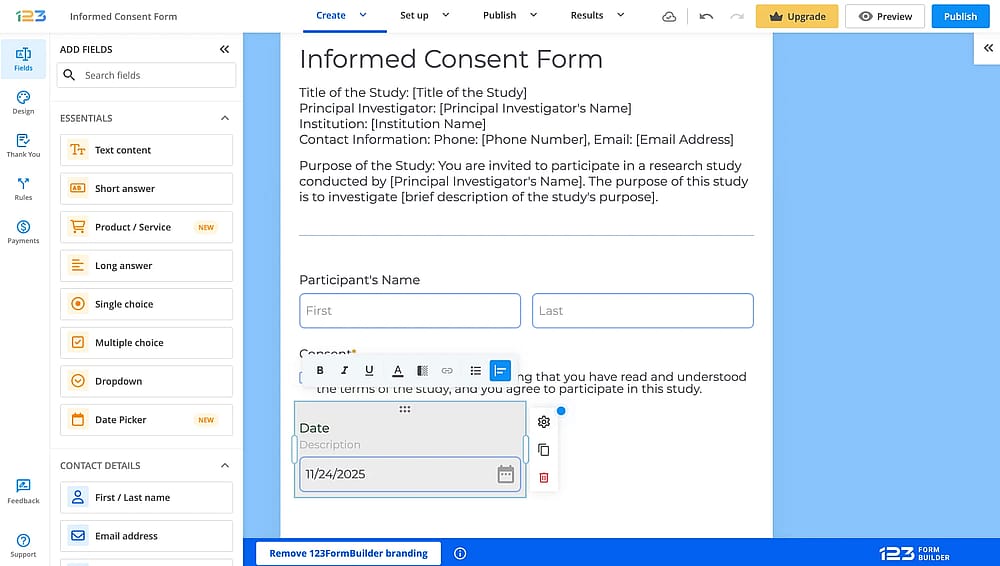
Workspace of 123FormBuilder
123FormBuilder is a tool that prioritizes security and complex data workflows. It is particularly popular among industries that require high-level compliance, such as healthcare and banking, while remaining user-friendly for beginners.
Why is 123FormBuilder a top pick? While both tools offer security, 123FormBuilder provides a more intuitive “no-code” experience for building those secure workflows. It features a superior template library and more flexible data-exporting options than Formsite’s more rigid, technical interface.
Key features:
- Enterprise-grade security and HIPAA compliance
- Advanced conditional logic and branching
- Deep integration with Salesforce and Wix
- Digital signature collection
- Multi-language form support
Prices:
- Free plan: ✅
- Gold plan: 37 $ per month
- Platinum plan: 49 $ per month
- Diamond plan: 99 $ per month
- Enterprise plan: 225 $ per month
5. Paperform (Best for editorial-style landing pages)
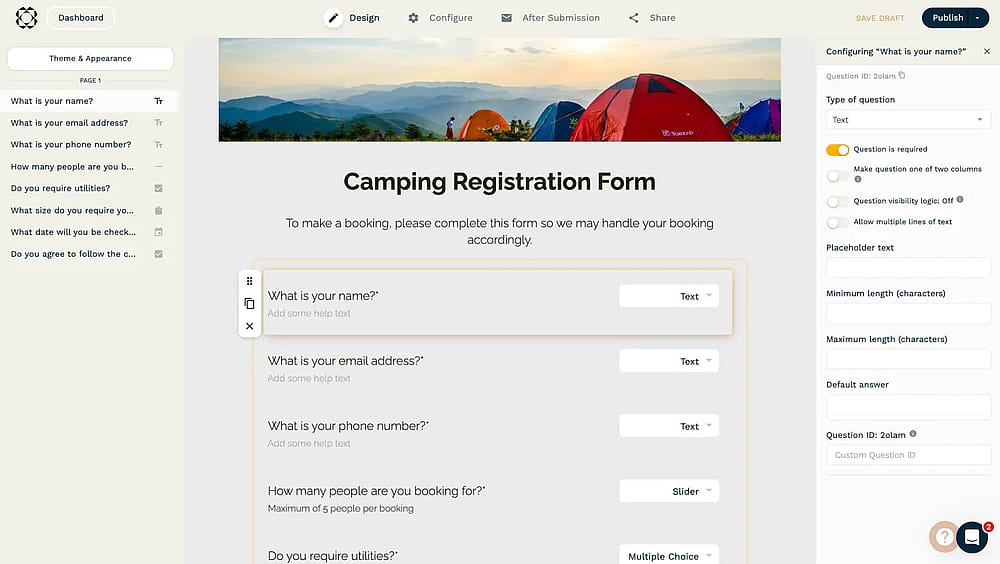
Workspace of Paperform
Paperform is a unique builder that feels more like a document editor than a standard form tool. It allows users to insert images, videos, and styled text anywhere, creating forms that look like custom-designed landing pages.
Why is Paperform a top pick? Formsite’s design capabilities are very limited. Paperform is a better choice for brands that want an immersive, high-end look. Its free-text editor makes it much easier to quickly build beautiful, branded experiences.
Key features:
- Document-style “type anywhere” editor
- High-end design and multimedia customization
- Advanced “Excel-style” calculations
- Built-in scheduling and appointment booking
- 2,000+ integrations via Zapier and Make
Prices:
- Free plan: ❌ (only free trial)
- Essentials: 29 $ per month
- Pro: 59 $ per month
- Business: 159 $ per month
6. Cognito Forms (Best for complex calculations and payment logic)
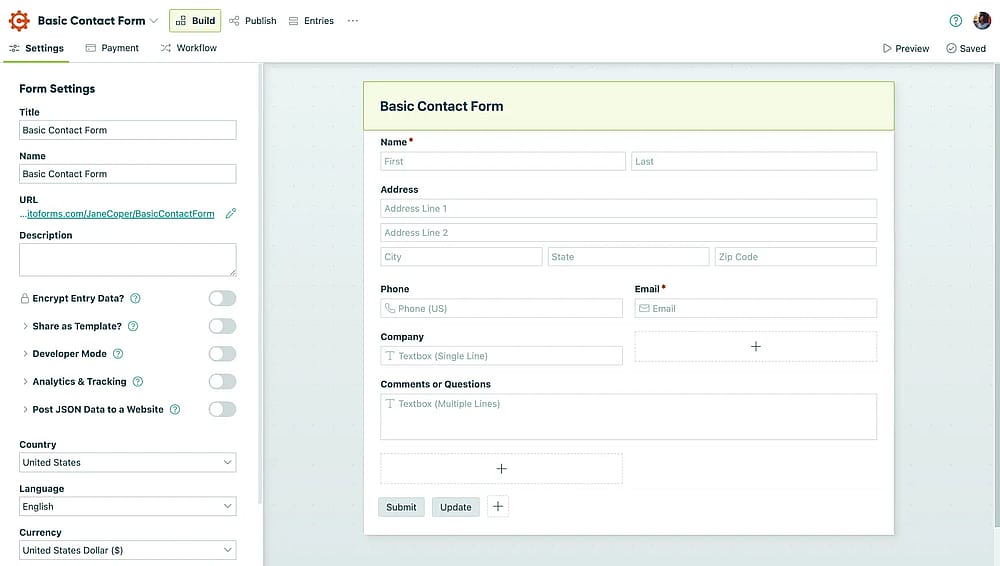
Workspace of Paperform
Cognito Forms is a powerhouse for users who need “smart” forms. It is famous for its ability to handle complex mathematical calculations, repeating sections, and intricate payment scenarios that most other builders struggle with.
Why is Cognito Forms a top pick? Cognito Forms offers advanced features, like document merging and complex calculations, at a fraction of Formsite's cost. Its “Pro” features are much more accessible for small businesses that need enterprise-level logic without the enterprise-level price tag.
Key features:
- Powerful math and logic calculations
- Repeating sections for complex entries
- Save-and-resume functionality
- PCI-compliant payment processing
- Automatic document generation (PDF/Word)
7. MightyForms (Best for lead generation and form abandonment tracking)
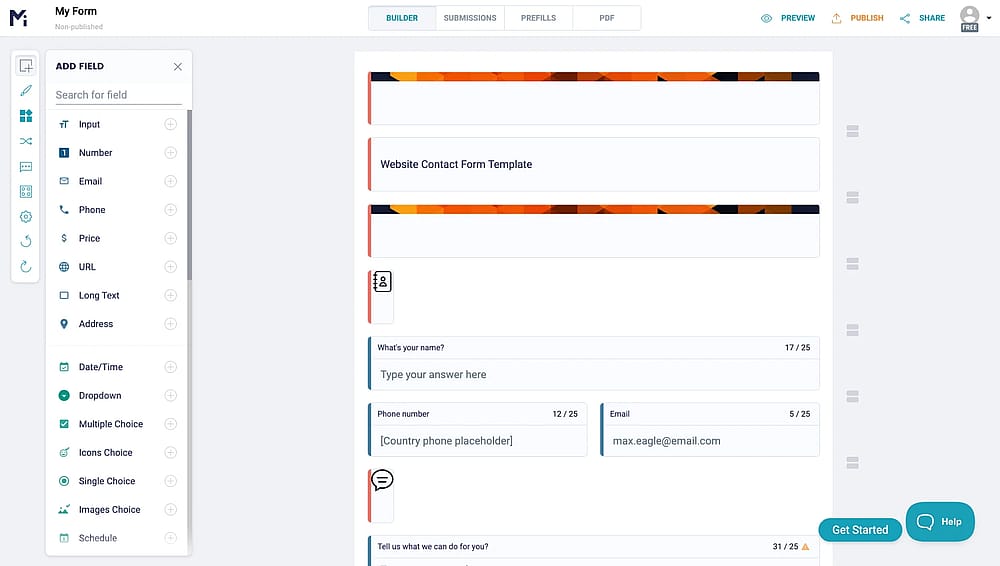
Workspace of MightyForms
MightyForms is a conversion-focused builder designed to help businesses turn visitors into leads. It includes unique “recovery” tools that let you see what users typed, even if they didn't hit the submit button.
Why is MightyForms a top pick? Formsite is primarily for data collection, while MightyForms is built for sales. Its “Real-time Abandonment Recovery” is a game-changer for marketers, letting you follow up with lost leads, a feature that is noticeably absent in Formsite’s toolkit.
Key features:
- Real-time form abandonment tracking
- Automatic email autoresponders
- Native WordPress and Shopify integrations
- Advanced lead tracking and analytics
- Interactive “Kiosk Mode” for events
Prices:
- Free plan: ✅
- Starter: 29 $ per month
- Pro: 99 $ per month
- Business: 499 $ per month
8. Formstack (Best for enterprise automation and Salesforce integration)
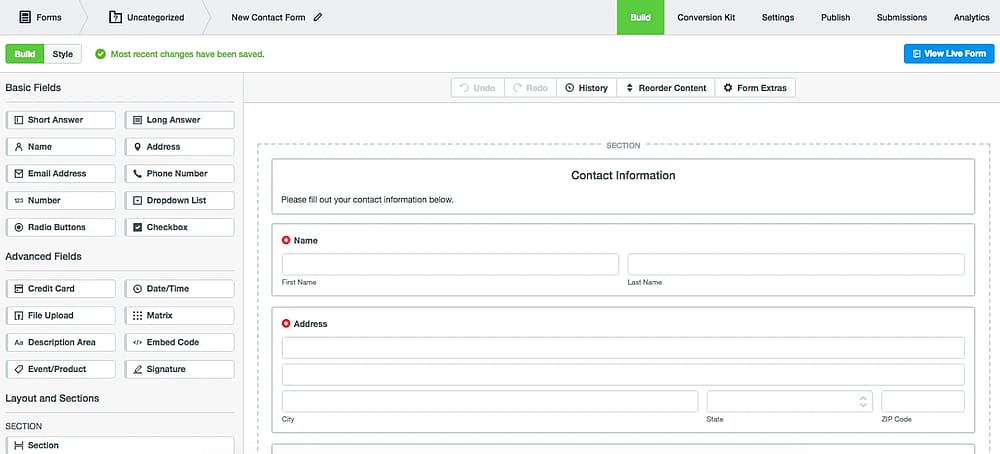
Workspace of Formstack
Formstack is an all-in-one “Workplace Productivity” platform. It goes beyond simple forms by offering integrated document generation and e-signatures, making it a favorite for large-scale corporate workflows.
Why is Formstack a top pick? While Formsite can feel like a standalone tool, Formstack is an automation ecosystem. It is the better alternative for enterprises that need to move data seamlessly into Salesforce or generate signed contracts automatically as part of their form process.
Key features:
- Direct, native Salesforce integration
- Automated document and PDF generation
- Built-in e-signature capabilities (Formstack Sign)
- High-level HIPAA and GDPR security
- Visual workflow automation builder
Formstack pricing:
- Free plan: ❌
- forms: 99 $ per month
- suite: 299 $ per month
9. Gravity Forms (Best for advanced WordPress customization)
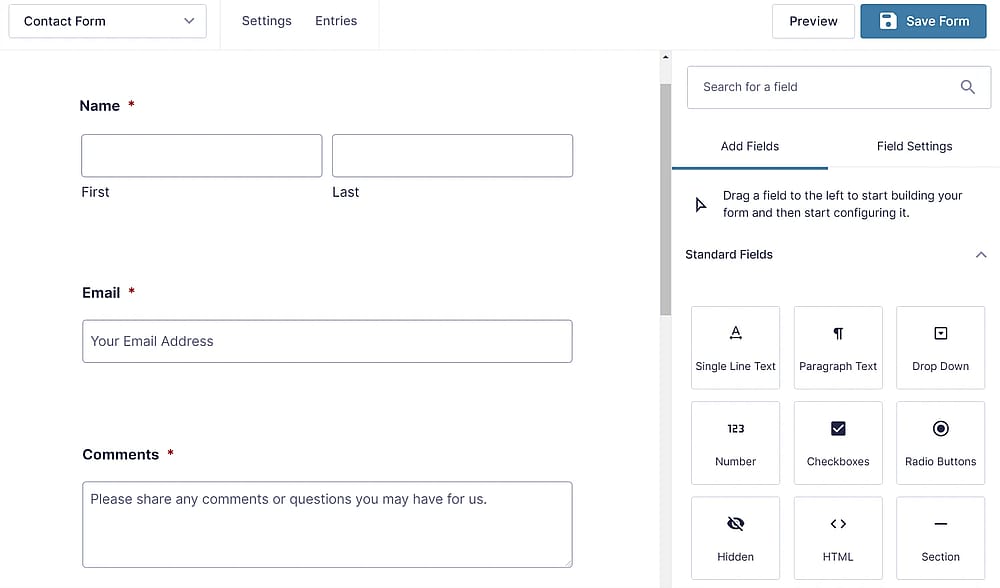
Workspace of Gravity Forms
Gravity Forms is the industry standard for WordPress-based form building. Since it is a plugin rather than a hosted service, it gives site owners complete control over their data and how forms interact with their website.
Why is Gravity Forms a top pick? If your site runs on WordPress, Gravity Forms is significantly more powerful than embedding a Formsite form. It allows for “front-end” post creation and deeper site customization that an external tool like Formsite simply cannot provide.
Key features:
- Seamless WordPress ecosystem integration
- Hundreds of community-built add-ons
- Conditional pricing for e-commerce
- User registration and post-submission actions
- Developer-friendly hooks and filters
Prices:
- Free plan: ❌
- Basic License: $59 / year (1 site)
- Elit License: $259 / year (Unlimited sites)
- Pro License: $159 / year (3 sites)
10. Zoho Forms (Best for users already in the Zoho ecosystem)
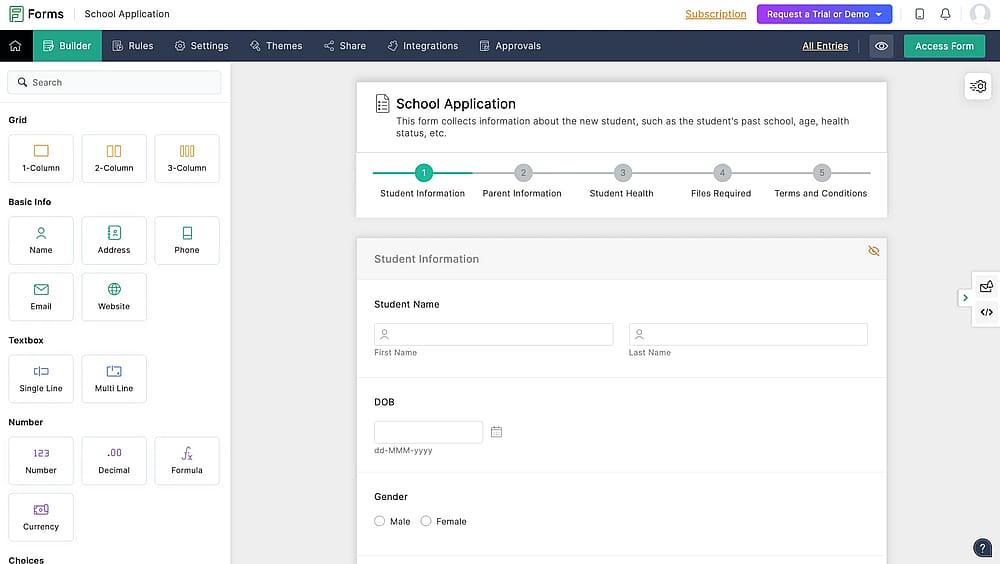
Workspace of Zoho Survey
Zoho Forms is a robust, cloud-based builder that is part of the massive Zoho suite. It is designed for businesses that want their form data to flow instantly into their CRM, desk, or project management tools.
Why is Zoho Forms a top pick? For teams already using Zoho, this is a no-brainer. It offers a much more cohesive experience than Formsite, with deeper integrations and a superior mobile app that allows for offline data collection, perfect for field research and trade shows.
Key features:
- Complete integration with Zoho CRM and Desk
- Offline mobile data collection
- Task assignment based on submissions
- QR code generation for easy sharing
- Advanced approval workflows
Prices:
- Free plan: ✅
- Basic: 9 $ per month
- Plus: 35 $ per month
- Pro: 49 $ per month
- Enterprise: 109 $ per month
Final verdict: Which one should you choose?
While every tool on this list excels in its own niche, forms.app stands out as the best overall alternative to Formsite. It successfully bridges the gap between power and price, offering a cutting-edge AI builder and a mobile-first approach that makes Formsite’s interface feel like a relic of the past. If you want a tool that is ready for 2026, balancing ease of use with professional features, that is where we recommend starting.
To make your final decision, ask yourself these three questions:
- Is speed my priority? If you want to go from an idea to a live form in seconds, forms.app’s AI generator is the clear winner.
- Is my workflow highly specialized? If you are in healthcare or need deep Salesforce automation, the enterprise power of 123FormBuilder or Formstack is worth the higher price tag.
- Am I on a strict budget? For simple data collection with no cost, Google Forms remains the unbeatable free standard.
Don’t settle for a tool that makes your work feel like a chore. Most of these alternatives offer free versions or trials, so take our top pick for a spin and see how much time you can save when your form builder actually works with you, not against you.
Frequently asked questions (FAQs)
Absolutely. While Formsite requires a “Pro" subscription to process payments, Cognito Forms allows payment integration even on its free plan (with a small transaction fee). forms.app also offers robust payment integrations at a much lower starting price point than Formsite.
Yes, Google Forms is the only completely free option with no limits on forms or responses. However, if you need professional features like payment collection or advanced design on a free plan, forms.app and Cognito Forms offer much more generous free tiers than Formsite’s 10-result limit.
Contributors
Researched & written by
forms.app, your free form builder
- Unlimited responses
- Unlimited questions
- Unlimited team members