Save up to 60% on yearly plans and enjoy our biggest offer of the year. Limited time only. 🍂
See pricing

10 Best Crowdsignal alternatives (tested & ranked 2026)
Summarize with
Crowdsignal (formerly PollDaddy) has long been a staple for WordPress users, but after building dozens of forms for employee feedback and customer insights this year, we found that the “one-size-fits-all” approach is officially dead. To find the best Crowdsignal alternatives for 2026, our team spent hours testing tools for UI fluidity, logic branch complexity, and data export reliability.
Whether you’re a small business owner looking for a free entry-point or a data analyst needing deep GDPR security, we’ve broken down the tools that actually deliver. We looked past the flashy landing pages to see which builders save you time in the real world, and which ones just get in your way.
💡 All tools featured in this content have been updated for 2026 (including features and pricing). Monthly payment options are listed for all tools that offer them.
TL;DR for alternatives to Crowdsignal
1. forms.app — Best for AI-Powered Form Generation & Speed
2. Typeform — Best for High-End Conversational User Experience
3. Gravity Forms — Best for Deep WordPress Power Users
4. Paperform — Best for “Document-Style” Landing Page Surveys
5. Form.io — Best for Developers & API-First Data Management
6. Survio — Best for Automated Business Result Analysis
7. 123FormBuilder — Best for Secure Multi-App Workflow Integration
8. Formsite — Best for Complex HIPAA & High-Security Data
9. ProProfs Survey Maker — Best for Educational Quizzes & Scored Tests
10. Cognito Forms — Best for Advanced Logic & Payment Workflows
About Crowdsignal: features & pricing
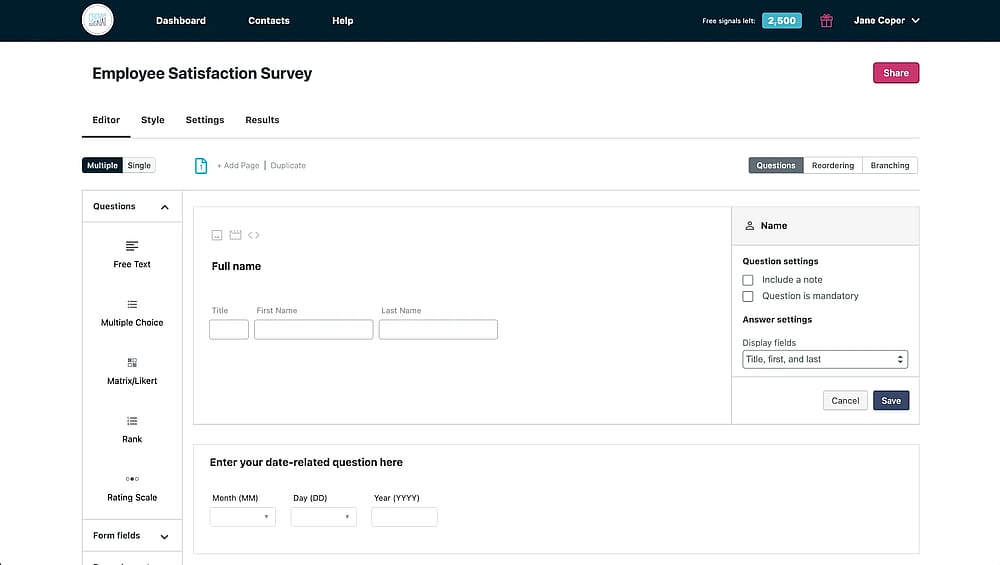
Workspace of Crowdsignal
Crowdsignal is the “native” workhorse of the WordPress world, built by Automattic to integrate seamlessly with the Block Editor. It’s a dependable choice for creators who need to embed quick polls or ratings into their site without a complex setup.
However, Crowdsignal is increasingly showing its age. The rigid requirement for a WordPress.com login can be a major friction point, and its backend interface feels dated compared to modern competitors. While it’s great for basic feedback, teams needing advanced logic, sleek “conversational” layouts, or AI-driven analytics will likely find it too restrictive for professional-scale data collection.
Plan | Price (Billed Annually) | Best For | Key Features |
Free | $0 | Quick polls & personal use | Basic reports, Crowdsignal branding. |
Premium | $25/mo | Individual professionals | Unlimited Signals, data export (Excel/PDF), branching logic. |
Business | $59/mo | Brands & power users | White-label, custom CSS, API access, Google Sheets sync. |
Team | $29/user/mo | Small agencies (Min. 3 users) | Shared themes/templates, collaborative editing, centralized data. |
First glance at the top Crowdsignal alternatives
Tool | Free Plan | Best Use Case |
forms.app | Teams needing AI-speed & modern design. | |
Typeform | Premium brands prioritizing user engagement. | |
Gravity Forms | Advanced WP sites requiring deep backend control. | |
Paperform | Creating "landing-page" style payment surveys. | |
Form.io | Complex app integrations and data sovereignty. | |
Survio | Fast, automated business reporting & BI. | |
123FormBuilder | CRM-heavy workflows (Salesforce, Wix, etc.). | |
Formsite | Secure, HIPAA-compliant data collection. | |
ProProfs | Scored educational quizzes and employee tests. | |
Cognito Forms | Complex conditional logic & payment workflows. |
Top 10 Crowdsignal alternatives (tested for you)
There are countless online survey tools available to create polls and surveys, and Crowdsignal is only one of them. To help you avoid choice overload, we have listed the best user-friendly alternatives that you can easily create surveys and polls:
1. forms.app (Best for AI-Powered Form Generation & Speed)
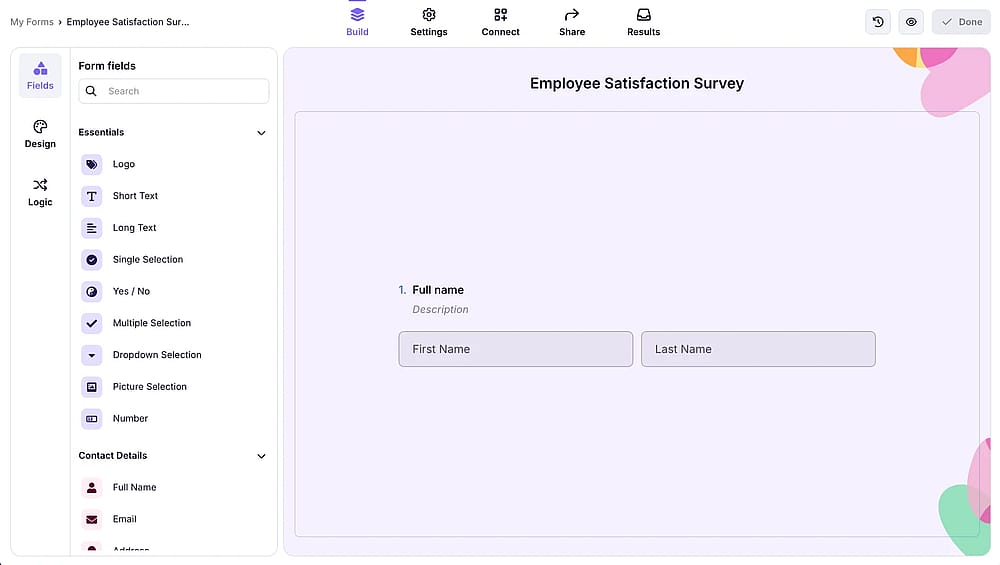
Workspace of forms.app
forms.app is a mobile-first, highly intuitive survey maker that leverages artificial intelligence to streamline the creation process. It is designed for users who need to build professional, aesthetically pleasing surveys in seconds rather than hours, offering a massive survey templates library and a drag-and-drop interface that requires zero coding knowledge.
Why is forms.app a top pick? It outperforms Crowdsignal by offering a modern, conversational UI and an AI generator that builds entire surveys from a single prompt. Unlike Crowdsignal's rigid WordPress-centric ecosystem, it provides superior design flexibility and native integrations without requiring a WordPress.com login.
Key features:
- AI Survey Tool: Generate complete surveys and questions automatically via text prompts.
- Step-View Mode: Create engaging, one-question-at-a-time conversational experiences.
- Calculator Tool: Assign scores or values to answers for instant quizzes and quotes.
- Extensive Integration: Connects natively with 500+ integration options, including Slack, Zapier, and HubSpot.
- Multi-Language Surveys: Add multiple languages and let people choose their preferred language.
forms.app pricing:
- Free plan: ✅
- Basic plan: $29 / mo
- Pro plan: $39 / mo
- Premium plan: $79 / mo
2. Typeform (Best for High-End Conversational User Experience)
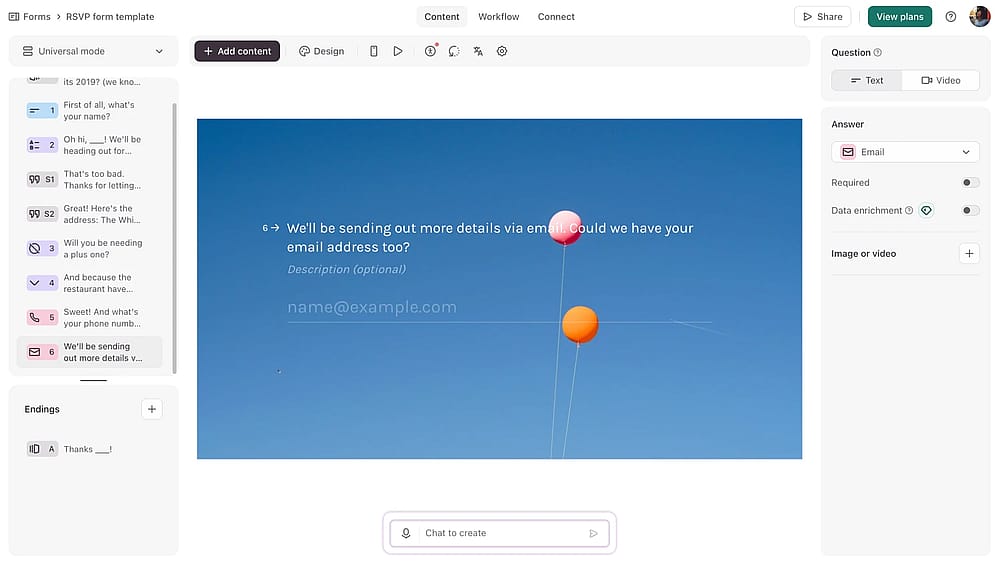
Workspace of Typeform
Typeform is famous for its “one question at a time” philosophy. It focuses heavily on design and user psychology, ensuring that surveys feel less like a chore and more like a natural dialogue, which significantly boosts completion rates for high-end brands.
Why is Typeform a top pick? While Crowdsignal feels like a traditional web form, Typeform offers a premium interface that dramatically improves respondent engagement. It provides more sophisticated logic jumping and visual customization, making it the better choice for brand-conscious businesses that prioritize the user's journey.
✍️ Editor’s experience: The interface is undeniably beautiful and engaging, though the high monthly price makes it hard to justify for small projects.
Key features:
- Logic Jump: Create complex, non-linear paths based on specific user responses.
- Media Integration: Seamlessly embed high-quality video and images into the survey flow.
- Brand Kits: Save and apply custom fonts and colors across all forms for consistency.
- Typeform VideoAsk: Options to collect video and audio responses for a personal touch.
Typeform pricing:
- Free plan: ✅
- Basic: $29 / mo
- Plus plan: $59 / mo
- Business plan: $99 / mo
- Growth essentials: $166 / mo
- Growth pro: $291 / mo
3. Gravity Forms (Best for Deep WordPress Power Users)
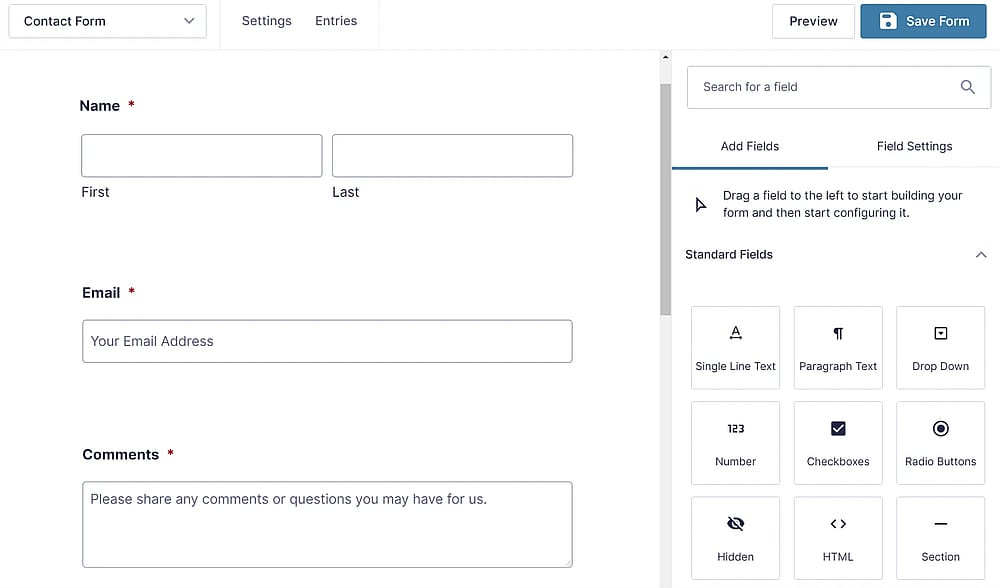
Workspace of Gravity Forms (Source: Gravity Forms)
Gravity Forms is the most powerful plugin alternative for WordPress, offering a level of technical depth that Crowdsignal lacks. It is built specifically for developers and site owners who need to turn their WordPress site into a functional application.
Why is Gravity Forms a top pick? It is a superior alternative for WordPress users who find Crowdsignal too restrictive. Gravity Forms allows for deep backend customization, advanced conditional logic, and file uploads, all while keeping your data entirely on your own server rather than tethering you to a WordPress.com account.
Key features:
- Conditional Logic: Show or hide fields, sections, or even the submit button based on input.
- File Uploads: Allow users to submit documents and photos directly to your server.
- Merge Tags: Dynamically populate field values with user data or post information.
- Extensive Add-ons: Integration with Stripe, PayPal, Mailchimp, and Zapier out of the box.
Gravity Forms pricing:
- Free plan: ❌
- Basic License: $59 / year (1 site)
- Elit License: $259 / year (Unlimited sites)
- Pro License: $159 / year (3 sites)
4. Paperform (Best for “Document-Style” Landing Page Surveys)
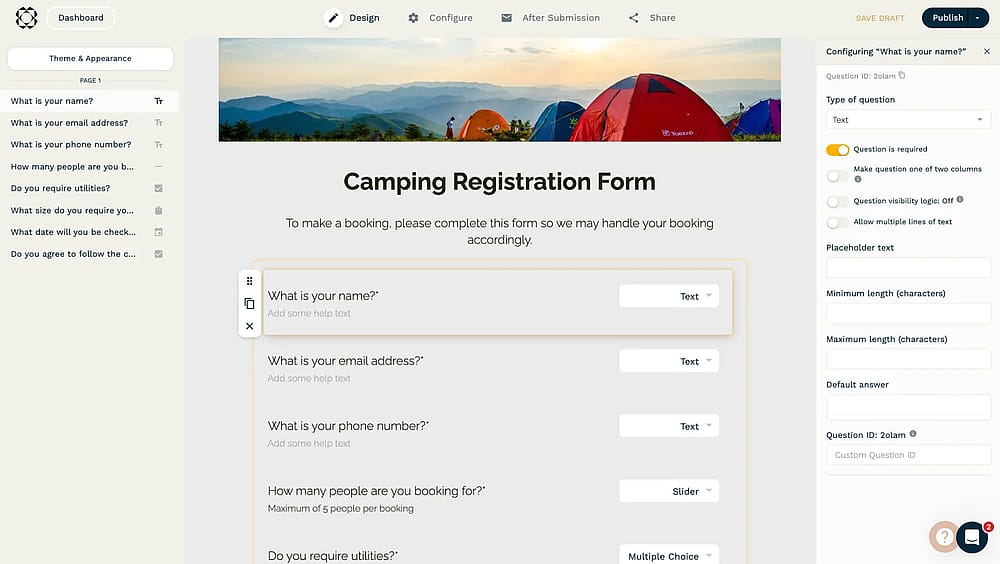
Workspace of Paperform
Paperform is a form and survey builder that feels more like a text editor than a traditional form tool. It allows you to insert images, videos, and styled text anywhere on the page, effectively blurring the line between a standalone survey and a high-converting landing page.
Why is Paperform a top pick? Paperform breaks away from Crowdsignal’s rigid, block-based layout by offering a free-form “doc” experience. It is a superior alternative for businesses that need to tell a story or provide context alongside their questions, resulting in a much more branded and professional aesthetic.
✍️ Editor’s experience: Typing surveys like a Word doc is incredibly intuitive, but editing very large, complex forms can occasionally feel sluggish.
Key features:
- Free-Text Editing: Type anywhere on the page to add instructions, stories, or media.
- Direct Payments: Sell products or subscriptions directly within the survey flow via Stripe or Square.
- Appointment Scheduling: Native integration to book meetings or slots based on respondent availability.
Paperform pricing:
- Free plan: ❌ (only free trial)
- Essentials: $29 / mo
- Pro: $59 / mo
- Business: $159 / mo
5. Form.io (Best for Developers & API-First Data Management)
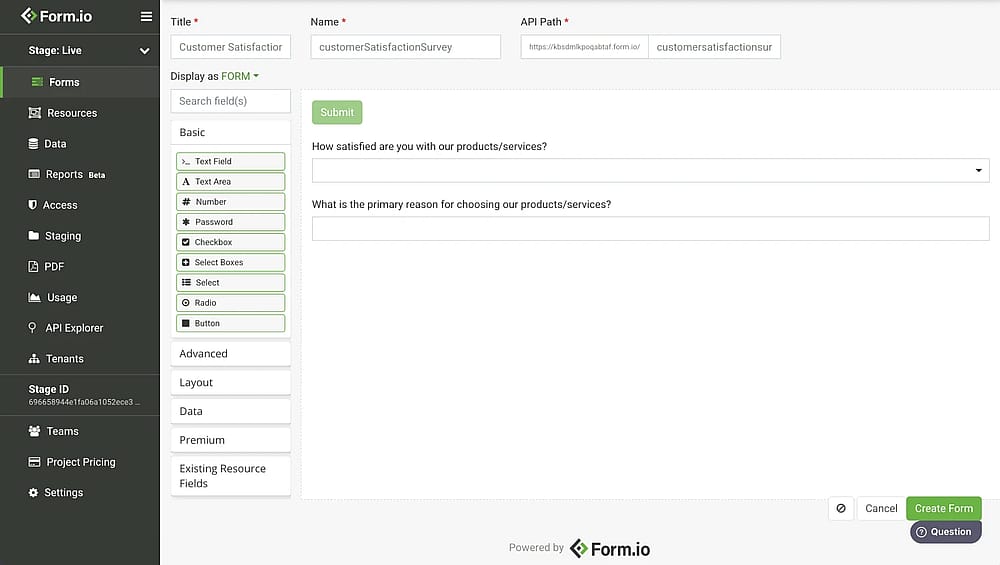
Workspace of Form.io
Form.io is a platform built for creating forms and for who need to integrate complex forms into web and mobile applications. It automatically generates a RESTful API for every form you build, making it an “application-first” tool rather than a simple marketing plugin.
Why is Form.io a top pick? Unlike Crowdsignal, which keeps your data siloed within its own ecosystem, Form.io gives you complete control over your data structure. It is the ideal pick for technical teams who require high-security, self-hosting options, and the ability to manage complex data flows across custom-built apps.
Key features:
- Auto-Generated APIs: Every form creation instantly creates a corresponding JSON API endpoint.
- Offline Data Collection: Capture submissions without an internet connection and sync them later.
- On-Premise Deployment: Host the platform on your own servers for 100% data sovereignty.
- Role-Based Access: Fine-tuned permissions for who can edit forms or view sensitive submission data.
From.io pricing:
- Free plan: ❌ (14-day free trial)
- Custom pricing
6. Survio (Best for Automated Business Result Analysis)
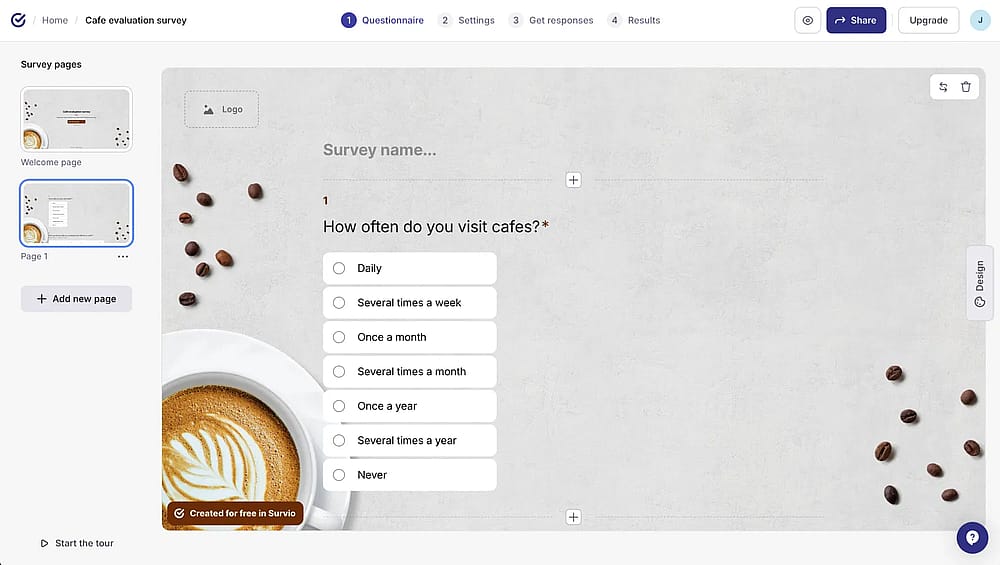
Workspace of Survio
Survio is a professional survey platform designed for businesses that prioritize data visualization and reporting. It simplifies the transition from gathering raw feedback to presenting actionable insights through its suite of automatically generated, presentation-ready charts and dashboards.
Why is Survio a top pick? Survio offers a more polished analytical suite than Crowdsignal’s basic reporting. It provides 17 different question types and professional BI dashboards, allowing managers to see real-time trends.
Key features:
- BI Dashboards: Visualize survey results in real-time with customizable business intelligence widgets.
- 100+ Expert Templates: Ready-to-use surveys designed by professionals for HR, marketing, and CX.
- Multi-Channel Distribution: Share via web links, email invitations, QR codes, or social media.
- Sentiment Analysis: Automatically categorize open-ended text responses into positive, neutral, or negative.
- One-Click PDF Reports: Generate high-quality, branded reports for stakeholders in seconds.
Surviio pricing:
- Free plan: ✅
- PRO Business: $152 / mo
- Standard: $61 / mo
- Mini: $21 / mo
7. 123FormBuilder (Best for Secure Multi-App Workflow Integration)
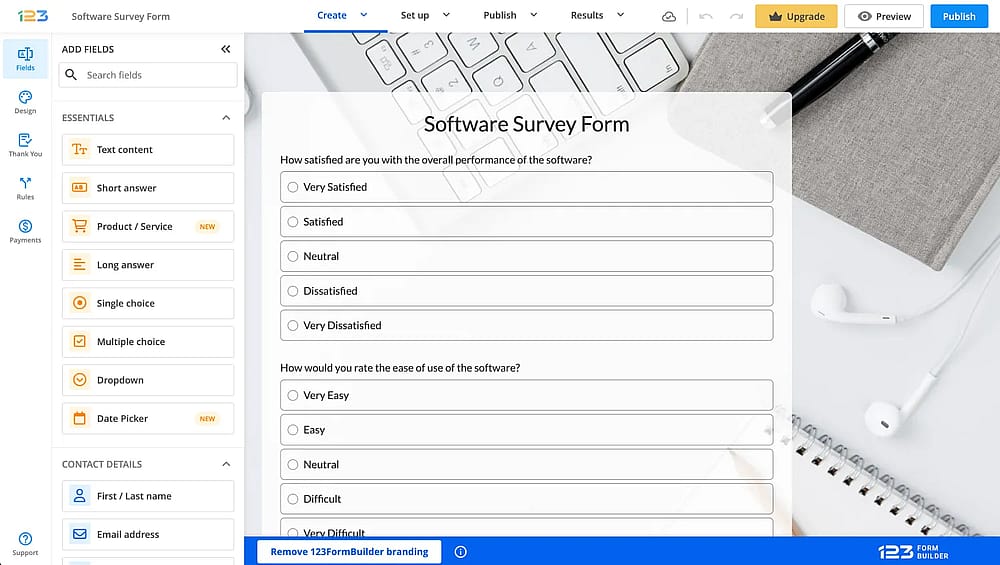
Workspace of 123FormBuilder
123FormBuilder is a no-code platform that specializes in secure data collection and complex integrations. It is particularly strong for organizations that need to sync survey data with CRMs like Salesforce or handle sensitive information across multiple departments.
Why is 123FormBuilder a top pick? While Crowdsignal is primarily built for the WordPress ecosystem, 123FormBuilder is built for the entire tech stack. It offers 3,000+ customizable templates and much more reliable native integrations.
Key features:
- Salesforce Native: Advanced bidirectional sync that can create and update records in real-time.
- Multi-Payment Processing: Add multiple payment gateways (PayPal, Stripe, Square) to a single form.
- Compliance Ready: Offers high-level security features including HIPAA and GDPR compliance tools.
- Conditional Email Logic: Send different notification emails to different departments based on user input.
123Formbuilder pricing:
- Free plan: ✅
- Gold plan: $37 / mo
- Platinum plan: $49 / mo
- Diamond plan: $99 / mo
- Enterprise plan: $225 / mo
8. Formsite (Best for Complex HIPAA & High-Security Data)
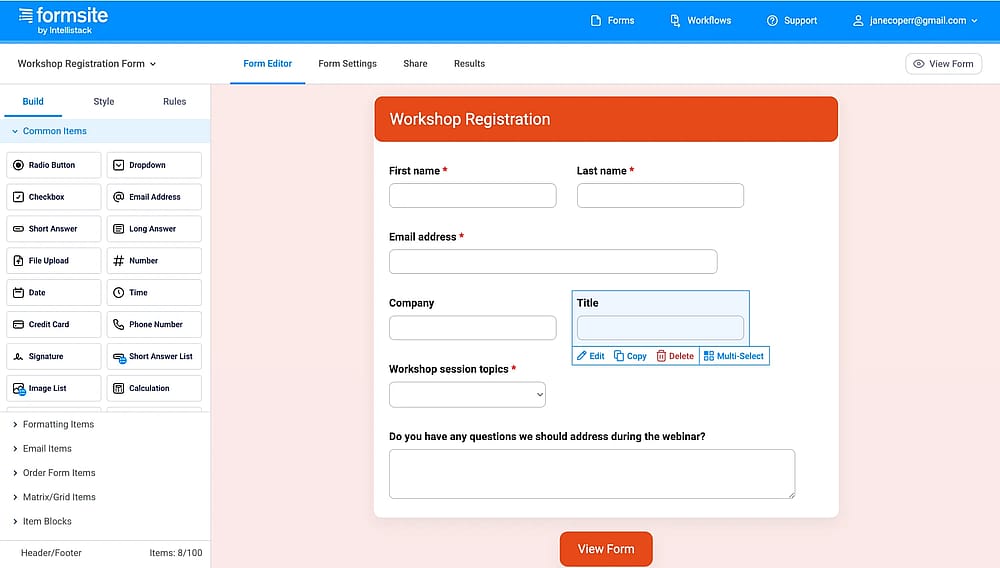
Workspace of Formsite
Formsite is an enterprise-grade form builder known for its heavy focus on security and data integrity. It has been a mainstay in the industry for years, providing the reliability needed for handling sensitive patient data, financial information, or government-level surveys.
Why is Formsite a top pick? Formsite offers a level of data security and encryption that Crowdsignal simply cannot match. It is a better alternative for organizations that require HIPAA compliance, secure file uploads, and the ability to “Save & Return”.
Key features:
- Secure Link Sharing: Share surveys using end-to-end SSL encryption for protected data.
- Results Doc Merge: Automatically populate your own PDF or Word templates with survey data.
- File Uploads: Securely collect documents, images, and videos from respondents.
- Sub-User Accounts: Manage team permissions with granular control over who can view specific results.
Formsite pricing:
- Free plan: ✅
- Personal: $24.95 / mo
- Professional: $39.95 / mo
- Business: $69.95 / mo
- Business+: $99.95 / mo
- Enterprise: $249.95 / mo
9. ProProfs Survey Maker (Best for Educational Quizzes & Scored Tests)
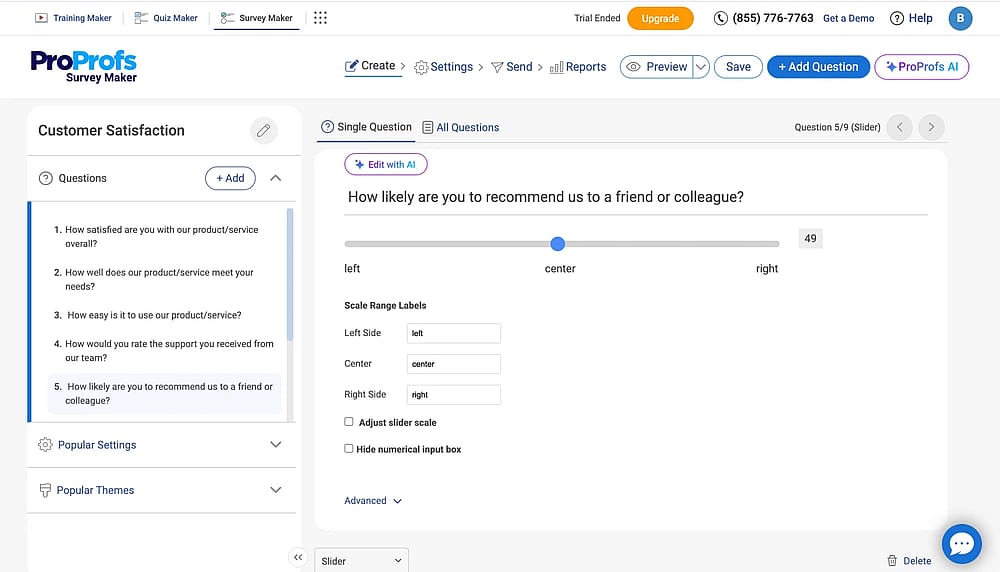
Workspace of ProProfs (Source: ProProfs)
ProProfs Survey Maker combines a professional survey builder with powerful assessment and quiz capabilities. It is the go-to tool for educators and corporate trainers who need to gather feedback while also scoring or grading the participants.
Why is ProProfs a top pick? ProProfs excels where Crowdsignal's quiz features are limited. It offers a massive library of pre-written questions and AI-assisted creation tools, making it significantly faster to build detailed educational assessments.
Key features:
- Question Bank: Access thousands of expert-written questions to ensure data accuracy and quality.
- Scoring & Certification: Automatically grade responses and issue custom certificates upon completion.
- Sidebar Surveys: Non-intrusive survey pop-ups specifically designed for high-traffic websites.
- Advanced Randomization: Shuffle questions and answers to prevent bias and ensure integrity.
ProProfs pricing:
- Free plan: ✅
- Essentials: $79.99 / mo
- Business: $139.99 / mo
- Enterprise: Starts at $149.99 (annual plans only)
10. Cognito Forms (Best for Advanced Logic & Payment Workflows)
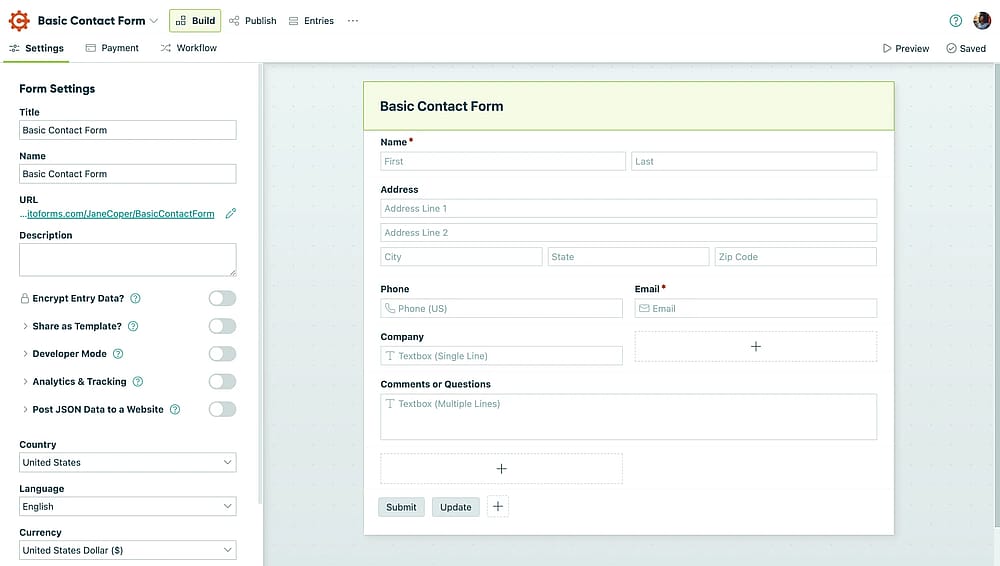
Workspace of Cognito Forms
Cognito Forms is a survey builder builder that focuses on complex conditional logic and data management. It allows users to create sophisticated forms that feel like custom applications, including things like repeating sections and complex calculations.
Why is Cognito Forms a top pick? Cognito Forms offers much more powerful logic than Crowdsignal, allowing for advanced calculations and conditional formatting that changes the form’s behavior in real-time. It is a superior choice for businesses that need to process complex orders or detailed registrations.
Key features:
- Repeating Sections: Allow users to add as many entries as they need (e.g., adding multiple guests).
- Calculated Fields: Perform real-time math and logic inside the form for quotes or totals.
- Save and Resume: Let respondents save their progress and return via a secure link.
- Lookup Fields: Pull data from other forms or entries to populate fields automatically.
- Data Encryption: High-level security with the option to encrypt sensitive fields at rest.
Cognito Forms pricing:
- Free plan: ✅
- Pro plan: $19 / mo
- Team plan: $35 / mo
- Enterprise plan: $129 / mo
Conclusion: Choosing your survey tool
While Crowdsignal is a reliable entry point for WordPress users, professional data collection in 2026 requires more flexibility. The “best” tool isn't universal; it depends on your specific business goals.
As you finalize your choice, keep these expert-vetted tips in mind:
- Audit your integrations: Ensure the tool syncs natively with your CRM or email marketing stack to avoid the "manual export" trap.
- Prioritize the user experience: High friction leads to low completion. Choose a builder with a mobile-first, conversational interface to respect your audience's time.
- Check logic capabilities: Look for intuitive "Skip Logic" and "Conditional Branching" to ensure you only ask relevant questions to each respondent.
- Watch for scaling costs: Compare the price-per-response. A generous free plan can quickly become expensive as your traffic grows.
- Verify security standards: If you handle sensitive data, double-check for GDPR tools or SSL encryption.
The bottom line: We recommend testing a modern alternative like forms.app alongside a traditional plugin to see which workflow truly saves you time.
Frequently asked questions (FAQs)
Crowdsignal offers a free plan, but it is limited to 2,500 "signals" (responses to individual questions) and basic reporting. If you need to export your data to Excel, remove Crowdsignal branding, or use advanced logic, you will need to upgrade to a paid plan starting at $25 per month.
The most common reasons include the dated user interface, the mandatory requirement for a WordPress.com account, and limited design flexibility. Modern alternatives like forms.app or Typeform offer more engaging, mobile-first designs and AI-assisted survey creation that Crowdsignal currently lacks.
No. While Crowdsignal is deeply tied to WordPress, most of the alternatives on this list (like Typeform, or forms.app) are standalone SaaS platforms. You can share them via a direct link, QR code, or embed them on any website platform, including Shopify, Wix, or custom-coded sites.
Contributors
Researched & written by
forms.app, your free form builder
- Unlimited responses
- Unlimited questions
- Unlimited team members