Save up to 60% on yearly plans and enjoy our biggest offer of the year. Limited time only. 🍂
See pricing

Top 17 AI form builders for conversion (vetted & tested)
Summarize with
The era of dragging and dropping fields one by one is over. The market now demands the AI form builder, a tool that generates entire, optimized forms in minutes, saving you hours and increasing conversion.
But the term “AI form builder” is thrown around loosely.
To deliver true authority, our team vetted and tested all 17 platforms on this list with rigorous, hands-on scenarios.
This is the only experience-driven breakdown you need to choose a tool that will genuinely boost your completion and conversion rates. Scroll down now to explore the full top 17 and redefine your data collection strategy!
💡 All tools featured in this content have been reviewed and updated for 2026 standards. Pricing reflects the most current monthly options available.
TL;DR for the best AI form builders 🏆
1. forms.app — Best for overall value
2. involve.me — Best for dynamic marketing funnels
3. BlockSurvey — Best for privacy-first data collection
4. OrbitForms — Best for AI lead qualification and routing
5. ZonkaFeedback — Best for dynamic marketing funnels
6. Fillout — Best for deep database integration
7. Survicate — Best for collecting contextual customer feedback
8. Outgrow — Best for high-conversion interactive content
9. Qualtrics — Best for enterprise-level research
10. Typeform — Best for high completion rates
11. Feathery — Best for pixel-perfect design
12. Formsite — Best for security-focused data collection
13. Cognito Forms —Best for complex logic
14. Zoho Forms — Best for seamless integration within the Zoho ecosystem
15. Appy Pie Form Builder — Best for beginners
16. Weavely — Best for cutting-edge AI design
17. SurveyMars — Best for employee experience management
First glance at the top AI form makers
Tool | Best For | Most Important Standout Features | Entry Plan |
forms.app | Overall Value & AI Features | Robust AI suite & AI Survey Builder Assistant Generous conditional logic on lower tiers | Free Plan (Paid starts at $29/mo) |
involve.me | Marketing Funnels & Leads | Ideal for lead-gen quizzes and calculators AI Insights and instant reports | Free Plan (Paid starts at $49/mo) |
BlockSurvey | Privacy & Security | End-to-end encryption for maximum privacy Full data ownership and no trackers/ads | Free Plan (Paid starts at $49/mo) |
OrbitForms | Best for AI lead qualification and routing | AI SDR classifies every submission against your ICP · Built-in scheduler and workflow automation | Free trial only (Paid starts at $79/mo) |
ZonkaFeedback | CX Management & Feedback Loop | AI-powered sentiment and feedback analysis Ability to close the feedback loop (case management) | Free Plan (Custom pricing) |
Fillout | Deep Database Integration (Airtable, Notion) | Exceptional native integrations (Airtable, Notion) Powerful conditional logic and calculations | Free Plan (Paid starts at $19/mo) |
Survicate | Contextual Feedback Analysis | AI-powered text analysis and topic tagging Multichannel feedback (website, in-product, email) | Free Plan (Paid starts at $49/mo - using Growth annual price) |
Outgrow | Interactive Content & Quizzes | Specialized in interactive content (calculators, quizzes) AI-Driven content creation and optimization | Free Plan (Paid starts at $22/mo) |
Qualtrics | Enterprise Research & Sentiment | Advanced text and sentiment AI analysis Robust features for complex survey research | Free Plan (Custom pricing for paid) |
Typeform | High Completion Rates | High completion rates (conversational format) Powerful AI form generator and language optimization | Free Plan (Paid starts at $29/mo) |
Feathery | Pixel-perfect design | Advanced custom logic/API connections Pixel-perfect design control | Free Plan (Custom pricing) |
Formsite | Security & Embed Options | Strong focus on security and data protection Numerous form sharing/embed options | Free Plan (Paid starts at $24.95/mo) |
Cognito Forms | Complex Logic & Documents | Custom PDF or Word document generation Advanced calculations and logic features | Free Plan (Paid starts at $19/mo) |
Zoho Forms | Zoho Ecosystem Integration | Deep, native integration with the entire Zoho Suite Custom AI Models for data analysis and predictions | Free Plan (Paid starts at $9/mo) |
Appy Pie Form Builder | Beginners & No-Code Creation | Highly beginner-friendly, drag-and-drop interface Access to a variety of industry-tailored templates | Free Plan (Paid starts at $16/mo) |
Weavely | Cutting-Edge AI Design | Multi-modal creation (text, voice, file) from prompt AI design assistant handles branding and style | Free Plan (Paid starts at $20/mo) |
SurveyMars | Employee experience management & market research models, such as Kano, MaxDiff, PSM, NPS Conjoint Analysis | AI-powered surveys Unlimited surveys & unlimited responses Market Research | Free Plan |
17 Best AI form makers for conversion [tested]
Now that you have a general idea about each tool with its pricing systems and features, you can have a look at more detailed versions of the tools with experienced tips:
1. forms.app (Best for overall value & AI features)
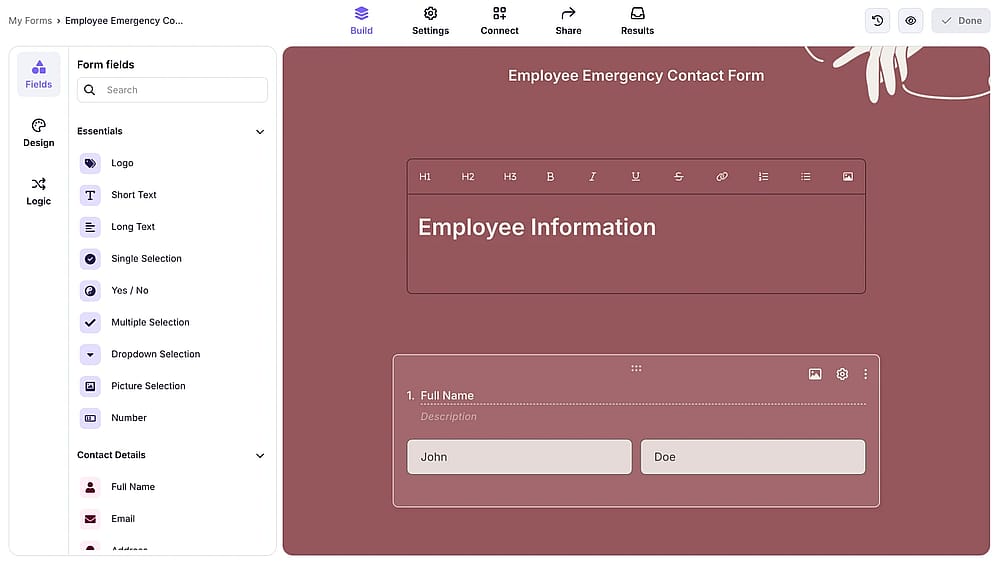
Workspace of forms.app
forms.app is an advanced online form builder tool that offers numerous excellent form templates for various needs. Users can improve the look of their forms, including colors and eye-catching themes. forms.app also presents the best AI form builder assistant, enhancing its capabilities for companies looking to create dynamic and practical forms.
Why it’s a top pick: This tool earns its top spot by dominating the price-to-performance ratio. Unlike competitors who gate key features and forms.app offers critical tools like advanced conditional logic, payment collection, and a full-featured AI survey builder assistant on its lower tiers. Its unique Rewrite with AI feature and mobile app support solidify it as the best high-value solution for growing businesses that require power without the high enterprise price tag.
Pros of forms.app
- AI creation (form, quiz, survey)
- Multilingual forms (AI-powered)
- Response filter & translation (AI-powered)
- AI insights
Cons of forms.app
- Allows 5 forms in the free plan
- No HIPAA compliance
forms.app pricing
- Free plan ✅
- Basic Plan: 29 USD per month
- Pro Plan: 39 USD per month
- Premium Plan: 79 USD per month
2. involve.me (Best for marketing funnels & leads)
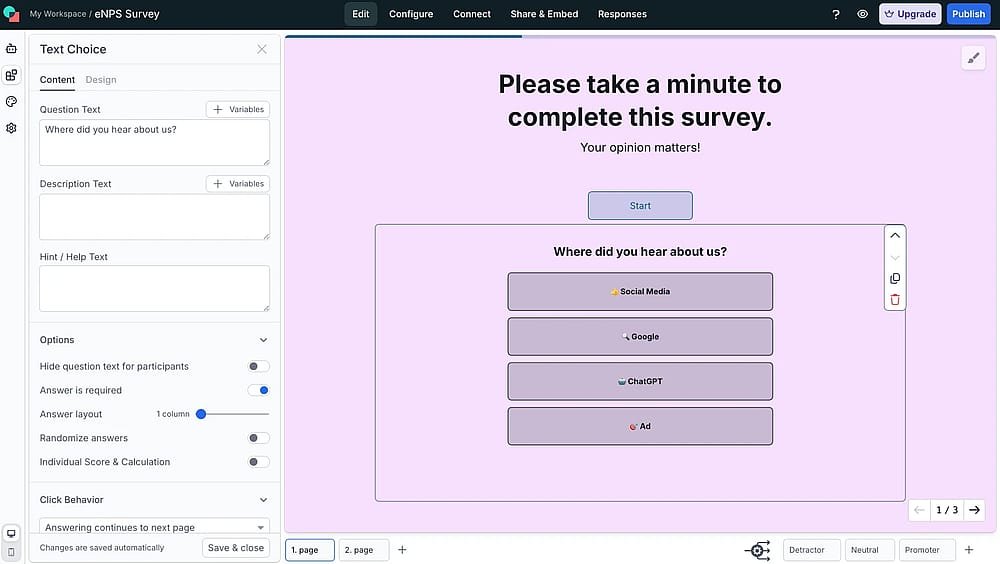
Workspace of involve.me
involve.me is an AI-powered funnel builder that assists websites in creating forms, surveys, and quizzes for enhanced data collection and increased conversions. Users can create a variety of embeddable, interactive content from scratch or customize one of the 300+ pre-designed templates.
Why it’s a top pick: involve.me is the best choice for marketers focused on lead generation and interactive content. Its strength lies in building multi-step, personalized funnels that dynamically adapt using conditional logic.
Pros of involve.me
- Ideal for lead-gen quizzes and calculators
- AI Insights and instant reports
- Integrated payment solutions for instant sales
- Seamless native integrations with major CRMs
Cons of involve.me
- Pricing can be steep for small teams/startups
- Learning curve for complex funnel creation
- Some users report a buggy editor interface
involve.me pricing:
- Free plan: ✅
- Starter: 49 USD per month
- Pro: 99 USD per month
- Business: 199 USD per month
💡 The pricing structure is clearly aimed at established businesses rather than solo entrepreneurs.
3. BlockSurvey (Best for privacy & security)
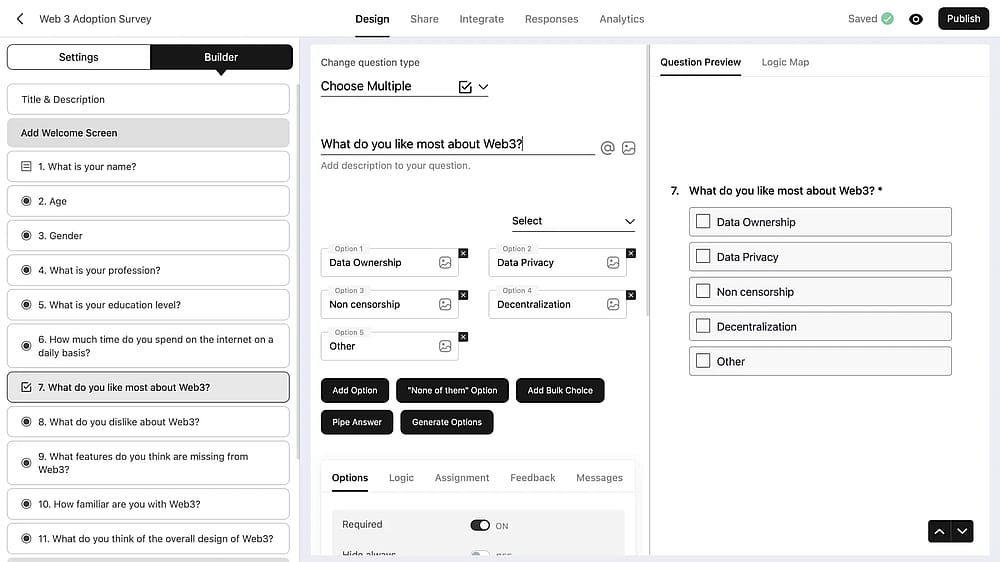
Workspace of BlockSurvey
BlockSurvey is an AI-driven, privacy-focused form builder enabling websites to create surveys, forms, quizzes, and polls with guaranteed end-to-end data security. Users can easily design customized forms or select from professionally crafted templates.
Why it’s a top pick: This tool is the premier choice for organizations and professionals handling sensitive data. Built on a secure architecture, BlockSurvey ensures complete data ownership and respondent anonymity through end-to-end encryption.
Pros of BlockSurvey
- End-to-end encryption for maximum privacy
- Full data ownership and no trackers/ads
- AI-generated forms and question suggestions
- Built-in anonymity features (e.g., Token-Gated surveys)
Cons of BlockSurvey
- Limited native integrations compared to competitors
- The login process requires email verification
- Basic free plan with low response limits
BlockSurvey pricing:
- Free plan: ✅
- Standard: 49 USD per month
- Premium: 99 USD per month
- Team: 149 USD per month (only 3 users)
4. OrbitForms (Best for AI lead qualification and routing)
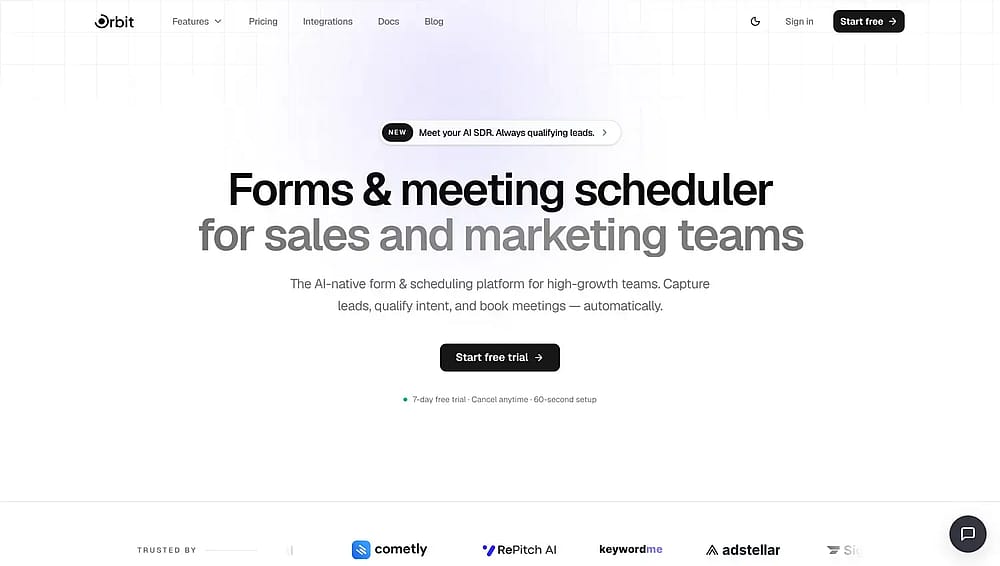
Homepage of OrbitForms
OrbitForms is an AI-native form and scheduling platform built for sales and marketing teams. You can create standard multi-field forms or conversational "Flow" forms that ask one question at a time, with conditional logic, 20+ field types, and custom CSS available across both. Where it departs from the rest of this list is what its AI is pointed at: instead of helping you write the form, it works on the responses as they arrive.
Why it's a top pick: Most AI form builders on this list use AI at the creation stage or the analysis stage. OrbitForms uses it at the decision stage. Its AI SDR agent, powered by Claude, evaluates every submission against an ideal customer profile, sorts the lead into a qualification bucket with human-readable reasoning attached, and recommends the next action.
Pros of OrbitForms
- AI lead classification with readable reasoning, not just a numeric score
- Built-in meeting scheduler with calendar sync, round robin, and group booking
- Visual workflow builder with AI agent nodes, enrichment, and conditional branching
- Standard and conversational form types in the same builder
- Unlimited team members on every plan
Cons of OrbitForms
- No free plan, only a 7-day trial across all tiers
- AI qualification and A/B testing require the mid-tier plan
- AI credits are metered at 100/month, then billed per use
- Built for B2B lead capture rather than surveys, research, or long applications
OrbitForms pricing
- Free plan: ❌ (7-day trial)
- Pro: 79 USD per month
- Business: 149 USD per month
- Advanced: 249 USD per month
💡 The AI SDR and lead classification features sit on the Business plan, so the entry tier functions as a conventional form builder with automation.
5. ZonkaFeedback (Best for CX management & feedback loop)
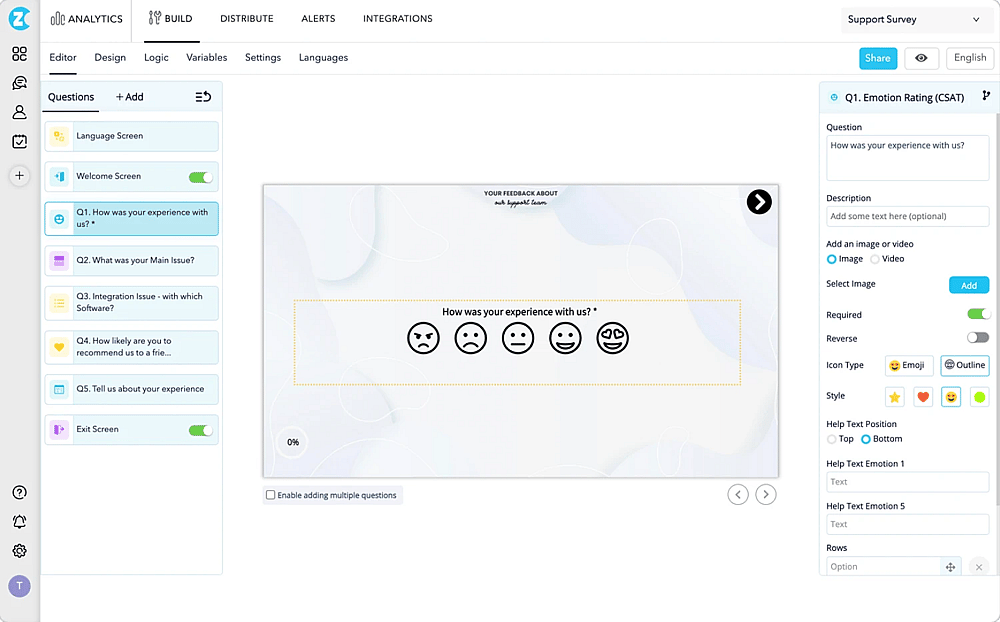
Workspace of ZonkaFeedback (Source: ZonkaFeedback)
ZonkaFeedback offers a powerful AI builder that helps organizations create effective feedback forms and surveys. This Customer Experience (CX) management software enables organizations and individuals to create forms, embed them on websites, or send them across multiple channels.
Why it’s a top pick: ZonkaFeedback is explicitly designed to close the feedback loop and support comprehensive CX management. Unlike general form builders, its AI is focused on feedback intelligence, analyzing unstructured data for sentiment and themes, and automating workflow to ensure prompt action on customer issues.
Pros of ZonkaFeedback
- Dedicated CX automation and workflows
- AI-powered sentiment and feedback analysis
- Ability to close the feedback loop (case management)
- Simple drag-and-drop, no-code form builder
Cons of ZonkaFeedback
- Can be expensive compared to general form builders
- Some users report a basic or confusing UI/UX
- Occasional reports of software instability
ZonkaFeedback pricing:
- Free plan: ❌
- Feedback Management: Custom pricing
- AI Feedback Intelligence: Custom pricing
6. Fillout (Best for Airtable/Notion integration)
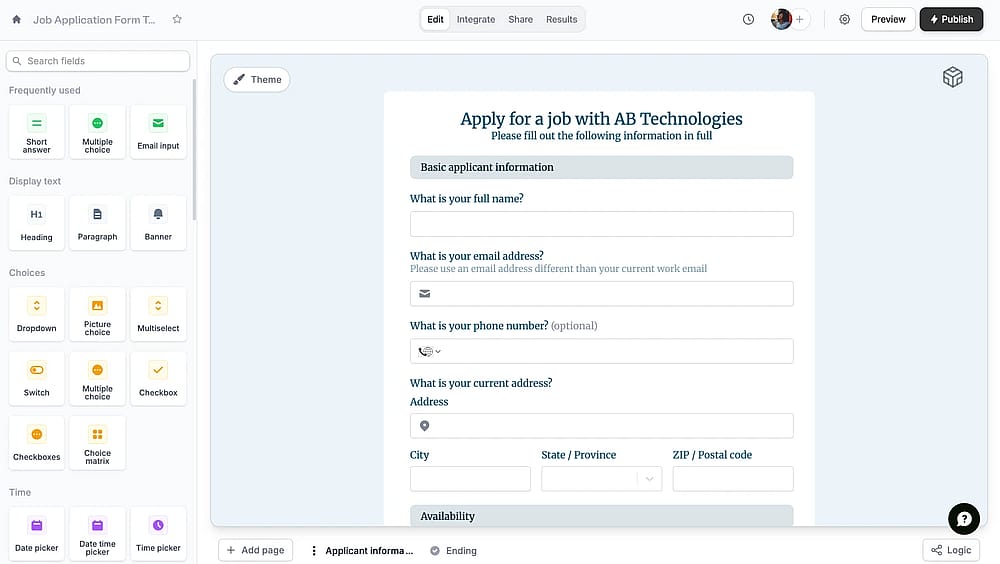
Workspace of Fillout
Fillout is a tool designed to simplify the process of creating forms, surveys, and quizzes. Its user-friendly interface makes it easy for anyone to design custom forms. Fillout also has an AI Form Generator that allows users to build dynamic and structured forms quickly with just a few clicks.
Why it’s a top pick: Fillout is the power-user's choice for deep database integration, particularly with tools like Airtable and Notion. Its advanced, often bidirectional, native integrations go beyond simple data submission; they can pull live data to pre-fill fields, making forms an interactive extension of your core business systems.
Pros of Fillout
- Exceptional native integrations (especially Airtable, Notion)
- Powerful, intuitive conditional logic and calculations
- Generous free plan and competitive pricing
- AI-powered form generation and question refinement
Cons of Fllout
- Steeper learning curve for advanced logic/calculations
- High-value features sometimes restricted to higher tiers
- Limited design and branding flexibility on lower plans
Fillout pricing
- Free plan: ✅
- Starter: 19 USD per month
- Pro: 49 USD per month
- Business: 89 USD per month
7. Survicate (Best for contextual feedback analysis)
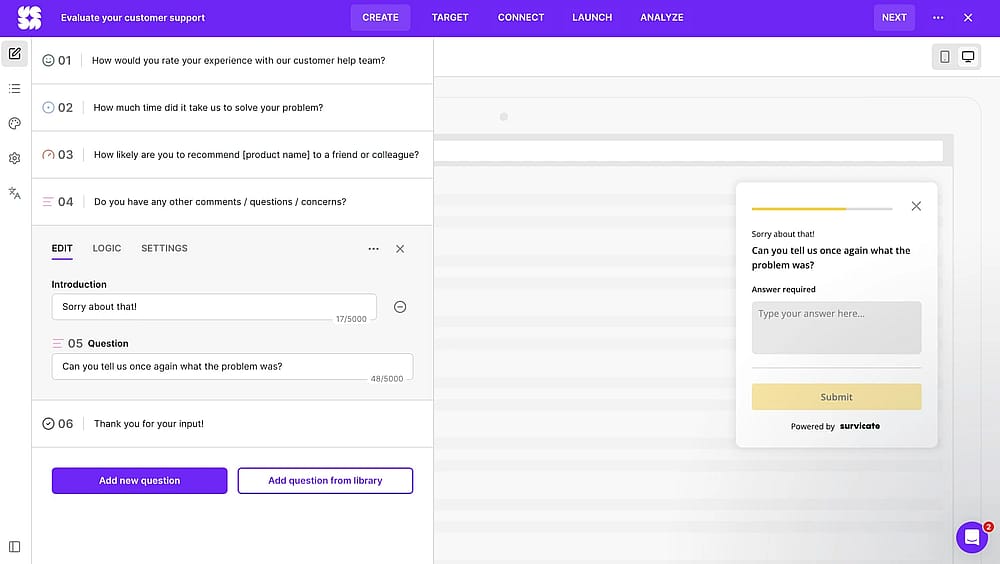
Workspace of Survicate
Survicate’s AI form creator allows you to simply describe what kind of survey you need in a sentence or two and get a ready-to-use template. Thanks to its AI automated text answer analysis, you can identify trends in responses without manually reviewing them all.
Why it’s a top pick: Survicate is the best platform for collecting contextual customer feedback across all channels. It excels at in-product surveys, website widgets, and mobile app feedback, ensuring you capture insights precisely when and where users experience your product.
Pros of Survicate
- Multichannel feedback (website, in-product, email)
- AI-powered text analysis and topic tagging
- Collects partial responses for higher data capture
- Intuitive, easy-to-use design
Cons of Survicate
- Better suited for surveys/feedback than general forms
- Pricing scales quickly as response volume increases
- Smaller ecosystem of integrations than major competitors
Survicate pricing:
- Free plan: ✅
- Starter: 79 USD per month (100 responses)
- Growth: 49 USD per month - billed annually (100 responses)
- Volume: 229 USD (billed monthly or yearly)
- Pro: 229 USD (billed monthly or yearly)
- Enterprise: 499 USD (flexible billing)
8. Outgrow (Best for interactive content & quizzes)
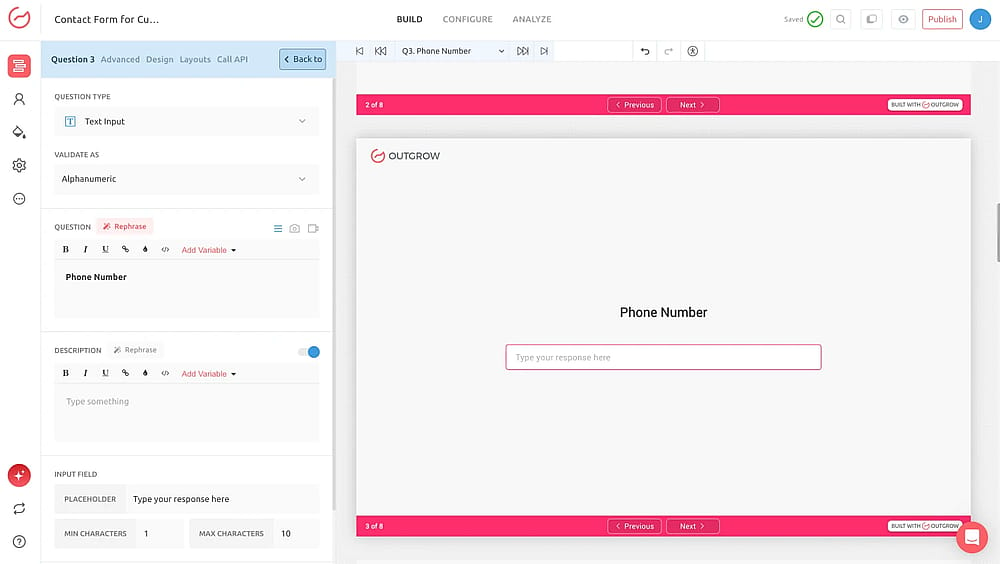
Workspace of Outgrow
Outgrow is an advanced no-code platform that harnesses AI to create highly engaging, interactive content experiences. With its cutting-edge AI capabilities, Outgrow lets you effortlessly build forms, quizzes, calculators, surveys, chatbots, assessments, giveaways, and more without any coding.
Why it’s a top pick: Outgrow is the specialist for high-conversion interactive content that drives lead capture. It transforms static forms into engaging experiences, such as ROI calculators, personalized product recommendation quizzes, and graded assessments.
Pros of Outgrow:
- Specialized in interactive content (calculators, quizzes)
- AI-Driven content creation and optimization
- 100+ optimized, high-converting AI templates
- Seamless integration with marketing tools
Cons of Outgrow:
- Higher monthly cost compared to basic form builders
- The interface can feel overwhelming due to feature volume
- Primarily focused on marketing/lead generation use cases
Outgrow pricing:
- Free plan: ❌
- Freelancer: 22 USD per month
- Freelancer Pro: 45 USD per month
- Essentials: 115 USD per month
- Business: 720 USD per month
9. Qualtrics (Best for enterprise research & sentiment)
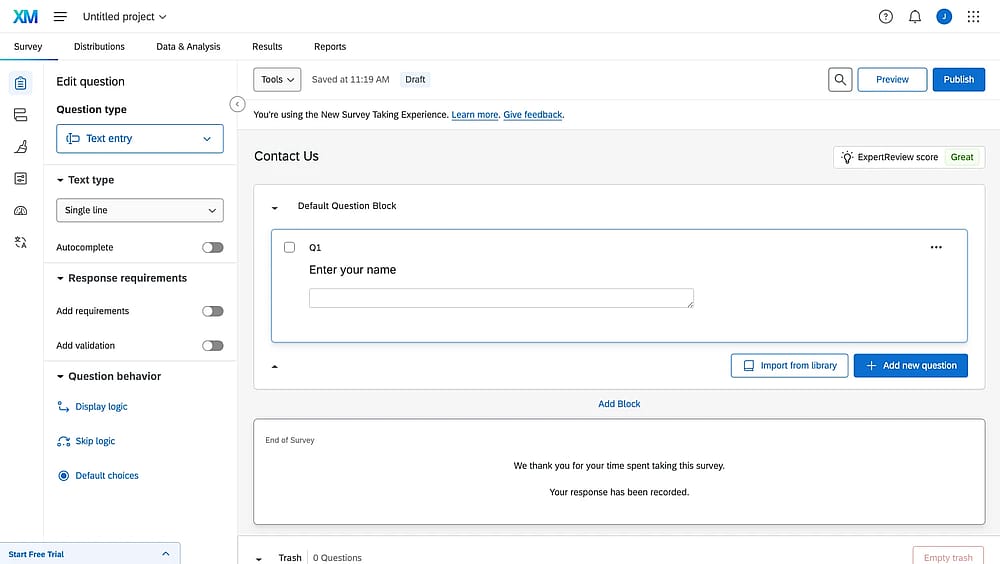
Workspace of Qualtrics
Qualtrics is a tool for enterprises and individuals seeking advanced survey functionality and customization options. With Qualtrics, you can create complex surveys and forms with branching logic and skip patterns. It also includes AI-powered features such as suggested responses, text summaries, and sentiment analysis, which simplify experience management and increase personalization.
Why it’s a top pick: Qualtrics is the gold standard for enterprise-level Experience Management (XM) and deep market research. This platform is necessary for large organizations and academic researchers who require the most advanced statistical analysis, security, and integration with core HR/CRM systems.
Pros of Qualtrics
- Advanced text and sentiment AI analysis
- Robust features for complex survey research
- Integrates with major enterprise systems (Oracle, Tableau)
- Highly customizable branching logic and skip patterns
Cons of Qualtrics
- Very expensive, primarily targets large enterprises
- Overkill for simple form and survey needs
- Pricing is available on request, lacks public transparency
Qualtrics pricing
- Free plan ✅
- Custom pricing
10. Typeform (Best for design)
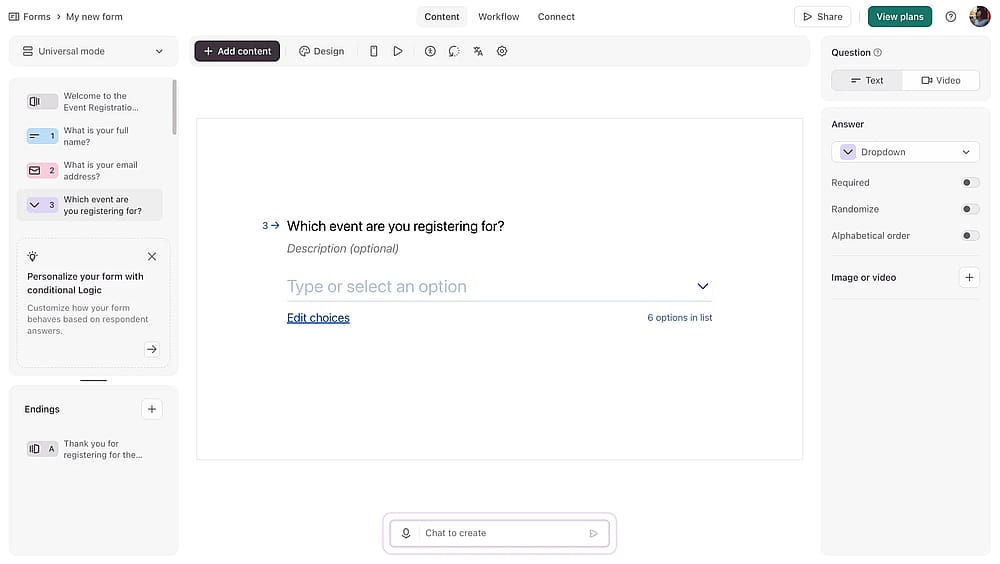
Workspace of Typeform
Typeform offers customization options to match your company's style and uses AI to enhance form creation. Its AI suggests questions and answer options based on your needs, making creation much faster. Plus, Typeform's AI helps improve form language in real time for more effective forms.
Why it’s a top pick: Typeform stands out for its single-question-at-a-time conversational format. Its AI features, like suggesting questions and optimizing language, are perfectly tuned to streamline the creation of engaging, human-friendly conversations that maximize response quality and volume.
💡 Editor’s experience: The AI language optimization helps refine your questions further. We noticed that features like “adding videos” can be limited on lower tiers, and that attempting to create complex, multi-field layouts can quickly reveal the tool's foundational constraint.
Pros of Typeform
- High completion rates due to conversational format
- Powerful AI form generator and language optimization
- Excellent mobile-responsive design and aesthetics
- Integrates with 500+ apps via Zapier
Cons of Typeform
- Features like Answer Piping are sometimes limited
- The cost per user or response can be high on paid plans
- Limited flexibility in complex layouts compared to grid builders
Typeform pricing
- Free plan: ✅
- Basic: 29 USD per month
- Plus: 59 USD per month
- Business: 99 USD per month
- Growth Essentials: 199 USD per month
- Growth Pro: 349 USD per month
- Talent: 149 USD per month
11. Feathery (Best for pixel-perfect)
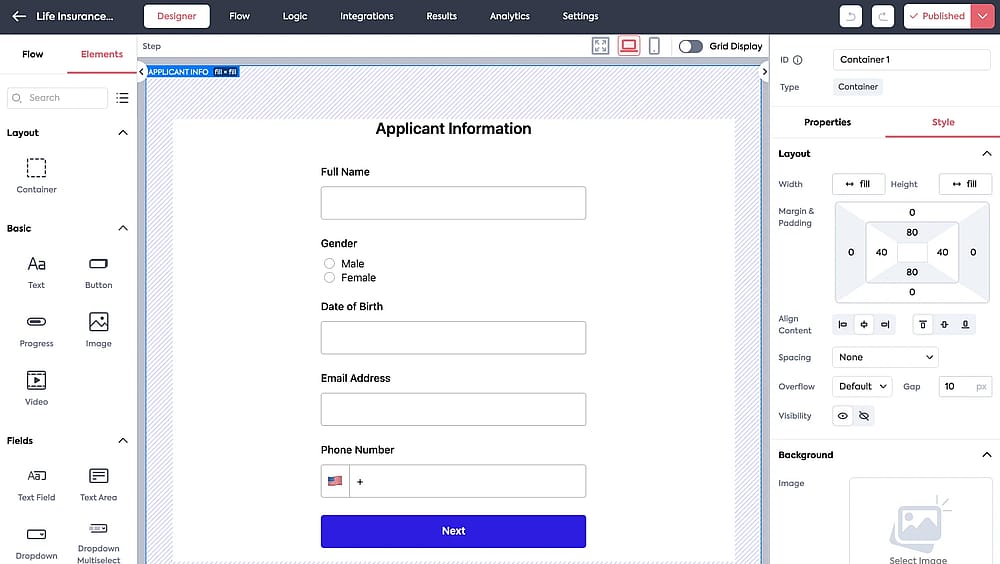
Workspace of Feathery
Feathery is a powerful no-code form and workflow automation platform designed primarily for product teams. It offers a flexible no-code style editor that allows you to match any custom design, achieving "pixel-perfect" user interfaces. It uses an AI Form Builder to help with initial creation and features a robust rule builder to define complex conditional logic and multi-step workflows.
Why it’s a top pick: Feathery stands out for its exceptional customization and developer-friendly approach to complex workflows. Its support for Advanced Logic using JavaScript and direct API connections to pull and write data makes it uniquely suited for intricate user onboarding and application flows at scale.
Pros of Feathery
- Pixel-perfect design achieved with flexible style editor
- Advanced conditional logic, loops, and custom JavaScript rules
- Strong security and compliance (SOC 2, HIPAA compliant options)
- Templates tailored for high-stakes industries
Cons of Feathery
- Not aimed at basic form builders; features can be overwhelming for simple use
- Steeper learning curve for leveraging advanced logic and custom APIs
- Fully harnessing the power requires time in initial setup
- Branding removal and enterprise security features require custom pricing tiers
Feathery pricing
- Free plan: ✅
- Custom pricing
12. Formsite (Best for security & embed options)
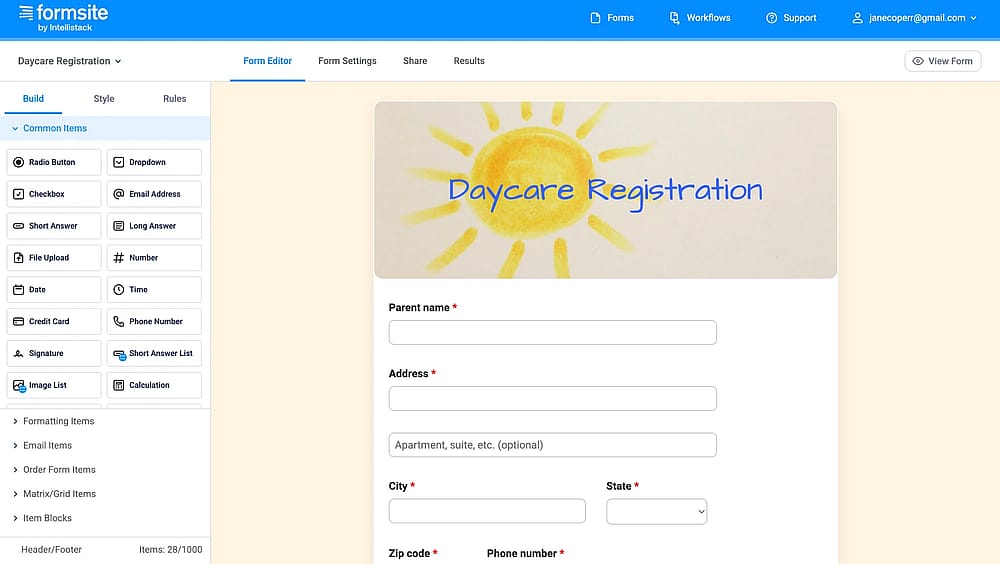
Workspace of Formsite
Formsite is an online form builder that stands out for its user-friendly interface and practical features, including options for creating forms and surveys and embedding them. One of its benefits is its focus on security, ensuring that sensitive data remains protected. Plus, Formsite AI options make your form creation much easier and more personalized.
Why it’s a top pick: Formsite is the reliable choice for users who need a secure, foundational tool with strong embedding and sharing flexibility. Its “Quick Start with AI” feature helps get forms up instantly, but its core value is in providing a secure, no-fuss solution for data collection across different channels.
Pros of Formsite
- Strong focus on security and data protection
- “Quick Start with AI” feature for rapid creation
- Integrates with many payment platforms
Cons of Formsite
- Design and customization options can look dated
- Pricing is tiered based on submission volume
- Core functionality is utility over cutting-edge aesthetics
Formsite pricing:
- Free plan: ✅
- Personal: 24.95 USD per month
- Professional: 39.95 USD per month
- Business: 69.95 USD per month
- Business+: 99.95 USD per month
- Enterprise: 249.95 USD per month
13. Cognito Forms (Best for complex logic & documents)
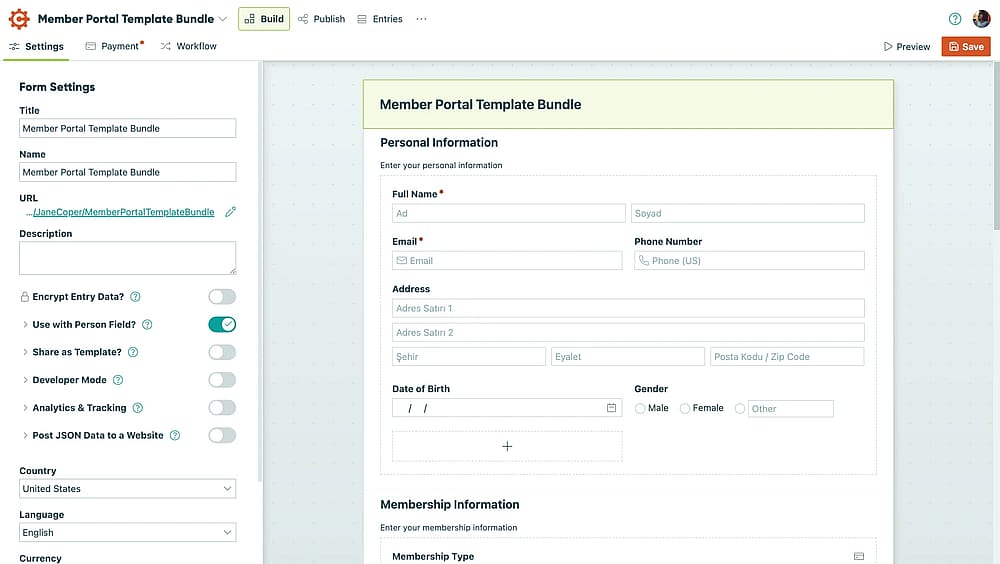
Workspace of Cognito Forms
Cognito Forms is the next tool on our list and is renowned for its data collection, management, and compliance capabilities. It attracts our attention because of its AI features, which help users generate various forms quickly and easily. Whether it's surveys, contact forms, registration forms, or others, Cognito Forms AI can generate custom online forms with a few clicks.
Why it’s a top pick: Cognito Forms excels at creating dynamic, complex forms that handle financial logic and document generation. The AI features streamline the creation process, but the core strength is the powerful, compliant data and document workflow it enables.
💡 Editor’s experience: We successfully generated custom, branded PDF and Word documents automatically from form submissions. However, the free plan is quite restrictive, and achieving advanced logic requires a steeper initial learning curve than basic form builders.
Pros of Cognito Forms
- Advanced calculations and logic features
- Custom PDF or Word document generation
- Strong compliance features for sensitive data
- AI-powered form generation
Cons of Cognito Forms
- The free plan is quite restrictive on features
- Design customization options are somewhat basic
- Can be a steeper learning curve for advanced logic
Cognito Forms pricing
- Free plan: ✅
- Pro: 19 USD per month
- Team: 39 USD per month
- Enterpise: 129 USD per month
14. Zoho Forms (Best for Zoho ecosystem integration)
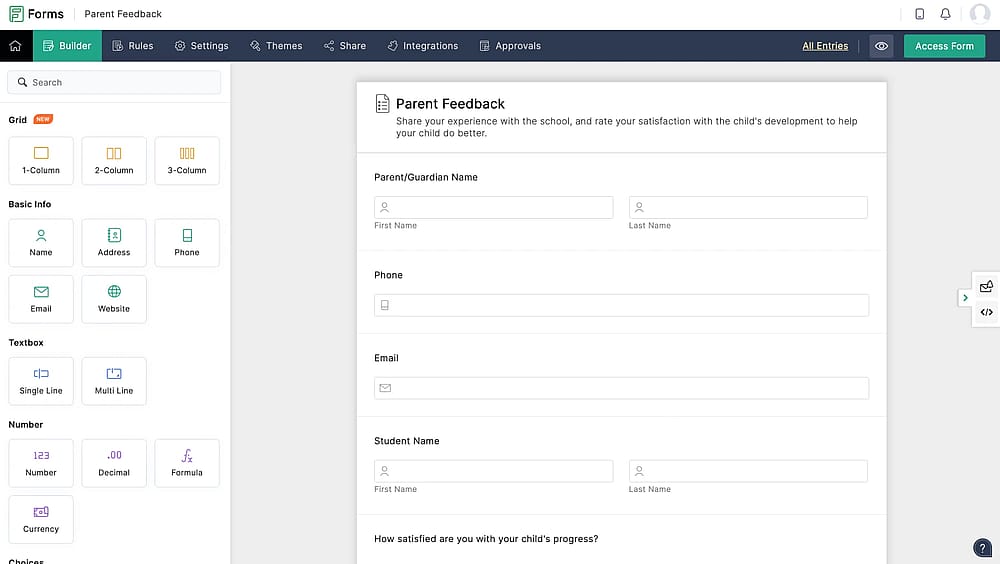
Workspace of Zoho Forms
Zoho Forms is not only about form creation but also focuses on improving business communication. Being part of the Zoho software platform, Zoho Forms offers seamless integration with other apps for better collaboration among team members. One of its AI features is creating custom AI models using Zoho's AI tools, which analyze form data to provide insights and predictions.
Why it’s a top pick: Zoho Forms is the indispensable choice for businesses already invested in the Zoho ecosystem. The AI Models feature leverages collected data to provide valuable business predictions, turning simple form submissions into strategic decision-making assets.
Pros of Zoho Forms
- Deep, native integration with the entire Zoho Suite
- Custom AI Models for data analysis and predictions
- Easy and effective approval workflows
- Strong team collaboration features
Cons of Zoho Forms
- Not ideal for users outside the Zoho ecosystem
- Form design customization is not as visual as the competitors'
- Advanced analytics are tied to Zoho's broader Creator suite
Zoho Forms pricing
- Free plan: ✅
- Basic: 9 USD per month
- Plus: 35 USD per month
- Pro: 49 USD per month
- Enterpise: 109 USD per month
15. Appy Pie Form Builder (Best for beginners & no-code)
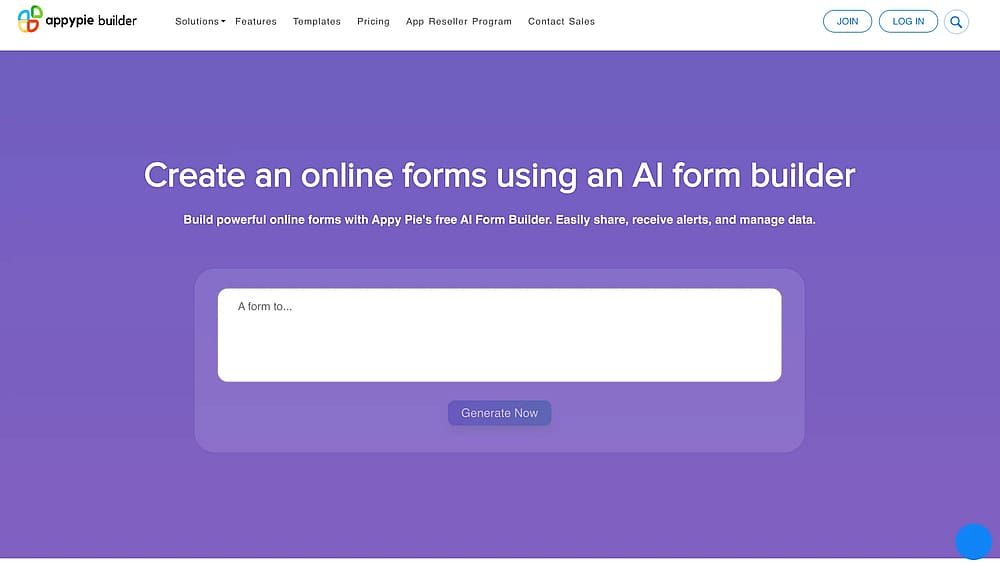
Homepage of Appy Pie Form Builder
Appy Pie's Form Builder is a no-code solution that empowers businesses to design dynamic, professional forms for many purposes. It’s perfect for users who want to create customized forms quickly without any technical skills.
Why it’s a top pick: Appy Pie is the go-to tool for beginners and non-technical users who prioritize a fast, simple, and visual creation experience. Its core strength lies in its drag-and-drop interface. It is an entry-level solution for small businesses and individuals looking to quickly digitize their processes.
Pros of Appy Pie Form Builder
- Highly beginner-friendly, drag-and-drop interface
- Instant alerts and notifications for requests
- Access to a variety of industry-tailored templates
- Seamless integrations with popular CRMs
Cons of Appy Pie Form Builder
- Lacks the highly advanced features of enterprise tools
- The pricing structure can be confusing due to multiple tiers
- Customization options are more limited than code-based builders
Appy Pie Form Builder pricing
- Free plan: ❌
- Basic: 16 USD per month
- Gold: 36 USD per month
- Platinum: 60 USD per month
16. Weavely (Best for cutting-edge AI design)
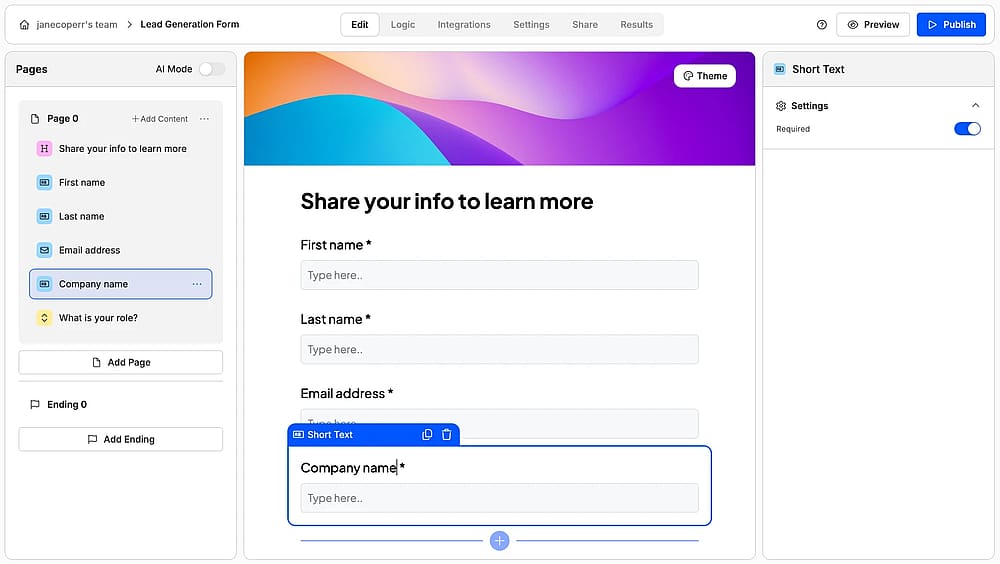
Workspace of Weavely
Weavely's AI form builder lets you generate forms with smart, relevant questions from a single prompt, whether it's text, voice, or file upload. You can customize everything in a user-friendly editor or keep using AI by describing the style you envision or uploading a logo; the tool will pull your brand colors automatically. Weavely also offers built-in smart insights that help you analyze results without any manual work.
Why it’s a top pick: It is one of the few platforms that truly integrates AI into the entire form lifecycle: from instant, multi-modal content generation (text, voice, file), to an AI design assistant that handles branding, and finally to a smart insights engine for analysis. It’s ideal for creators who want to leverage the latest in generative AI to create on-brand forms and get instant analysis.
Weavely pricing
- Free plan: ✅
- Pro plan: 20 USD per month
17. SurveyMars
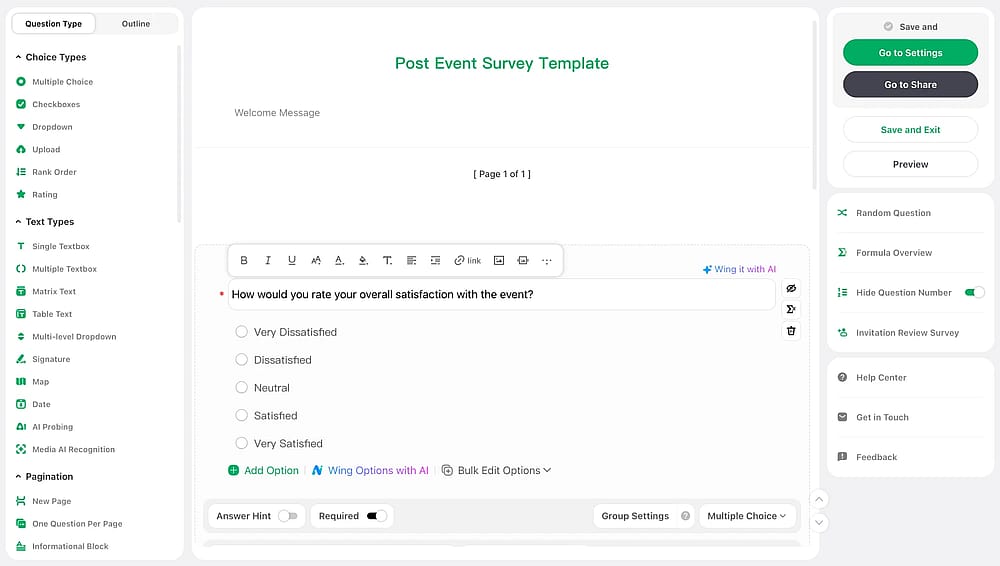
Workspace of SurveyMars
SurveyMars is originally a survey tool for teams and individuals who want professional survey capabilities without the high subscription cost, but it can be used for creating forms too. SurveyMars includes AI creation and optimization for free. Whether you're gathering customer insights, improving employee engagement, or doing academic research, SurveyMars makes it fast and accessible for everyone.
Why it’s a top pick: With built-in AI assistants, SurveyMars reduces the time required to design effective questions and improves response quality. From individuals,startups to enterprises to universities, it serves organizations that need a scalable form solution without seat limits or response caps. Most importantly, we have looked for a pricing and couldn’t see one; so it is free at the moment.
Pros of SurveyMars:
- AI generation
- AI data analysis
- AI multilingual translation
Cons of SurveyMars:
- It has a smaller template library compared to major players
- It is relatively a new tool
Pricing of SurveyMars:
- It doesn’t have a pricing, so at the moment, you can create forms and collect responses for free.
Conclusion
The future of business efficiency is powered by AI. These intelligent form builders move beyond simple data capture to offer automated workflows, real-time insights, and a crucial competitive advantage.
This article has equipped you with the top 17 tools and expert tips. A key takeaway is that many of the most potent platforms offer a free AI form builder plan as a starting point, allowing you to test the technology risk-free.
It’s time to modernize your processes. Choose your AI tool today and start building a brighter, more productive future.
Frequently asked questions (FAQs)
No, not at all. The core appeal of the tools listed (such as forms.app, Appy Pie, and Fillout) is their no-code interfaces. The AI does the heavy lifting, allowing non-technical users to build sophisticated, logic-driven forms effortlessly.
AI boosts conversion by using features like:
- Conversational formats for higher engagement.
- Question optimization to reduce bias and fatigue.
- Smart conditional logic to shorten the path for respondents.
AI tools do not compromise security; they often enhance it. Platforms like BlockSurvey use end-to-end encryption and are designed to comply with regulations such as HIPAA, ensuring that sensitive data remains protected from the moment it is submitted.
Contributors
forms.app, your free form builder
- Unlimited responses
- Unlimited questions
- Unlimited team members