1. Import into your account
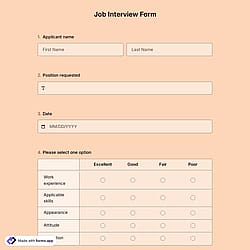
First, open this free applicant screening form template and click “Use template” to start editing it in your account.

Save up to 60% on yearly plans and enjoy our biggest offer of the year. Limited time only. 🍂
See pricing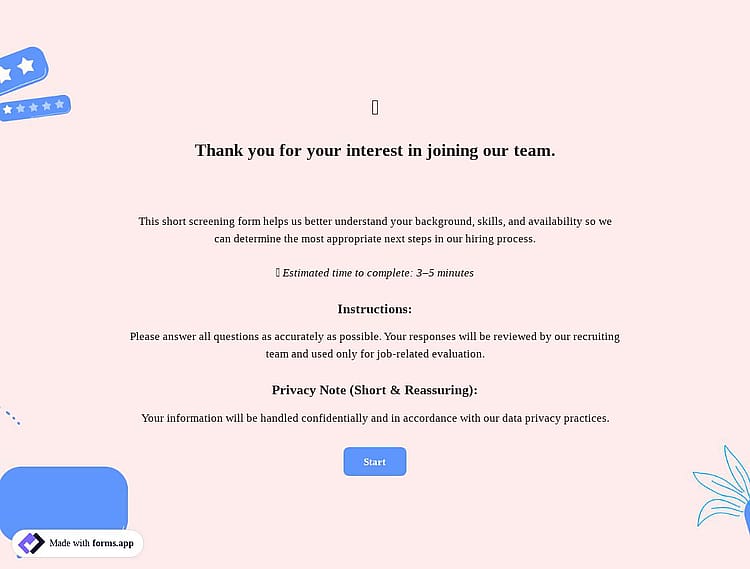
An applicant screening form is an online tool used in recruitment processes to evaluate job candidates during the early stages of hiring. It helps hiring teams collect and document qualifications, skills, and screening notes before deciding on next steps.
Form questions will inquire about:
💡 This template comes with pre-set page breaks, welcome & ending pages, and a ready-made layout that’s applied automatically.
Yes, you can use this form to screen applicants for multiple roles within a single submission.
You can set this up by adding a Dropdown selection field for “Position applied for” and then using the Conditional logic feature to create rules based on the selected role. This way, respondents will only see the questions relevant to the specific position they choose. For example, technical skill questions can appear only for developer roles, while portfolio or case study questions can be shown for design or marketing positions.
You can review and compare applicant responses directly from the Results section of your form. All submissions are listed in the Responses tab, where you can view each application individually, filter entries, and evaluate candidates based on their answers.
For external analysis, you can export the data in .xlsx or .csv formats at any time from the Results page.
If you prefer automatic tracking, you can use our Google Sheets integration to sync applicant responses in real time to a spreadsheet. Alternatively, the Microsoft Excel integration provides similar functionality for organizing and comparing candidates efficiently.
An applicant screening form is best used at the early stage of the hiring process, right after you receive applications and before interviews begin.
Since it includes fields like qualifications, years of experience, key skills, work authorization, availability, salary expectations, and overall recommendation, it helps recruiters quickly decide whether a candidate meets the basic requirements. It works as a pre-interview filtering tool to shortlist the most suitable applicants.
An applicant screening form should include a mix of field types to collect and evaluate candidate information effectively.
For example, you can use Full Name and Email fields to gather basic contact details, Single selection fields for questions like position applied for, work authorization status, or overall screening recommendation (e.g., proceed, hold, reject), and Multiple selection fields to let applicants choose relevant skills, qualifications, or areas of experience.
Additionally, an Long text field is useful for adding screening notes or extra observations, allowing recruiters to include detailed comments when needed.

First, open this free applicant screening form template and click “Use template” to start editing it in your account.

Next, use the drag-and-drop form builder to add or edit fields, adjust design, and add steps for screening or employment verification.

Once your form is ready, share it with your team via links, email, or embed options to efficiently collect and review screening responses.
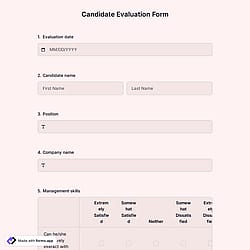
Discover related templates for supporting HR processes. Collect applicant data in one place, including qualifications, eligibility, and contact information, to manage the applicant screening process with confidence.
Simply share what you’d like your applicant form to include, and forms.app’s AI form generator will create a free template tailored to your hiring and HR screening process.
This applicant screening form template includes all the essential fields and can be easily customized to match your hiring workflow, screening criteria, and internal review process.
Collect essential applicant information, such as the applicant's full name, to clearly identify each candidate during the screening process.
Allow respondents to upload documents like CVs, resumes, or certificates directly through the form, making the HR process more organized and efficient.
Add a single or multiple selection fields to consistently and efficiently evaluate and select candidate qualifications.
Include your company logo or a custom cover image to create a professional, branded applicant screening form.
Use open-ended questions for screening notes, allowing reviewers to record key observations, strengths, and concerns.
Enable email notifications to receive updates when a screening form is completed and keep hiring stakeholders informed in real time.
Categories
This applicant screening form is free and customizable
Categories