discount image

Save up to 60% on yearly plans and enjoy our biggest offer of the year. Limited time only. πŸ‚

See pricing

Form Security Report 2026

How scammers abuse online forms, which brands they impersonate, and how forms.app finds and removes them.

Free PDF format

Explore the report

Key findings Β· 1 of 2

What scammers target most

The most targeted industry

Finance

26% of forms that impersonate an organisation pose as a bank, payment app, crypto or investment firm. Games and betting follow with 24%.

The most impersonated brand

SASSA

SASSA (South Africa's social security agency) was impersonated the most, with 618 forms. Attackers try to collect national IDs under the pretext of changing phone numbers or claiming grants.

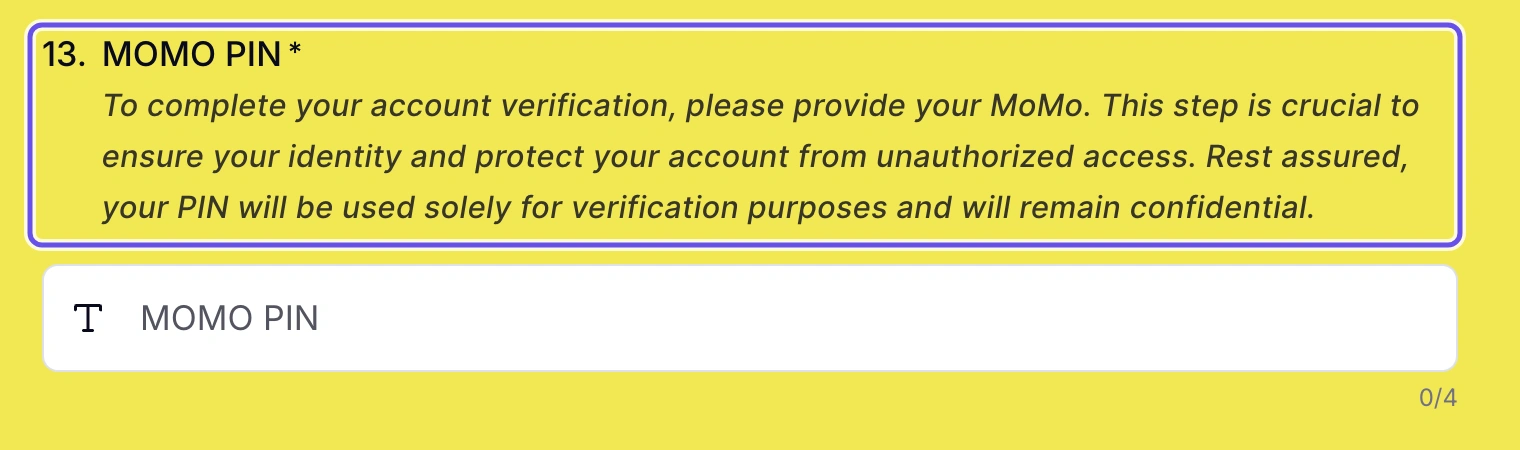
The most common phishing form

Fake logins

23% of phishing and fraud forms copy a sign-in screen to steal a password. Identity and KYC harvesting comes second, at 17%.

The most requested information

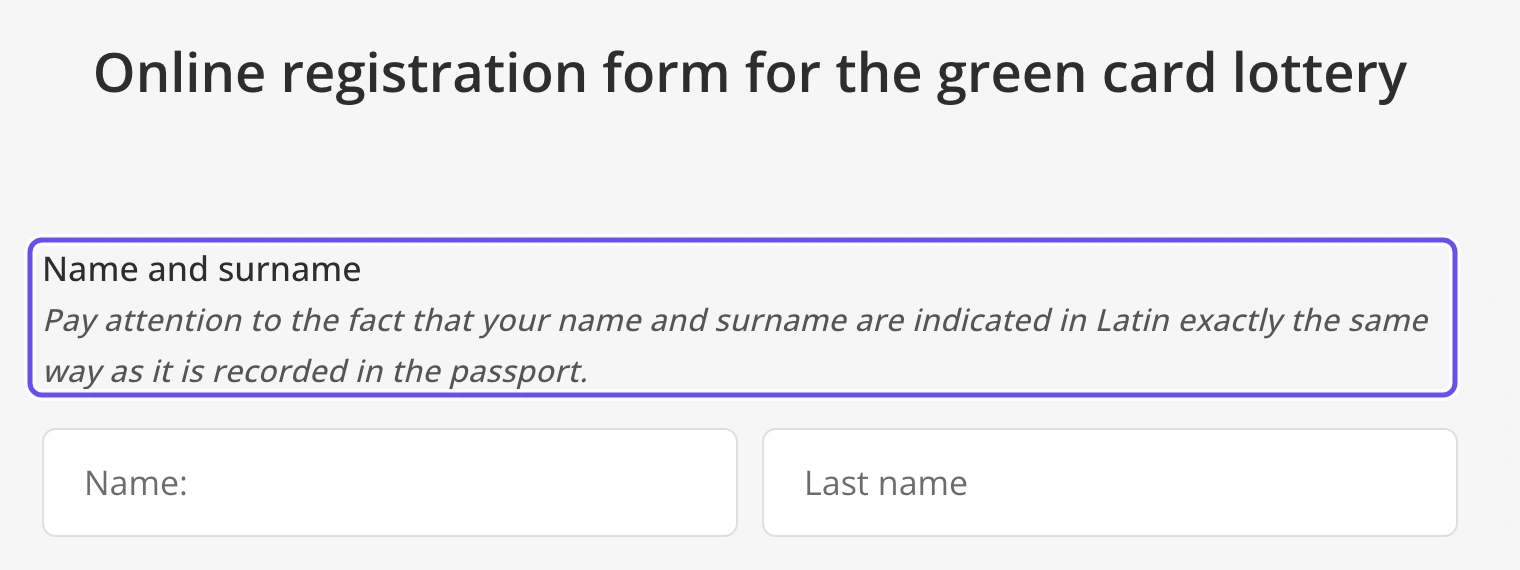
National ID numbers

Requested by 5,028 confirmed phishing forms, narrowly ahead of passwords (5,002). A password can be changed. An ID number can't.
Key findings Β· 2 of 2

By the numbers

Fraud forms removed

22,286

phishing and scam forms confirmed and banned in six months, out of 34,492 flagged.

Biggest share of fraud forms

Indonesia

13.5% of fraud forms came from accounts in Indonesia, ahead of the United States (12.6%) and Nigeria (8.7%), out of 168 countries.

Estimated VPN use

39%

of phishing accounts were flagged as using a VPN at sign-up, or signed up from a country that doesn't match their device clock. Legitimate accounts: 2%.

Automatic bans

63%

of bans were fully automatic, rising from 25% in May to 77% in October. Each ban feeds new rules, similarity checks and model training.

Section 01

The landscape

Six months of flagged forms: how many were harmful, and how we confirm them.

01The landscape

Our commitment to safer forms

At forms.app, security is always a priority, for the form owner and for the people who fill it out. Over the years, we have built a strong multi-layered system to detect and remove phishing and fraud forms.

In 2026, we removed form response and team member limits from every plan, including the free plan. Before the change went into effect in June, we made our security measures air-tight. This report covers every form flagged from April to October, 2026.

34,492 flagged forms

  • 22,286Confirmed fraud
  • 2,977Suspicious / unclear
  • 9,229Legitimate
  • Careful checks

    All flagged forms are inspected so legitimate users are not affected.

  • Self-improving

    Each attempt helps our security system adapt and get better.

  • Confirmed only

    Sections 02 – 05 count confirmed phishing and fraud forms only.

Section 02

Most targeted brands

Phishing forms affect 14 sectors, such as banking, gaming and government, and target 1,351 brands.

02Most targeted brands

The most impersonated brands

Three brands account for 28% of all branded phishing forms. The top 20 alone span 12 different sectors.

SASSA, South Africa's social security agency, is the most impersonated organisation, ahead of Garena Free Fire and Facebook.

Select a sector to filter the brands

  1. 01 SASSAGovernment & public bodies 618
  2. 02 Garena Free FireGaming 537
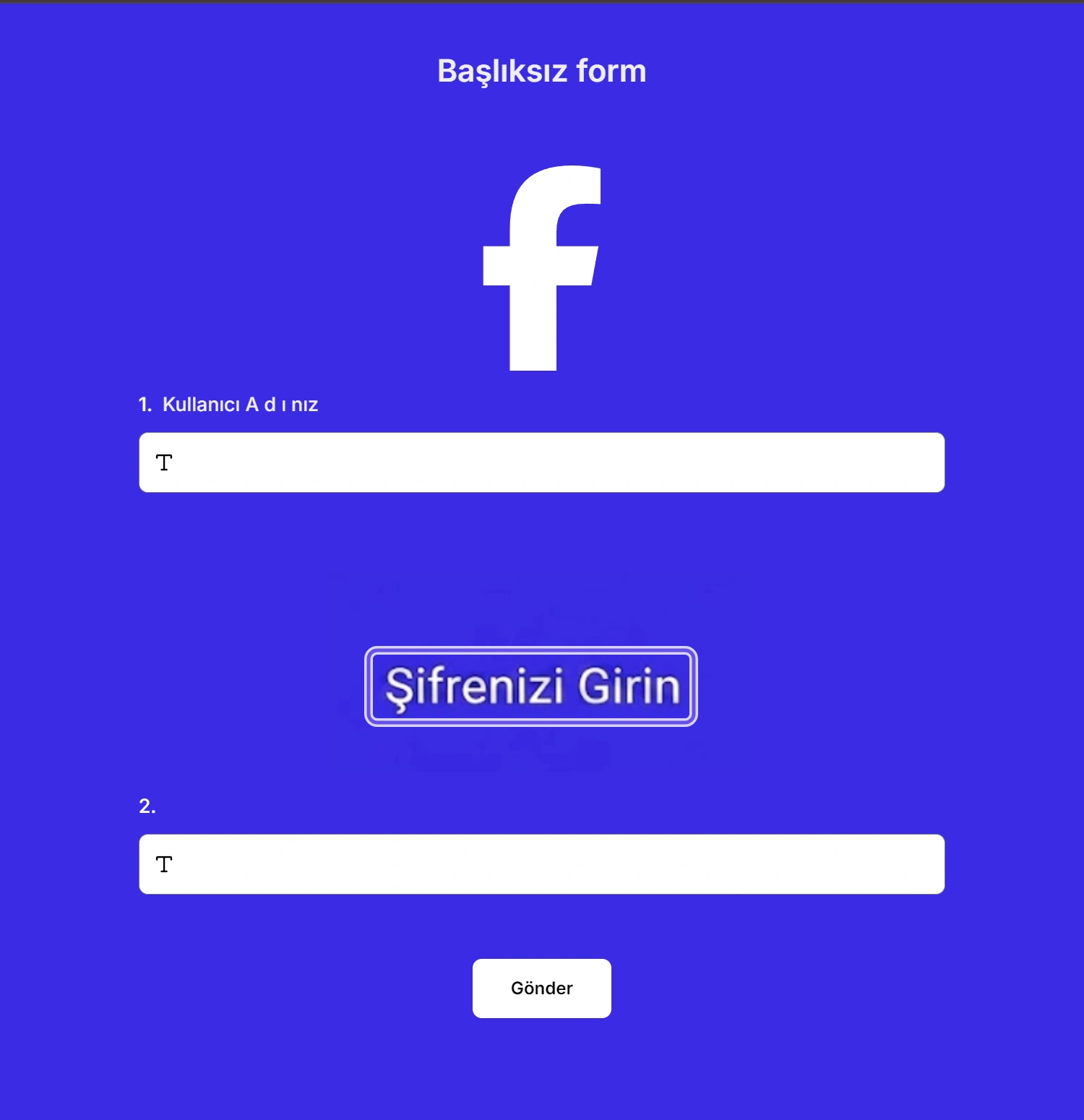
  3. 03 FacebookSocial media & messaging 354
  4. 04 VintedMarketplaces & e-commerce 341
  5. 05 PayPalPayments & fintech 183
  6. 06 DHLDelivery & logistics 172
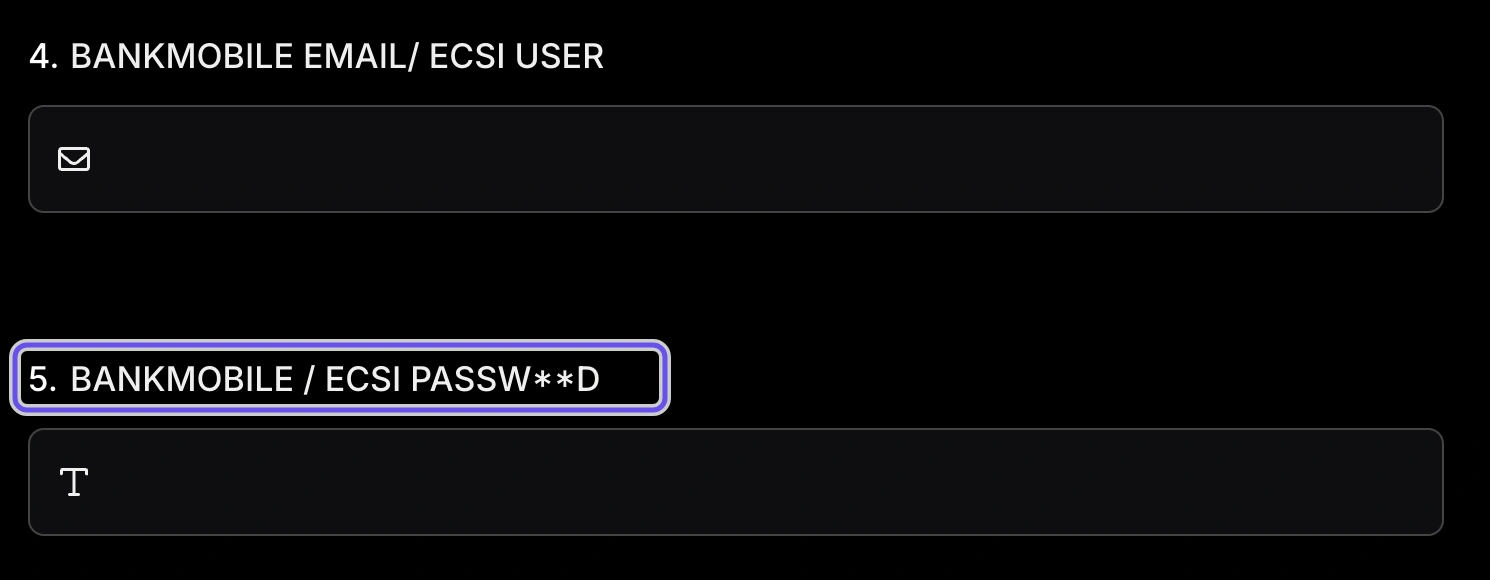
  7. 07 BankMobileBanks 123
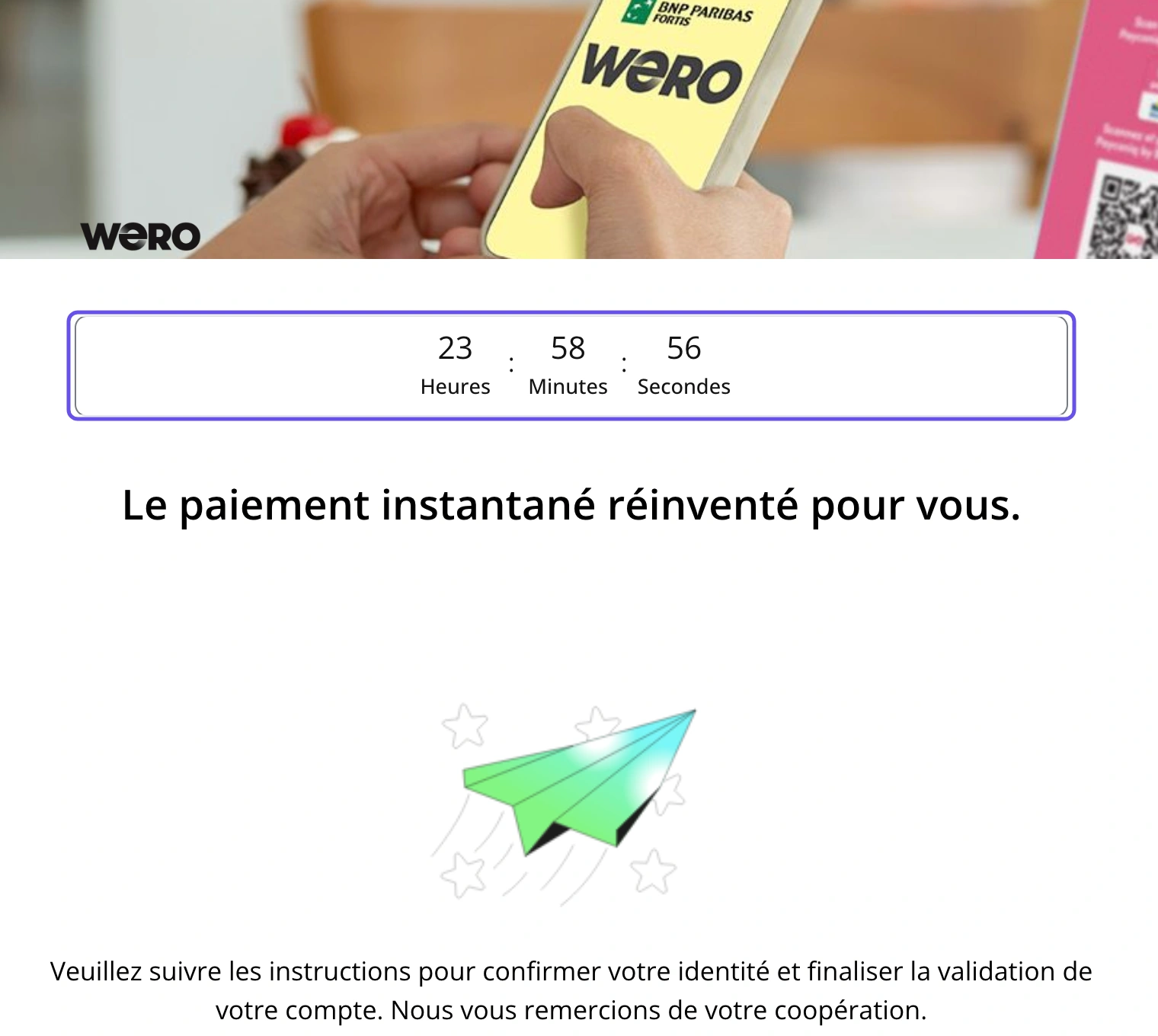
  8. 08 WeroPayments & fintech 118
  9. 09 SportyBetBetting & lottery 90
  10. 10 Miami Dade CollegeUniversities & schools 61

02Most targeted brands

Finance and gaming are the top targets

One in every four forms targets a financial institution.

  • Finance26%
  • Games & betting24%
  • Consumer services22%
  • Public sector21%
  • Other6%

Select a sector to see its most impersonated brands.

Share of phishing and fraud forms, by sector

Investment & trading3.1%
Betting & lottery6.1%
Retail & consumer brands2.5%
Other6.4%

Section 03

Common β€œForms” of fraud

The lures phishers use and the data they're after.

03Common β€œForms” of fraud

The most common phishing forms

The fake login leads: 23% of phishing and fraud forms exist to steal a password.

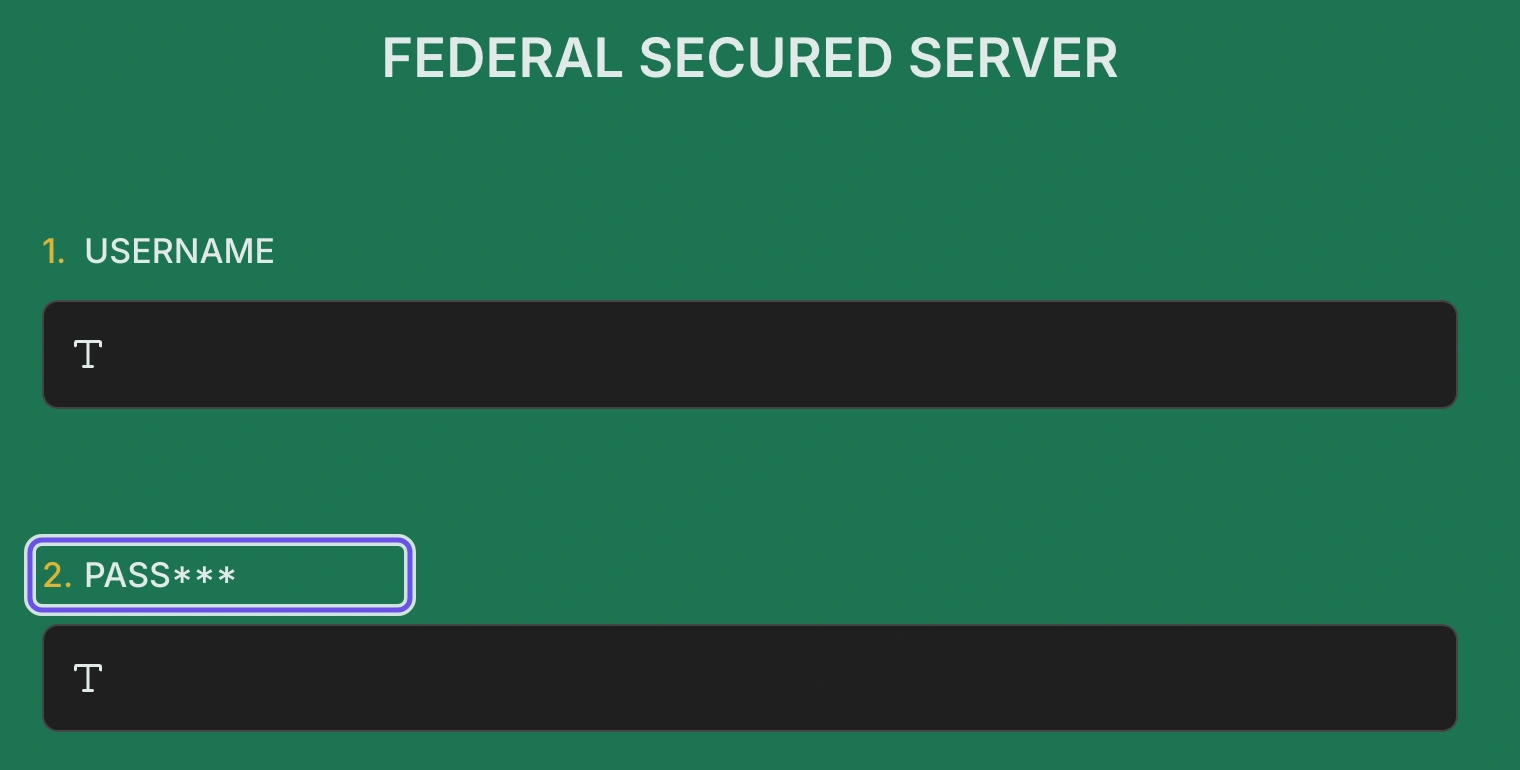
  • Fake logins copy a sign-in screen and ask for an email and password. They're cheap to make and easy to scale.
  • Identity harvesting collects ID numbers and documents under a pretext such as a grant, loan or job.
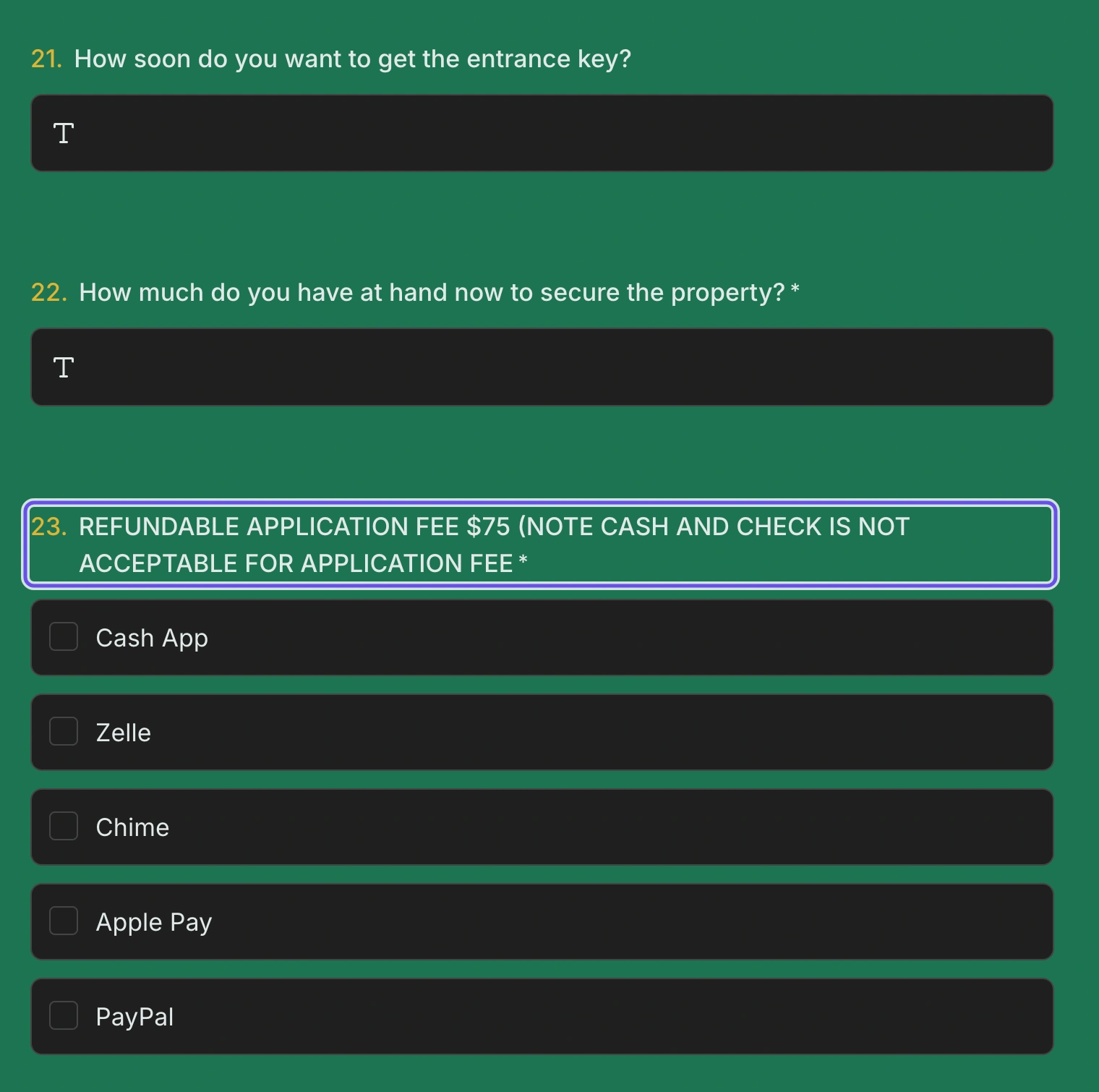
  • Rental scams advertise a home that doesn't exist, then ask for a fee before any viewing. 81% of the accounts behind them signed up in the US.
  1. Fake login (password theft) 4,993
  2. Identity & KYC harvesting 3,622
  3. Personal data harvesting 3,016
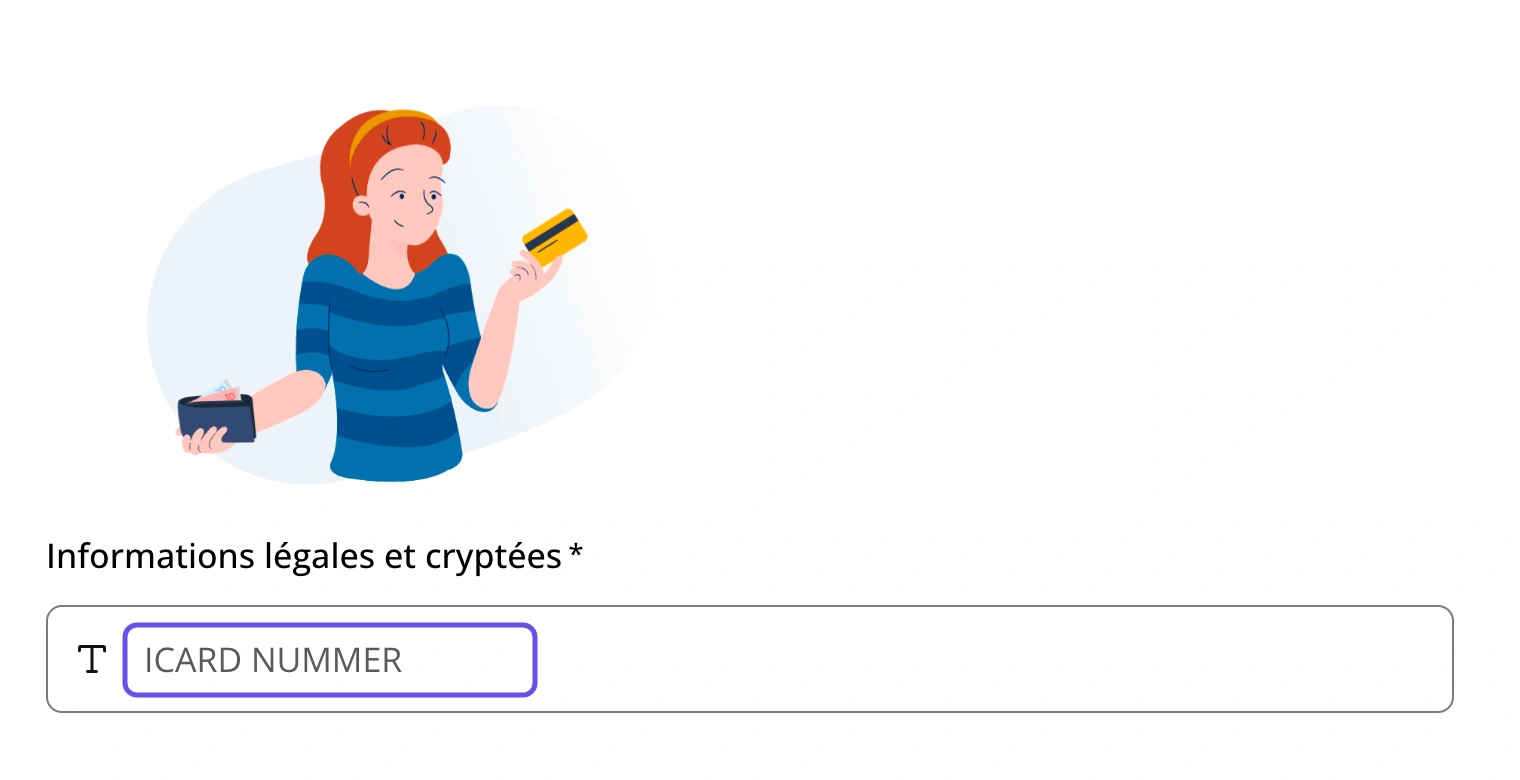
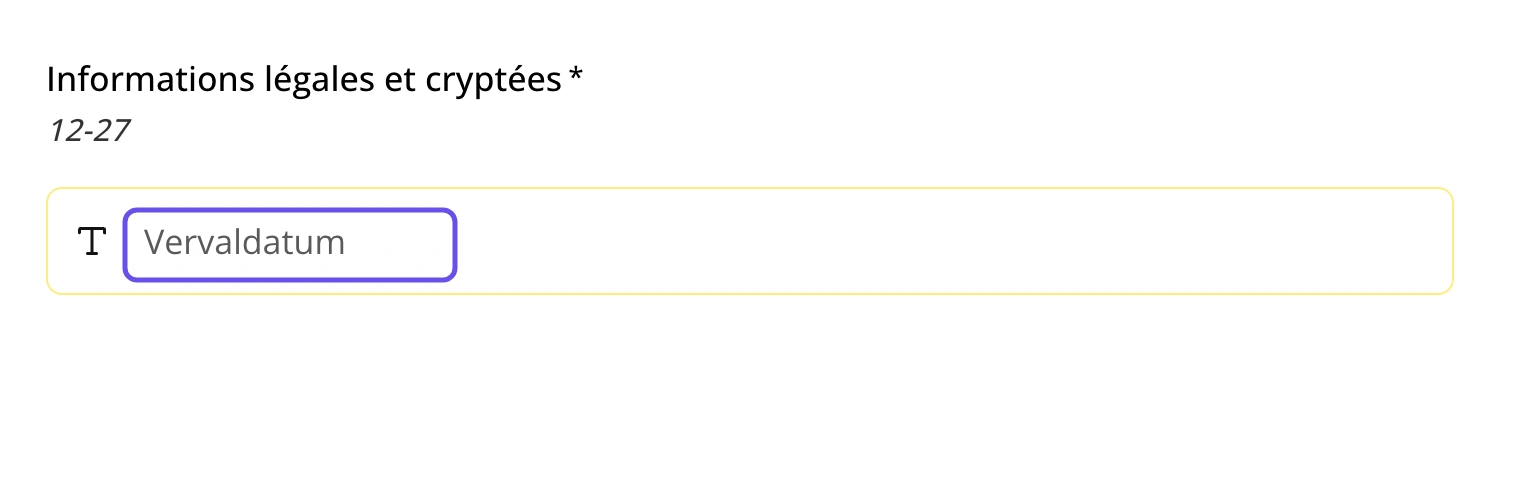
  4. Card detail theft 1,786
  5. Rental & housing scams 1,667
  6. Bank account takeover 1,212
  7. Fake loans & investments 918
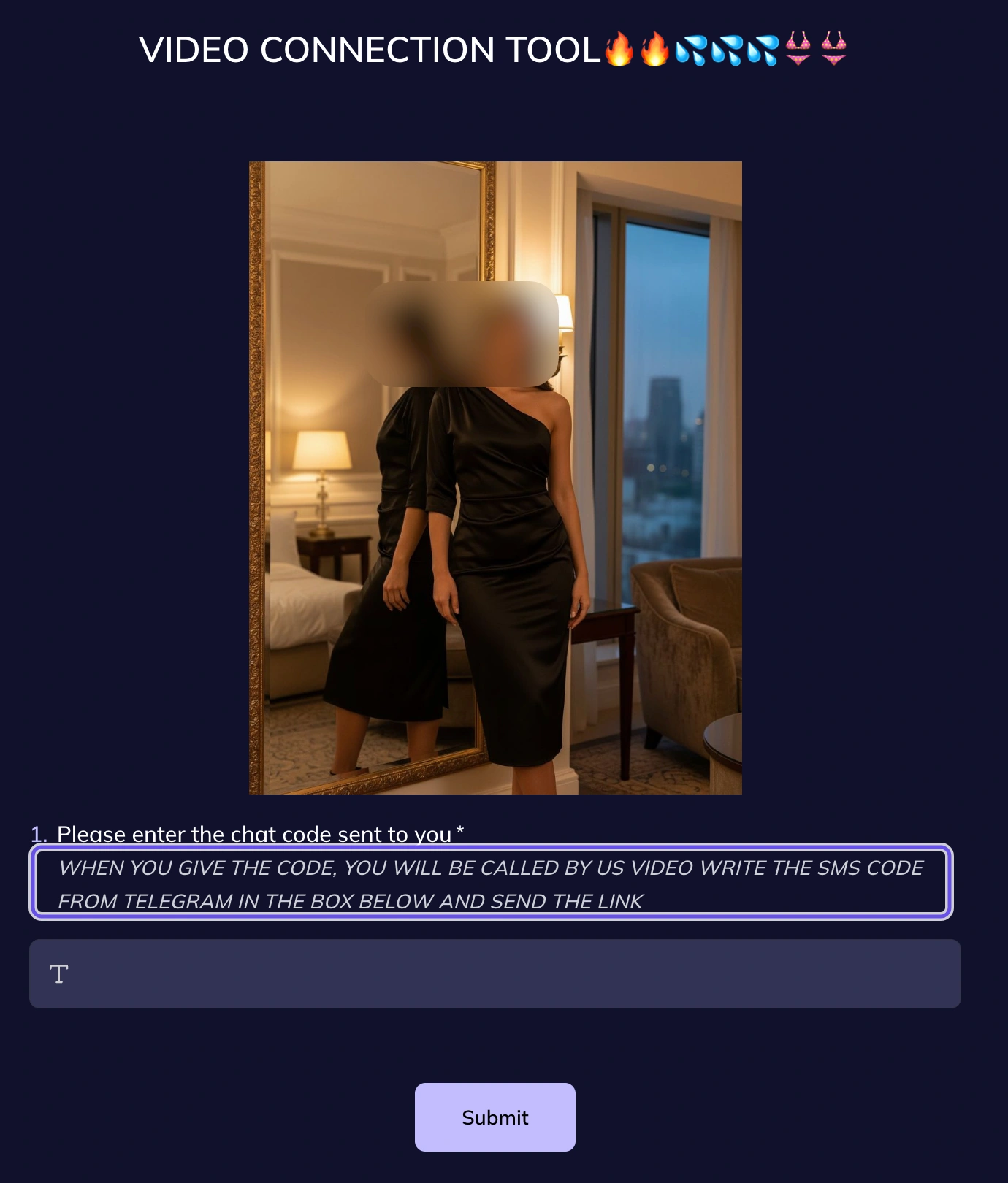
  8. OTP & PIN interception 548
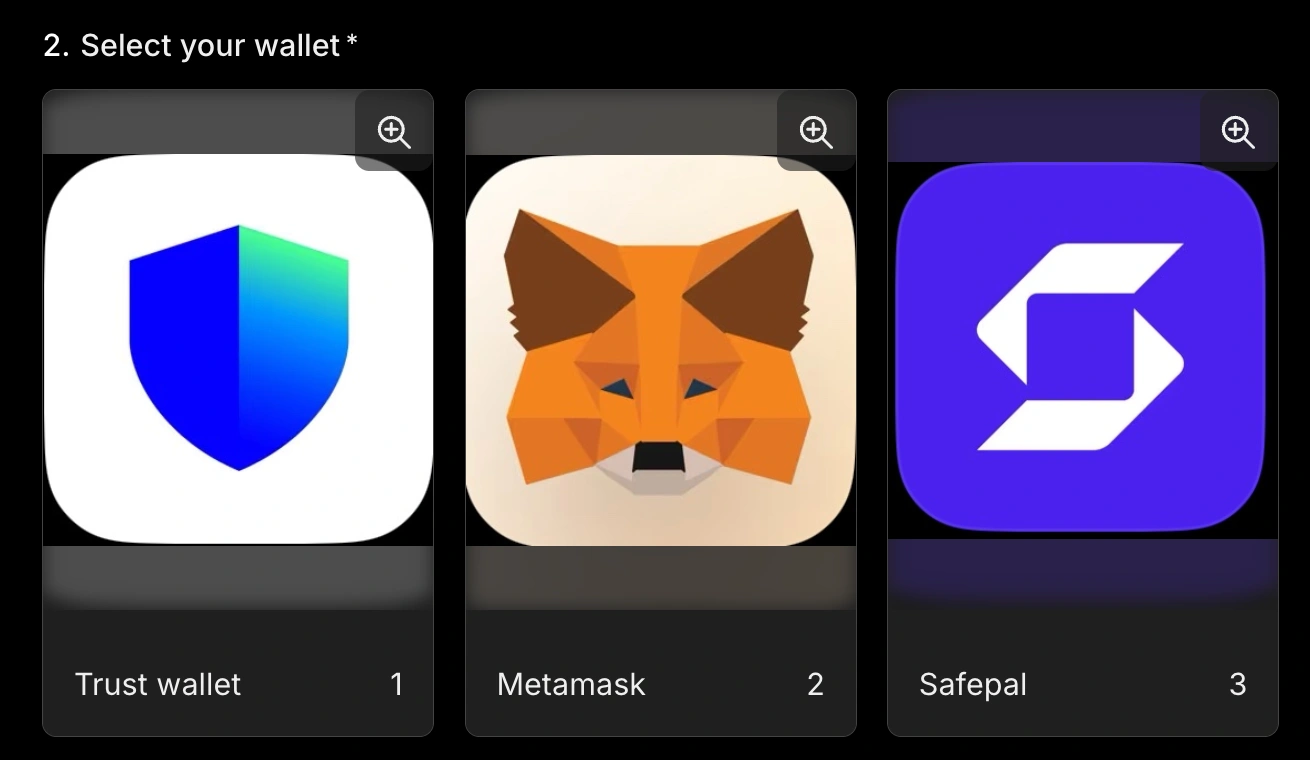
  9. Crypto wallet drainers 453
  10. Fake job offers 248
  11. Prize & giveaway lures 238
  12. Fake benefits & grants 223
  13. Fake marketplace payments 100
  14. Account suspension scares 45
  15. Parcel delivery fees 21

Phishing and fraud forms by type: the main lure or data target of each form. Based on 21,901 confirmed forms classified by type.

03Common β€œForms” of fraud

What phishing forms ask for

National ID numbers and passwords are requested almost equally. A password can be changed. An ID number can't, so once it's stolen, it stays stolen.

Dangerous combinations

  • ID number + ID photo or selfie1,543
  • Password + card or bank details643
  • Password + one-time code263
  • Card details + one-time code75

A password plus a one-time code lets an attacker log in on the spot, even with two-factor authentication on. An ID number plus a selfie passes many online identity checks.

Share of confirmed phishing forms requesting each type of data

  1. National ID numbers 23%
  2. Passwords 23%
  3. Home address / date of birth 11%
  4. ID photos & selfies 10%
  5. Bank account details 10%
  6. Card numbers & CVV 8%
  7. One-time codes & PINs 5%
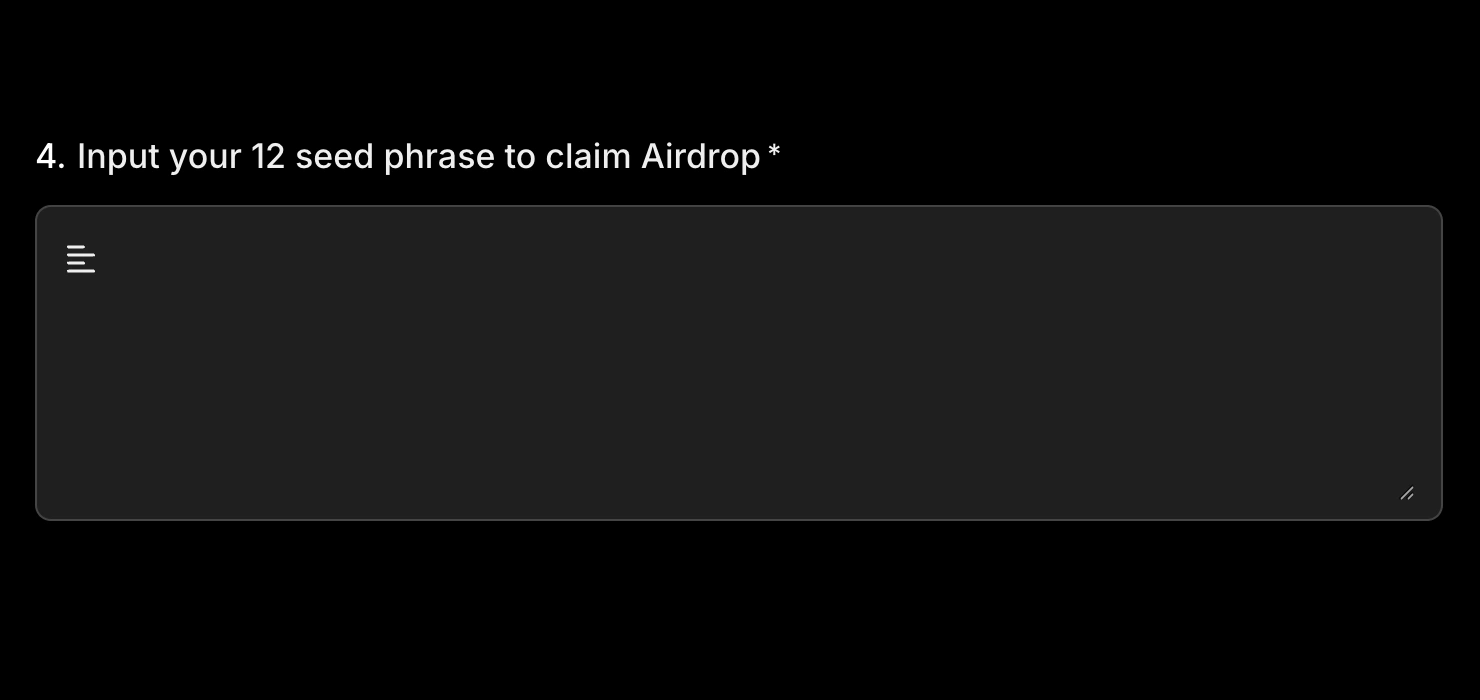
  8. Crypto seed phrases 2%

A form can request several. Hover a combination to see what it pairs.

Section 04

The phisher's playbook

How do scammers avoid detection and trick people at the same time? Let's look at real examples.

04The phisher's playbook

Tactics used by phishers and scammers

Nine tactics. Real examples. What to spot before you submit.

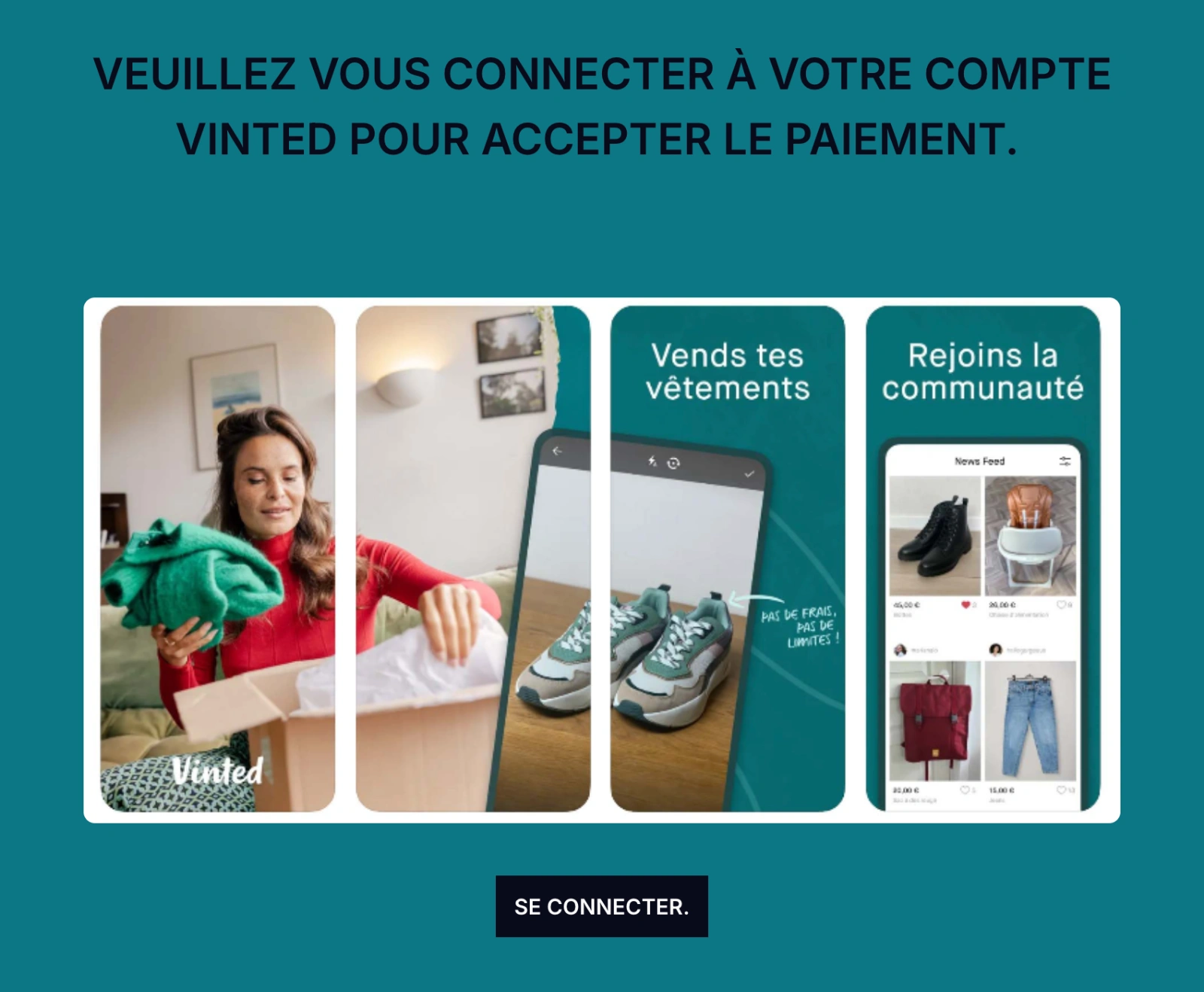
Using official images and reviews to build trust

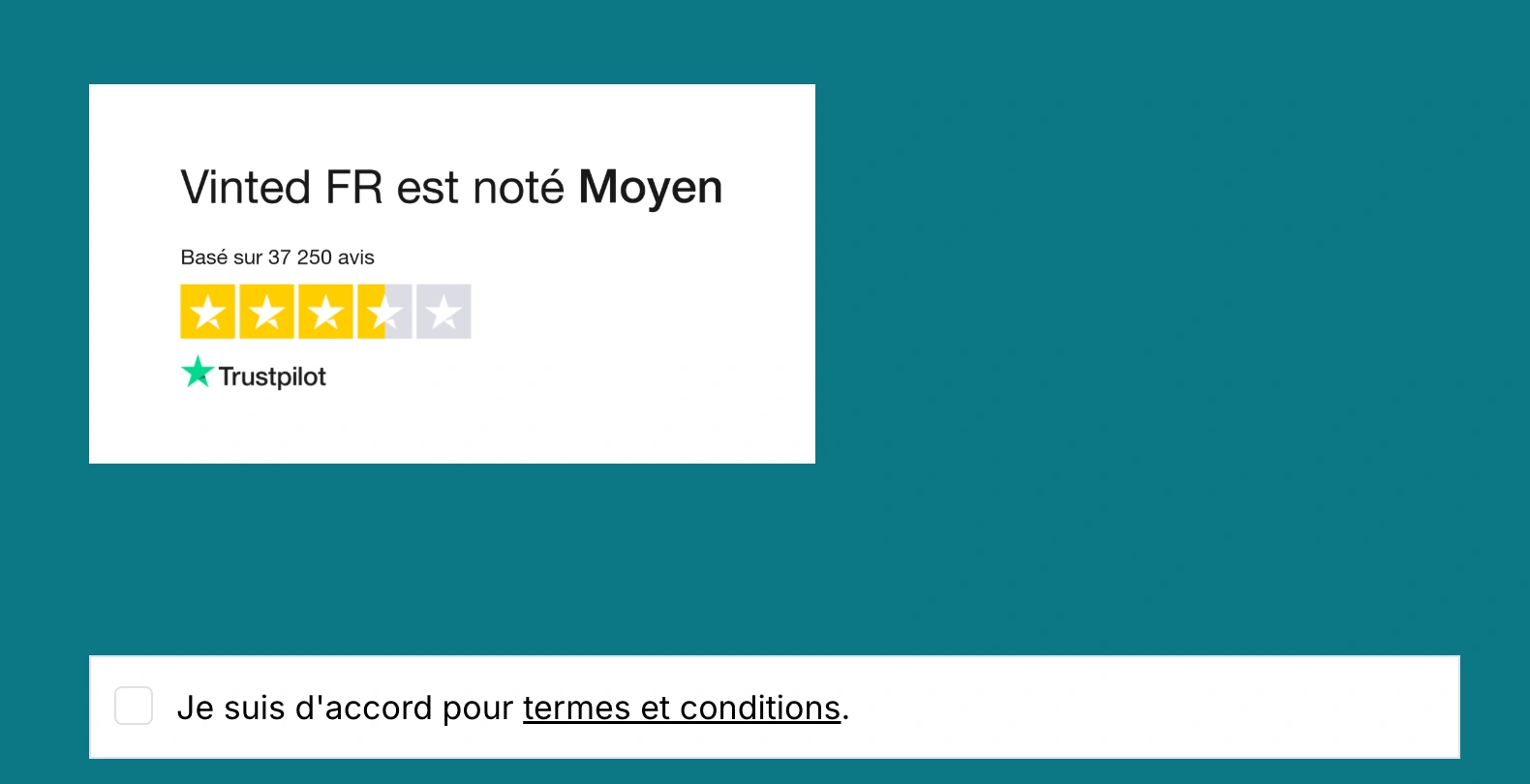
Familiar colours, promotional images, ratings and reassuring language make a form feel connected to a service you already know. A rating from a trusted source like Trustpilot makes it look even more authentic.

A Vinted-themed form uses promotional imagery and tells visitors to sign in to accept a payment.

Section 05

The β€œwho” behind the fraud

What account data tells us about who creates phishing forms, and how.

05The β€œwho” behind the fraud

Where phishing accounts come from

Phishing accounts operate from 168 countries. If the country and time zone of an account don't match, we count the time zone as the more reliable indicator of location.

21%

signed up from a country that doesn't match their device clock, a sign of VPN use. Legitimate accounts: 2%.

31%

were flagged as using a VPN at sign-up. For most accounts we couldn't tell, so the true share is likely higher.

Where confirmed phishing accounts operate from

  • Under 0.5%
  • 0.5–1%
  • 1–2.5%
  • 2.5–5%
  • 5–10%
  • 10% or more
  • No data
  1. 13.5%Indonesia
  2. 12.6%United States
  3. 8.7%Nigeria
  4. 6.7%Brazil
  5. 6.0%South Africa
  6. 3.4%France
  7. 3.2%India
  8. 2.8%Colombia
  9. 2.8%Russia
  10. 2.2%Mexico
  11. 1.9%Vietnam
  12. 1.9%Ecuador

05The β€œwho” behind the fraud

Disposable accounts, free email

The typical phishing operator signs up with a free webmail address, publishes a single form and moves on.

Why burner accounts matter

When one account is banned, the operator opens another. That's why we focus on fast, automatic detection of each form, instead of relying on account history.

Sign-up protections

Every new account has to verify its email address before sign-up is complete. We block disposable email addresses, and banned users can't sign up again from the same device.

91%

of confirmed phishing accounts used a free webmail address. 84% used Gmail.

96%

of phishing accounts published exactly one form. 20,876 accounts created 21,901 forms.

Section 06

How forms.app fights back

Automated detection, human review and outside intelligence, working together.

06How forms.app fights back

Four layers of detection

Each layer catches what the one before it can't. It goes from fast and cheap to slower and more expensive, but also more accurate.

Fast where it can be, careful where it must be

A wrongful ban hurts a real business, so ambiguous cases go to people. Clear-cut fraud is removed automatically, without waiting for a victim to report it.

What each layer costs

Rules are almost free to run. Similarity checks are cost-effective, and our local model costs five times as much as a similarity check. Manual bans cost the most, because each one takes our own team's time.

  1. Layer 01

    Rules

    Most fraud forms follow a pattern. Once we see one, and have made sure a rule for it won't affect normal users, we turn it into a rule.

  2. Layer 02

    Hash & similarity checks

    Fraudsters tend to recreate the same form. An exact match with a known fraud form is banned instantly; a near match tells us how close a new form is to known fraud.

  3. Layer 03

    Fine-tuned local model

    Our own model, fine-tuned from Gemma 4 and run locally, reviews each form and flags anything suspicious, with an explanation and a risk score.

  4. Layer 04

    Trust & Safety team

    Our team reviews flagged forms. Each decision feeds back into new rules, better similarity matching and model training.

06How forms.app fights back

Self-improving mechanism

63%

of bans were fully automatic (14,094 forms).

Automatic bans by month

100%75%50%25%0% 40% Apr 25% May 79% Jun 87% Jul 58% Aug 72% Sep 77% Oct

Month the form was first flagged; October runs to the 19th.

Every ban makes the next one faster

Each form we ban teaches the system something. A recurring pattern becomes a new rule, the form's fingerprint joins our similarity checks, and the case is added to the data our model learns from.

Why some cases still need a person

A form asking for bank details may be a real loan application or a phishing page. A rental listing may be genuine or a deposit scam. Some forms can't be judged on their content alone.

06How forms.app fights back

Partnering with threat intelligence

forms.app receives phishing reports from various external sources via our report form or via direct integrations. Since June, reported forms have been banned automatically, a median of 13 minutes after our partners identified them.

30

threat reports received

13 min

median from detection to ban

100%

of reported forms banned

Minutes from report to ban

80400 Median 13 min
Jun 02Oct 16

Each column is one live report, in date order since the integration went live.

A focus on Wero

27 of the 30 reports involved Wero, mostly French-language forms posing as Wero activation or β€œsecure payment” pages. The rest targeted the French bank CIC and the US lender LightStream.

Before and after

Direct integrations and AI triage made the process faster and more efficient. Since it went live, the slowest report was banned in just over an hour.

Section 07

Staying safe

Practical advice drawn from the patterns in this report.

07Staying safe

How to spot a phishing form

A form can look familiar and still ask for something it should never receive. The trick may be in a word, a picture, a promise or a countdown.

  1. Check every URL.

    Not just the form's address, but also the link or message that brought you there, and any page the form sends you to next. The form is often only one part of the scam.

  2. If an offer is too good to be true, it probably is.

    Free diamonds, prizes, cheap rentals and easy loans are bait. The catch is in what the form asks for.

  3. When in doubt, ask.

    Get in touch through the organisation's official website, app or phone number, not through the links or numbers the form gives you.

  4. Never share a password on a custom form.

    Logins happen on the service's own website or app, never in a survey, giveaway or form.

  5. Never share one-time codes or PINs.

    A code sent to you is for you only. Anyone asking for it is trying to get into your account.

  6. Never share your seed phrase.

    No support agent will ever ask for it. Anyone who has it can take everything in your wallet.

  7. Weird quirks are a red flag.

    Labels like β€œPASS****” or questions written inside images are tricks to slip under the radar of automated checks. Genuine forms don't hide what they ask.

  8. Report it, even if you're not 100% sure.

    Use our report form or email [email protected], and our Trust & Safety team will take a look.

Get the full report

40 pages: every chart in full, the most impersonated banks, agencies and universities, and the nine tactics with real screenshots.

Download the report