Save up to 60% on yearly plans and enjoy our biggest offer of the year. Limited time only. 🍂
See pricing

How to analyze drop-offs
Forms are always an important step of conversions, a gateway, if you will. Drop-off analysis tells you exactly which question or field caused respondents to abandon a form. So, instead of guessing why completion rates are low, you can see a concrete number next to each question.
What is a drop-off?
A drop-off happens when someone starts filling out a form but leaves without submitting it. The drop-off is recorded at the last field they actually interacted with (not the next question or questions just scrolled past).
For most field types, any click or selection counts. For text fields, the respondent needs to have typed something; just clicking into the field isn't enough.
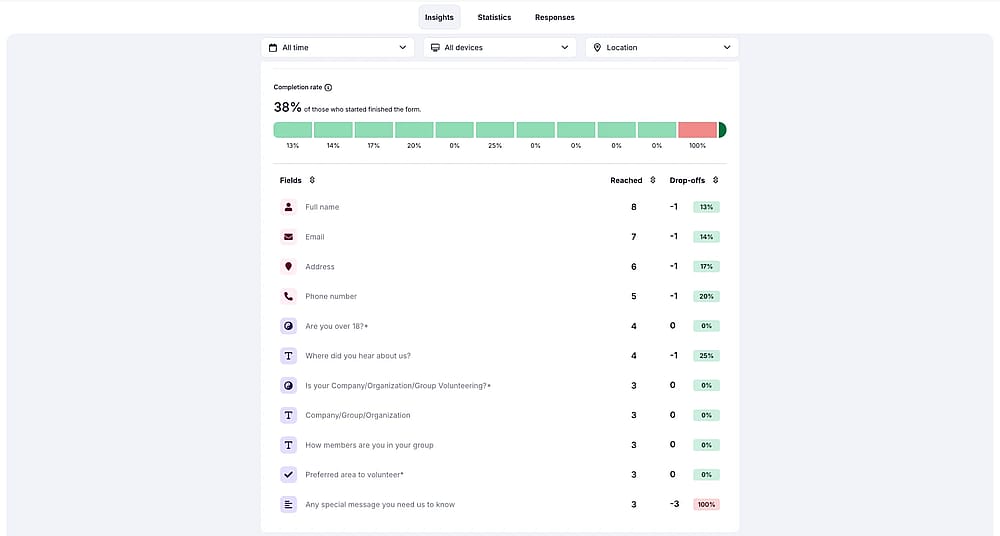
Drop-off analysis from a Volunteer Sign-up Form
Drop-off analysis is available with a Pro plan and above.
How is the completion rate calculated?
The completion rate is based on starts, not views. A start is recorded when someone interacts with a field for the first time. So people who only loaded the form page without touching it don't count.
The completion rate shown in the drop-off section is Starts/Submissions. This is different from the conversion rate shown in the top menu, which is Views/Submissions.
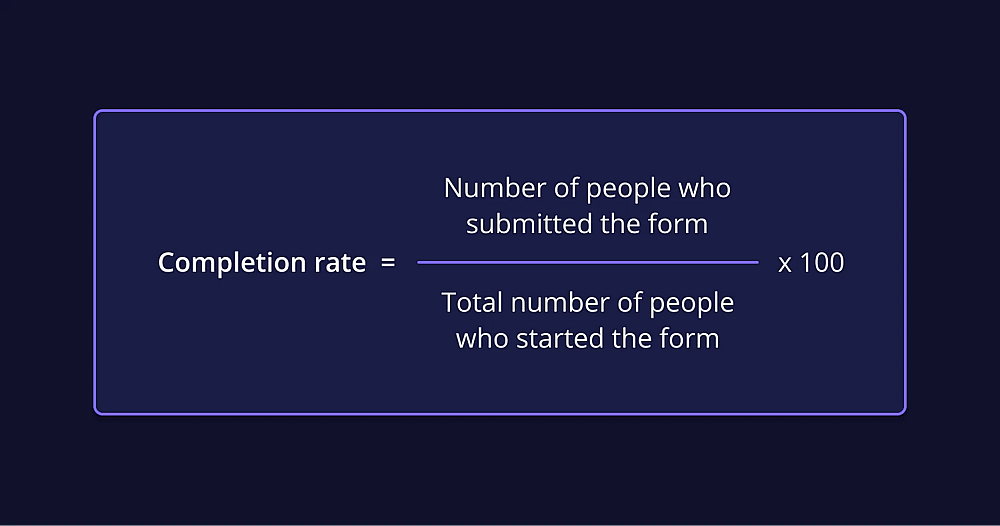
Form completion rate formula
How to analyze drop-offs
forms.app has a drop-off analysis section under the “Insights” tab. Here’s how you can navigate and use it:
1. Open a form and go to “Results”:
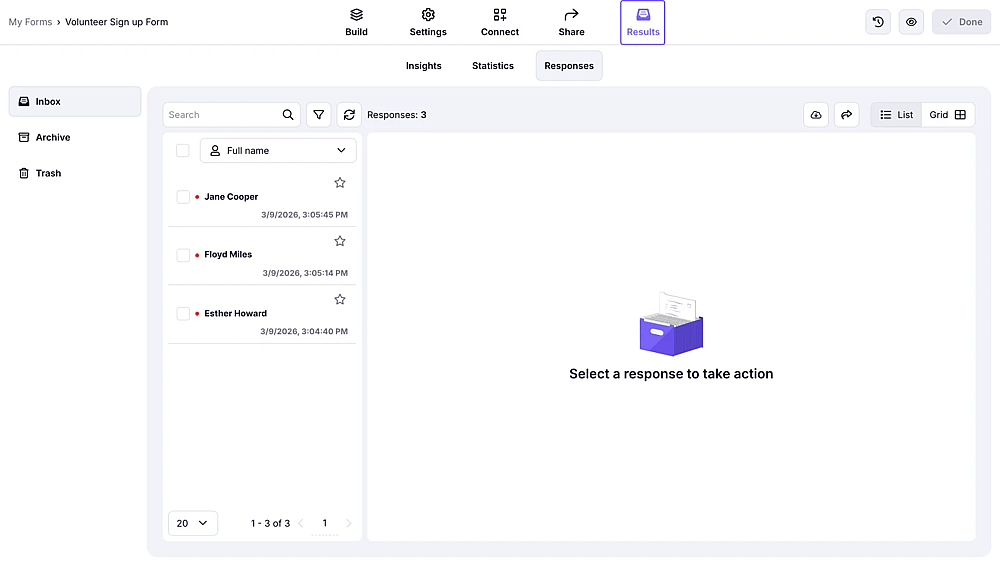
Results tab on forms.app
2. Go to “Insights” and scroll down to find “Drop-off analysis”:
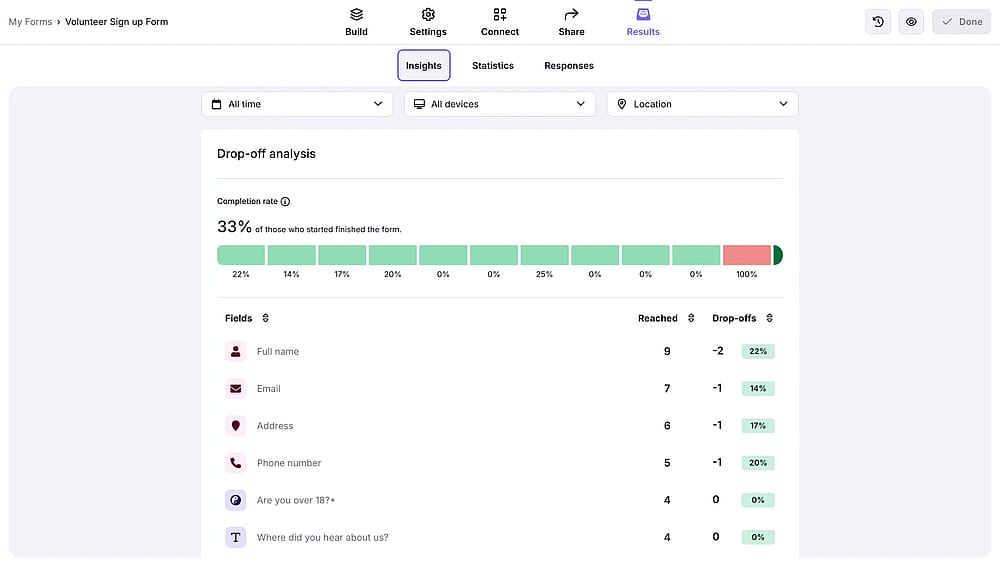
Insights tab on forms.app
3. Now you can start analyzing drop-offs. The drop-off analysis gives you a color-coded bar chart, so you can easily visualize the drop-off funnel.

Color coded chart for visualizing drop-offs
4. Below the chart, you can see each question, how many people have “Reached” the field, and how many have dropped off, as well as the drop-off percentage for each field.
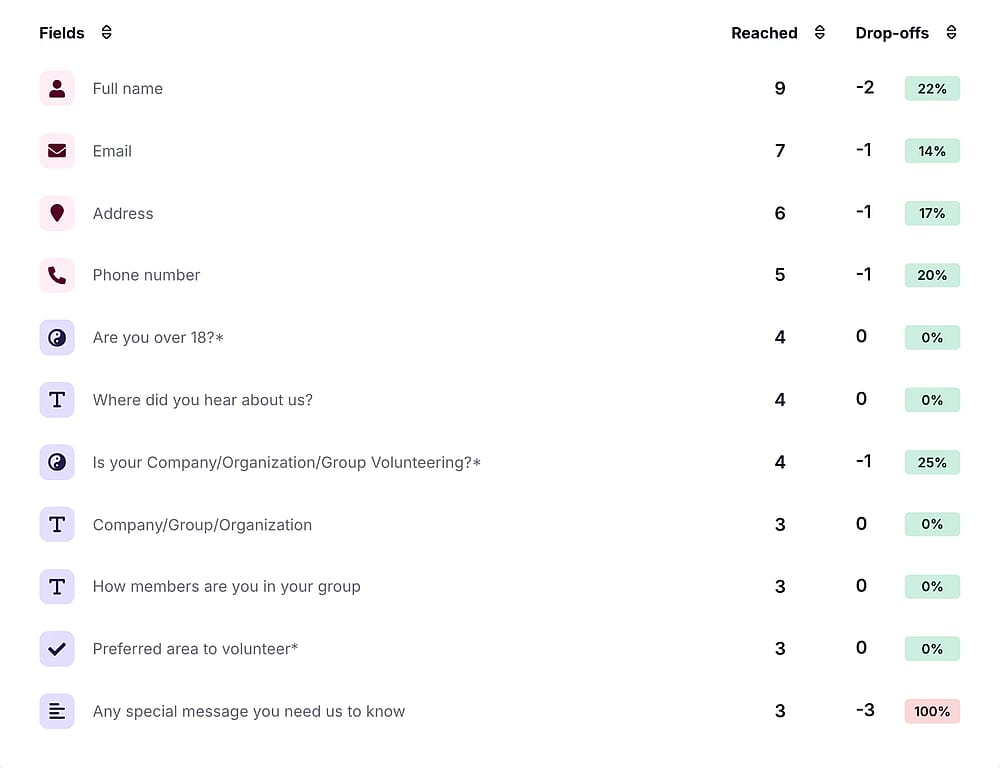
A table showing drop-off statistics for each form field
Frequently asked questions
A view is recorded every time someone loads the form page. A start is recorded when someone actually interacts with a field. A form can have many views but far fewer starts, especially if people abandon the form without touching it. The drop-off score is calculated by using the starts/submissions formula.
Yes. On the drop-off analysis table, you will see the reached versus drop-offs. As conditional logic makes some field seen less visible, you can expect fewer numbers with conditional logic questions.
Drop-off is recorded at the last field someone interacted with, not where they started to disengage. If someone hesitated at question 3 but continued through to question 6 before leaving, the drop-off registers at question 6.
Drop-off data starts accumulating after March 10, 2026.
We know you like to use forms.app’s filters for viewing results/statistics. Your filters will also be applied to drop-off analysis, so you will see the drop-off data for that specific time period, device location, or language. This allows you to analyze drop-offs in specific scenarios and evaluate how changes affect your form performance over time.
When you add or remove a question, your drop-off data gets affected immediately. However, you can apply time filters to see past data without disruption.
No, it is not possible to reset drop-offs of a form; however, you have two options you can try:
1. You can use time filters to only view drop-offs after a specific date.
2. You can duplicate your form and use it instead.