Save up to 60% on yearly plans and enjoy our biggest offer of the year. Limited time only. 🍂
See pricing

Microsoft Forms alternatives 2026: 10+ top tools compared
Summarize with
If Microsoft Forms is choking your workflow, it’s time to upgrade.
While fine for simple surveys, this basic tool quickly fails professionals needing advanced logic, seamless CRM integration, or robust payment processing.
Our team spent 40+ hours moving beyond marketing materials to conduct a deep, hands-on review. We actively built complex forms on each platform, rigorously testing crucial features like conditional branching, and calculated fields to determine real-world performance.
This exhaustive analysis presents the best Microsoft Forms alternatives for 2026. Stop guessing. Trust our tested experience to guide you to the ultimate Microsoft Forms alternative that handles your advanced data needs with authority.
💡 All tools featured in this content have been updated for 2026 (including features and pricing). Monthly payment options are listed for all tools that offer them.
TL;DR for best alternatives to Microsoft Forms
1. forms.app — Best for teams
2. Cognito Forms — Best for advanced calculations and complex logic on a free plan
3. Paperform — Best for branded forms that look like landing pages
4. 123FormBuilder — Best for enterprise compliance (HIPAA/GDPR) and security
5. Formbricks — Best for build targeted in-app
6. Google Forms — Free, unlimited surveys with Google Sheets sync
7. Formstack — Best for secure workflow and document automation
8. Typeform — Best for high-conversion conversational user experience
9. Formsite — Best for legacy reliability and advanced form routing
10. Woorise — Best for viral contests and marketing giveaways
11. Zoho Forms — Best for native integration with the entire Zoho Suite
First glance at the top paid & free Microsoft Forms alternatives
Tool Name | Standout Feature | Free Plan? | Entry-Level Paid Plan |
forms.app | AI-powered design and conversational forms | Yes | $29 USD per month (Basic Plan) |
Cognito Forms | Advanced calculations and complex logic on a free plan | Yes | $19 USD per month (Pro) |
Paperform | Branded forms that look like landing pages (document-style editor) | No (7-day trial) | $29 USD per month (Essentials) |
123FormBuilder | Best for enterprise compliance (HIPAA/GDPR) and security | Yes | $37 USD per month (Gold) |
Formbricks | Best for build targeted in-app | Yes | $89 USD per month (Cloud) |
Google Forms | 100% free with unlimited responses and Google Sheets sync | Yes | N/A (Completely free) |
Formstack | Best for secure workflow and HIPAA/GDPR/PCI compliance | No (14-day trial) | $99 USD per month (forms) |
Typeform | Best for high-conversion conversational user experience | Yes | $29 USD per month (Basic) |
Formsite | Focus on legacy reliability and secure submission encryption | Yes | $24.95 USD per month (Personal) |
Woorise | Best for viral contests and marketing giveaways/lead generation | Yes | $29 USD per month (Basic) |
Zoho Forms | Best for native integration with the entire Zoho Suite (40+ products) | Yes | $9 USD per month (Basic) |
About Microsoft Forms: features & pricing
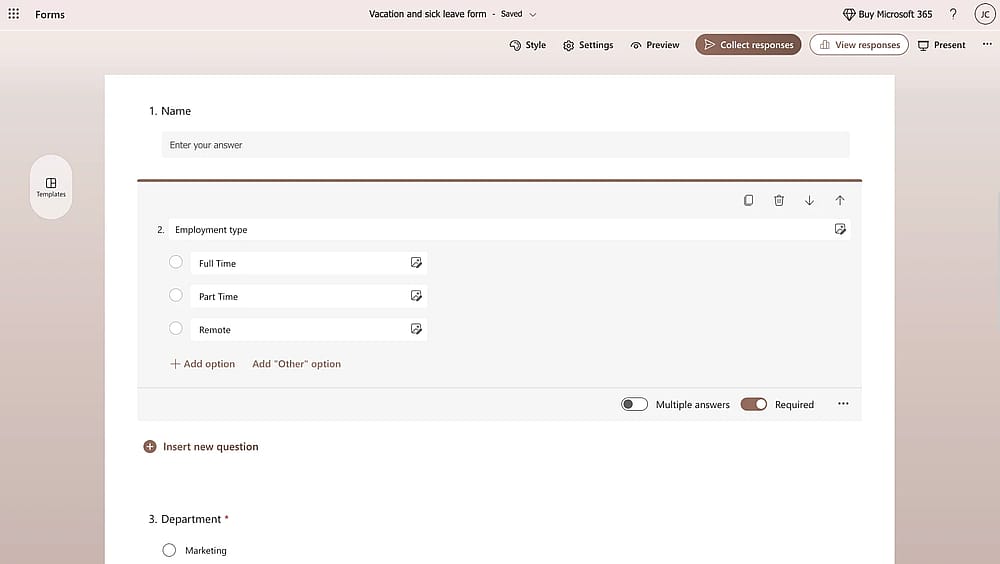
Workspace of Microsoft Forms
Microsoft Forms is the free, basic form builder included with most Microsoft 365 subscriptions. Microsoft Forms is great for M365 ecosystem (Excel, SharePoint, Teams), making it perfect for quick internal corporate tasks like RSVPs, employee polls, and basic data gathering. It offers basic branching and simple reports but is designed for speed and simplicity over advanced functionality.
Microsoft Forms lacks the advanced customization, deep analytics, and complex integrations needed for high-volume market research or highly branded public campaigns, making it a tool you quickly outgrow, which is why the alternatives in this guide are necessary.
Pricing Tier | Cost | Primary User Group | Key Detail for Comparison |
Microsoft Account (Personal) | Free (Included with Outlook/Hotmail) | Individual/Personal Use | Basic functionality with low limits on responses and forms. |
Microsoft 365 Business Basic | Starts at $6.00/user/month (Annual Billing) | Small Business | Forms access is bundled with the M365 suite (Teams, Exchange, etc.). |
Microsoft 365 Business Standard/Premium | Starts at $12.50 - $22.00/user/month (Annual Billing) | Scaling Business/Enterprise | Forms access is included. Higher feature limits often apply, tied to the overall M365 license. |
Standalone Purchase | Not Available | N/A | Crucial Point: You cannot buy Microsoft Forms on its own; it is a feature of a larger, paid subscription. |
Expert framework: Selecting your Microsoft Forms alternative
Our team testing framework is based on three critical performance dimensions where Microsoft Forms is weakest:
1. Feature Depth & Value
- Does the alternative offer essential advanced features (e.g., payments, calculations, multi-page) that MS Forms lacks?
- Does the platform include powerful automation tools (e.g., approval workflows, dedicated mobile apps) that go beyond simple data export?
2. Branding & User Experience
- How much more customizable and branded is the form design for a professional look and high conversion?
- Does the platform support modern engagement formats (e.g., conversational surveys, marketing quizzes, polls) that boost completion rates?
3. Specialization & Integration
- Does the tool offer superior native integrations and meet enterprise compliance needs?
- How user-friendly is the API and webhook functionality for connecting to internal systems and advanced developer needs?
10+ Microsoft Forms alternatives you can check
This expert section details 10+ powerful Microsoft Forms alternatives (free & paid), providing a comprehensive breakdown of their features, pros, cons, and tiered pricing structures to help you confidently select the optimal survey platform for your budget and needs.
1. forms.app (Best for AI-powered design and conversational forms)
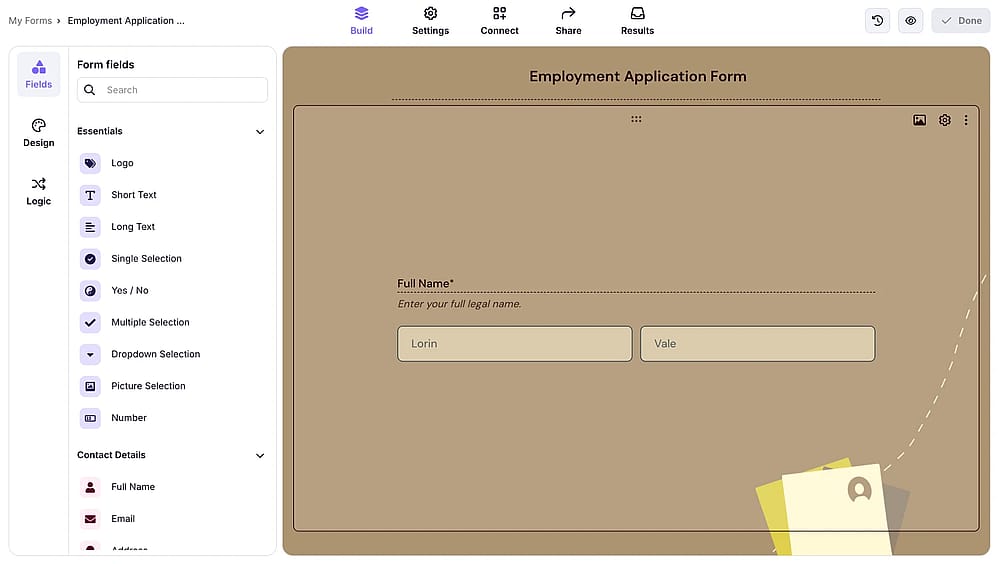
Workspace of forms.app
forms.app is a robust, free Microsoft Forms alternative that empowers users to create highly functional, attractive online forms, quizzes, and surveys. It provides an effortless customization experience and offers a vast library of over 5,000 ready-to-go form templates. Its feature set allows for the creation of both simple data collection tools and complex interactive forms, setting it apart as a highly versatile solution.
Why it's a top alternative: Unlike many competitors, forms.app provides crucial advanced tools like conditional logic, a calculator feature, a product basket for e-commerce, and the ability to accept payments without added fees, all without forcing users onto an expensive enterprise plan. Its robust mobile application support.
Pros of forms.app
- Unlimited responses and seats on the free paln
- Conditional logic, calculator, payment collection
- Zero payment transaction fees
- AI analytics feature
Cons of forms.app
- Limited forms on the free plan
- No HIPAA compliance
forms.app pricing
- Free plan ✅
- Basic Plan: 29 USD per month
- Pro Plan: 39 USD per month
- Premium Plan: 79 USD per month
2. Cognito Forms (Best for advanced calculations and complex logic on a free plan)
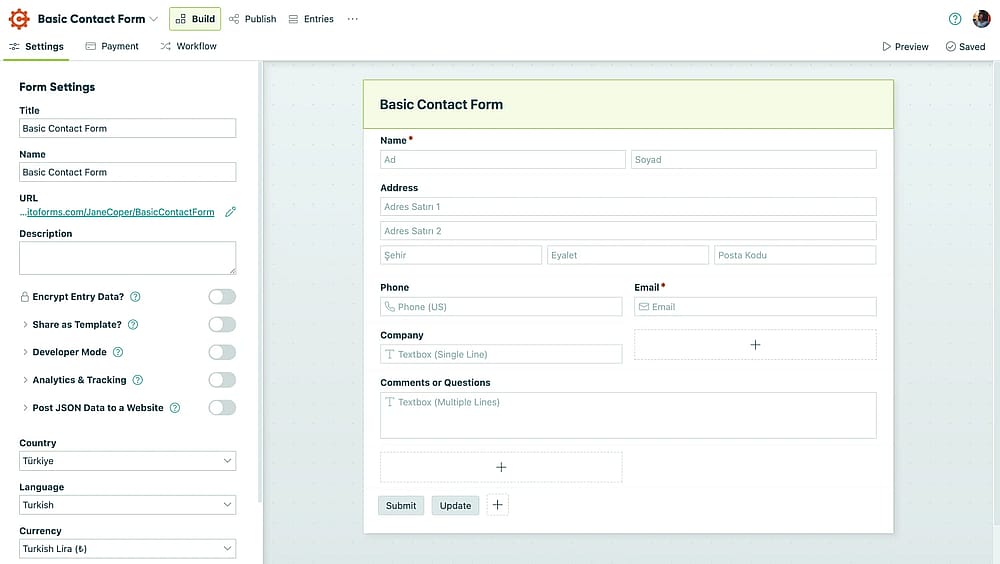
Workspace of Cognito Forms
Cognito Forms an online form builder to create sophisticated forms and surveys. The tool features an intuitive drag-and-drop interface, but its core strength lies in its advanced conditional logic and built-in calculator feature, which allows for complex, dynamic forms that can automatically process data and payments.
Why it's a top alternative: This tool is a top alternative because it offers enterprise-level functionality, specifically its conditional logic, calculations, and repeating sections. While Microsoft Forms offers basic branching, Cognito Forms enables more sophisticated logic for showing/hiding fields, sections, and pages, and its calculator function is invaluable for creating quotes, order forms, and scoring quizzes.
Pros of Cognito Forms
- Advanced conditional logic/calculator
- Unlimited forms on all plans
- Integrates with Zapier/Power Automate
Cons of Cognito Forms
- Free plan entry limits
- Limited design/branding customization
- Lower tiers limit user count
Cognito Forms pricing
- Free plan: ✅
- Pro: 19 USD per month
- Team: 39 USD per month
- Enterpise: 129 USD per month
3. Paperform (Best for branded forms that look like landing pages)
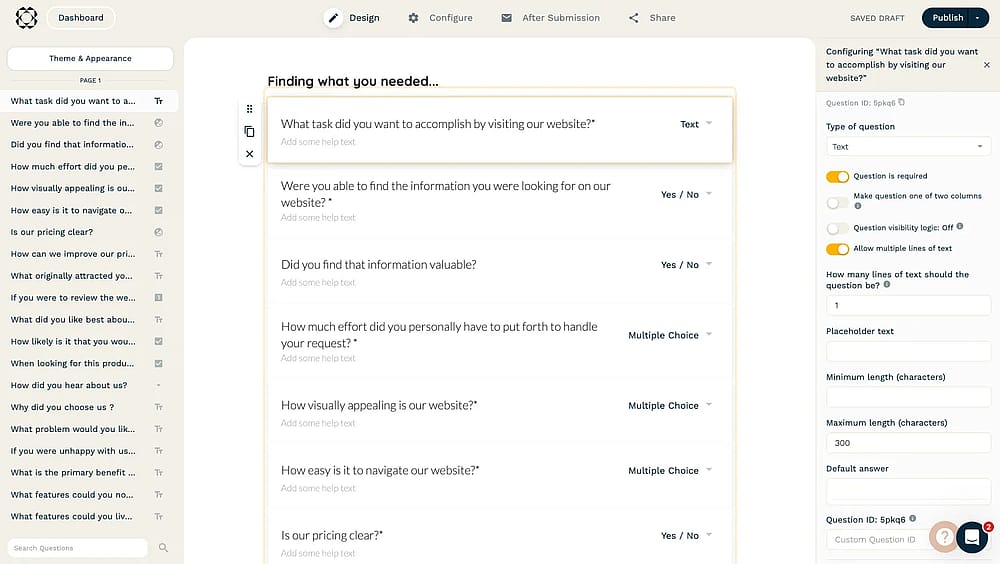
Workspace of Paperform
Paperform is a highly-regarded, no-code form builder that allows users to create forms, quizzes, and even order pages with the simplicity of typing a document. The platform is designed to be user-friendly, employing a drag-and-drop interface that makes form creation accessible to anyone, regardless of coding knowledge.
Why it's a top alternative: Paperform excels as a top alternative because it transforms a standard form into a beautiful, conversion-focused landing page, offering deep design and branding customization that is unavailable in Microsoft Forms. Its document-style editor allows for highly flexible layouts, making forms feel less like a survey and more like a curated, on-brand experience.
💡 Editor’s experience: The order form builder offers a unique, conversion-focused visual layout (like editing a document), but the price jump after the 7-day trial is too high for a small business not yet using the advanced payment features.
Pros of Paperform
- Flexible visual customization
- Native payment/subscription collection
- Simple no-code document-style editor
- Includes e-signatures, analytics, and data export
Cons of Paperform
- High starting price for paid plans
- Lower tier submission limits
- Fewer native direct integrations
Paperform pricing:
- Free plan: ❌(7-day free trial)
- Essentials: 29 USD per month
- Pro: 59 USD per month
- Business: 129 USD per month
4. 123FormBuilder (Best for enterprise compliance (HIPAA/GDPR) and security)
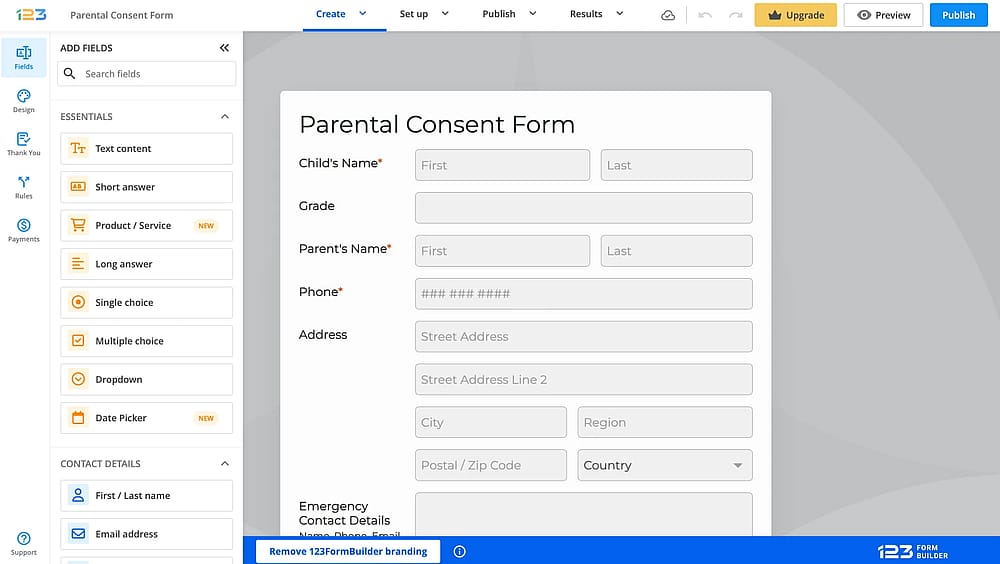
Workspace of 123FormBuilder
123FormBuilder is a robust and user-friendly online form creator that makes it simple to build visually appealing forms, surveys, and quizzes with minimal effort. Its core strength lies in its easy-to-use interface. To accelerate the creation process, the tool provides a massive library of over 3,000 ready-to-use templates across various industries and use cases.
Pros of 123FormBuilder
- Extensive native integrations (CRM, payments, marketing)
- Over 3,000 professional templates
- Includes conditional logic
Cons of 123FormBuilder
- Key features gated by mid/high-tier plans
- Higher-end plans are expensive
- Free plan form/submission limits
123FormBuilder pricing:
- Free plan: ✅
- Gold: 37 USD per month
- Platinum: 49 USD per month
- Diamond: 99 USD per month
- Enterpise: 225 USD per month
5. Formbricks (Targeted in-app, website, email, and link surveys)
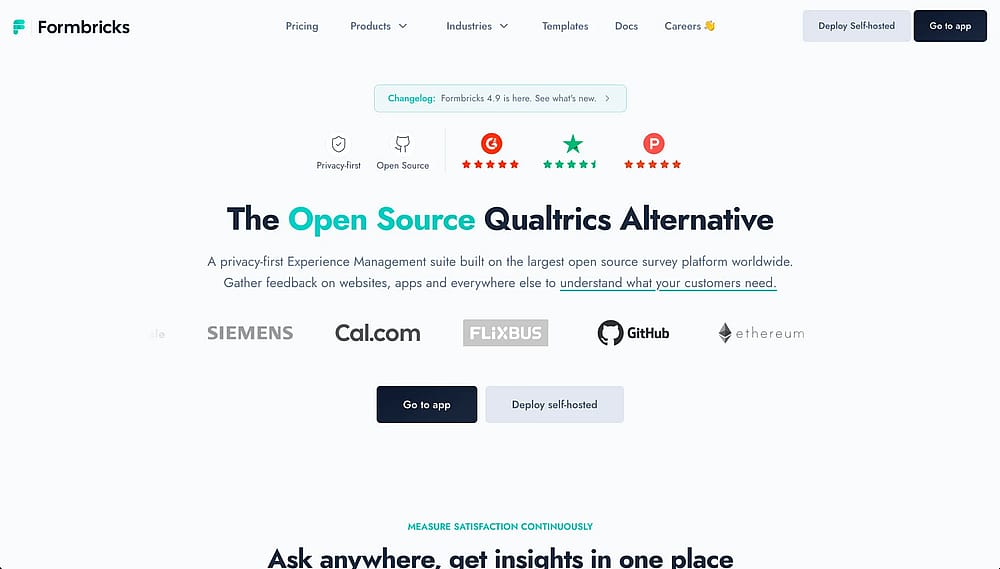
Workspace of Formbricks
Formbricks is an open-source survey and experience management platform. It lets you build targeted in-app, website, email, and link surveys with granular audience targeting and a no-code editor.
Why it's a top alternative: Formbricks stands out as a top alternative because of its open-source foundation and privacy-first architecture; you can self-host it entirely, making it ideal for teams with strict data sovereignty requirements. Unlike Microsoft Forms, it offers deep in-product survey targeting, event-based triggers, and a robust API, enabling teams to collect feedback precisely when and where it matters most.
Pros of Formbricks
- Open-source & self-hostable (full data control)
- Advanced targeting & event-based survey triggers
- SDKs for easy in-app embedding
- No-code survey triggers
- Multi-channel surveys (in-app, link, email, website)
Cons of Formbricks
- Self-hosting requires technical setup
- Limited AI features.
Formbricks pricing:
- Free plan: ✅ (self-hosted, unlimited; cloud free tier available)
- Startup: $89 USD per month (cloud)
- Scale: $390 USD per month (cloud)
- Enterprise: custom pricing
6. Google Forms (Free, unlimited surveys with Google Sheets sync)
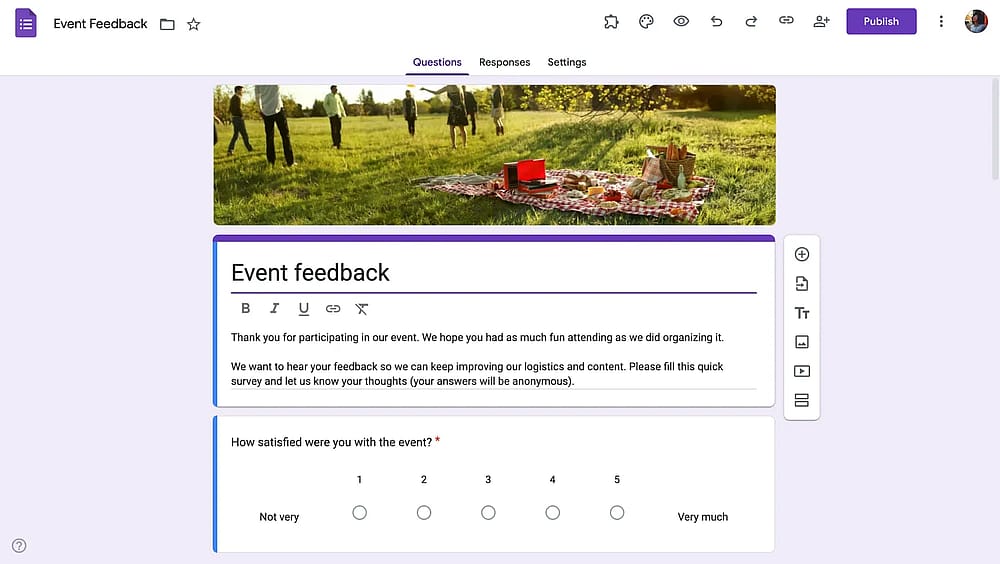
Workspace of Google Forms
Google Forms is arguably the most common and accessible Microsoft Forms alternative, offered completely free to anyone with a Google account. It is renowned for its extreme ease of use, allowing anyone to build forms, surveys, and quizzes in minutes with minimal technical effort. While it may have a limited selection of templates compared to paid builders, its clean interface and ability to incorporate media like images make it highly functional for basic data collection.
Why it's a top alternative: This tool is a top alternative primarily because of its zero cost and unlimited submissions, combined with its flawless, real-time integration with Google Sheets. The platform is mobile-friendly and provides basic conditional logic to guide respondents, making it an ideal choice for educational settings, small one-off projects, and individuals who need a quick, reliable, and scalable form builder without any subscription barriers.
💡 Editor’s experience: The platform features unbeatable, zero-latency data transfer (easily syncing test submissions to Google Sheets for rapid analysis). However, the sterile design and lack of branding options limit its use for public-facing forms.
Pros of Google Forms
- 100% free with unlimited forms/responses
- Real-time export to Google Sheets
- Easy to use, widely accessible
Cons of Google Forms
- Limited design/branding options
- Basic conditional logic (section-based only)
- No native payment collection
- Google account required for file uploads
Google Forms pricing:
- Completely free ✅
7. Formstack (Best for secure workflow and document automation)
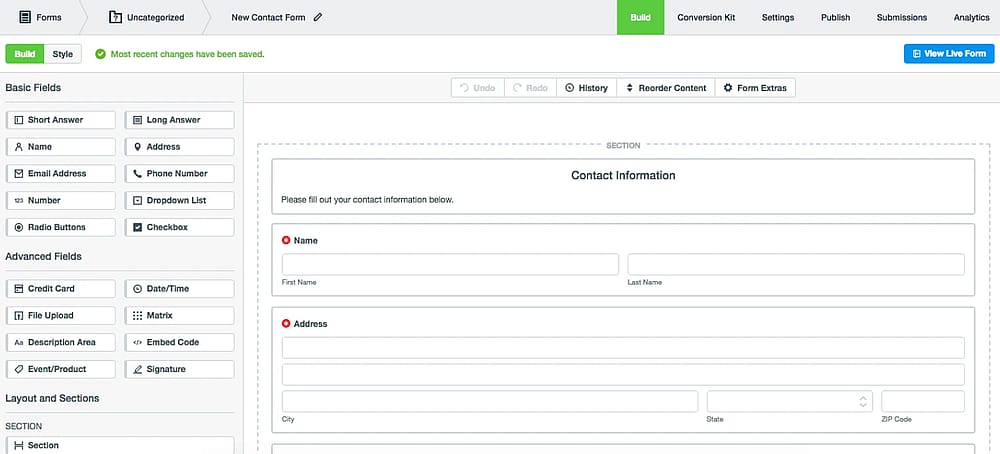
Workspace of Formstack
Formstack is a powerful, no-code platform designed for building sophisticated online forms, surveys, and comprehensive data collection workflows. It is engineered for enterprise use, featuring a robust, easy-to-use interface that allows anyone to create professional forms without any coding knowledge.
Why it's a top alternative: Formstack offers HIPAA, GDPR, and PCI compliance (often through its higher-tier plans), making it the top choice for collecting sensitive data in healthcare, finance, and other regulated industries. Its feature set is built for detail, including conditional logic for in-depth data routing and the critical ability to collect legally binding E-signatures.
Pros of Formstack
- HIPAA, GDPR, PCI compliance
- Supports complex conditional logic/data routing
- Mobile app access/management
- A/B testing/bottleneck reports
Cons of Formstack
- Trial-only (14 days), requires paid commitment
- High starting price (enterprise focus)
- Compliance/advanced features locked in top plans
Formstack pricing:
- Free plan: ❌
- forms: 99 USD per month
- suite: 299 USD per month
8. Typeform (Best for high-conversion conversational user experience)
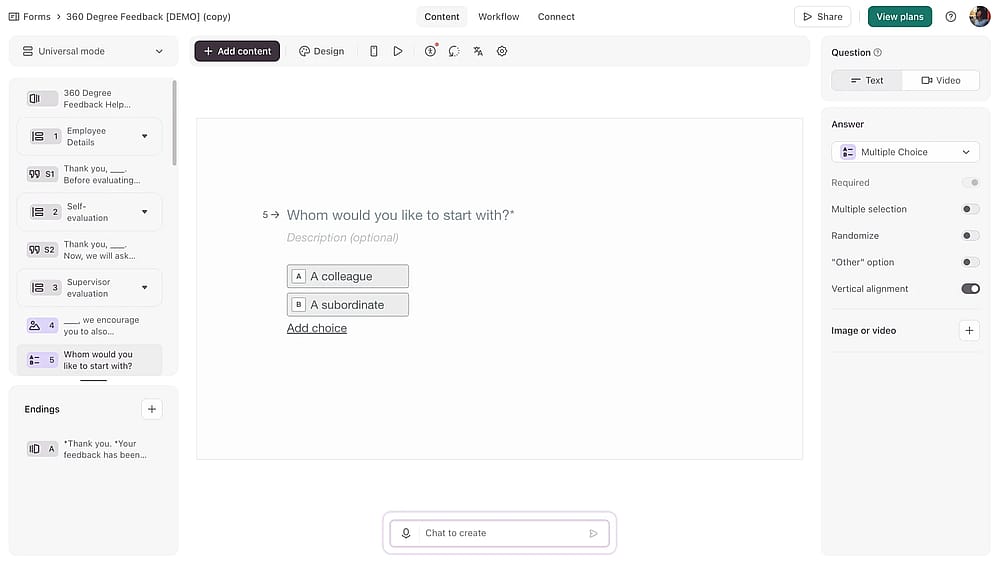
Workspace of Typeform
Typeform is a design-forward, online form builder that re-imagines data collection by presenting questions one at a time, creating a highly engaging, conversational experience. While it may have a steeper learning curve than simple builders, it offers advanced customization features, endless template options, and photo/video libraries to create genuinely beautiful and unique forms accessible on any device.
Why it's a top alternative: Typeform's signature conversational design makes it a top alternative, especially for external, customer-facing forms like lead generation, surveys, and quizzes where engagement is critical. Its beautiful aesthetics, combined with powerful features like advanced conditional logic, a calculator function, and native support for file uploads.
Pros of Typeform
- Conversational design boosts completion rates
- Deep customization, rich media support
- Includes logic, calculator, payments, file uploads
- Seamless integration with Zapier/Google Sheets
- Inherently responsive/mobile-friendly
Cons of Typeform
- Restrictive free plan (low monthly response limit)
- Expensive paid plans (costly for small businesses)
- Intermediate technical skills may be required
Typeform pricing:
- Free plan: ✅
- Basic: 29 USD per month
- Plus: 59 USD per month
- Business: 99 USD per month
- Growth Essentials: 199 USD per month
- Growth Pro: 349 USD per month
- Talent: 149 USD per month
9. Formsite (Best for legacy reliability and advanced form routing)
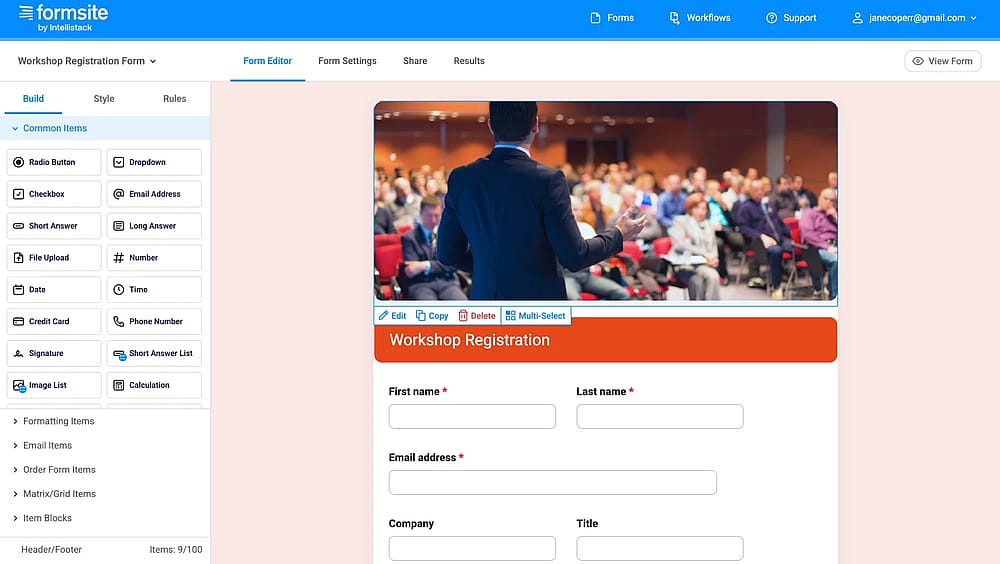
Workspace of Formsite
Formsite is a secure and versatile online form builder that caters primarily to businesses requiring robust security and detailed control over their data. It features a straightforward drag-and-drop builder and 40 question types to handle any data collection need. Formsite's ease of use makes it simple to deploy, while its advanced features provide an enterprise-grade solution without requiring coding knowledge.
Why it's a top alternative: Formsite is a top alternative because it focuses heavily on data security, a critical need for many organizations. It provides a significant advantage over basic form builders by offering the ability to encrypt form submissions, ensuring that collected data is secured both in-transit (via SSL/HTTPS) and at-rest (in storage).
Pros of Formsite
- Secure submission encryption/storage
- Varied data visualization (graphs, reports)
- Offers 40 unique question types
Cons of Formsite
- Trial-only (14 days), requires paid subscription
- Less modern/flexible design customization
- Key integrations/features restricted to expensive plans
Formsite pricing:
- Free plan: ✅
- Personal: 24.95 USD per month
- Professional: 39.95 USD per month
- Business: 69.95 USD per month
- Business+: 99.95 USD per month
- Enterprise: 249.95 USD per month
10. Woorise (Best for viral contests and marketing giveaways)
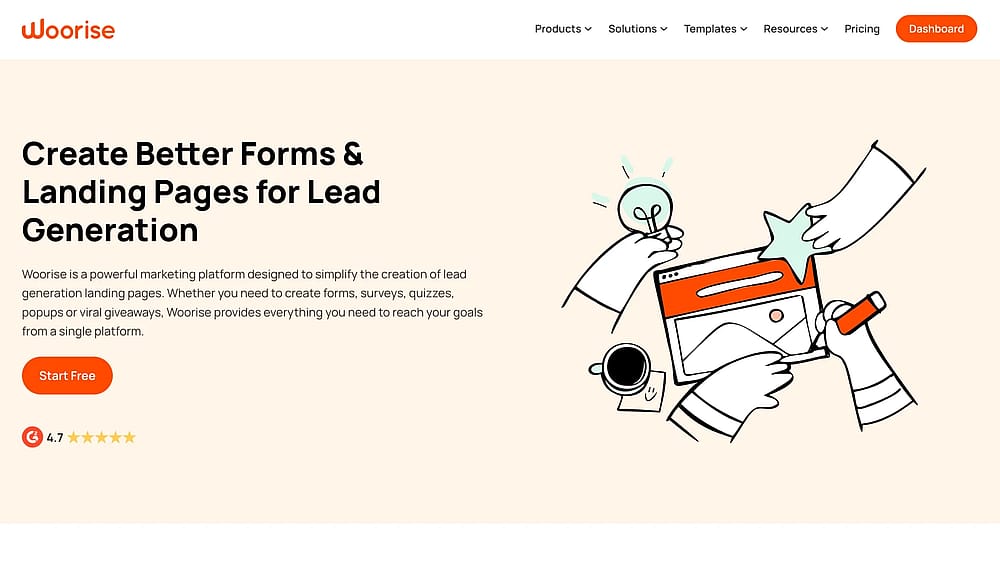
Homepage of Woorise
Woorise is a dynamic online marketing and form creator that specializes in helping users build engaging, eye-catching forms, quizzes, surveys, and dedicated landing pages. Its toolset is highly beneficial for businesses looking to grow their audience, capture leads, and encourage audience engagement through interactive content.
Why it's a top alternative: It is a comprehensive lead generation platform that goes far beyond the basic data collection of Microsoft Forms. The inclusion of smart features like a calculator feature and conditional logic, combined with native integration options for popular marketing platforms like Google Analytics, Hubspot, and Stripe, makes it a powerful and affordable solution for small businesses focused on audience growth and closing transactions.
Pros of Woorise
- Ideal for interactive marketing/lead generation
- Dedicated landing page builder
- Competitively priced for small business growth
- Usable free tier for basic campaigns
Cons of Woorise
- All plans have monthly entry limits
- Interface can feel complex/cluttered for beginners
- Focused on marketing (overkill for internal tasks)
Woorise pricing:
- Free plan: ✅
- Basic: 29 USD per month
- Grow: 49 USD per month
- Pro: 99 USD per month (10,000 entries/month)
11. Zoho Forms (Best for native integration with the entire Zoho Suite)
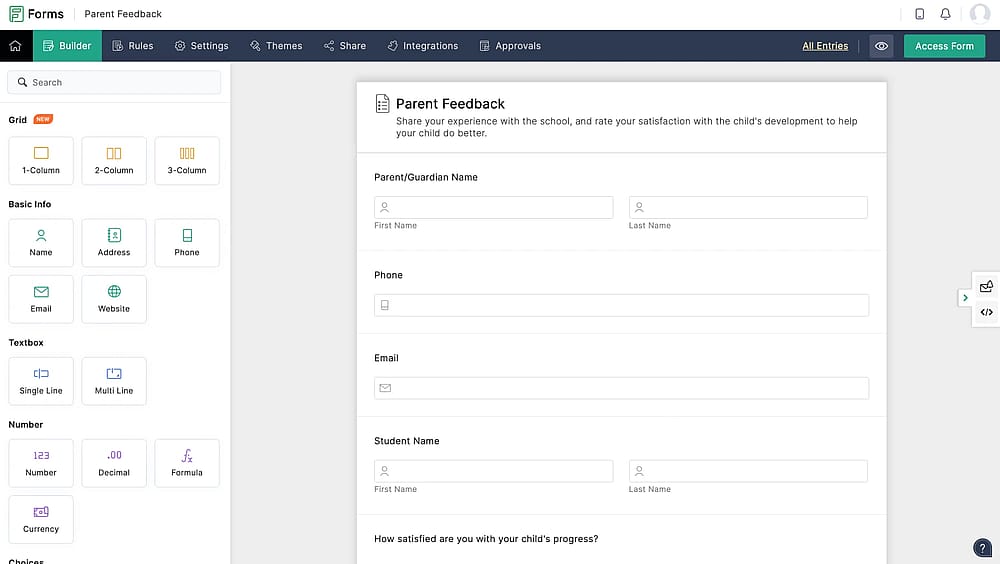
Workspace of Zoho Forms
Zoho Forms is a powerful, no-code online form builder that allows users to create engaging and versatile forms, surveys, and quizzes for nearly any business goal. It uses an intuitive drag-and-drop builder and requires no coding knowledge, making it accessible to everyone. The tool focuses on data efficiency, offering the ability to export detailed reports and customize various features for a highly tailored experience.
Why it's a top alternative: This tool is a top alternative due to its unmatched integration capabilities within the Zoho ecosystem (CRM, Campaigns, Desk, Analytics, etc.) and its surprisingly strong support for third-party apps, including Microsoft Excel and Teams. While Microsoft Forms is strong within Microsoft 365, Zoho Forms is the ideal choice for businesses using the broader Zoho suite.
Pros of Zoho Forms
- Native integration with Zoho CRM and 40+ products
- Advanced approval workflows/task assignment
- Export custom, detailed reports
- Payment gateway support on lower tiers
Cons of Zoho Forms
- Maximum benefit within Zoho ecosystem
- Free plan limited to 3 forms
- Confusing pricing structure as needs grow
Zoho Forms pricing
- Free plan: ✅
- Basic: 9 USD per month
- Plus: 35 USD per month
- Pro: 49 USD per month
- Enterpise: 109 USD per month
Conclusion: Upgrade your data collection
Microsoft Forms is suitable for basic, internal tasks. Professionals quickly outgrow its lack of advanced features (logic, compliance, payments).
The best alternative depends on your priority:
Priority | Top Tool Recommendation | Key Advantage |
Best value | forms.app | Usable free plan plus zero payment transaction fees on all paid plans. |
Highest conversion | Typeform | Conversational design for maximum completion rates. |
Logic/Calculation | Cognito Forms | Advanced calculations and complex logic on a free plan. |
Compliance/Security | Formstack | Certified HIPAA, GDPR, and PCI compliance. |
Deep branding | Paperform | Transforms forms into branded landing pages. |
Frequently asked questions (FAQs)
While free tools like Microsoft Forms and Google Forms are excellent for simple, low-volume surveys, they quickly become limiting for professional use. Paid alternatives offer critical advanced features that save time and boost conversions, such as:
- Payment processing: Directly collecting credit card payments (e.g., Paperform, forms.app).
- Advanced logic: Complex conditional logic, multi-page forms, and score calculators (e.g., Cognito Forms, Typeform).
- Branding & UX: Deep design customization and conversational formats to increase completion rates (e.g., Typeform, Paperform).
- Compliance: Meeting strict security standards like HIPAA and GDPR (e.g., Formstack, 123FormBuilder).
It means that forms.app does not take a percentage cut of the money you collect through your forms (e.g., for product orders or registration fees). You will still pay the standard processing fee to the payment gateway you use (like Stripe or PayPal), but forms.app itself doesn't add an extra fee, maximizing your revenue.
Standard forms present all questions simultaneously in a long scrollable list. Conversational design (pioneered by Typeform) presents questions one at a time, often filling the screen. This mimics a chat or one-on-one conversation, which has been proven to make the survey feel less overwhelming, leading to a much higher completion rate.
- May 2026 Tested Formbricks and added to the list
Contributors
Researched & written by
forms.app, your free form builder
- Unlimited responses
- Unlimited questions
- Unlimited team members