Save up to 60% on yearly plans and enjoy our biggest offer of the year. Limited time only. 🍂
See pricing

5 Best Drag’n Survey alternatives tested for 2026
Summarize with
Relying on “good enough” feedback is a recipe for stagnant growth.
Whether you are conducting deep market research or chasing critical customer feedback, your choice of tool determines the quality of your data. But with a market flooded with “free” builders that hide their best features behind paywalls, finding a reliable platform is harder than it looks.
We didn’t just read the feature lists; we built, sent, and analyzed data on over a dozen platforms to find the true winners. After hours of stress-testing logic jumps, mobile responsiveness, and export limits, we’ve narrowed down the field. This guide reveals the best free survey tools and best free online survey tools that actually deliver professional results without the hidden costs.
💡 All tools featured in this content have been updated for 2026 (including features and pricing). Monthly payment options are listed for all tools that offer them.
TL;DR for alternatives to Drag’n Survey
1. forms.app — Best for teams
2. Google Forms — Best for 100% free, unlimited basic surveys
3. SurveyMonkey — Best for advanced analytics and enterprise research
4. Typeform — Best for conversational UX and high completion rates
5. Microsoft Forms — Best for seamless integration with Excel and Office 365
About Drag’n Survey: features & pricing
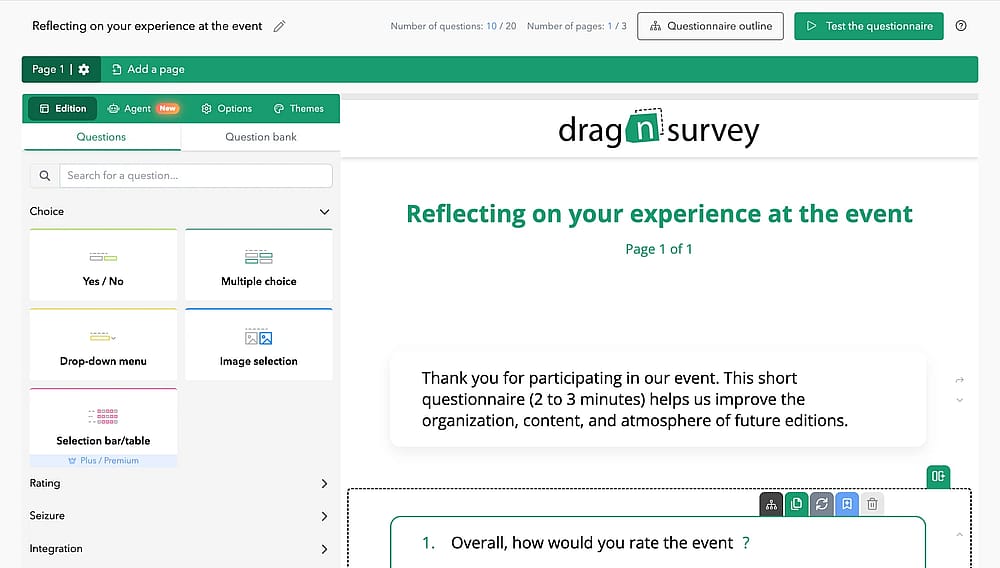
Workspace of Drag’n Survey
Drag’n Survey is a popular European software known for its simple drag-and-drop interface. It enables users to build professional surveys quickly, offering tools for distribution and data analysis that cater to both small businesses and large corporate researchers.
Plan | Price (Monthly) | Key Features | Best For |
FREE | $0 | 20 questions, 3 pages, 200 respondents per survey. | Individuals & Students |
PLUS | $28 | Unlimited questions/pages, 2,000 respondents, custom logo. | Small Businesses |
PREMIUM | $47 | Unlimited respondents, AI analysis, NPS tools, multilingual surveys. | Marketing Professionals |
ENTERPRISE | Custom | Priority support, team training, and HDS-certified data security. | Large Corporations |
First glance at the top Drag’n survey alternatives
Tool | Best Feature | Monthly Price (Starting) |
forms.app | AI-Powered Generator & Mobile App | $29 (Basic Plan) |
Google Forms | 100% Free / Google Sheets Sync | $0 (Always Free) |
SurveyMonkey | Advanced Analytics & Expert Templates | $30 (Team Individual) |
Typeform | Conversational UI (High Engagement) | $29 |
Microsoft Forms | Native Excel & Office 365 Integration | $6 (Included in M365) |
Top 5 Drag’n Survey alternatives
Creating surveys via online survey makers is easy, since you have lots of option available. Drag’n Survey is only one of the survey platforms. So that you do not drown in survey software options, we have checked the best alternatives to Drag’n Survey.
Here are best survey tools online that you can replace with Drag’n survey with free & paid plans and key features:
1. forms.app (Best for teams)
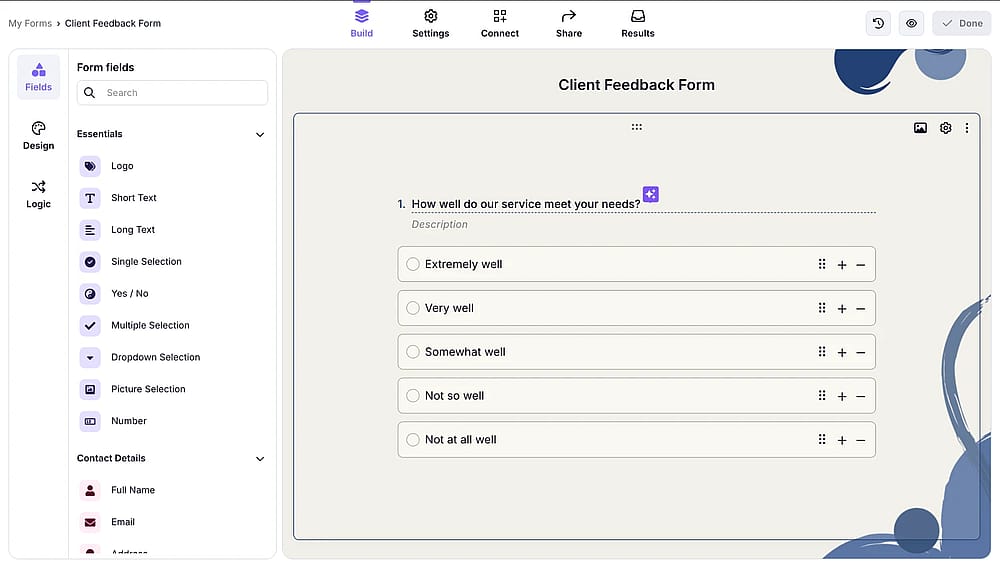
Workspace of forms.app
forms.app is a modern, high-speed builder designed for users who need to create professional forms on the go. It stands out for its mobile-optimized interface and a massive library of ready-to-use templates.
Key features:
- AI-powered survey generator
- Unlimited responses and seats on the free plan
- Conditional logic and calculators
- Mobile-friendly design and app
- Customizable themes and CSS
- Multilingual surveys
forms.app pricing:
- Free plan: ✅
- Basic plan: 29 USD per month
- Pro plan: 39 USD per month
- Premium plan: 79 USD per month
2. Google Forms (Best for 100% free, unlimited basic surveys)
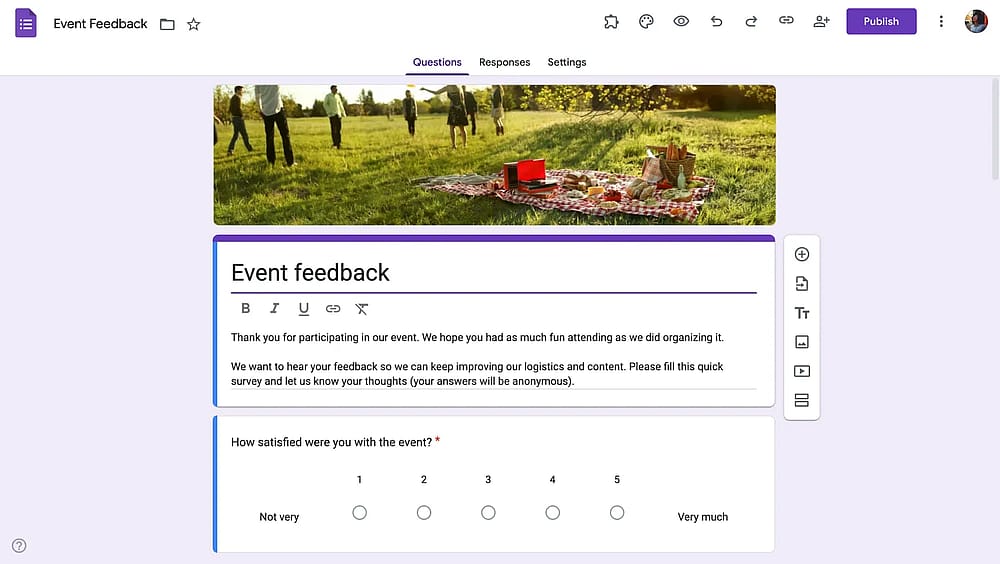
Workspace of Google Forms
Google Forms is an online form builder tool, providing a straightforward way to collect data without any cost barriers. It is part of the Google Workspace ecosystem, making data sharing and storage seamless.
✍️ Editor’s experience: Unbeatable for cost-free scaling, but the lack of professional branding and limited logic makes it feel quite amateurish.
Key features:
- 100% free with unlimited responses
- Real-time integration with Google Sheets
- Simple drag-and-drop interface
- Collaboration via Google Drive
- Automatic email summaries
Google Forms pricing:
- Completely free ✅
3. SurveyMonkey (Best for advanced analytics and enterprise research)
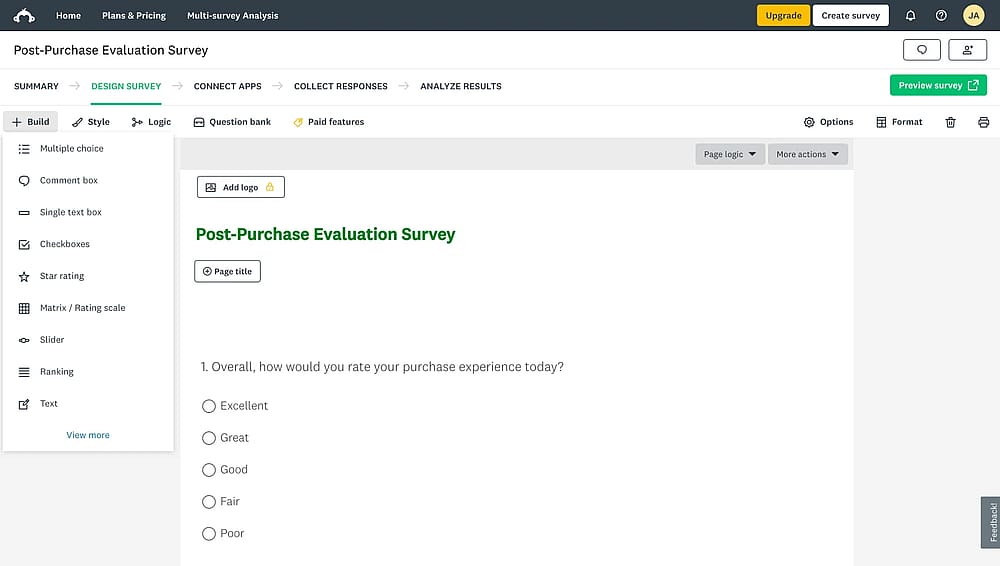
Workspace of SurveyMonkey
SurveyMonkey is a powerhouse for market research, offering sophisticated data analysis tools that go beyond simple charts. It is built for professionals who need high-quality data and expert-vetted question types.
Key features:
- Advanced filtering and cross-tabulation
- Sentiment analysis and word clouds
- Built-in panel for respondent recruitment
- Hundreds of expert-written templates
- Industry-leading data security (SSO/HIPAA)
SurveyMonkey pricing:
- Free plan: ✅
- Team Advantage: 30 USD per month/user
- Team Premier: 92 USD per month/user
- Premier Annual: 139 USD per month
- Advantage Annual: 39 USD per month
- Standard Monthly: 99 USD per month
4. Typeform (Best for conversational UX and high completion rates)
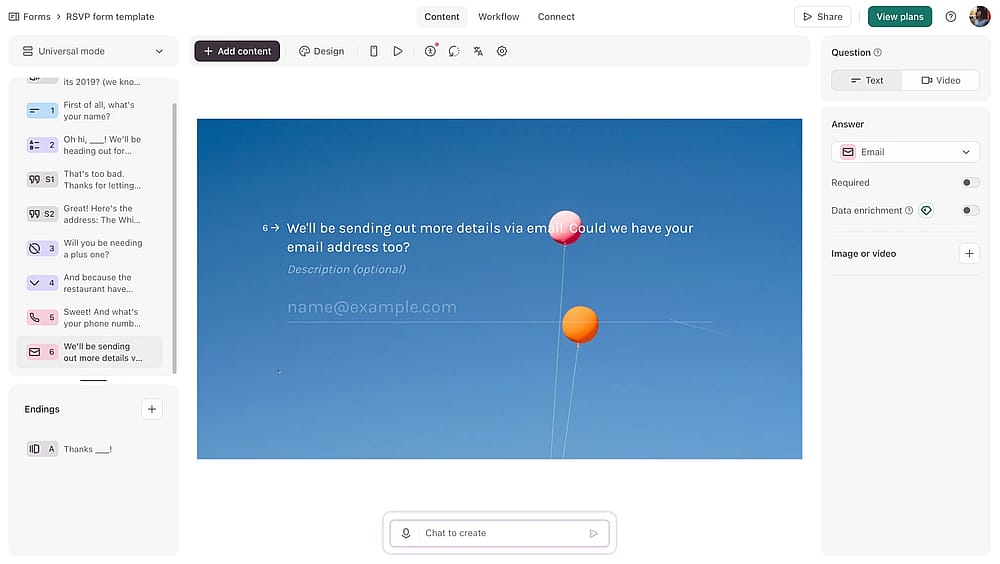
Workspace of Typeform
Typeform revolutionized the survey industry with its “one question at a time” approach. It focuses on aesthetics and user experience, turning data collection into a human conversation.
✍️ Editor’s experience: Beautiful interface consistently yields higher engagement, but the steep price and lack of an offline mode are significant drawbacks.
Key features:
- Conversational, one-question-at-a-time layout
- Extensive media library (GIFs, Video, Unsplash)
- Complex branching and logic jumps
- Sleek, award-winning aesthetics
- Native integrations with Notion and Airtable
Typeform pricing:
- Free plan: ✅
- Basic: 29 USD per month
- Plus: 59 USD per month
- Business: 99 USD per month
- Growth Essentials: 199 USD per month
- Growth Pro: 349 USD per month
- Talent: 149 USD per month
5. Microsoft Forms (Best for seamless integration with Excel and Office 365)
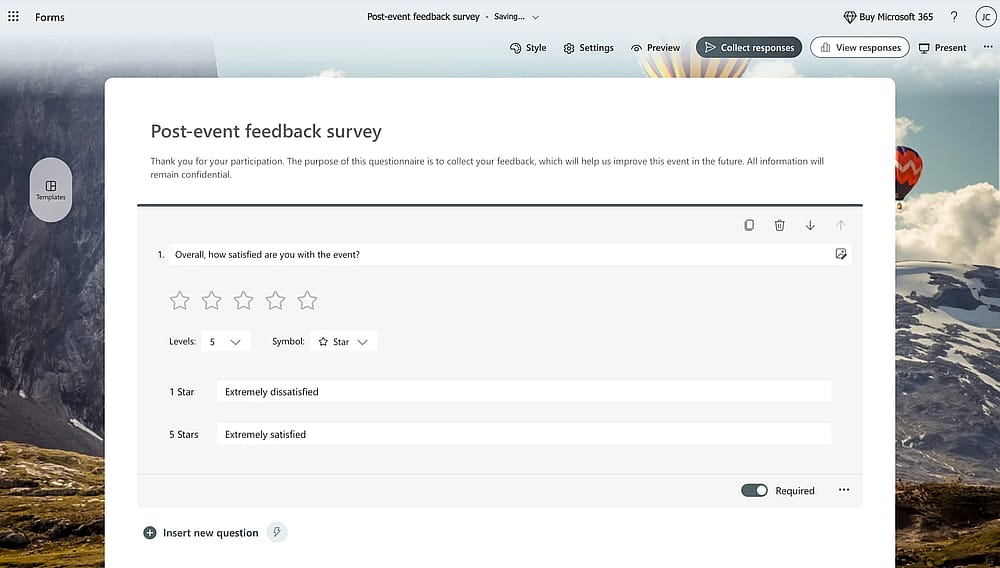
Workspace of MS Forms
Microsoft Forms is the default choice for organizations already running on Microsoft 365. It is a clean, secure, and fast tool specifically built for internal feedback, quizzes, and corporate data collection.
✍️ Editor’s experience: Excellent for internal corporate feedback and Excel users, but design options are too rigid for creative external marketing campaigns.
Key features:
- Automated data export to Microsoft Excel
- Seamless integration with Microsoft Teams
- Quick-create quizzes with auto-grading
- Multilingual survey support
- Enterprise-grade security and compliance
Microsoft Forms pricing:
- Free if you have a Microsoft 365 account ✅
How to identify your ideal tool
Instead of picking a platform based on popularity, ask yourself these four questions to find the most effective fit:
- “Is my primary goal speed or design depth?” If you need a professional survey ready in minutes with minimal effort, look for tools that prioritize AI-assisted creation. However, if you are targeting a high-end audience where brand perception is everything, a conversational interface, where questions appear one at a time, is often more effective.
- “How complex is the respondent's journey?” Consider whether you need advanced conditional logic. If your survey needs to "branch" (skipping questions based on previous answers), you should verify which platforms include these features in their entry-level plans, as some tools restrict complex logic to high-tier enterprise versions.
- “Where does my data need to live?” Think about your post-survey workflow. If your team already uses Google Sheets or Microsoft Excel, choosing a tool with a native, real-time integration will save you hours of manual exporting and data cleaning.
- “What is the actual limit on survey responses?” Many platforms are “freemium,” but the definitions of "free" vary wildly. Before launching, check if there is a hard ceiling on how many responses you can collect or view without upgrading. This prevents your data from being "locked" behind a paywall mid-campaign.
Final thoughts
The most expensive tool isn't always the best, and the simplest tool isn't always the most efficient. By answering these questions first, you can choose a partner that scales with your research needs rather than one you will outgrow in six months.
Frequently asked questions (FAQs)
If your primary concern is cost, Google Forms is the only tool that remains 100% free for unlimited questions and responses. However, if you need professional features like “conditional logic” or “payment collection” on a free tier, forms.app typically offers more advanced functional flexibility than the basic free versions of SurveyMonkey or Typeform.
Not at all. Each of these tools is built on a “No-Code” philosophy. While Drag’n Survey uses a traditional drag-and-drop grid, newer alternatives like Typeform and forms.app use “conversational” or “AI-assisted” builders that allow you to generate a full survey just by typing a simple prompt.
Contributors
Researched & written by
forms.app, your free form builder
- Unlimited responses
- Unlimited questions
- Unlimited team members