Save up to 60% on yearly plans and enjoy our biggest offer of the year. Limited time only. 🍂
See pricing

Clearout Integration
Clearout is a flexible email verification platform. Clearout can help if you need to verify or find emails, enrich prospect data, reverse lookups, or prevent people from submitting fake emails and names on forms. With Clearout and forms.app integration; you will be able to use Clearout’s Form Guard capabilities on forms.app.
To connect your forms with Clearout, you need a premium forms.app account with a custom domain set up.
The Clearout integration is available through Google Tag Manager. You can easy set it up for your forms by following the steps below.
How to set up Form Guard on Clearout
To enable Form Guard on your forms.app forms, first you need to create a Clearout account and set up a Form Guard.
1. Open Clearout and switch to the “Form Guard” tab:
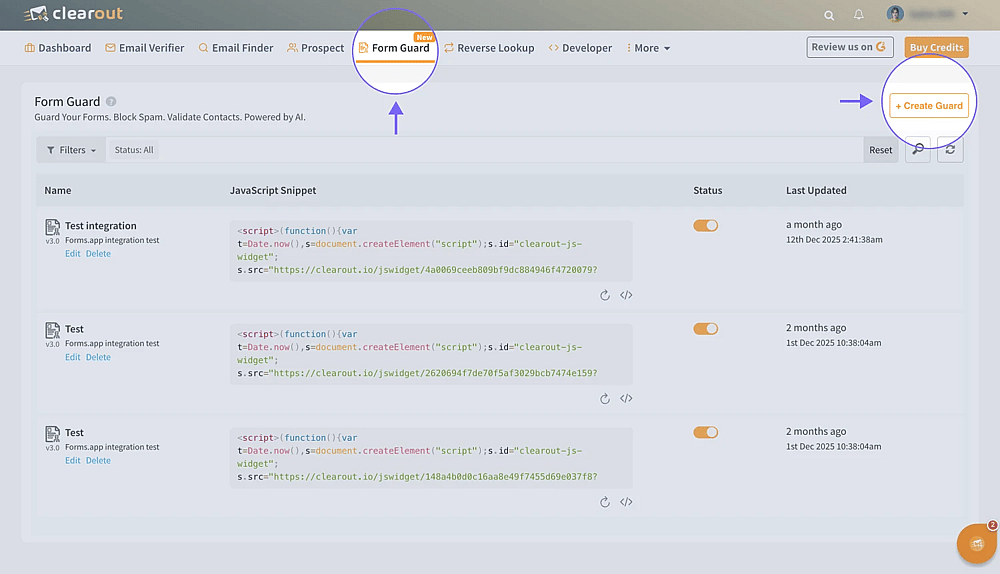
The Form Guard page on Clearout
2. Click on the “Create a guard” button and start configuring the guard. Here you can:
- Accept only valid email addresses
- Accept only valid phone numbers
- Accept only valid names
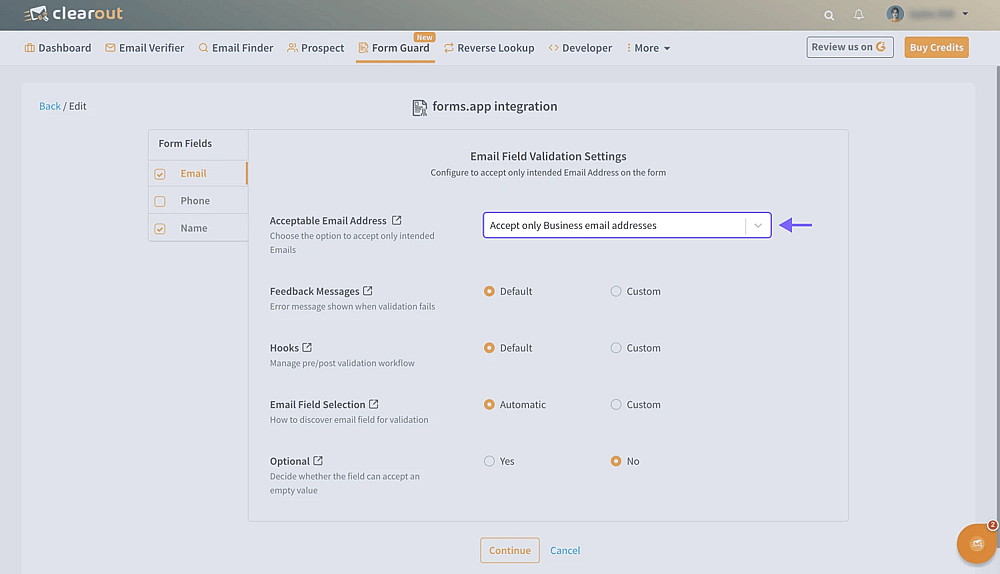
Create a Form Guard on Clearout
3. While in the “Advanced Settings” section, make sure to manually enter the following information.
- On Submit button selector - Set to custom and enter:
.submitbutton - On Ready Hook – please add the following script:
window.clearout.options.form_elements = [{selector: '.big-question-wrapper'}]
window.clearout.options.submit_button_overlay = true
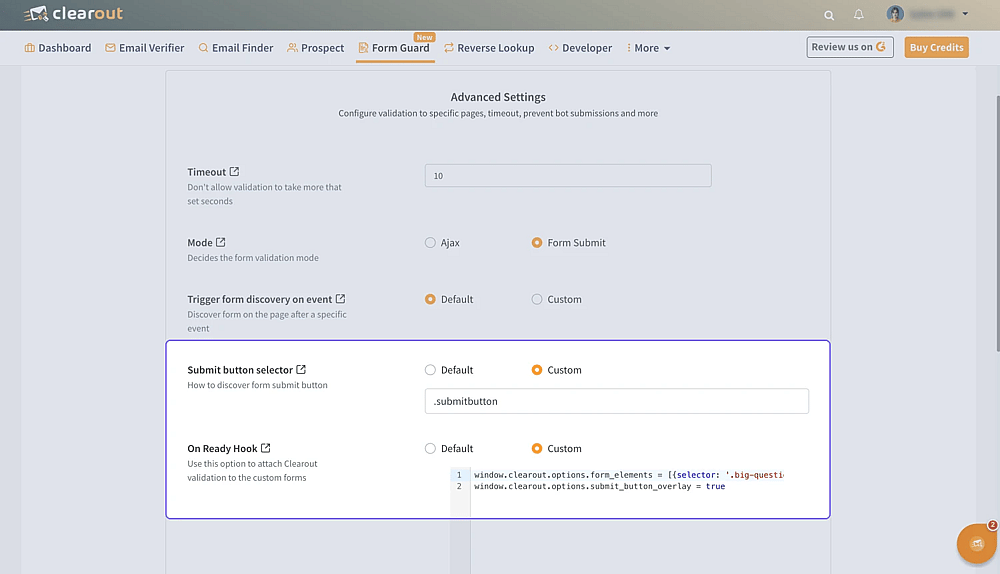
Configure your Form Guard on Clearout
4. Complete the Form Guard setup and copy the code snippet at the end.
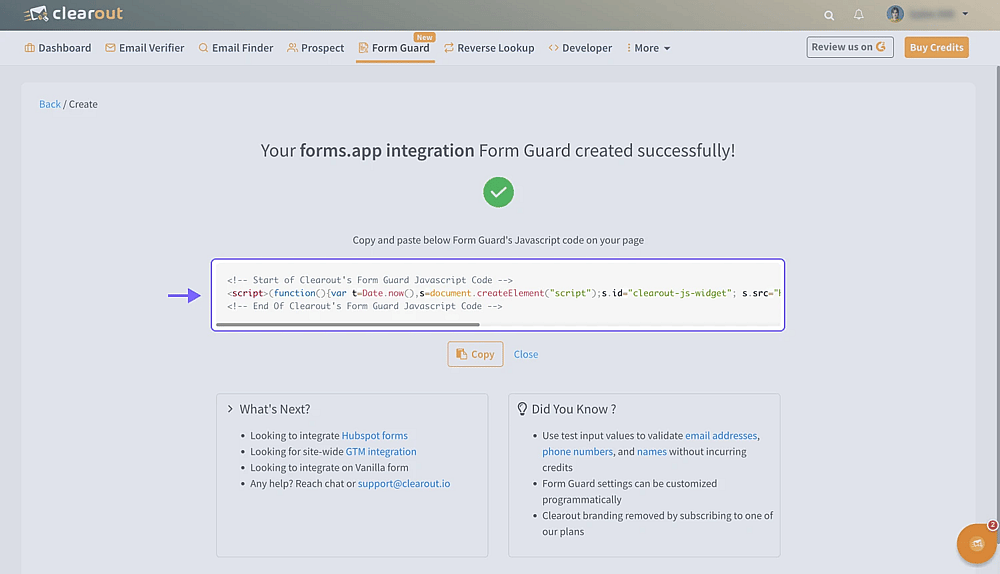
Copy the Form Guard code snippet
How to create a tag to enable Form Guard on your forms.app forms
After you create a Form Guard, simply head over to Google Tag Manager and follow the steps below.
5. Open Google Tag Manager, create a custom HTML tag, and paste the snippet you copied there.
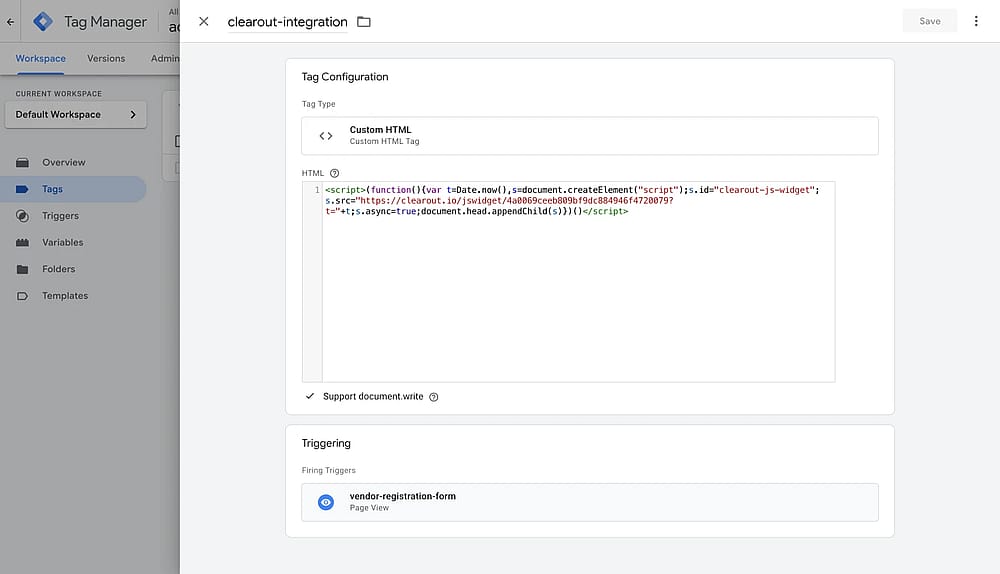
Create a HTML tag using the code snippet you copied earlier
6. While in the Google Tag Manager, create a trigger to start your custom HTML tag. Make sure to add a page path to prevent the tag from triggering on unnecessary pages. We recommend using the string at the end of your form URLs.
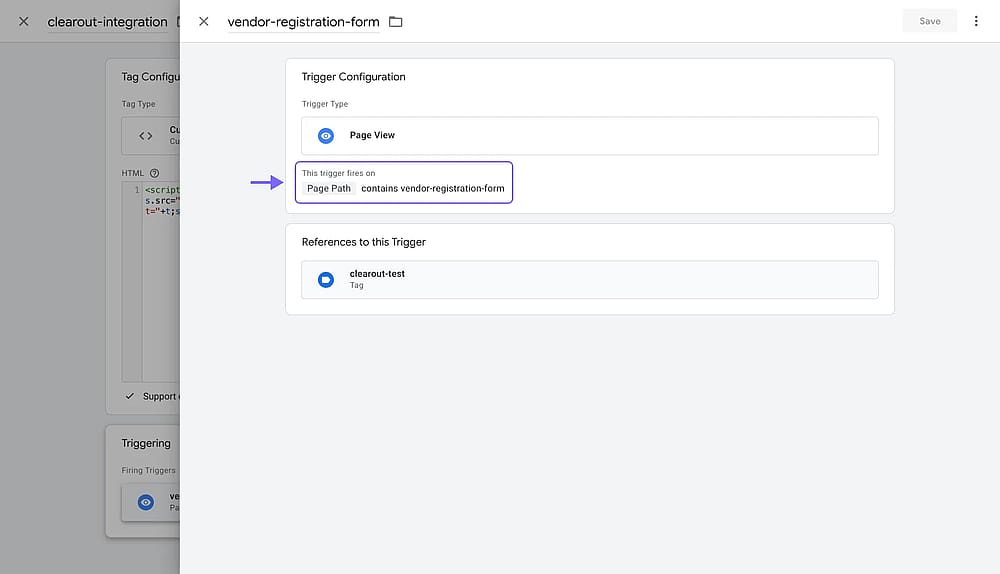
Create a trigger to launch your tag on a specific path
7. Copy the GTM ID on the GTM dashboard:
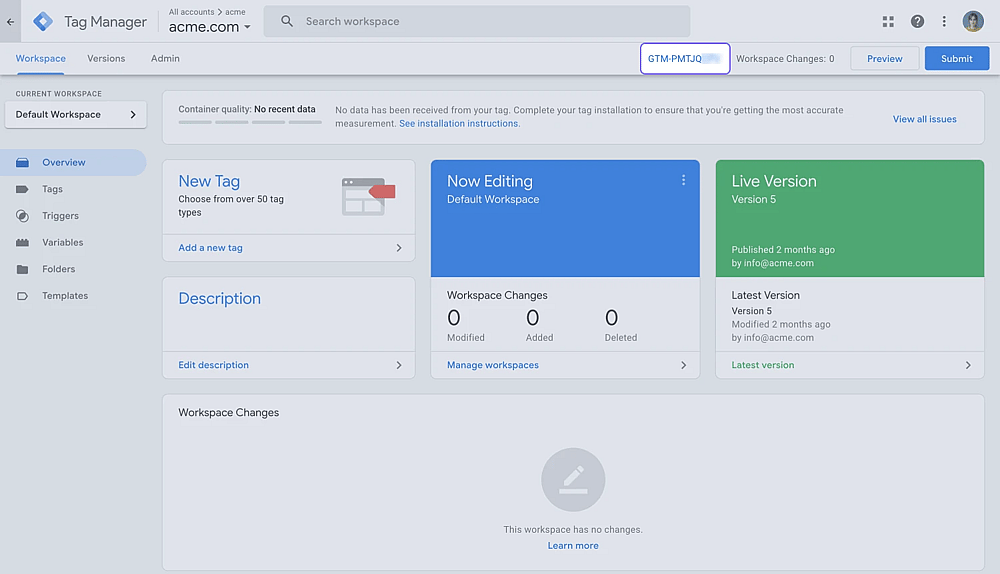
Copy the GTM ID on the upper right of your dashboard
How to enable your custom tag on forms.app forms
Once you create a custom HTML tag, the only thing left is to enable GTM integration on forms.app, and test if everything works as intended.
8. Open your form on forms.app and go to “Connect”:
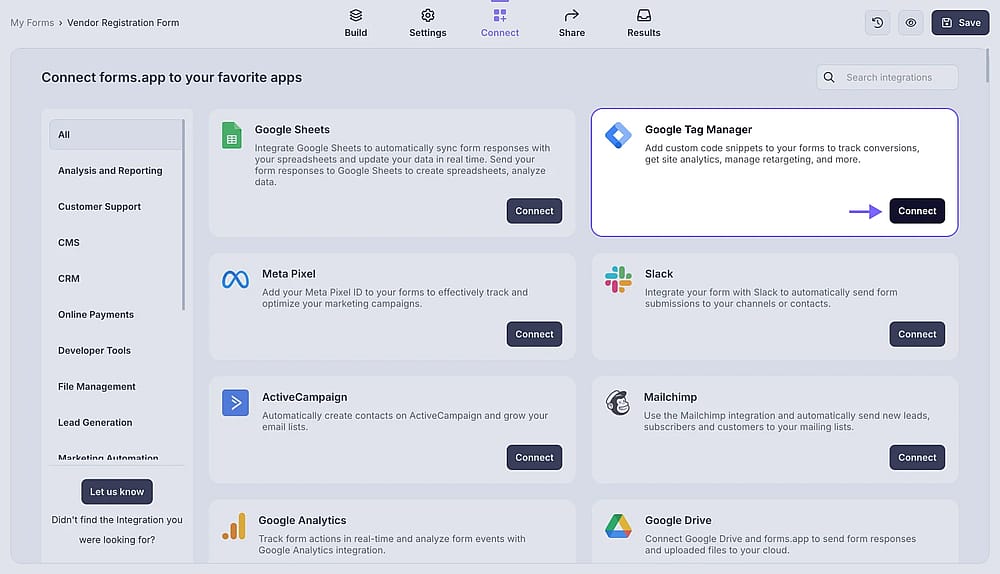
Find GTM among forms.app’s integrations
9. Select Google Tag Manager and paste your GTM ID:
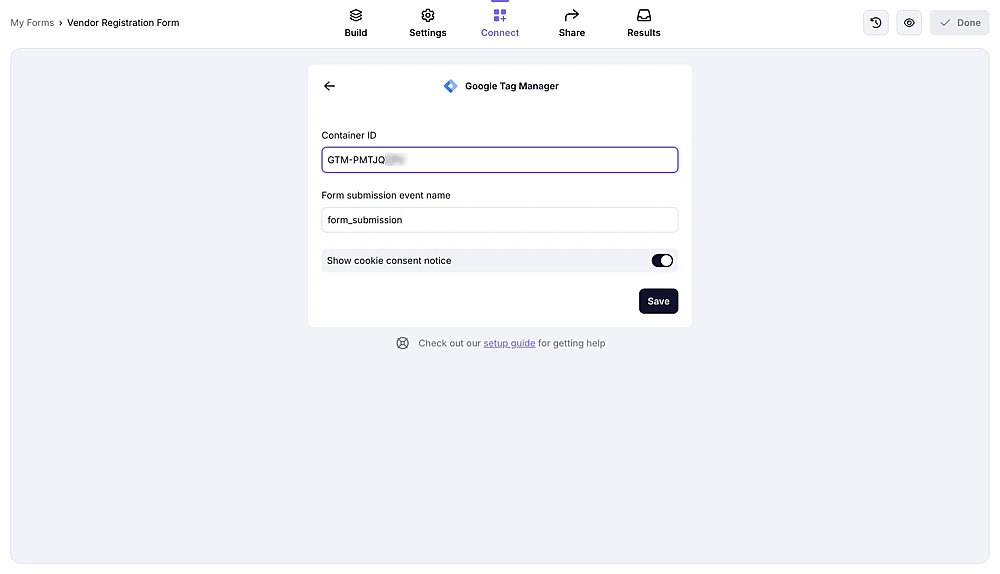
Setup GTM integration on forms.app
10. Lastly, open & submit your form to test the integration. Upon submission, you’ll see form guard validation errors when entered invalid emails or gibberish names.
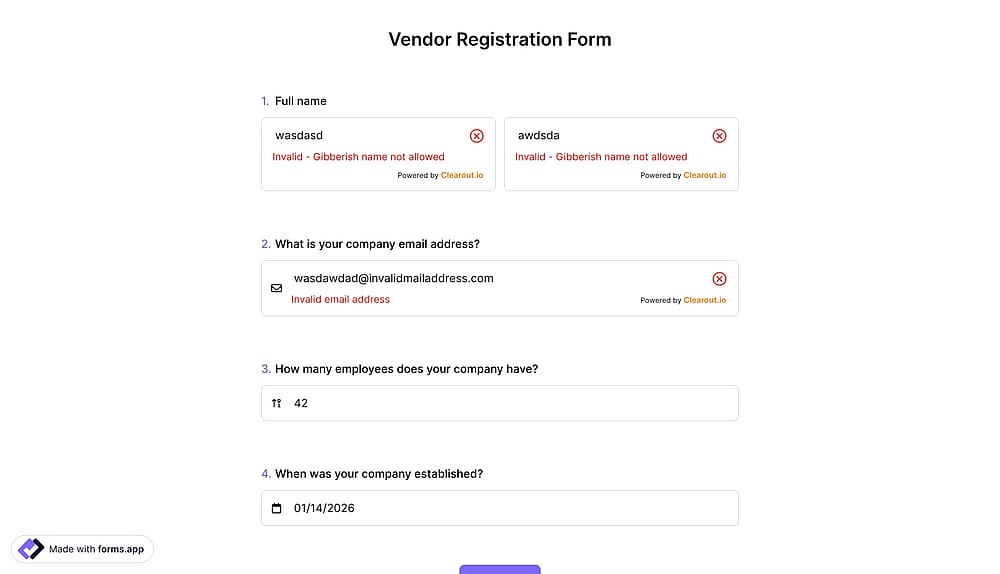
Test your integration by filling out your form
That’s it! You can now use Clearout’s Form Guard to have an extra layer of security for your forms. If you have any questions, please feel free to get in touch with our support team through live support or through our contact page.