
Save up to 60% on yearly plans and enjoy our biggest offer of the year. Limited time only. 🍂
See pricing

10 Best Survio alternatives: Expert review & comparisons

Summarize with
Actionable data starts with the right tool, but for teams scaling beyond basic feedback, Survio’s limitations often become a bottleneck.
While Survio is a solid entry-point, professional research requires more than just “creating a survey”; it demands advanced logic, seamless API integrations, and high-integrity data analysis.
After benchmarking the market’s top-tier platforms for security, respondent experience, and 2026 pricing models, we’ve shortlisted the 10 best alternatives. This guide cuts through the marketing fluff to show you which tool actually fits your specific workflow and technical needs.
💡 All tools featured in this content have been updated for 2026 (including features and pricing). Monthly payment options are listed for all tools that offer them.
TL;DR for alternatives to Survio
1. forms.app — Best for AI-powered creation and mobile-first flexibility
2. SurveyMonkey — Best for advanced analytics and market research
3. SurveySparrow — Best for omnichannel feedback loops
4. Typeform — Best for high-end design and maximum response rates
5. Zoho Survey — Best for scaling and integration with Zoho CRM
6. Microsoft Forms — Best for seamless integration with Excel and Office 365
7. Fillout — Best for complex form logic and no-code database connections
8. Google Forms — Best for 100% free, unlimited basic surveys
9. Survicate — Best for in-product surveys and targeted customer insights
10. Formstack — Best for enterprise workflow automation
About Survio: features & pricing
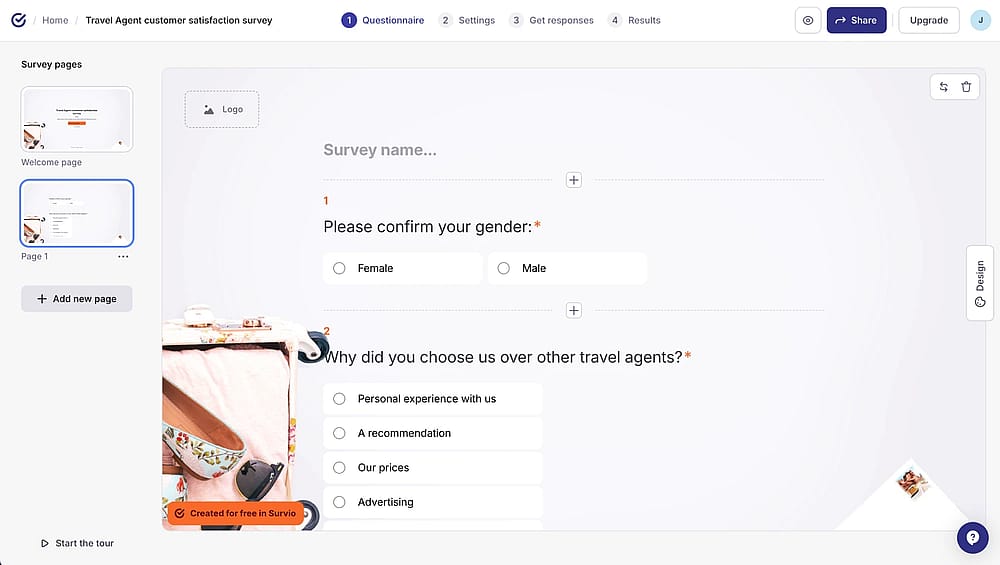
Workspace of Survio
Survio remains a powerhouse for teams seeking professional aesthetics paired with rigorous data security. During our evaluation, the AI Survey Builder was the standout feature; it intelligently suggests industry-specific questions, which we found significantly reduces “blank page” fatigue for researchers.
However, the free tier is quite restrictive in 2026. We found the 50-response monthly limit a major hurdle for growing projects. While the UI is sleek, essential features like BI tool integrations and automated reporting are locked behind premium plans. It’s an elite choice for corporate feedback, but the “pay-wall” hits much sooner than many of its competitors.
Plan | Monthly Price (Billed Yearly) | Monthly Response Limit | Key Features |
Free | $0 | 50 | Unlimited surveys, 100+ templates |
Mini | $21 | 225 | Export to PDF & XLSx, survey logic, No ads |
Standard | $61 | 750 | Custom logo, redirects, DOCx & PPTx exports |
PRO Business | $152 | 3,000 | Custom dashboard, API/Zapier, automated reporting |
Custom | Contact Sales | Unlimited | Team management, SSO, priority onboarding |
First glance at the Survio alternatives
Tool | Free Plan | Best Use Case |
forms.app | AI-powered creation & Mobile-first teams | |
SurveyMonkey | Professional research & Advanced analytics | |
SurveySparrow | Conversational UI & Omnichannel feedback | |
Typeform | Premium design & High completion rates | |
Zoho Survey | CRM users & Small business scaling | |
MS Forms | Microsoft 365 users & Internal surveys | |
Fillout | Complex logic & Database integrations | |
Google Forms | Simple surveys on a zero-dollar budget | |
Survicate | In-product feedback & SaaS customer loops | |
Formstack | (Trial only) | Enterprise workflows & HIPAA compliance |
10 Best alternatives to Survio [tested for you]
While a Survio survey is a popular choice, it isn't your only path for professional data collection and analysis. Exploring alternatives can provide more robust data management features, such as seamless CRM integrations and AI-driven insights, that better fit your specific scaling needs.
1. forms.app (Best for teams)
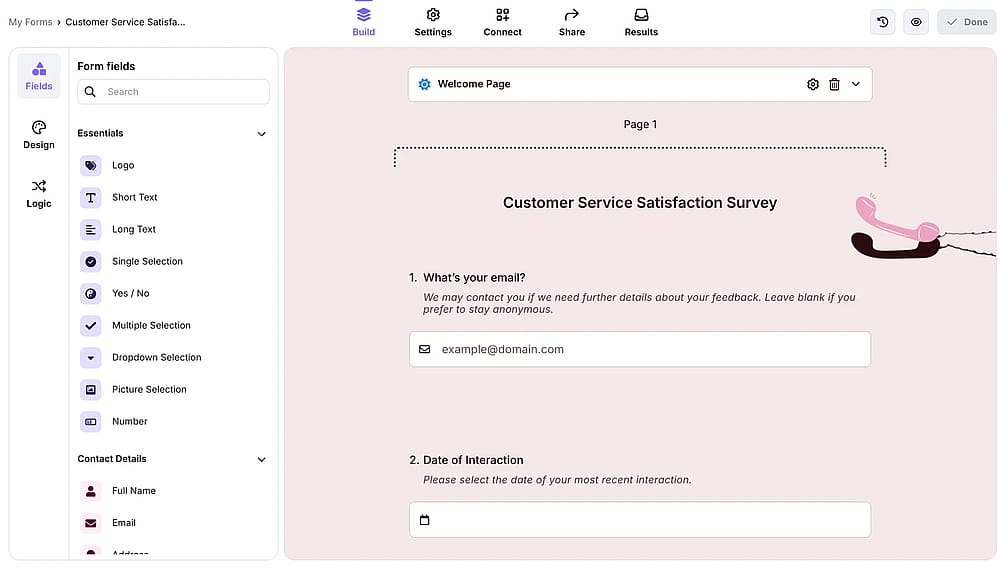
Workspace of forms.app
forms.app is a versatile online form and survey builder designed for speed and ease of use. It stands out with its mobile-first approach, allowing users to build, manage, and analyze surveys entirely from a smartphone without sacrificing advanced functionality.
Why is forms.app a top pick? It surpasses Survio by offering a more generous free tier and an intuitive AI generator that builds complete forms from text prompts. Its superior mobile flexibility and modern customization options make it the better choice for fast-moving teams.
Key features:
- Unlimited responses and seats
- Mobile-friendly design interface
- Direct payment integrations (Stripe, PayPal)
- Step-by-step view and classic layout options
- Multilingual survey creation
forms.app pricing:
- Free plan: ✅
- Basic plan: $29 per month
- Pro plan: $39 per month
- Premium plan: $79 per month
2. SurveyMonkey (Best for advanced analytics and professional market research)
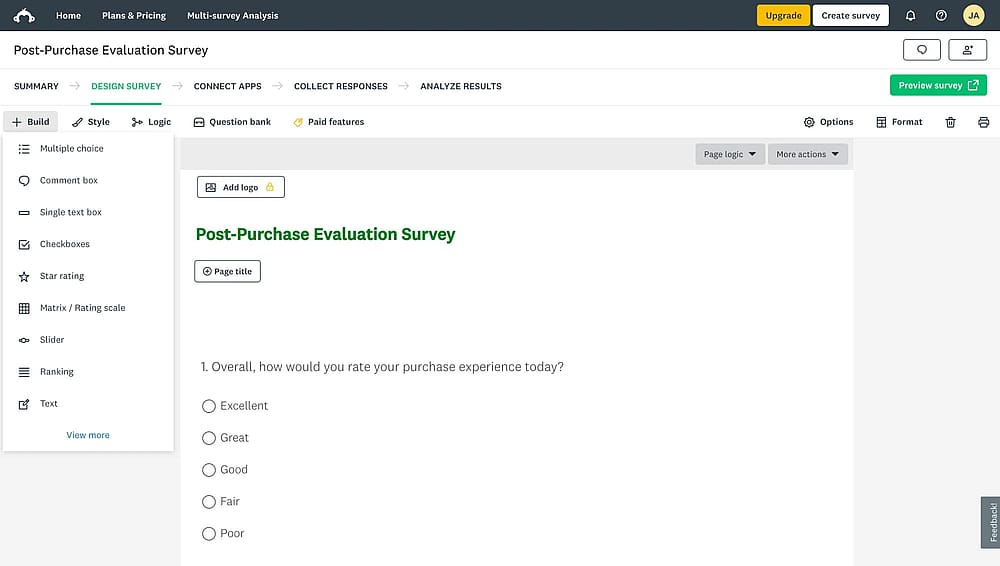
Workspace of SurveyMonkey
SurveyMonkey is global in the survey industry, known for its robust analytical engine and massive database of benchmark data. It is built for researchers who need high-level statistical significance and enterprise-grade security.
Why is SurveyMonkey a top pick? While Survio is great for basic feedback, SurveyMonkey offers professional-grade “SurveyMonkey Genius” for expert auditing. It provides deeper data sentiment analysis and industry benchmarks that allow you to compare your results against global competitors directly.
✍️ Editor’s experience: Excellent for deep analysis, but the aggressive prompts to upgrade during the design phase felt quite intrusive.
Key features:
- Automatic survey auditing (Genius)
- Industry-standard data benchmarking
- Robust API and CRM integrations
- Advanced sentiment analysis tools
SurveyMonkey pricing:
- Free plan: ✅
- Team Advantage: $30 per month/user
- Team Premier: $92 per month/user
- Premier Annual: $139 per month
- Advantage Annual: $39 per month
- Standard Monthly: $99 per month
3. SurveySparrow (Best for conversational UI and omnichannel feedback loops)
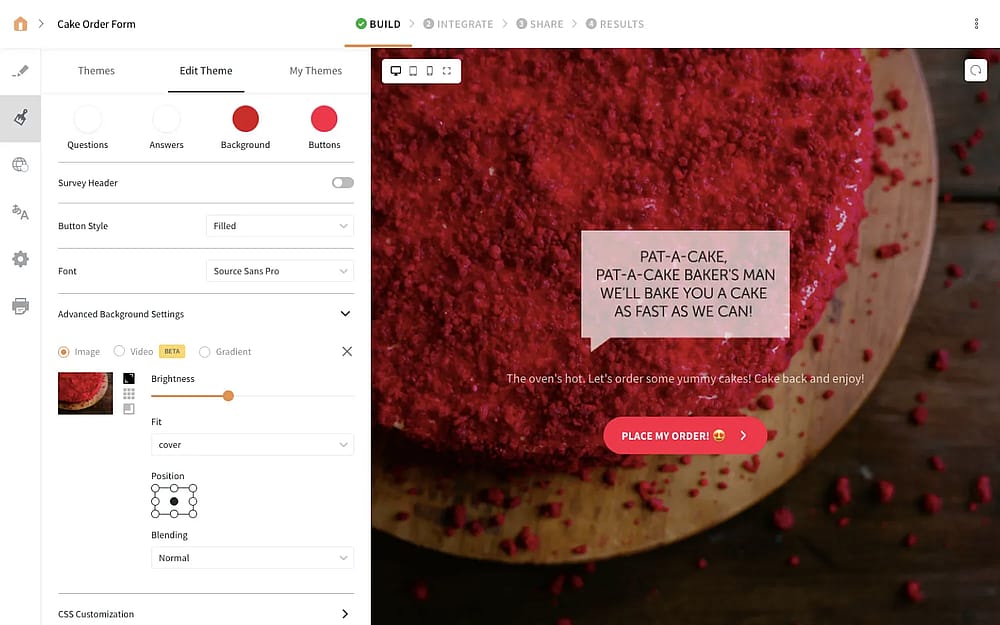
Workspace of SurveySparrow
SurveySparrow focuses on “refining” the survey experience by turning traditional forms into highly engaging, chat-like conversations. It aims to increase completion rates by making the feedback process feel less like a chore and more like a dialogue.
Why is SurveySparrow a top pick? SurveySparrow beats Survio in engagement through its “conversational” interface, which significantly reduces respondent fatigue. Its ability to automate recurring “pulse” surveys and manage omnichannel distribution makes it far more effective for long-term customer experience tracking.
Key features:
- Conversational chat-style interface
- Automated recurring survey workflows
- Offline survey collection via app
- NPS (Net Promoter Score) dedicated platform
- Executive executive dashboards
SurveySparrow pricing:
- Free plan: ❌
- Basic: $39 per month (billed quarterly - 600 responses)
- Starter: $59 per month (billed quarterly - 3,600 responses)
- Business: $149 per month (billed quarterly - 12,000 responses)
- Professional: $399 per month (billed quarterly - 24,000 responses)
4. Typeform (Best for conversational UX and high completion rates)
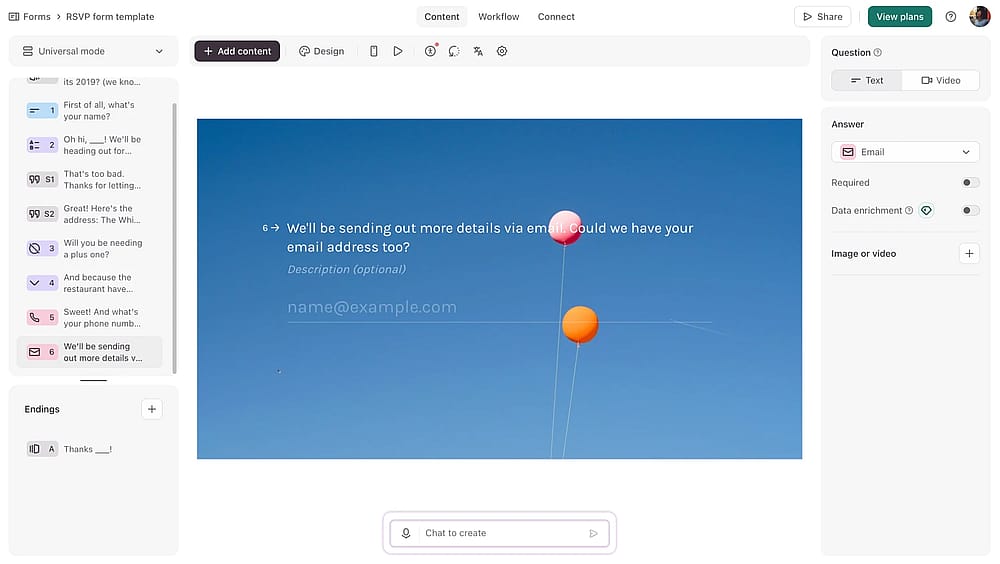
Workspace of Typeform
Typeform is known in the industry by introducing the “one question at a time” interface, focusing heavily on design and respondent experience. It is the go-to platform for brands that want their surveys to feel like a high-end, interactive digital experience.
Why is Typeform a top pick? Typeform excels where Survio feels static, offering a “conversational” flow that dramatically reduces drop-off rates. Its sophisticated logic jumps and deep multimedia integration make it significantly more effective for lead generation and high-engagement brand studies.
✍️ Editor’s experience: Visually stunning and fluid. However, it’s one of the more expensive options if you need many monthly responses.
Key features:
- One-question-at-a-time interface
- Vast library of high-design templates
- Advanced logic jumps and branching
- Direct "VideoAsk" video integrations
- Extensive native marketing app ecosystem
Typeform pricing:
- Free plan: ✅
- Basic: $29 per month
- Plus plan: $59 per month
- Business plan: $99 per month
- Growth essentials: $166 per month
- Growth pro: $291 per month
5. Zoho Survey (Best for scaling and integration with Zoho CRM)
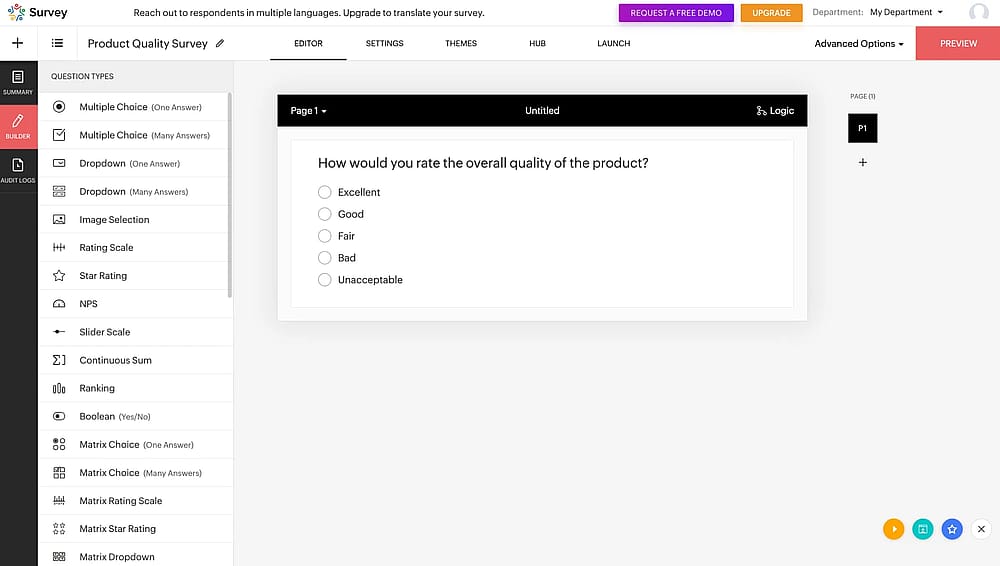
Workspace of Zoho Survey
Zoho Survey is a robust part of the Zoho ecosystem, offering a professional feature set at a price point that is accessible for growing businesses.
Why is Zoho Survey a top pick? It provides more advanced features in its lower-tier plans compared to Survio, specifically regarding CRM synchronization. For businesses already using the Zoho suite, it offers a level of data continuity and automated workflow integration that Survio simply cannot match.
Key features:
- Seamless Zoho CRM and Zoho Books integration
- Offline survey collection via mobile app
- Domain mapping and white-labeling
- Real-time collaborative survey editing
Zoho Survey pricing:
- Free plan: ✅
- Basic: 9$ per month
- Plus: 35$ per month
- Pro: 49$ per month
6. Microsoft Forms (Best for seamless integration with Excel and Office 365)
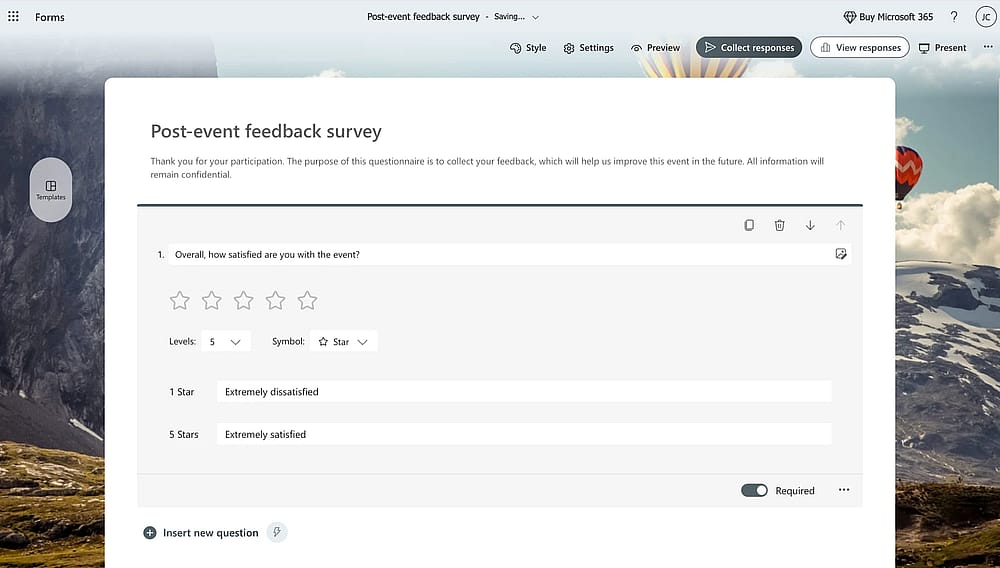
Workspace of MS Forms
Microsoft Forms is a good choice for organizations deeply embedded in the Windows ecosystem. It provides a clean, fast, and secure way to gather internal feedback or simple external data without leaving the Microsoft 365 environment.
Why is Microsoft Forms a top pick? Unlike Survio, which requires manual exports, MS Forms offers live-syncing with Excel Online, meaning your data stays updated in real-time
✍️ Editor’s experience: Perfect for quick internal polls within Teams, though it lacks the advanced customization professional researchers often require.
Key features:
- Real-time data syncing with Microsoft Excel
- Seamless integration with Microsoft Teams
- QR code distribution for physical locations
- High-speed branching and logic options
Microsoft Forms pricing:
- Completely free if you have a Microsoft 365 account
7. Fillout (Best for complex form logic and no-code database connections)
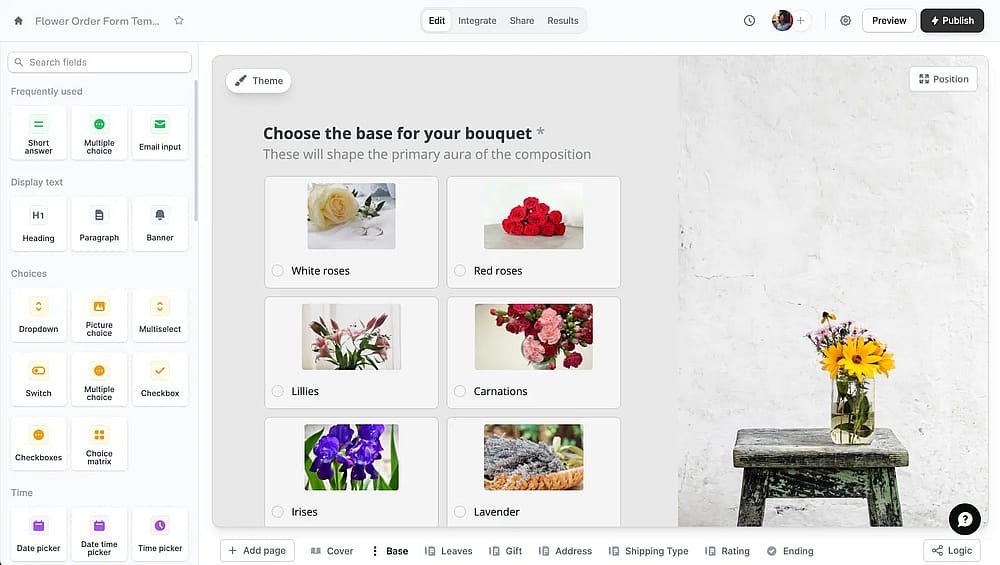
Workspace of Fillout
Fillout is a modern form builder designed for power users who need to connect their survey data to existing databases. It bridges the gap between a simple survey tool and a complex application builder, specializing in deep “no-code” integrations.
Why is Fillout a top pick? Fillout offers a level of technical depth Survio lacks, such as the ability to “update” existing records in tools like Airtable or Notion.
Key features:
- Native “Update Record” functionality
- Multi-page forms with “Save and Resume”
- Advanced “Lookups” from external databases
Fillout pricing
- Free plan: ✅
- Starter: $19 per month
- Pro: $49 per month
- Business: $89 per month
8. Google Forms (Best for 100% free, unlimited basic surveys)
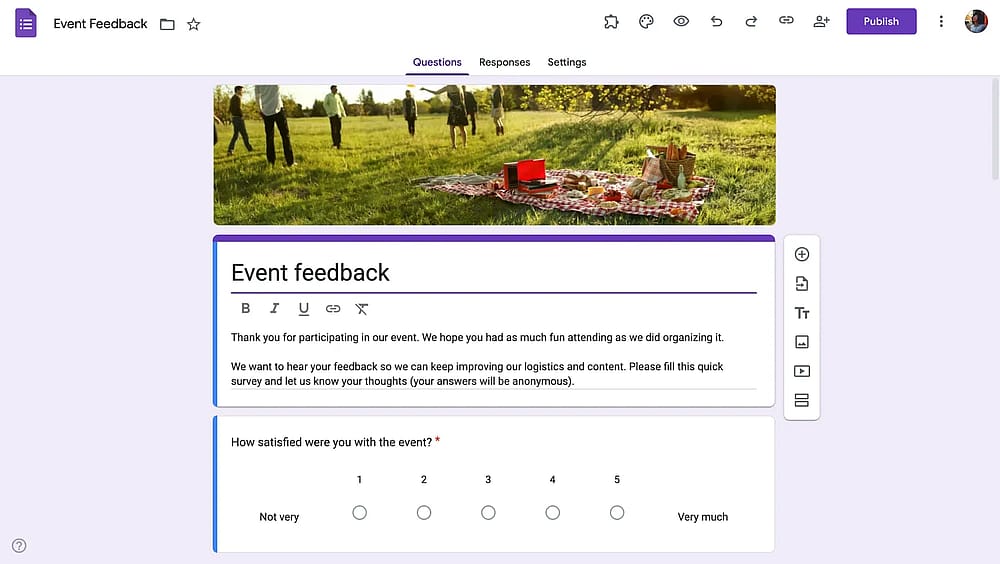
Workspace of Google Forms
Google Forms is the world's most accessible survey tool, offering an entirely free platform with zero restrictions on the number of questions or responses. It is the ultimate “utility” tool for students, educators, and small businesses.
Why is Google Forms a top pick? While Survio's free tier is limited by response counts and data retention, Google Forms is completely unrestricted. It is a better alternative for those on a zero-dollar budget who need a reliable, collaborative tool that integrates instantly with Google Sheets for analysis.
✍️ Editor’s experience: Reliable and completely free. However, the lack of professional branding options makes it unsuitable for high-end clients.
Key features:
- 100% free with unlimited responses
- Real-time collaboration with Google Workspace
- Simple “Add-on” marketplace for extra features
- Instant Google Sheets data export
Google Forms pricing:
- Completely free ✅
9. Survicate (Best for in-product surveys and targeted customer insights)
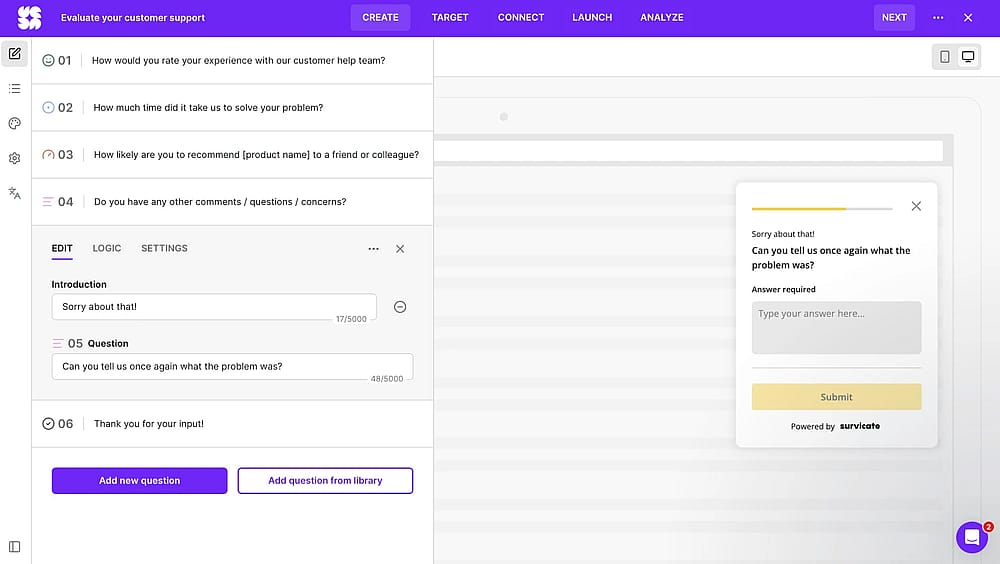
Workspace of Survicate
Survicate is a feedback tool designed for product managers and marketers who want to catch users while they are active on a website or app. It focuses on “contextual” feedback rather than long, static questionnaires.
Why is Survicate a top pick? Survicate outperforms Survio in the “context” department; it allows you to trigger micro-surveys based on specific user actions. It is the better pick for SaaS companies that need to close the feedback loop inside their own product interface.
Key features:
- Targeted in-product and website surveys
- Automated NPS, CSAT, and CES tracking
- “Identification” features to see who responded
- One-click “Email Embed” for engagement
Survicate pricicng:
- Free plan: ✅
- Starter: $79 per month
- Growth: $49 per month - billed annually
- Volume: $229
- Pro: $229 (billed monthly or yearly)
10. Formstack (Best for enterprise workflow automation and secure document generation)
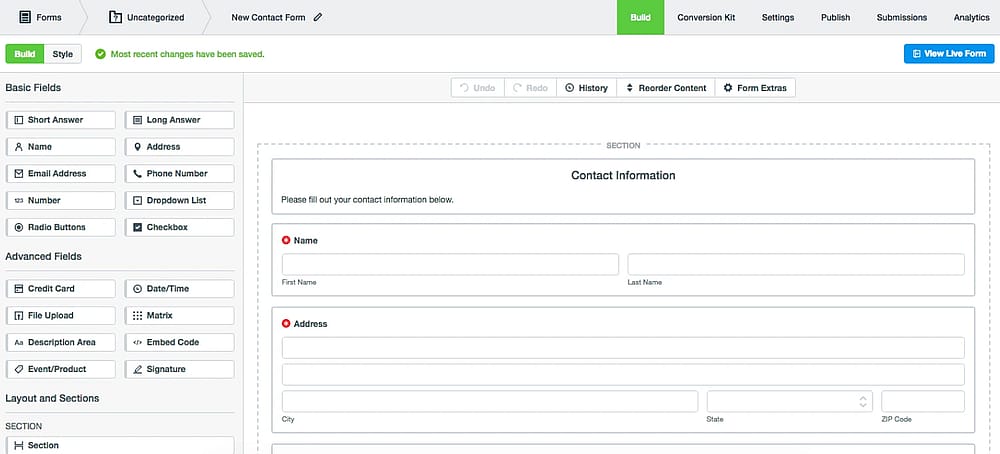
Workspace of Formstack (Source: Formstack)
Formstack is an enterprise-grade productivity platform that goes far beyond data collection. It is designed for highly regulated industries like healthcare or finance that need to turn survey responses into secure, legally binding documents.
Why is Formstack a top pick? Formstack is a better alternative for high-security environments where Survio’s basic features fall short. It offers HIPAA-compliant data handling and the unique ability to automatically generate PDFs or digital signatures directly from a survey submission.
Key features:
- HIPAA, GDPR, and SOC 2 compliance
- Automated document generation (PDF/Word)
- Built-in digital signature collection
- 260+ native enterprise-level integrations
Formstack pricing:
- Free plan: ❌
- forms: $99 per month
- suite: $299 per month
Final verdict: Which tool is right for you?
Choosing the right Survio alternative isn't just about finding a “form builder”; it’s about matching the software to the specific data integrity and technical workflow of your project. After extensive analysis of the 2026 landscape, we’ve found that the market has evolved into three distinct paths for researchers:
- For high-conversion & brand experience: If your primary goal is to fight survey fatigue and boost response rates, look for tools that prioritize conversational UI, “one-question-at-a-time” flows, and aesthetic customization that feels like a natural extension of your brand.
- For data-heavy & technical workflows: If you need your survey to act as a front-end for your database, focus on platforms that offer “no-code” connectivity, allowing you to pull from or update records in tools like Airtable, Notion, or your CRM in real-time.
- For enterprise research & compliance: If you are operating in a regulated industry, prioritize tools with “Privacy-by-Design,” offering end-to-end encryption, HIPAA/GDPR compliance, and advanced statistical modules like MaxDiff or sentiment analysis.
The best way to find your match is to run a “Logic Stress Test.” Build a three-question branch with complex conditions to see how intuitively the editor handles your most difficult requirements.
By shifting from a brand-first to a feature-first mindset, you’ll find a platform that doesn’t just collect answers but actually scales with your organization's intelligence needs.
Frequently asked questions (FAQs)
While Survio is a strong entry-level tool, professional teams often switch to alternatives to access more advanced conditional logic, deeper API integrations, and more generous data retention policies. In 2026, many users find Survio’s free-tier response limits and 30-day data storage window restrictive for long-term or high-volume projects.
For 100% free use with no response limits, Google Forms is the industry standard. However, if you need professional features like logic and branding for free, forms.app and Fillout offer more modern interfaces and higher entry-level value than most traditional platforms.
Contributors
Researched & written by
forms.app, your free form builder
- Unlimited responses
- Unlimited questions
- Unlimited team members



.png)